

Message Templates
Message Templates are ready-made message sequences a human agent can send with one click during a Live Chat conversation, instead of typing everything manually.
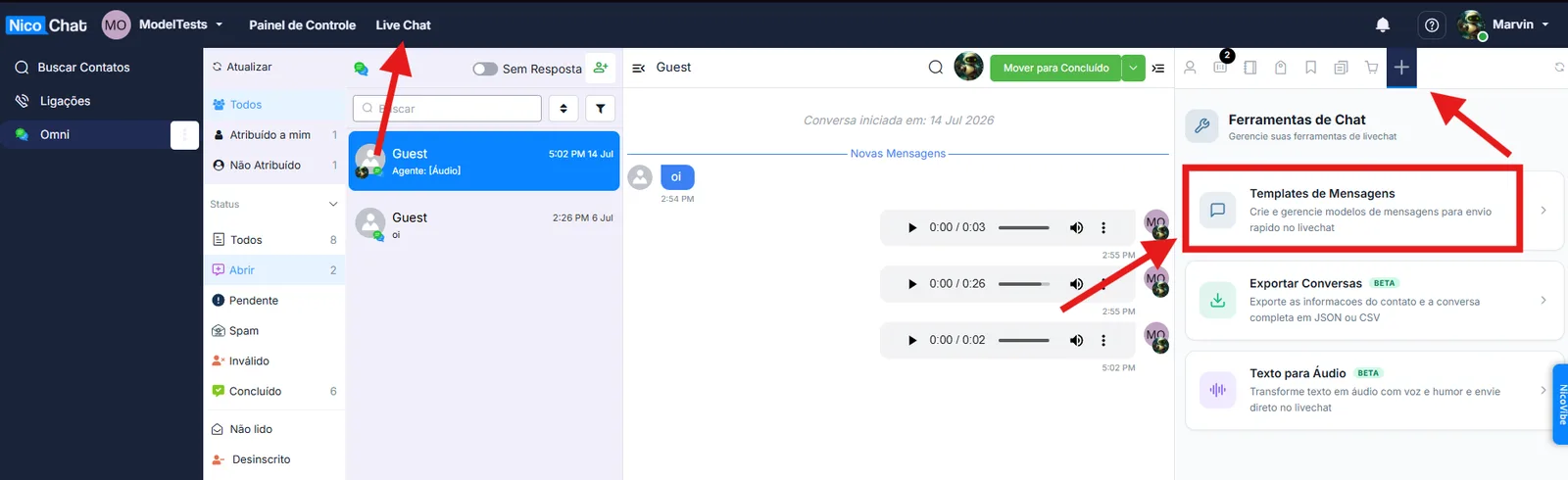
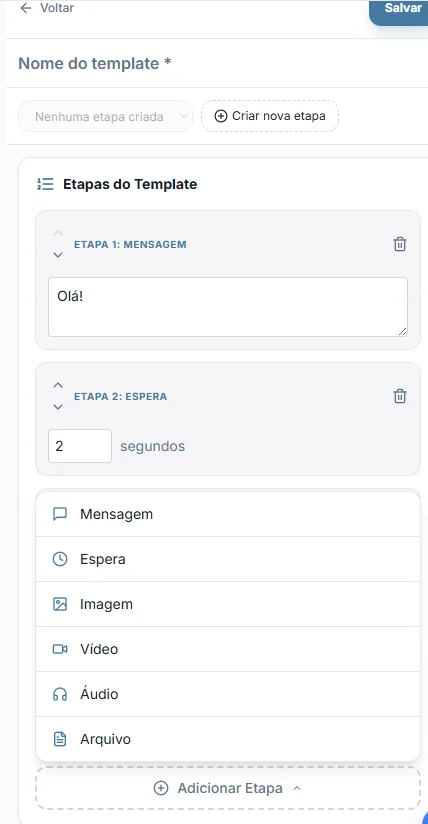
Cada template é composto por uma sequência de etapas, executadas uma após a outra quando o atendente escolhe o template para enviar. As etapas disponíveis são:
- Mensagem — um texto simples enviado ao contato.
- Espera — uma pausa entre etapas (de 1 a 15 segundos), útil para dar um espaçamento mais natural entre mensagens, como se estivessem sendo digitadas.
- Imagem, Vídeo, Áudio e Arquivo — mídias enviadas como parte da sequência.
Um mesmo template pode ter até 10 etapas, combinadas na ordem que fizer sentido (por exemplo: Mensagem → Espera → Imagem → Mensagem).
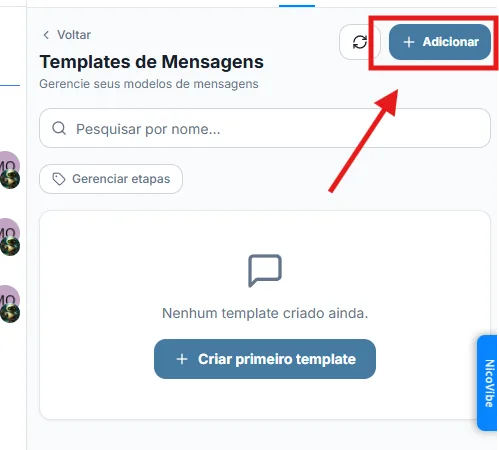
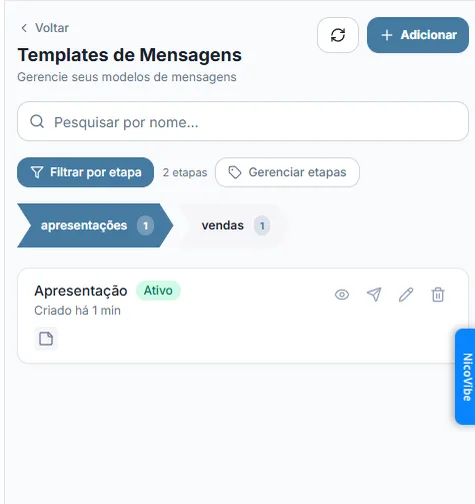
Templates podem receber até 10 etiquetas de organização — rótulos livres, criados e reaproveitados dentro da workspace — que ajudam a encontrar o template certo em uma lista maior. Essas etiquetas podem, opcionalmente, ser vinculadas a um campo do contato: quando um template com essa etiqueta é enviado, o valor daquele campo é atualizado automaticamente no cadastro do contato. Isso é útil, por exemplo, para registrar em qual etapa do atendimento o contato está, a partir do template que foi disparado.
As etiquetas são compartilhadas entre todos os templates da workspace: renomear ou remover uma etiqueta afeta todos os templates que a utilizam.
- Se a conversa estiver fora da janela permitida para envio de mensagens no canal (regra comum em canais como o WhatsApp, que têm uma janela de atendimento limitada), o envio pode ser bloqueado ou exigir uma ação adicional antes de o template ser enviado.
- Enviar um template pode reativar o fluxo automático (bot) para aquele contato, dependendo da configuração do canal — ou seja, o disparo manual não fica necessariamente isolado da automação.
Um template pode ficar salvo como rascunho enquanto está sendo montado, e ser marcado como ativo quando estiver pronto para aparecer na lista de envio rápido durante os atendimentos.
Por padrão, todos da workspace veem todos os templates. Dono e administrador podem restringir isso na tela de controle de acesso, escolhendo entre três modos: todos veem todos, visibilidade por grupo de atendimento, ou uma regra própria para cada template.
- Quem cria um template sempre continua enxergando o que criou, em qualquer modo.
- Dono e administrador enxergam todos os templates, em qualquer modo.
- Não enxergar um template equivale a não poder usá-lo: vale para abrir, editar, excluir e disparar.
Criar, editar e excluir seguem regra separada da visibilidade, e mais restritiva: nascem fechadas. O padrão é supervisor podendo criar, editar e excluir, e atendente podendo apenas criar — ser autor do template não muda isso. Dono e administrador têm as três ações sempre.
- Ferramentas de Chat — visão geral de todas as ferramentas do painel "+"
- Editar/Excluir Mensagens
- Exportar Conversas
- Texto para Áudio
- Controle de acesso às ferramentas