

Slack Notification
To send a Slack notification, you must first set up the Slack integration. See how to set up the Slack integration.
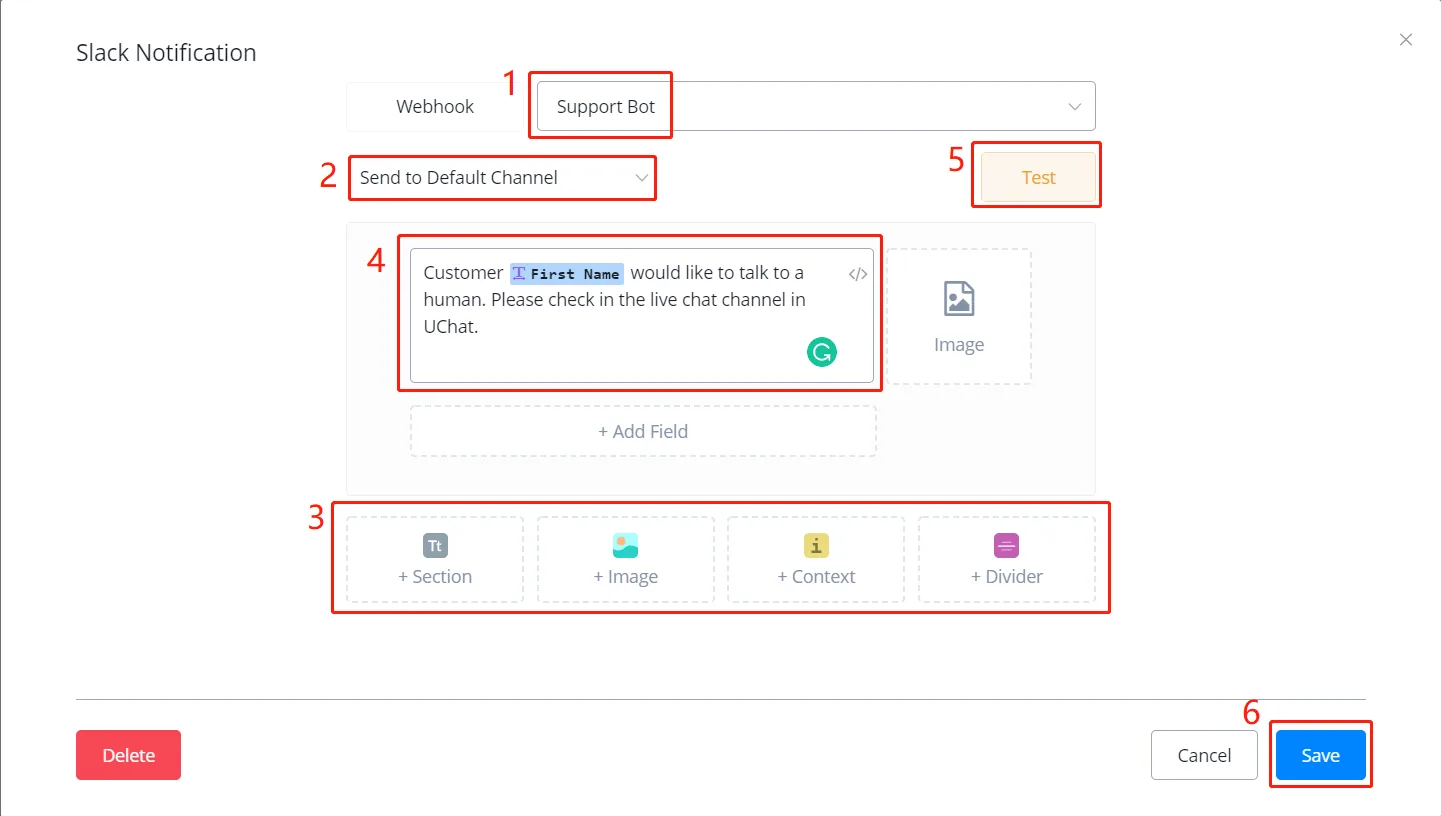
In the pop-up window,
- choose a Webhook
- choose the default channel or enter another one
- choose a message type and add as many as you need
- for example, in the "Section" type, put the message in area 4 and add a photo or a field value, if needed
- use the "Test" button to send the test message and adjust whatever is needed
- when you are done, click "Save".