

WhatsApp Template Notification
To send a WhatsApp notification, you first need to set up your WhatsApp integration. Also, make sure you have added a verified payment method.
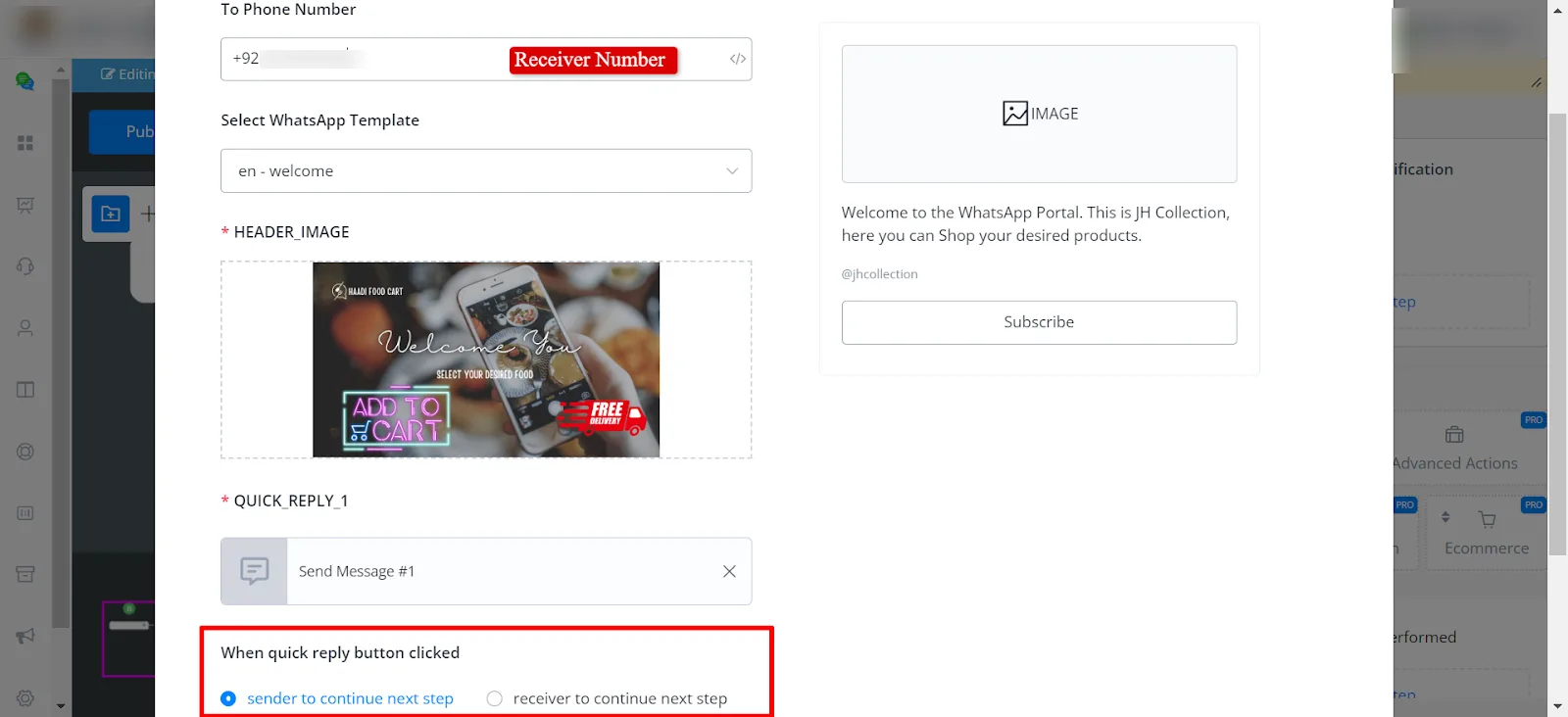
You need to select the template message and fill in the parameters. If you are using the Quick Reply Button, you will have two options. When the Quick Reply Button is clicked
User A interacted with the channel. User B is the admin we want to notify. So, when user A interacts with the channel, they reach this WhatsApp Template Notification and the template has a button:
If the sender continues,
as soon as user B, the admin, receives the message and clicks the button, user A will continue to the next step.
If the receiver continues,
When user B receives the notification and clicks the button, they will continue to the next step.