

Agent Groups
Agent Groups are used to organize your live agents into different groups and distribute conversations accordingly.
For example, one group can be responsible for handling user questions, while another handles outreach.
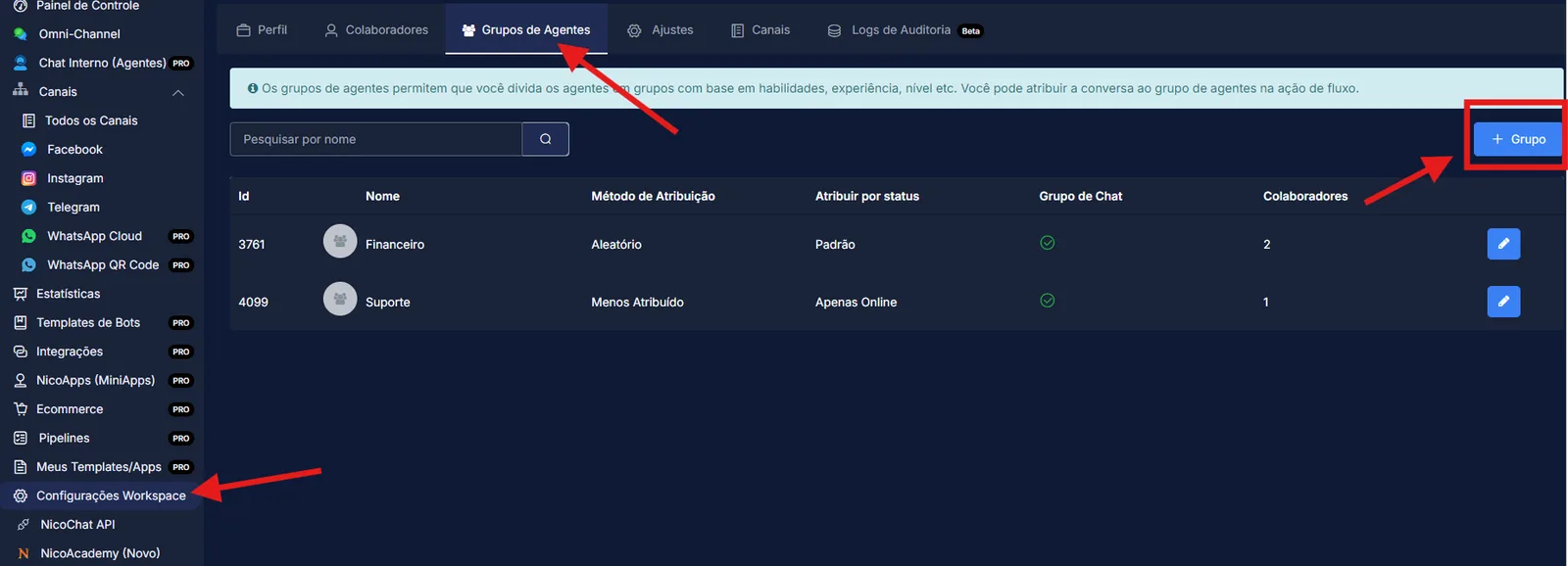
To create an agent group, click the “+Group” button.
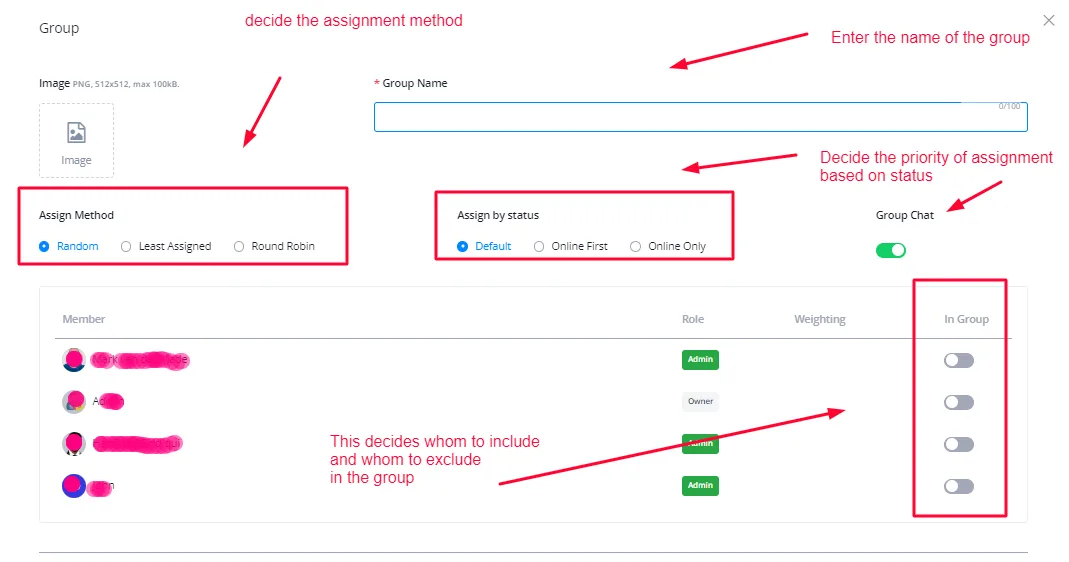
Enter the name of the group. Set the assignment by status, that is, whether agents who are online should receive the conversation before those who are not. Also set the Assign Method, which determines the order in which conversations are distributed: Round Robin, for example, delivers the same number of conversations to each agent, among other methods.
Enable or disable the toggle on the right to include or exclude people from the group. Members with the toggle enabled stay in the group.
Finally, enable or disable Chat Only Group if you want the live agents of a given group to be able to communicate as well.
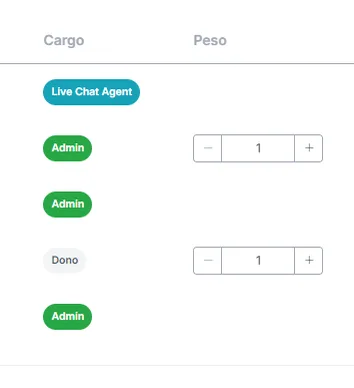
“Weight” defines whether certain team members have priority over others when conversations are assigned.
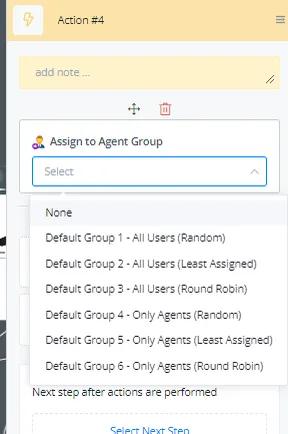
To use these agent groups, use the action node in the flow builder and assign conversations to them at different stages of the flow.
Scroll down the page to see the newly created agent group or choose one of the existing ones.