

Agents
Only the owner can invite, delete, or edit a member's role. A new member is invited with their email address and role setting.
Only the owner can invite, delete, or edit a member's role. A new member is invited with their email address and role setting.
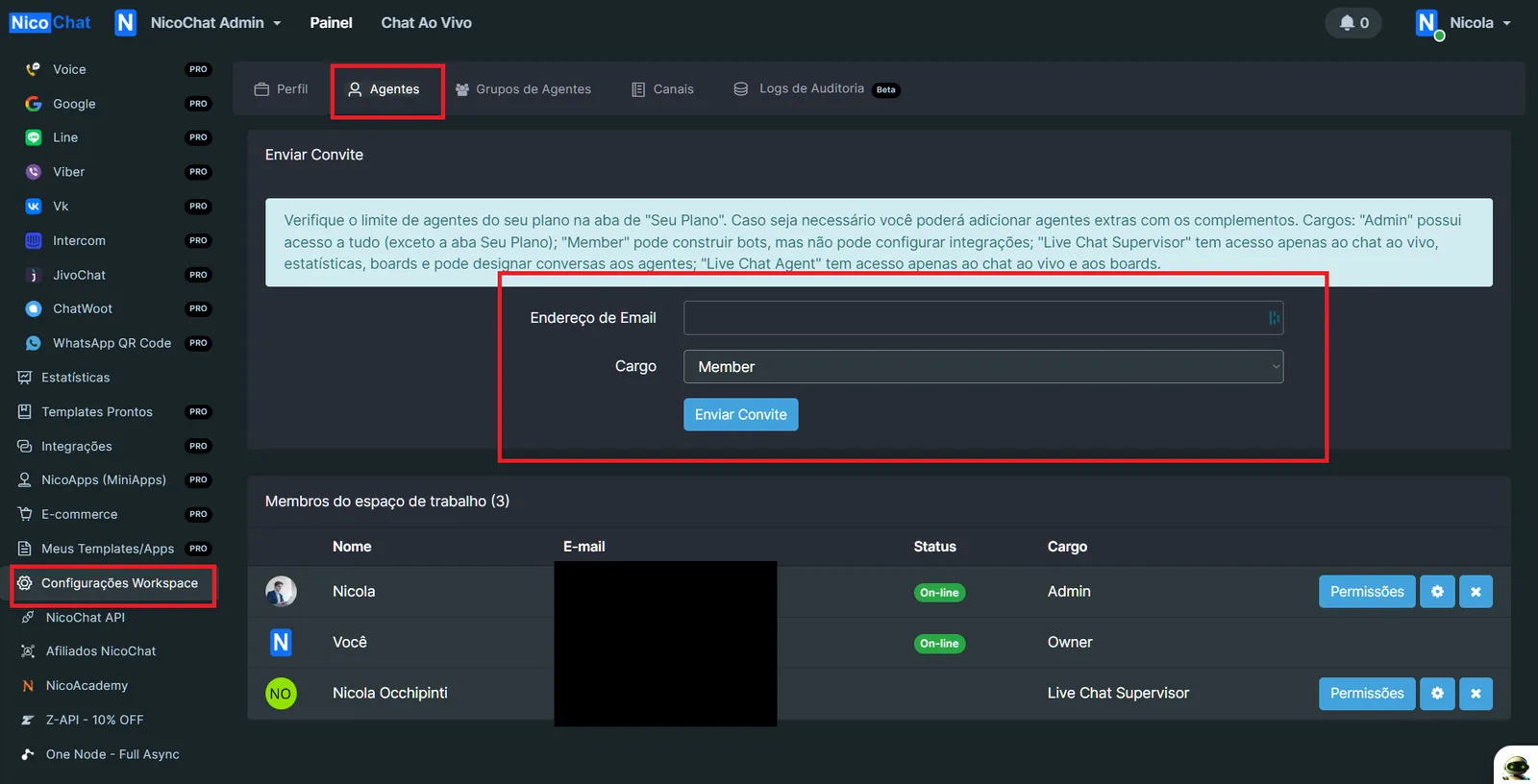
Each "NicoChat account" is to be seen as a person/user. Members are all the people who have limited or full access to the workspace. There are 5 types of role: Owner, Admin, Member, Live Chat Agent and Live Chat Supervisor.
The first user who creates the workspace becomes its only owner.
A member can
- Access only the Live Chat
A member can
- Access only the Live Chat
- Manage all Live Chat agent conversations
A member can
- View and edit all flows
- View analytics
An admin can
- Have all Member features
- Manage channel connections (add numbers, agents, connect pages, etc.)
- Manage all integrations
- Manage the e-commerce system
- Manage templates
- Manage NicoApps (MiniApps)
The owner can
- Have all Admin features
- Manage the workspace profile
- Manage members in the workspace (invite, delete, edit role)
- Manage subscription and payment
If the new member is already a NicoChat user, they can accept the invitation in the NicoChat notification center (the bell icon in the upper right corner; see the 2 screenshots below).
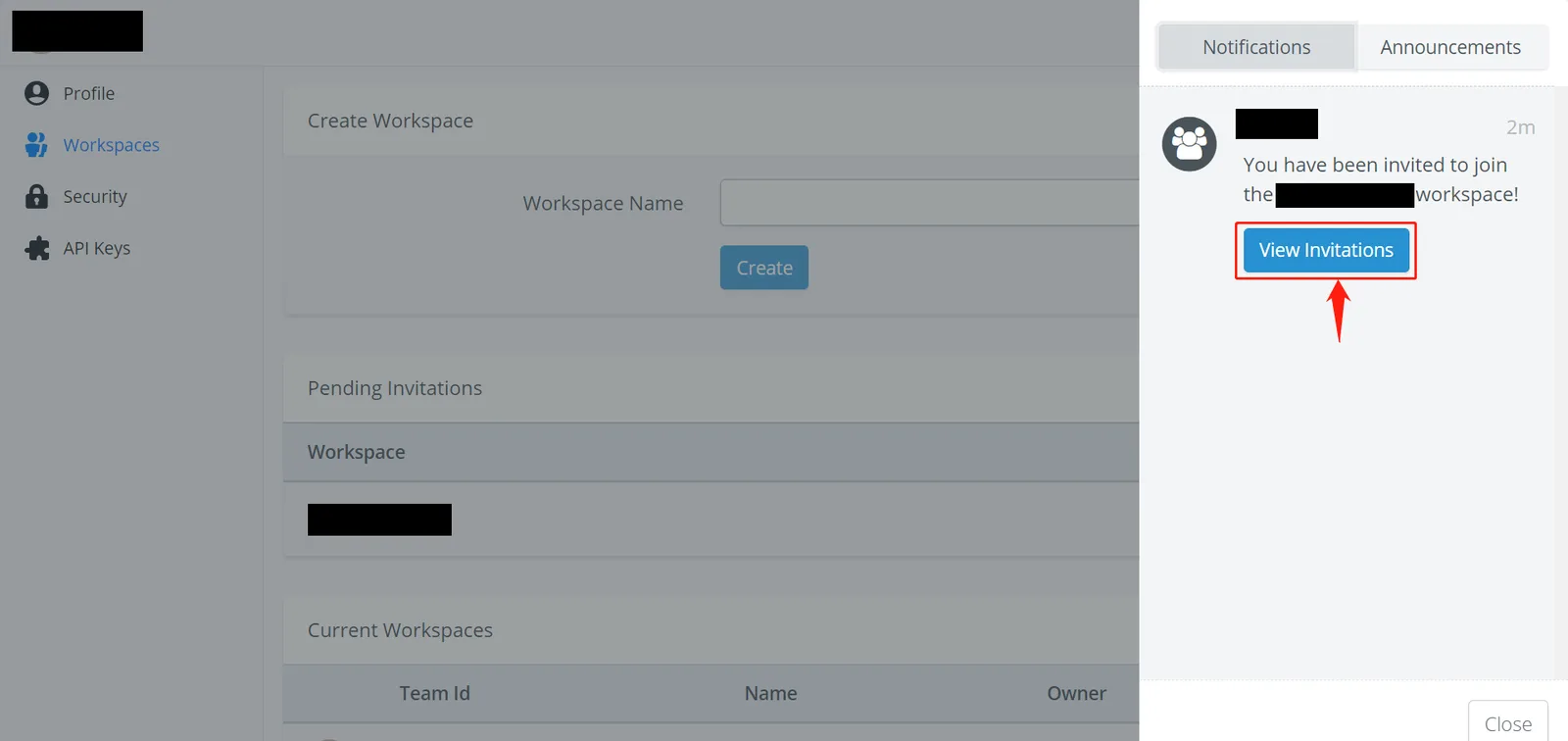
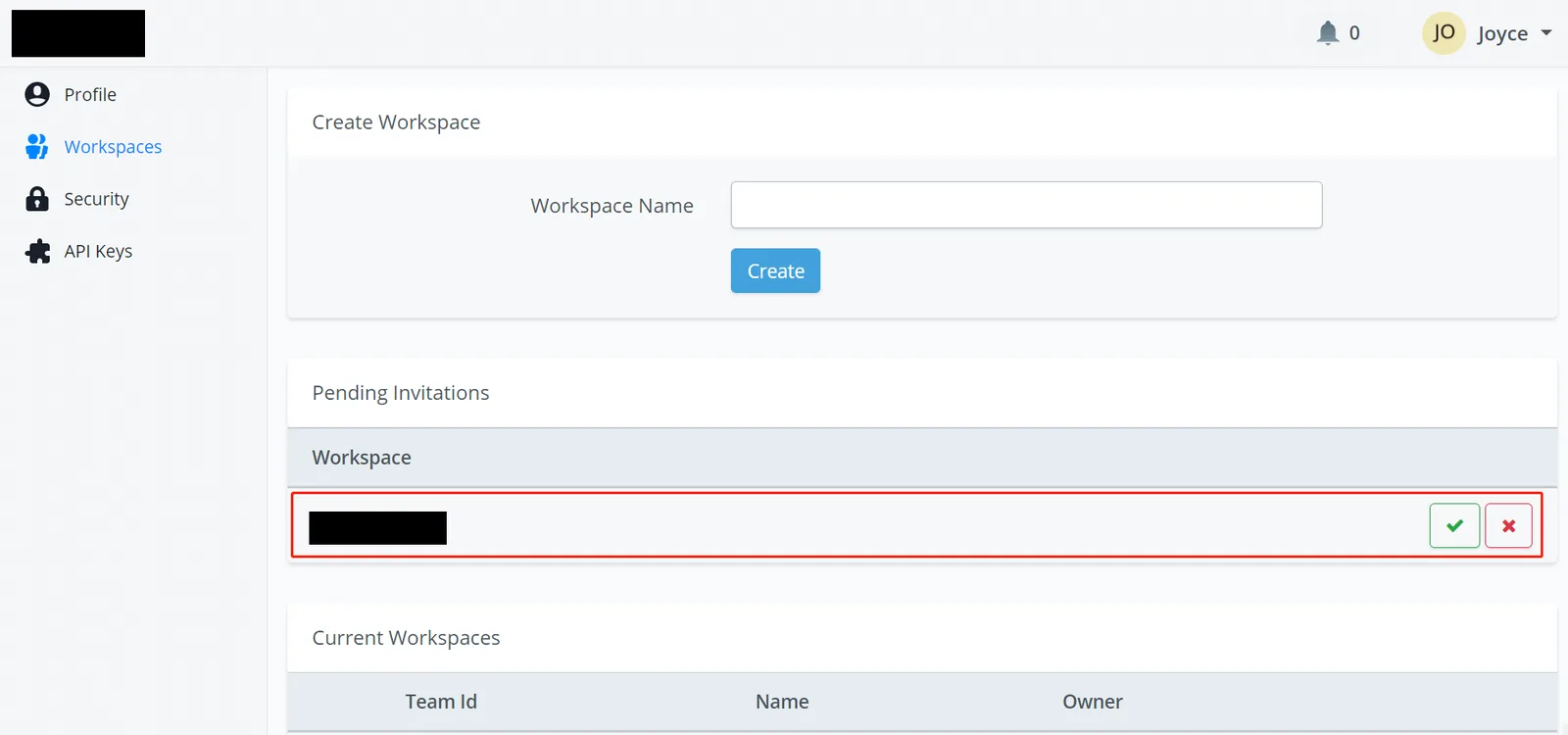
If the new member is not a NicoChat user yet, the invitation email will contain a link to set up a new password. Once it is set, the member can also log into the workspace with their own login details.
(Owner Only) You can assign a role at the time you invite new members or edit it later on the member page. Click the gear icon to change a member's role.
(NicoChat partner plan Only) For each member, you can define the access to different sections/features of the workspace.
This feature gives you maximum flexibility to grant the appropriate access to any of your team members.
You can have finer control over your team members' access.
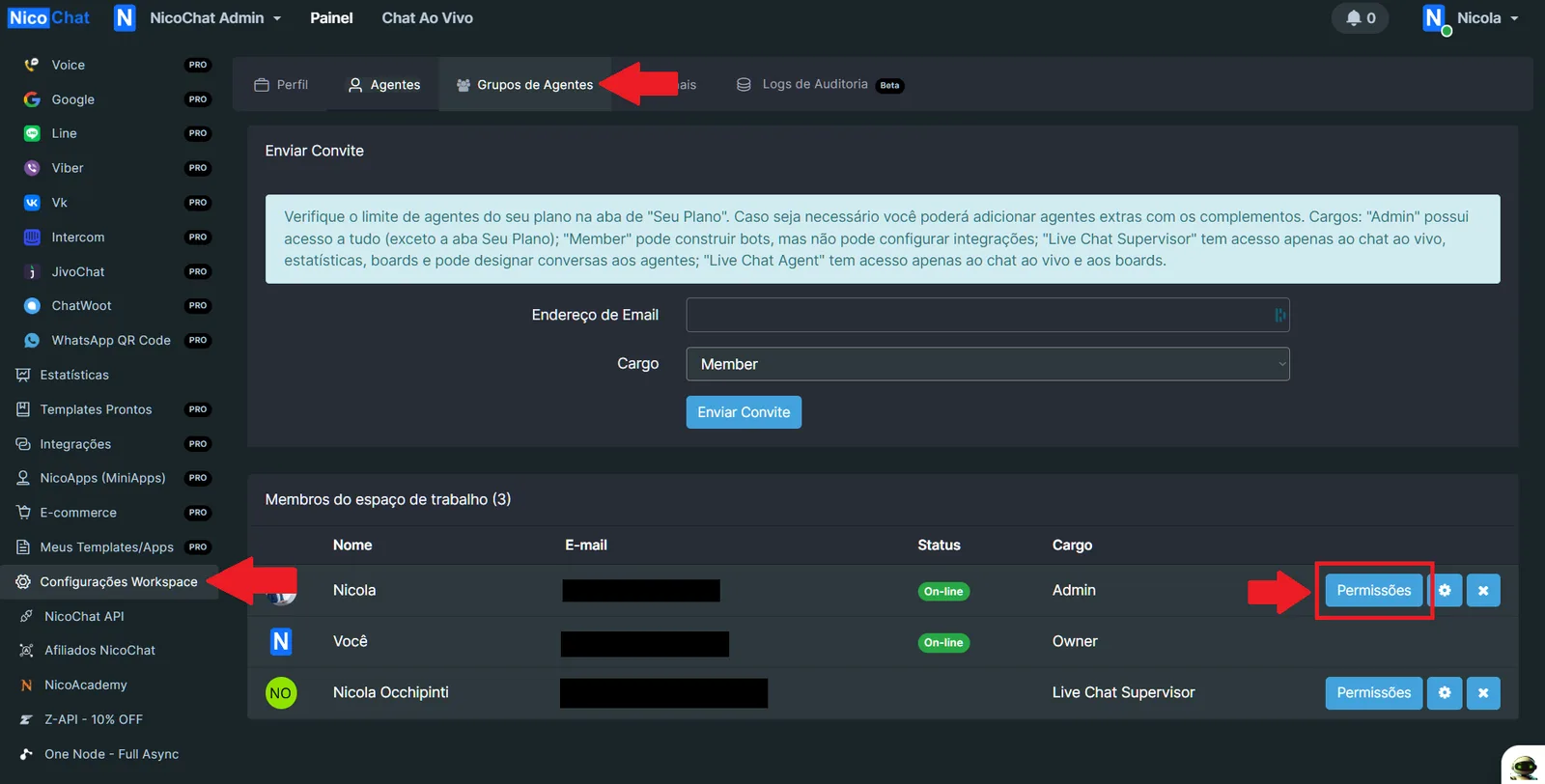
- Navbar - Create Workspace
- Navbar - Live Chat
- Upload Files
- Omni-Channel
- Agent Group Chat
- Channels
- Analytics
- Template Store
- Integrations
- NicoApps (MiniApps)
- E-Commerce
- My Content - My NicoApps
- My Content - My Bot Templates
- My Content - Email Templates
- Workspace Settings
- Custom Menus
- White Label Settings
- Bot - Flows
- Bot - Analytics
- Bot - Live Chat
- Bot - Contacts
- Bot - Boards
- Bot - Content
- Bot - Tools
- Bot - Broadcasts
- Bot - Settings
- Bot - Web Chat Widget