

Bot Template: Managing Installs
NicoChat now allows your users to have control over who installs their templates. For this feature to work, Auto Update must also be enabled.
From your dashboard, click the My Templates/Apps tab. Go to Bot Templates and click the three dots icon of any template that has Auto Update enabled.
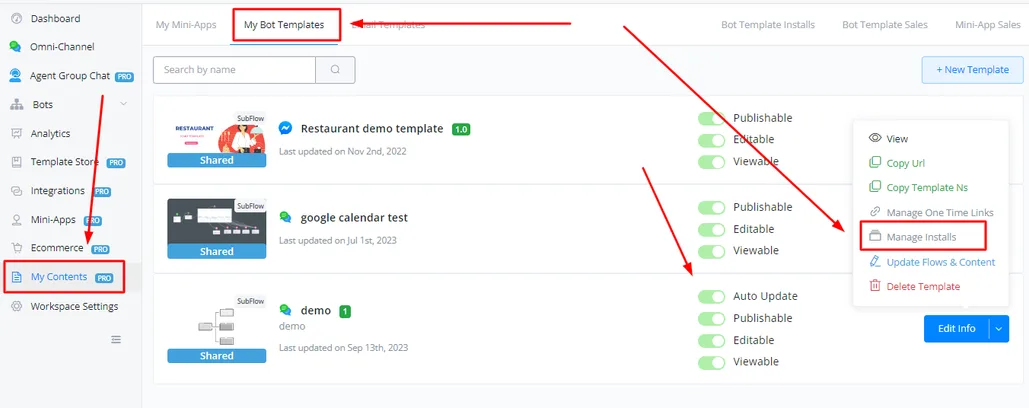
Click Manage Installs.
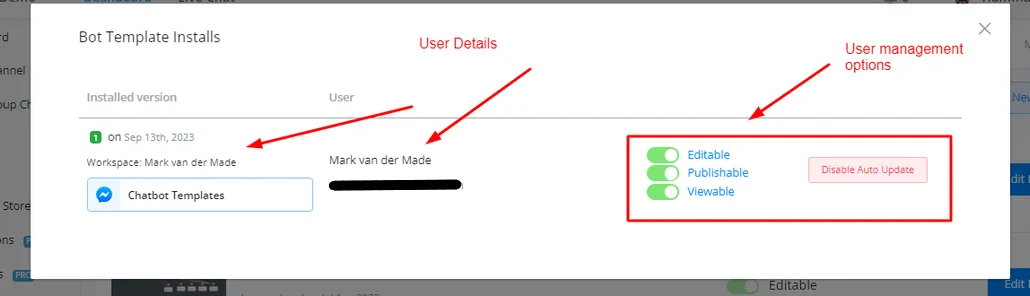
You can now see and manage the users and enable/disable features for them. Clicking Disable Auto Update disables all future updates for that user.