

Set your live chat settings
Depending on the live chat settings you have, live chat will be triggered in our mobile apps or in the web chat platform we integrate with.
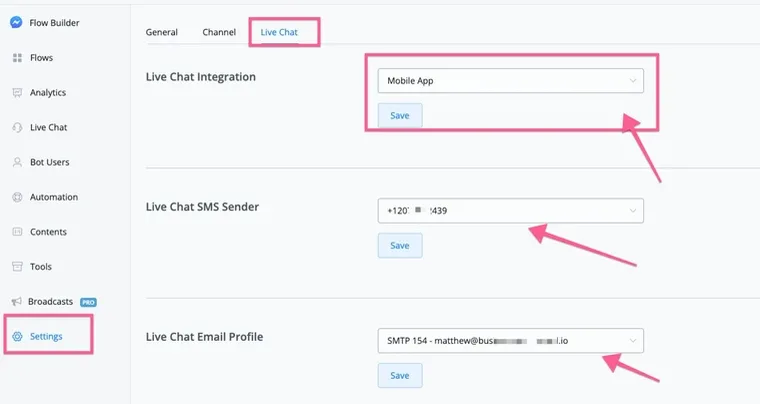
You can go to your current channel settings and select “Live Chat”; there you will find the settings below:
NicoChat will not only offer mobile apps to handle live chat; in the future, you will also be able to use live chat on other web chat platforms.
Here you can select the mobile apps; this way, the conversation will be sent to our mobile apps.
As for the SMS and email profile settings, the NicoChat mobile apps let you reach the user even when they are outside the contact window (on Messenger, Instagram and WhatsApp, the window is 24 hours; on Google Business Messenger, it is 30 days, etc.).
If you have already set up your SMS and email provider, you will be able to send SMS and email to the user through the mobile apps and through our live chat window.