Checks and Validations
Gets street name, neighborhood, city, etc. from the CEP (postal code)
Gets street name, neighborhood, city, etc. from the CEP (postal code).
To start, you will need to ask the contact to provide the CEP using a question block. After that, it is useful to insert a text formatter to get the CEP in the 00000-000 format or with numbers only. Example:
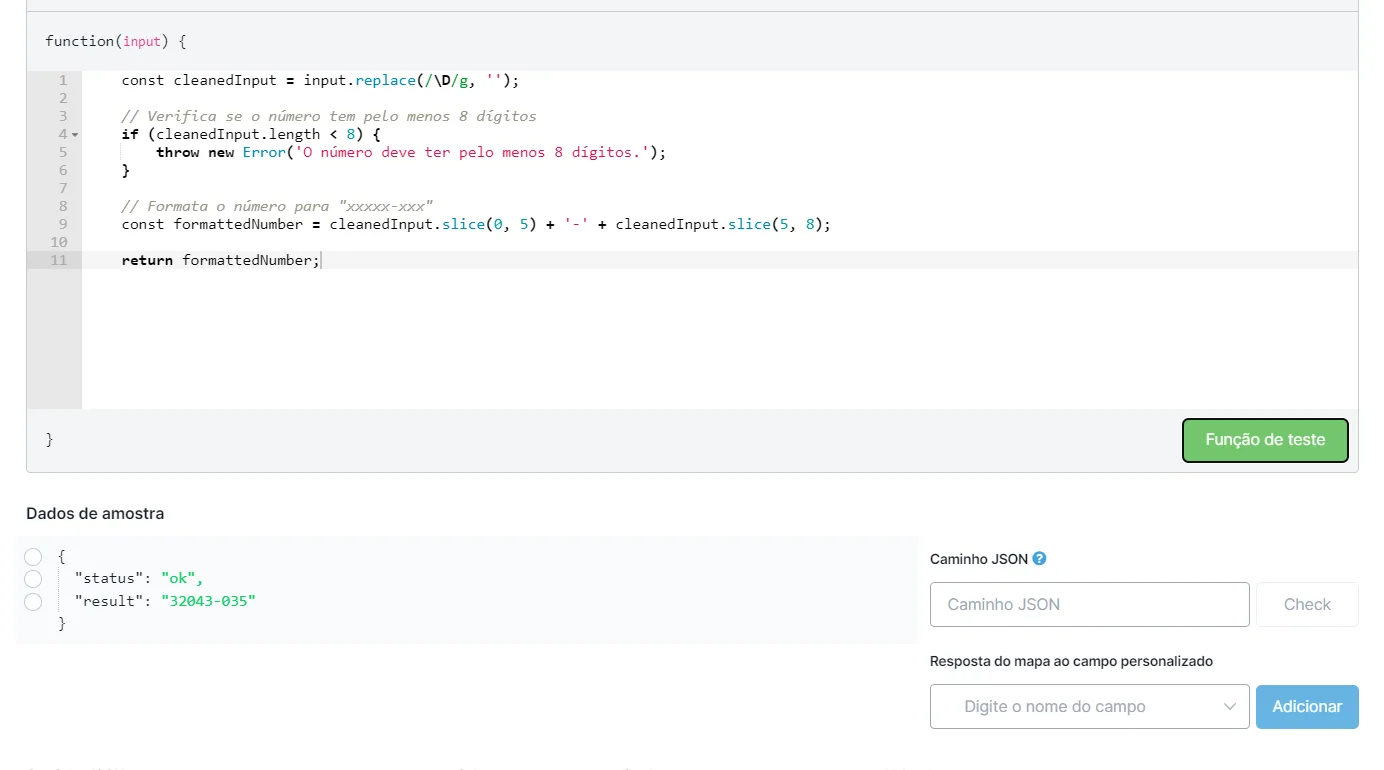
Then save the result in the variable you want and insert it in the “CEP” option.

For it to display the data found, insert the variables in which you want to save what was found.
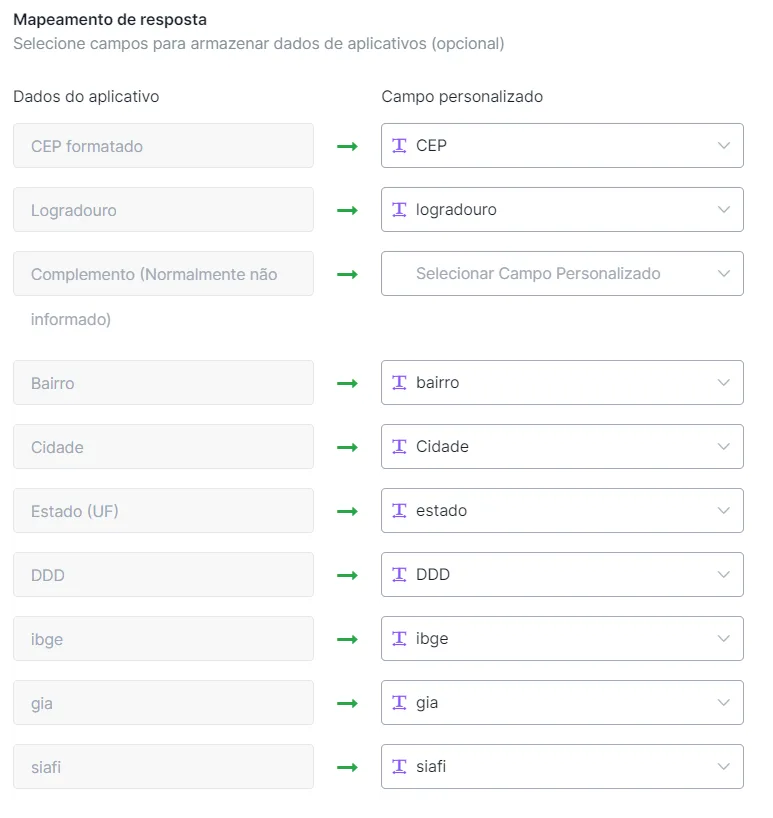
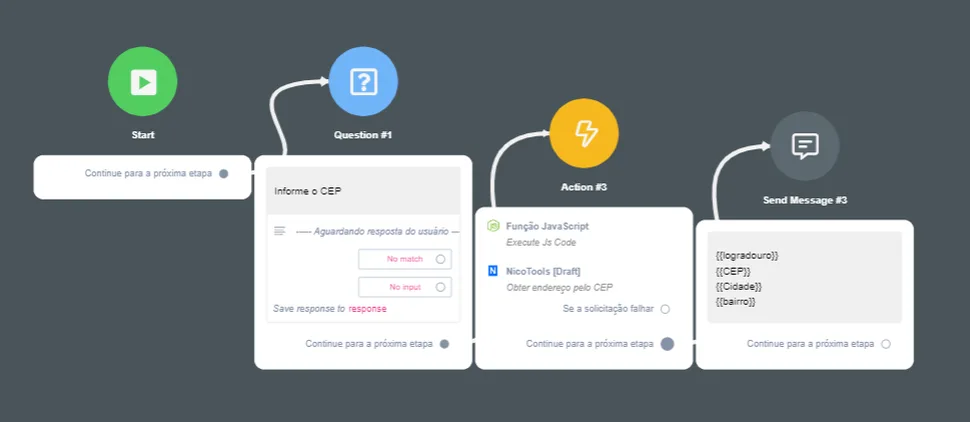
The data found will be returned in the variables you inserted. Flow example:
Checks whether a CNPJ is valid.
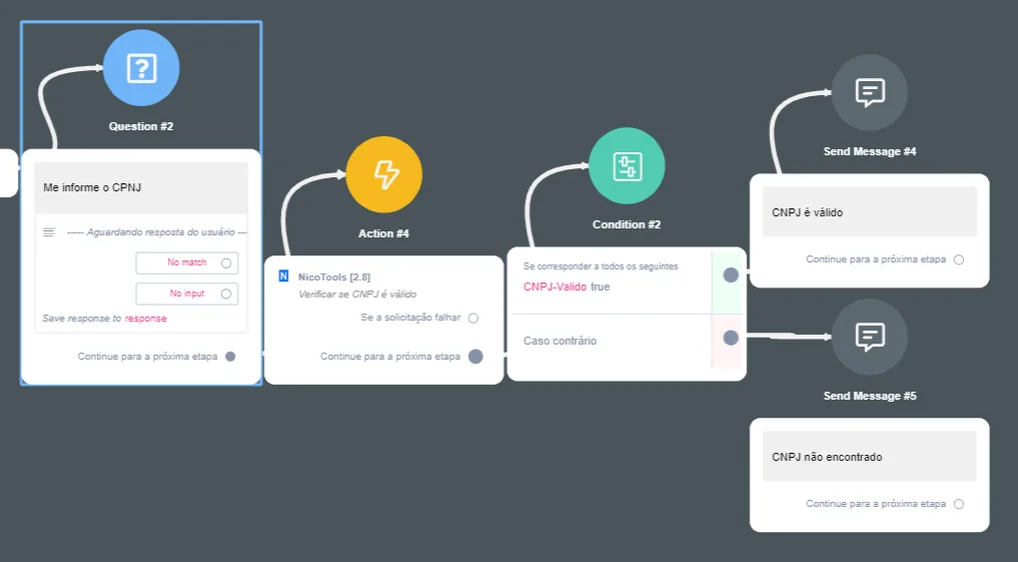
To start, you will need to ask the contact to provide the CNPJ using a question block. There is no need to format it with separators.
Right after that, insert the variable saved with the CNPJ value in the “CNPJ” option.

Right after that, save it in a boolean variable.
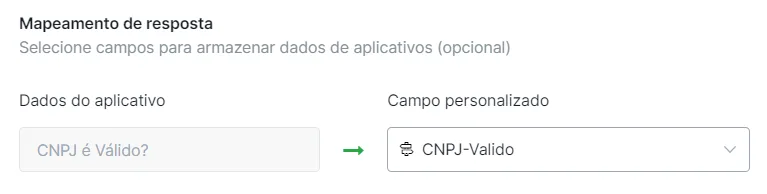
Flow example:
Checks whether a CPF is valid.
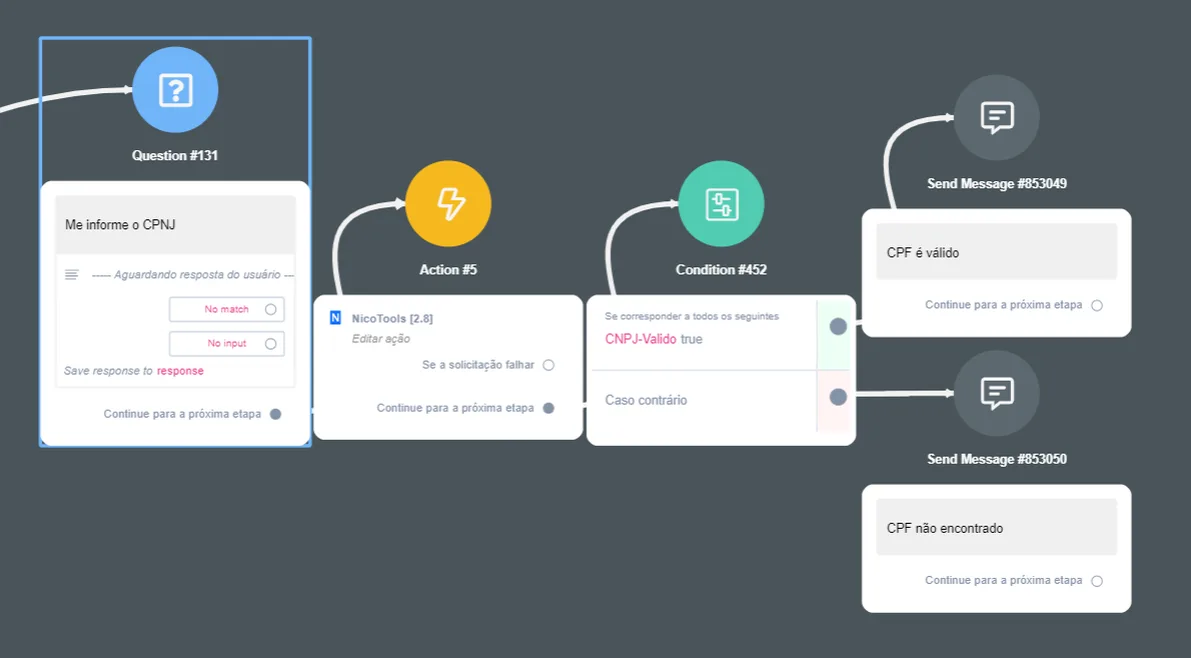
To start, you will need to ask the contact to provide the CPF using a question block. There is no need to format it with separators.
Right after that, insert the variable saved with the CPF value in the “CPF” option.

Right after that, save it in a boolean variable.
34.345.128/0001-09
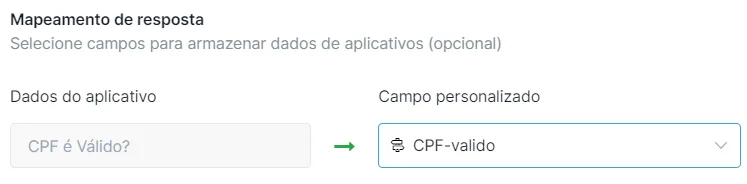
Flow example:
Checks whether a given phone number can be found on WhatsApp. It also returns the phone number formatted with the country code (DDI) and with or without the 9th digit (according to WhatsApp).
To start, you will need to ask the contact to provide the number using a question block. There is no need to format it with separators.

Right after that, save the variables you want.
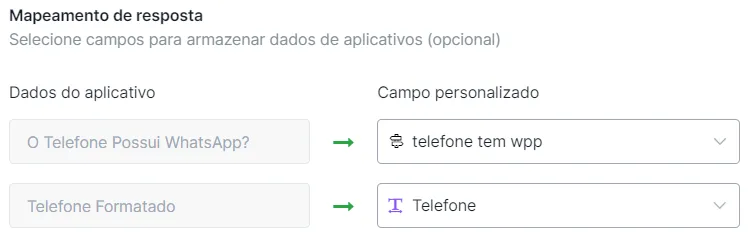
Flow example:
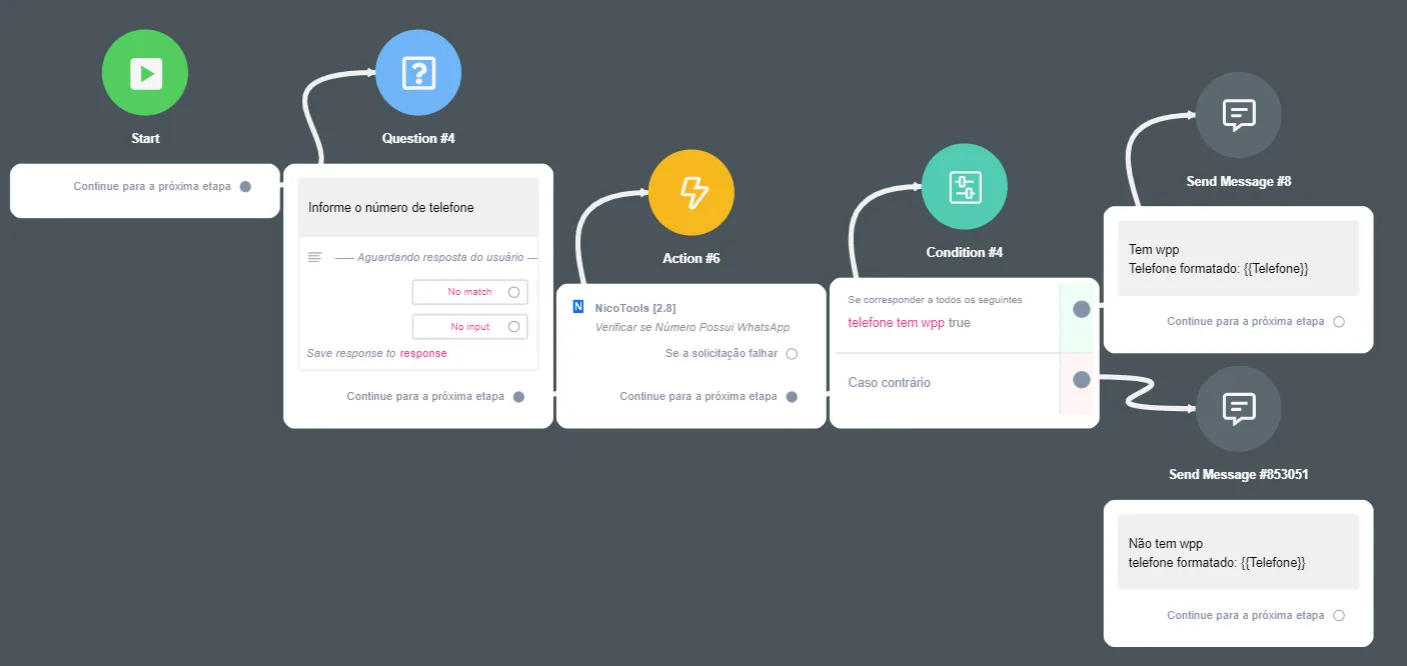
Result: