

User Field Value Changed
The "User Field Value Changed" trigger is a powerful tool: it activates whenever the value of a specified user variable changes.
When does this trigger activate?
The trigger activates whenever a user field (variable) changes its value. The change can be from no value to a new value or from an old value to a new value.
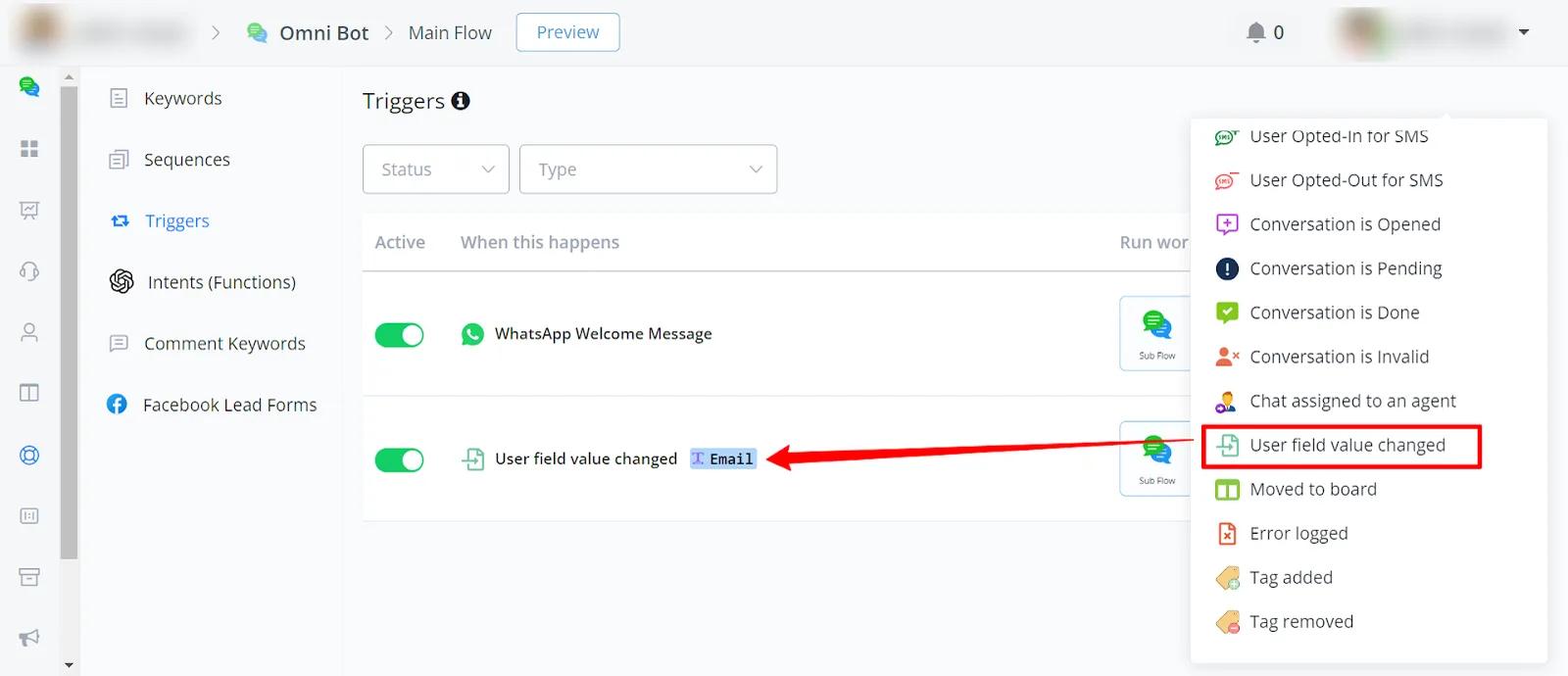
You will find this trigger under Automation -> Triggers.
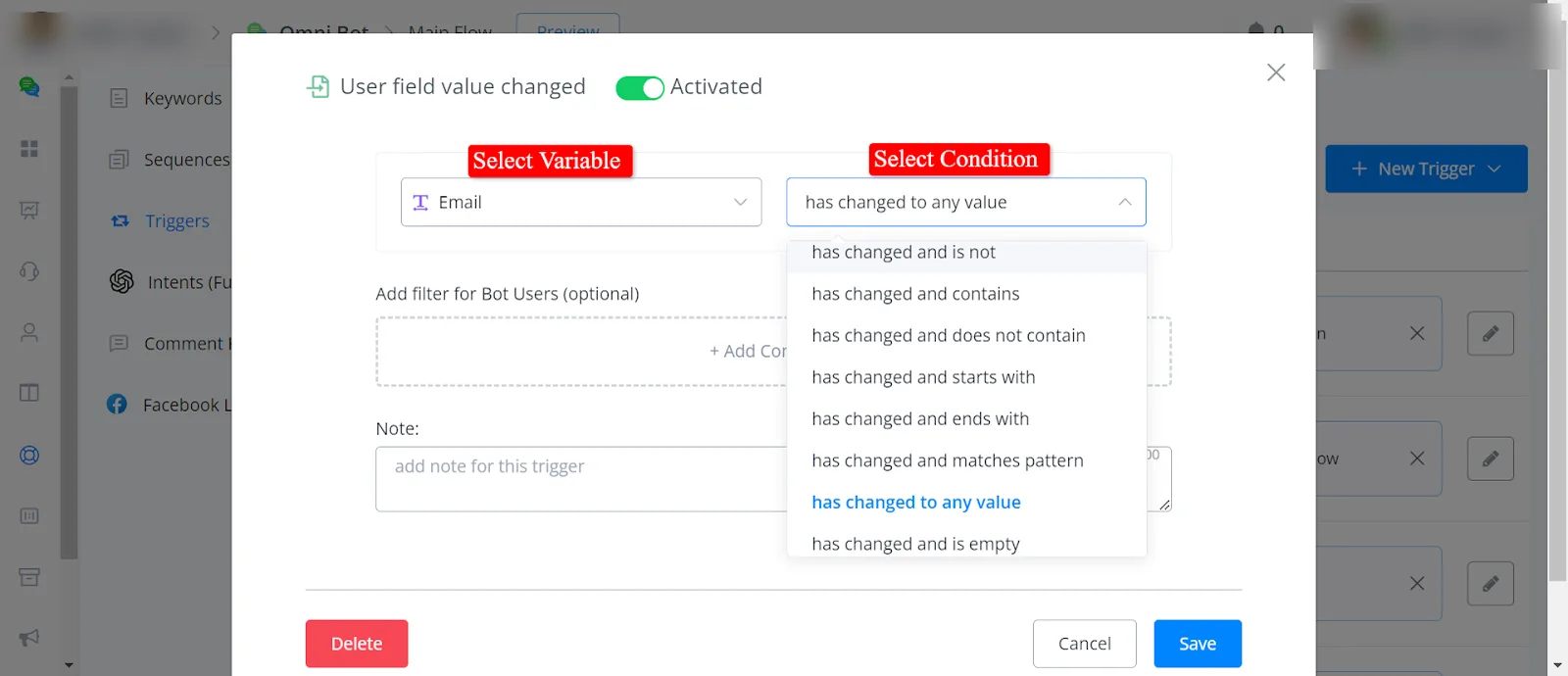
- has changed to
When the value changes to the specified value, the trigger will activate.
- has changed and is not
When the value changes and is not the specified value, the trigger will activate.
- has changed and contains
The trigger will activate when the value changes and contains the specified value.
- has changed and does not contain
When the value changes and does not contain the specified value, the trigger will activate.
- has changed and starts with
The trigger will activate when the value changes and starts with the specified value.
- has changed and ends with
The trigger will activate when the value changes and ends with the specified value.
- has changed and matches the pattern
When the value changes and matches the specified pattern, the trigger will activate.
- has changed to any value
When the value changes to any value, the trigger will activate.
- Has changed and is empty
When the value changes and becomes empty, the trigger will activate.
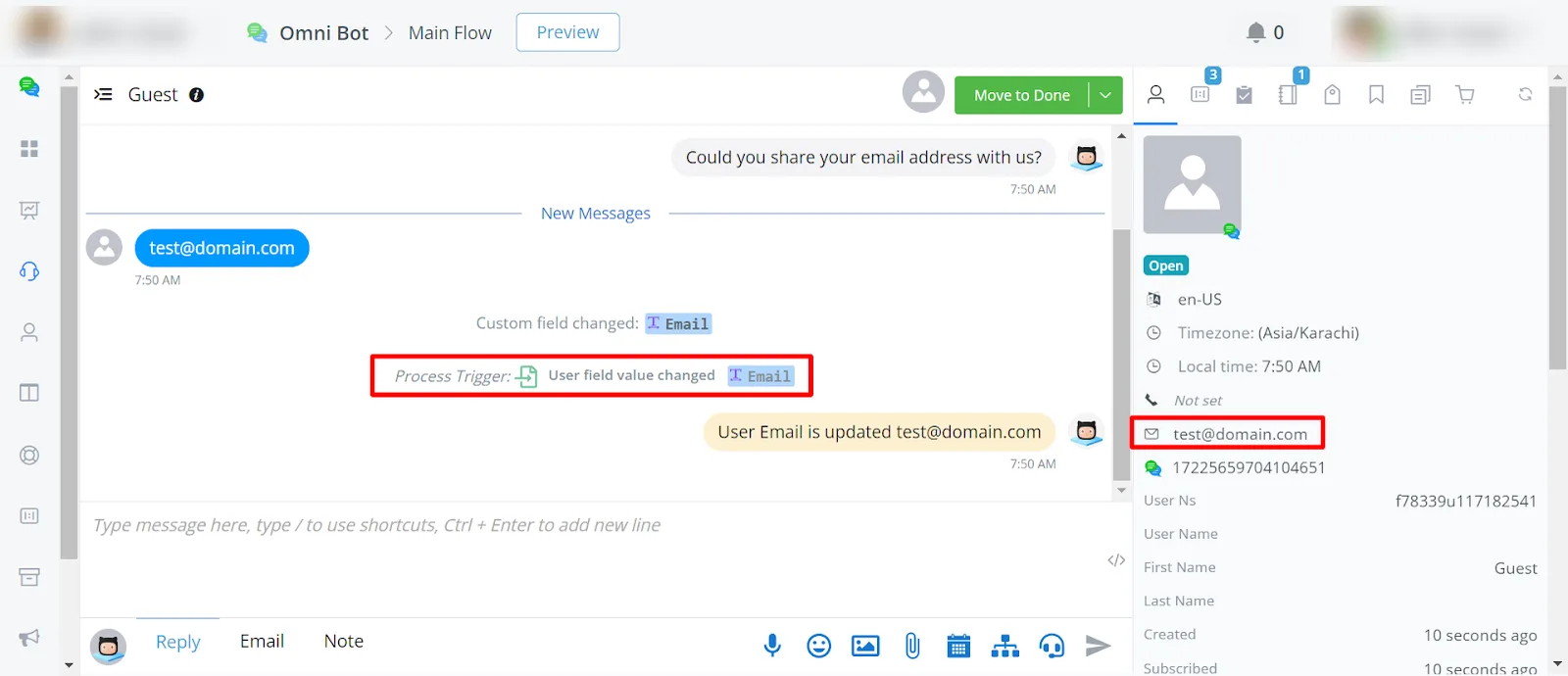
For example, this trigger activates when the value of the email changes.
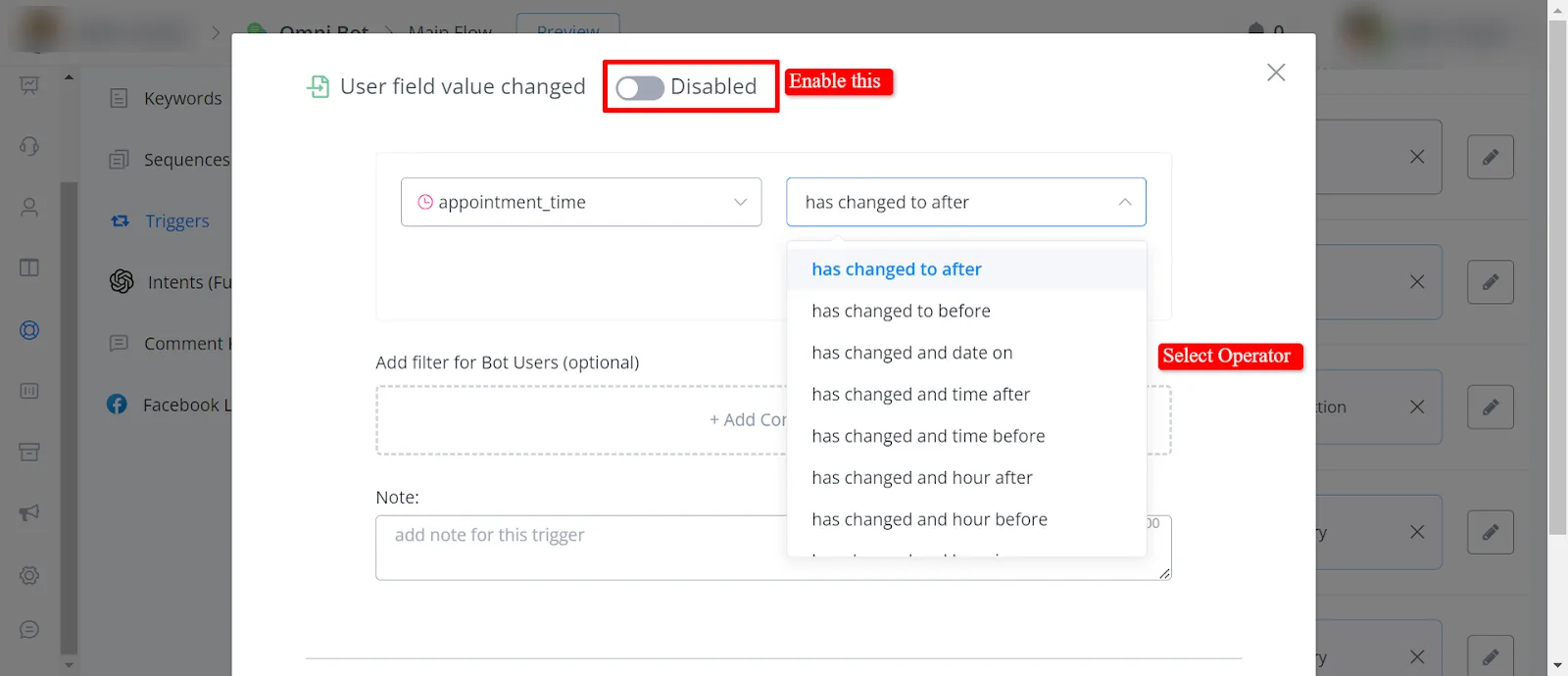
- Has changed to after:
The trigger will activate when the value changes to a date or time after the specified value.
- Has changed to before:
The trigger will activate when the value changes to a date or time before the specified value.
- Has changed and date on:
The trigger will activate when the value changes and matches the specified date.
- Has changed and time after:
The trigger will activate when the value changes and the time is after the specified time.
- Has changed and time before:
The trigger will activate when the value changes and the time is before the specified time.
- Has changed and hour after:
The trigger will activate when the value changes and the hour is after the specified hour.
- Has changed and hour before:
The trigger will activate when the value changes and the hour is before the specified hour.
- Has changed and hour is:
When the value changes and matches the specified hour, the trigger will activate.
- Has changed and minute after:
When the value changes and the minute is after the specified minute, the trigger will activate.
- Has changed and minute before:
When the value changes and the minute is before the specified minute, the trigger will activate.
- Has changed and minute is:
When the value changes and matches the specified minute, the trigger will activate.
- Has changed and is Monday:
The trigger will activate when the value changes and the day is Monday.
- Has changed and is Tuesday:
The trigger will activate when the value changes and the day is Tuesday.
- Has changed and is Wednesday:
The trigger will activate when the value changes and the day is Wednesday.
- Has changed and is Thursday:
When the value changes and the day is Thursday, the trigger will activate.
- Has changed and is Friday:
When the value changes and the day is Friday, the trigger will activate.
- Has changed and is Saturday:
The trigger will activate when the value changes and the day is Saturday.
- Has changed and is Sunday:
When the value changes and the day is Sunday, the trigger will activate.
- Has changed and is weekday:
When the value changes and the day is a weekday, the trigger will activate.
- Has changed and is weekend:
The trigger will activate when the value changes and the day is a weekend.
- Has changed to any value:
When the value changes to any value, the trigger will activate.
- Has changed and is empty:
When the value changes and becomes empty, the trigger will activate.
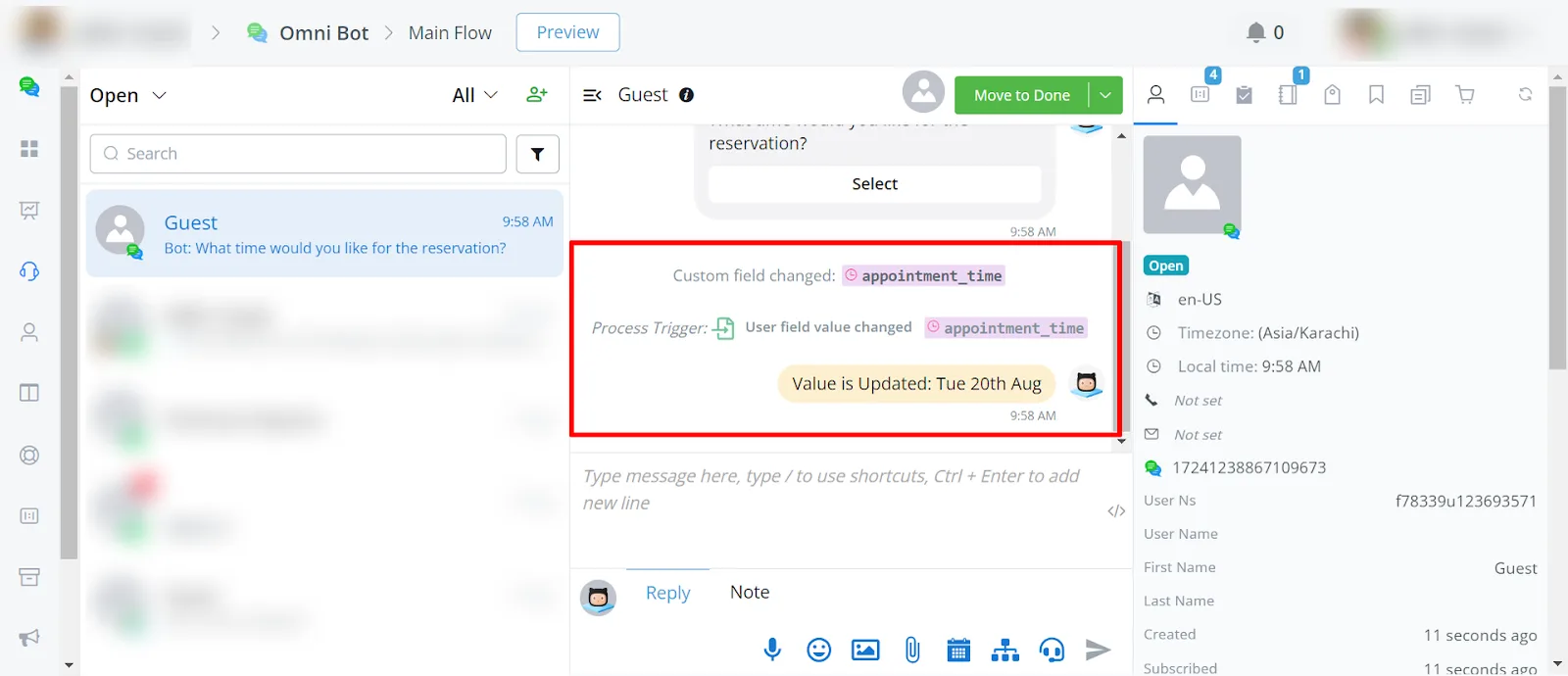
For example, the trigger activates when the appointment_time field is updated.
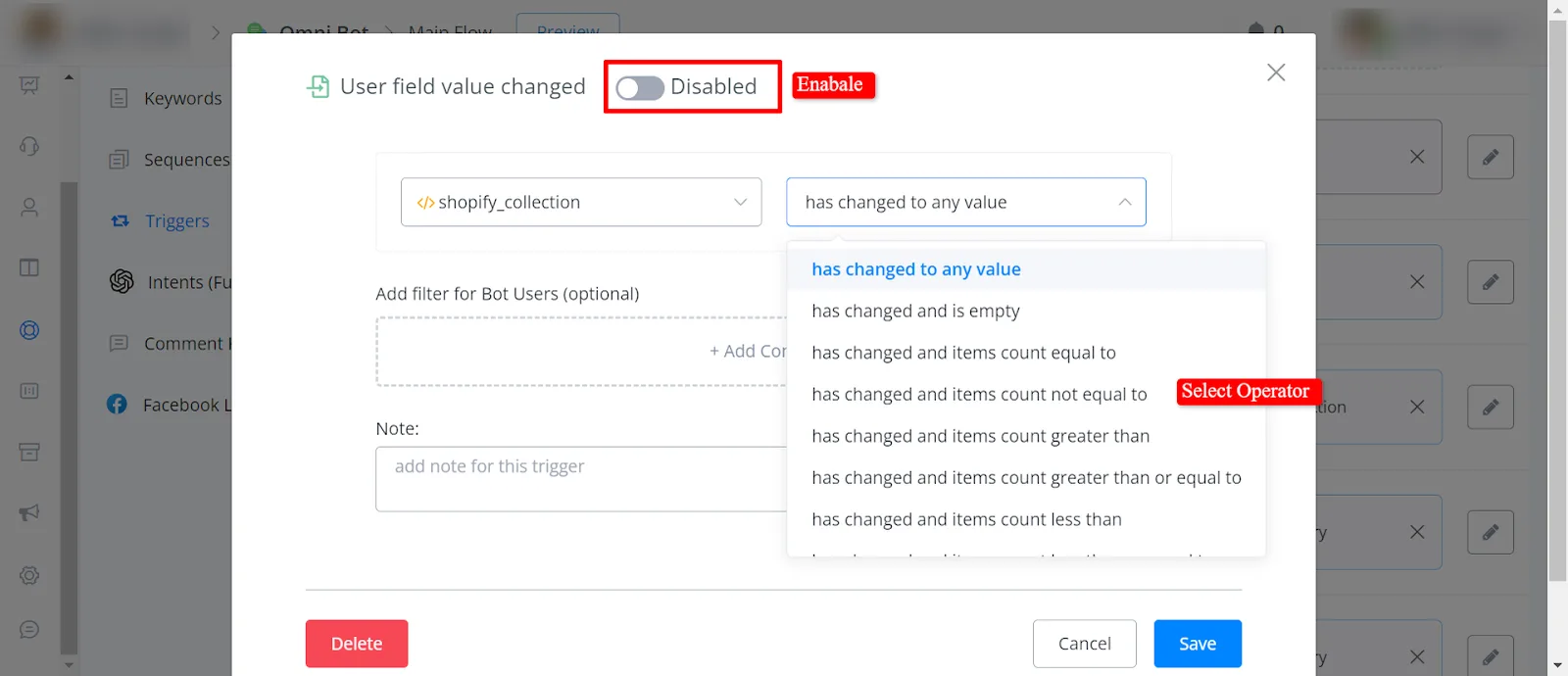
- Has changed to any value:
When the value changes to any value, the trigger will activate.
- Has changed and is empty:
When the value changes and becomes empty, the trigger will activate.
- Has changed and items count equal to:
When the value changes and the item count is equal to the specified number, the trigger will activate.
- Has changed and items count not equal to:
When the value changes and the item count is not equal to the specified number, the trigger will activate.
- Has changed and items count greater than:
The trigger will activate when the value changes and the item count is greater than the specified number.
- Has changed and items count greater than or equal to:
The trigger will activate when the value changes and the item count is greater than or equal to the specified number.
- Has changed and items count less than:
When the value changes and the item count is less than the specified number, the trigger will activate.
Has changed and items count less than or equal to:
When the value changes and the item count is less than or equal to the specified number, the trigger will activate.
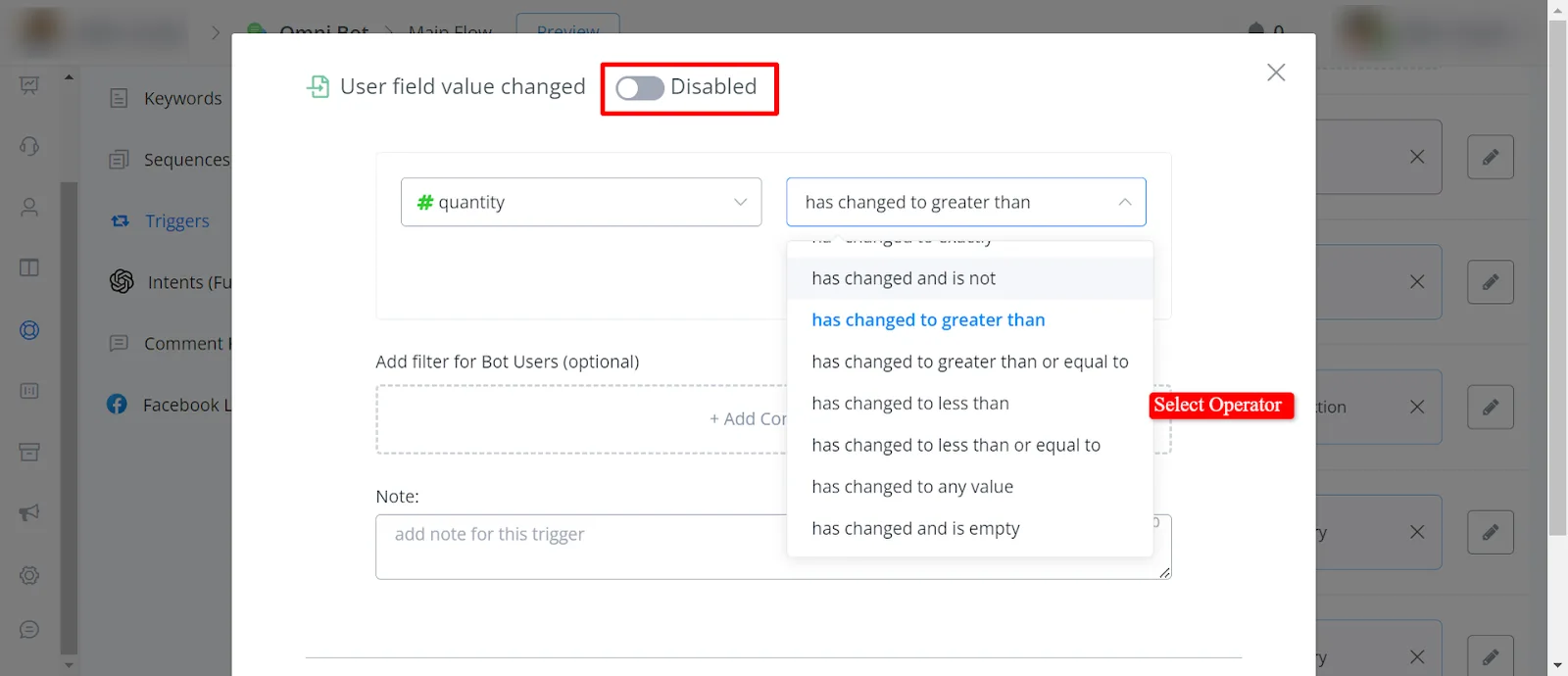
- Has changed to exactly:
The trigger will activate when the value changes to the specified value. - Has changed and is not:
When the value changes and is not the specified value, the trigger will activate. - Has changed to greater than:
The trigger will activate when the value changes to a value greater than the specified value. - Has changed to greater than or equal to:
When the value changes to a value greater than or equal to the specified value, the trigger will activate. - Has changed to less than:
The trigger will activate when the value changes to a value less than the specified value. - Has changed to less than or equal to:
The trigger will activate when the value changes to a value less than or equal to the specified value. - Has changed to any value:
When the value changes to any value, the trigger will activate. - Has changed and is empty:
When the value changes and becomes empty, the trigger will activate.