

PayPal Checkout Url
First, integrate your PayPal account under Integrations. With our custom checkout URL, you can set an amount yourself or use any of the available variables.
Go to the Flow Builder and select the action block. From the options, choose:
Action -> E-Commerce -> PayPal Checkout Url
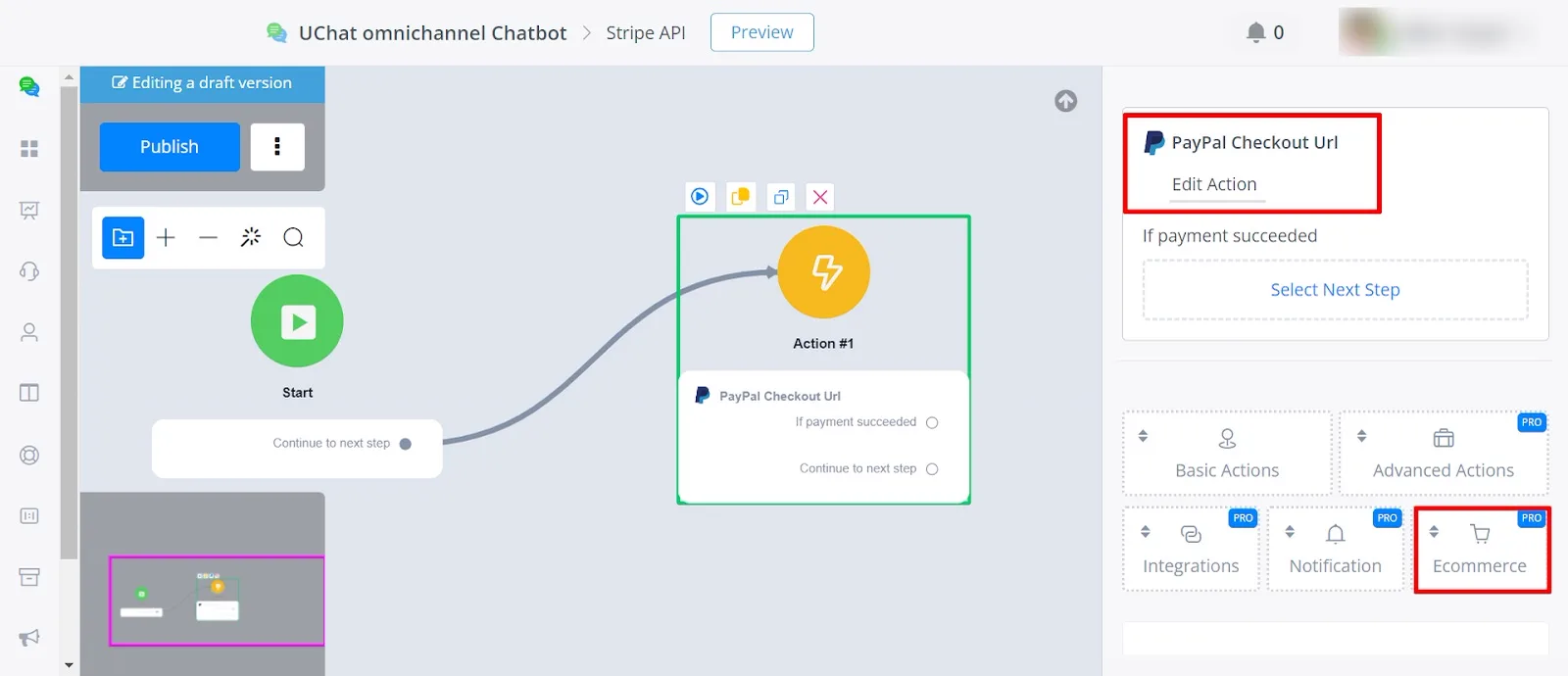
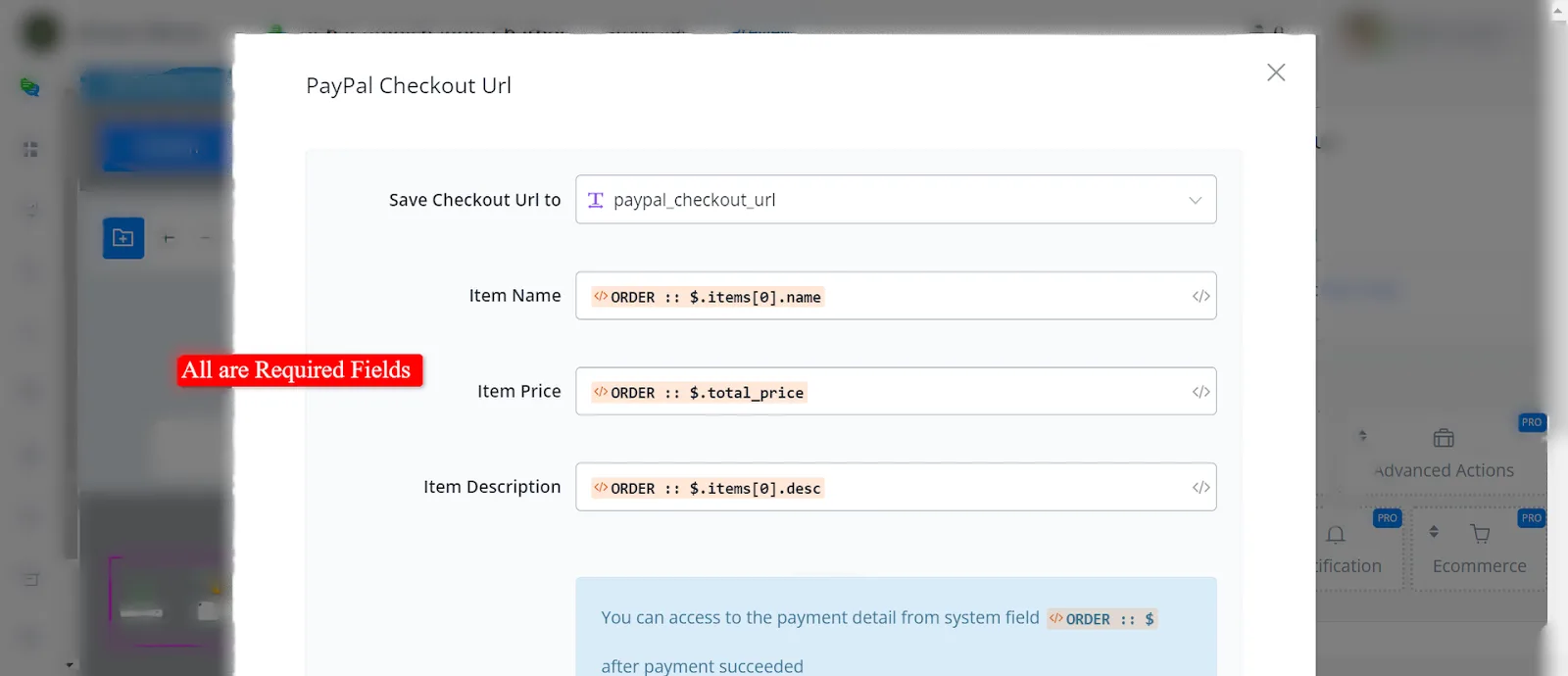
Once you select the PayPal Checkout Url action, you need to provide the following details:
- Item Name: The name of the item being purchased.
- Item Price: The price of the item.
- Item Description: A brief description of the item.
You can also retrieve values from the System JSON variable ORDER to fill in these fields dynamically.
You need to save the checkout URL and select the variable that will store it.
With the required details filled in, this action generates a PayPal payment link. When users click the link, they are redirected to the PayPal checkout page, where they complete the purchase securely.