Stripe API
Using Stripe API endpoints to perform various actions within your application is now simpler than ever. Follow these steps to integrate the Stripe API actions seamlessly.
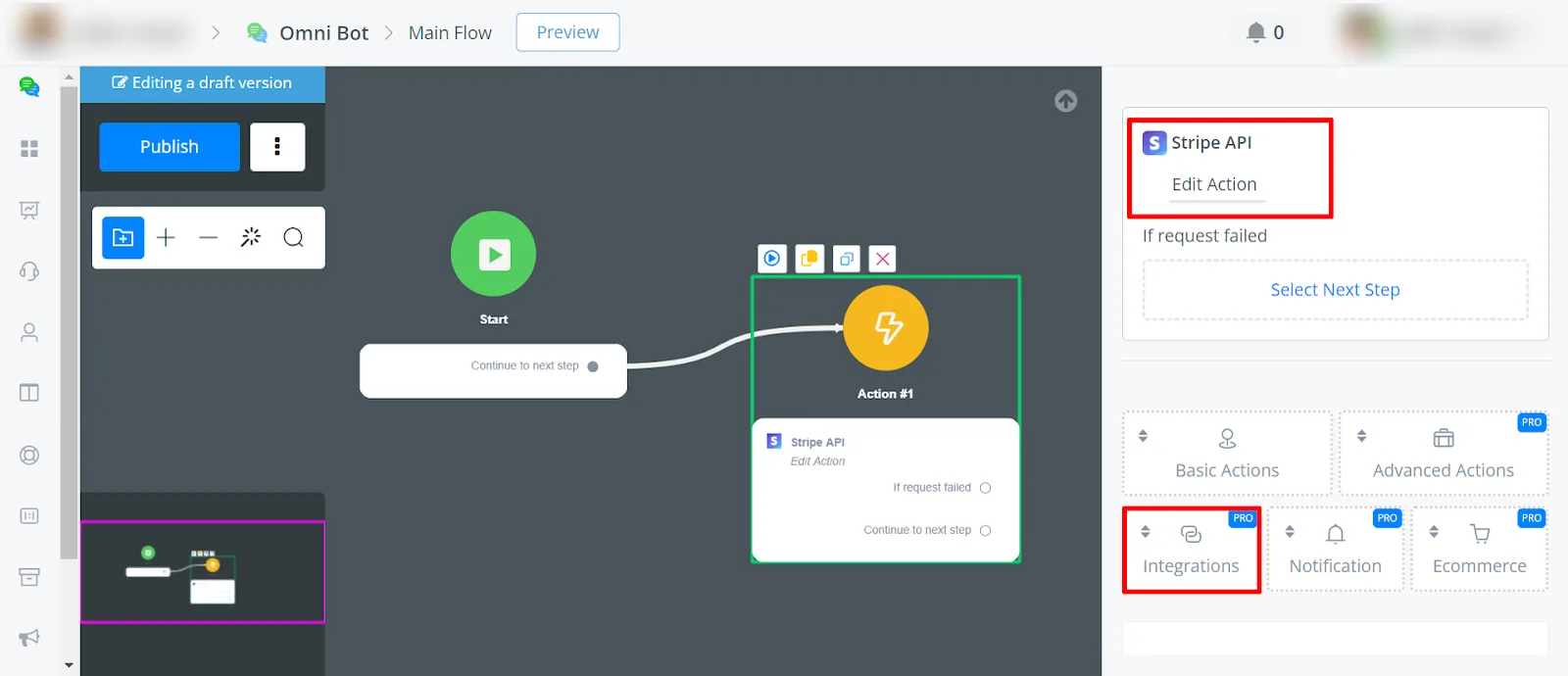
Navigate to the Flow Builder, select an Action Block, and choose:
Action Block -> Integration -> Stripe API
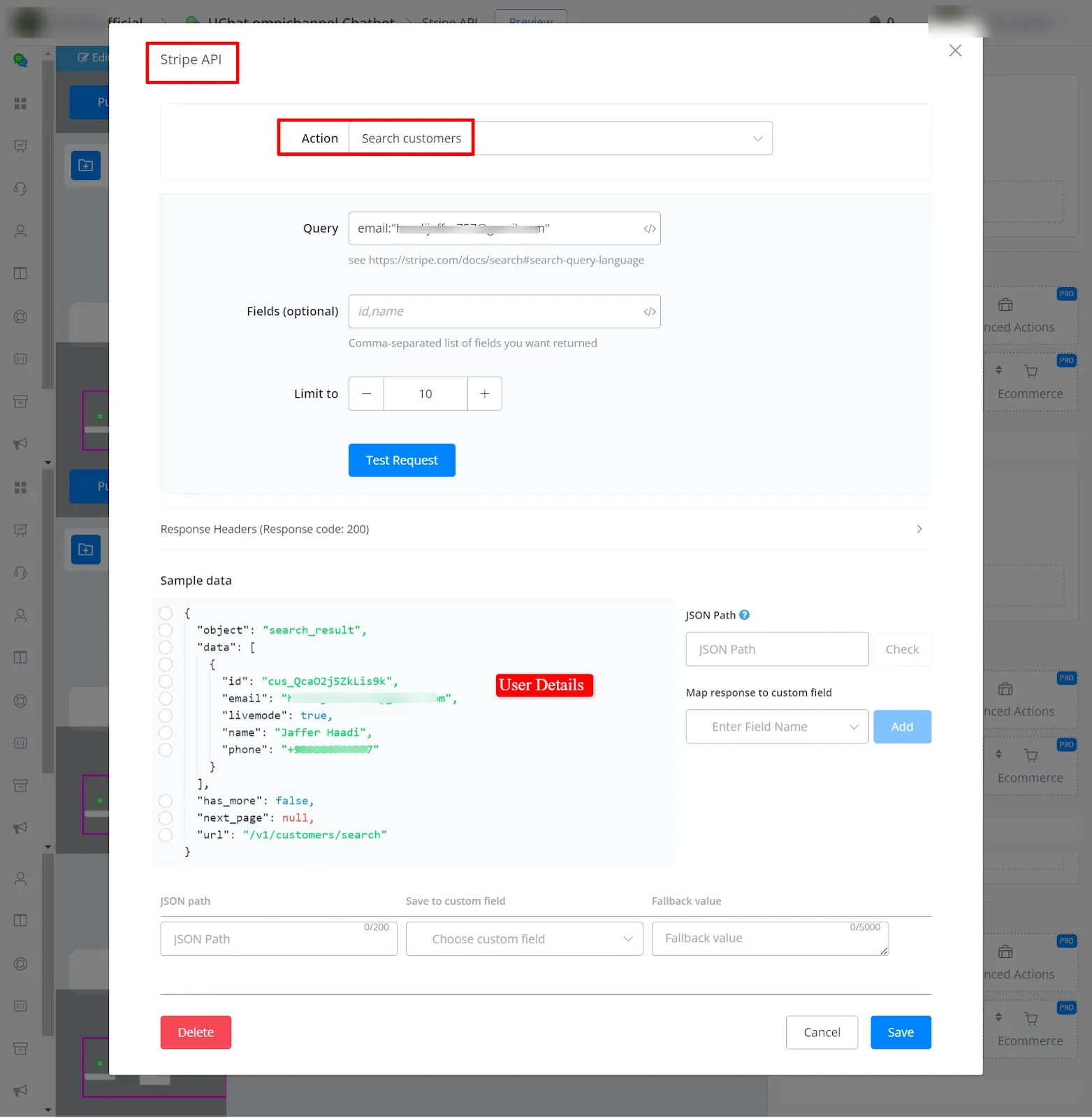
You can search for customers by providing a query. To find out how to write the query, see Stripe Search Query Language. Optionally, you can also search by ID and name.
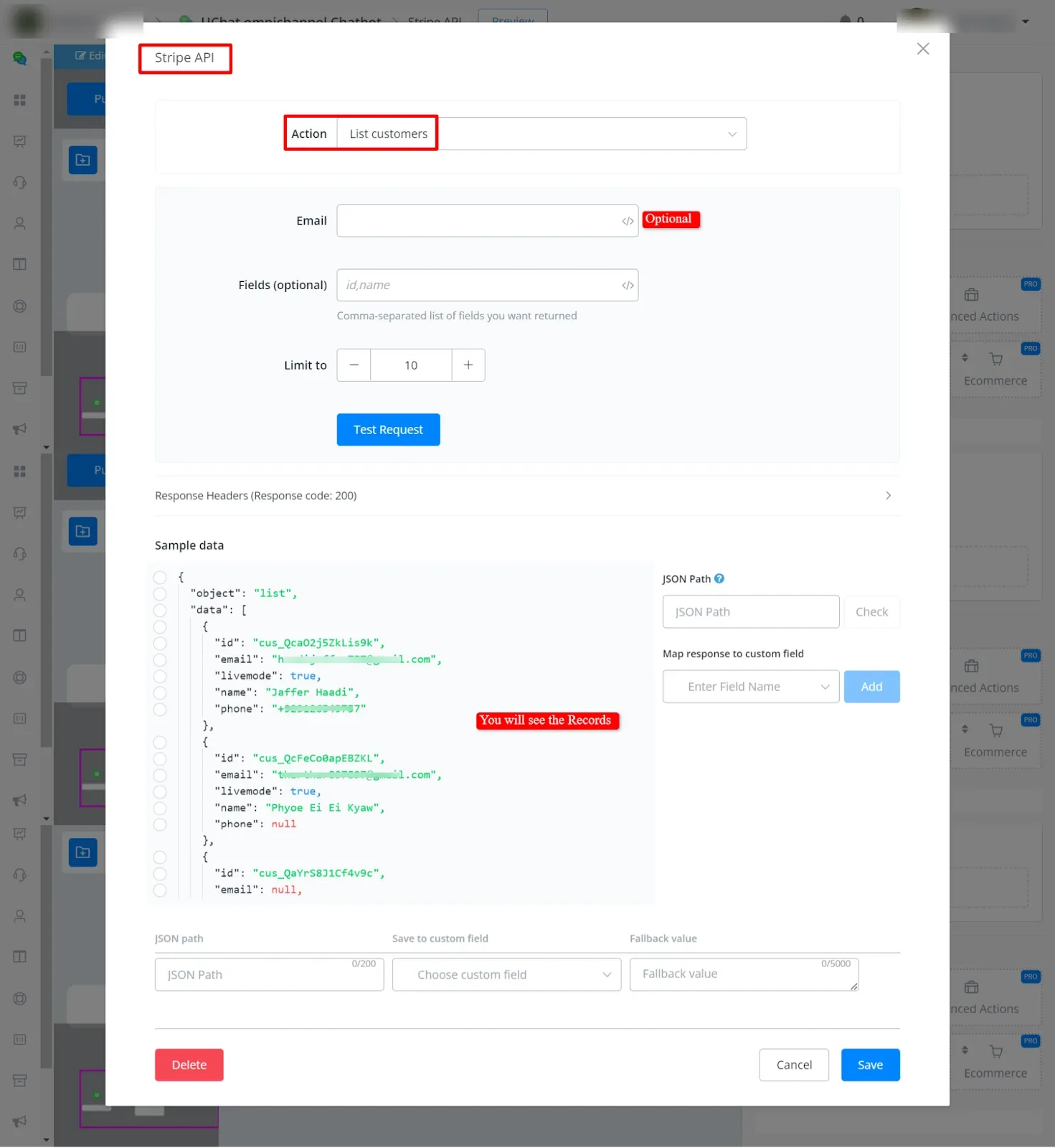
Retrieve a list of customers or find a specific customer by their email.
To create a customer, provide details such as email, name, and phone number.
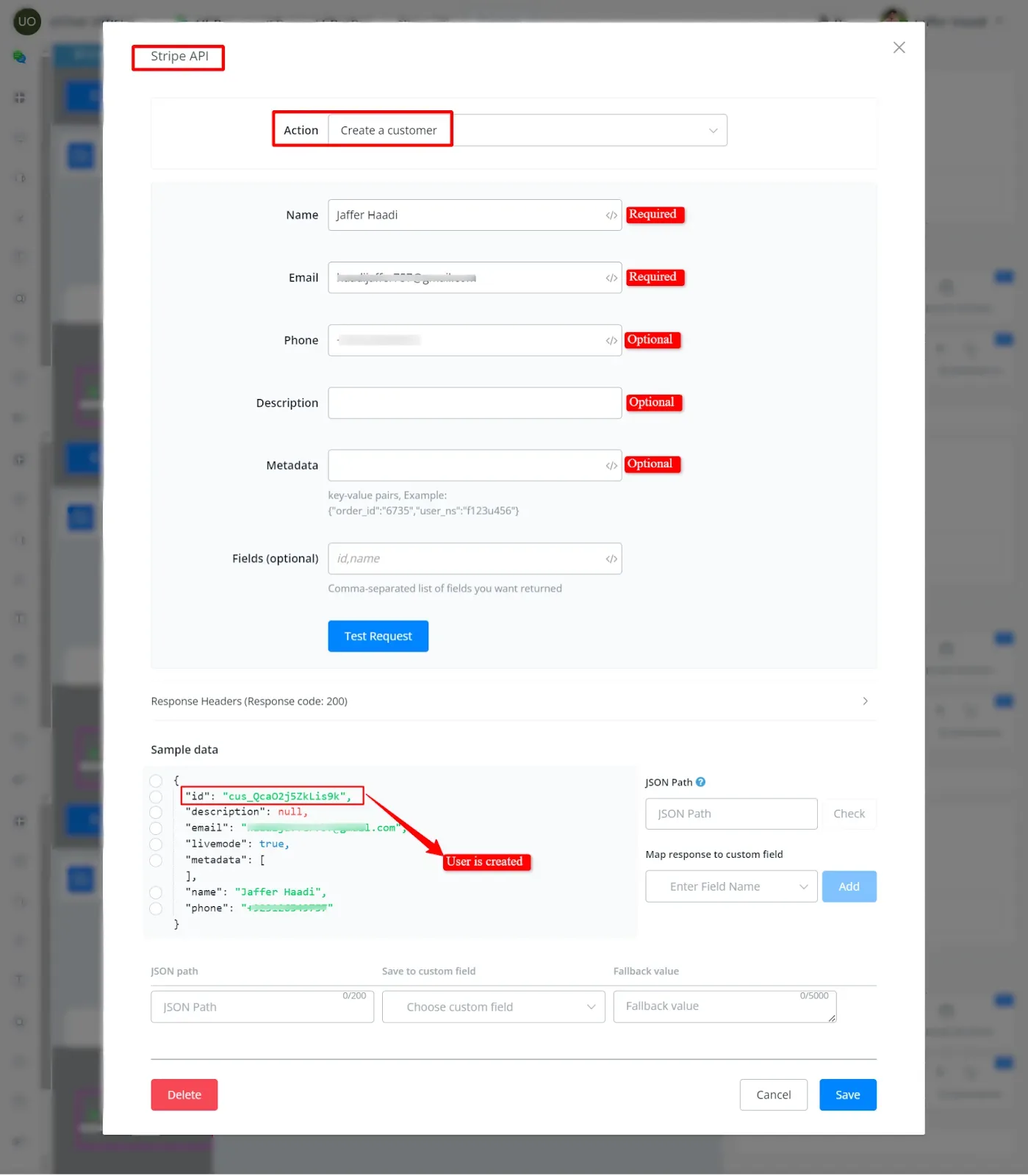
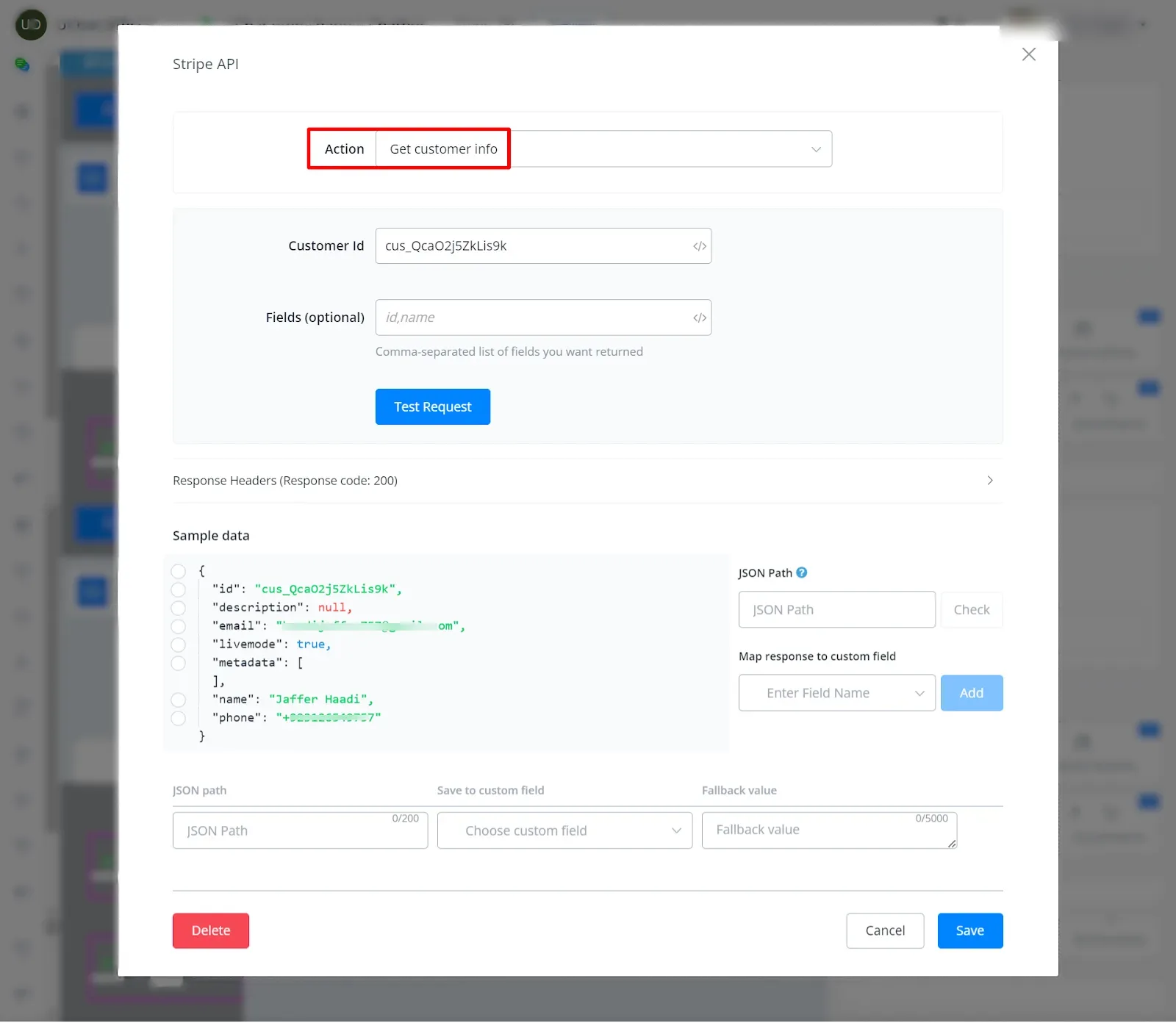
Get the user information using the user ID.
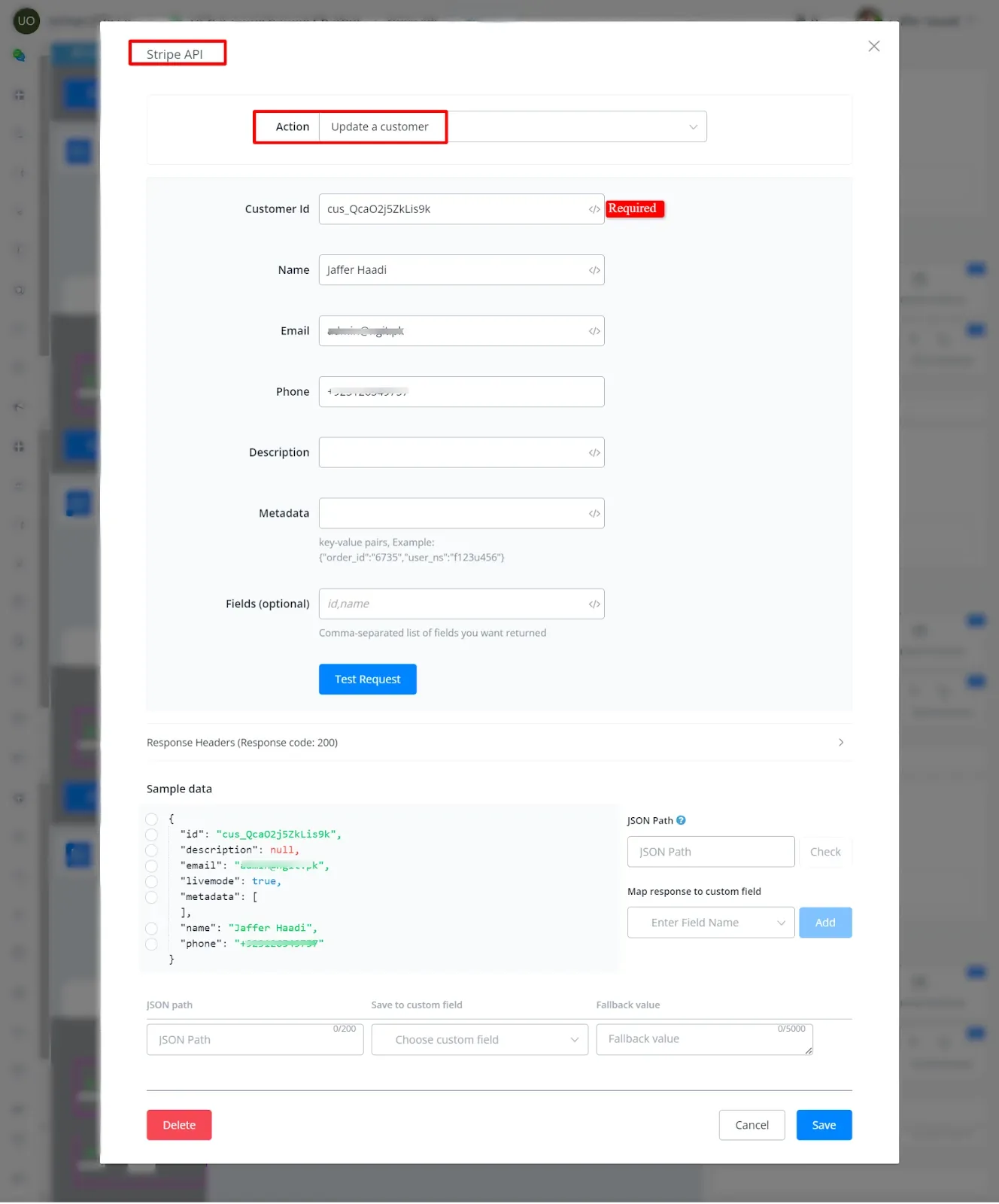
Update the customer details by providing the customer ID and the new information.
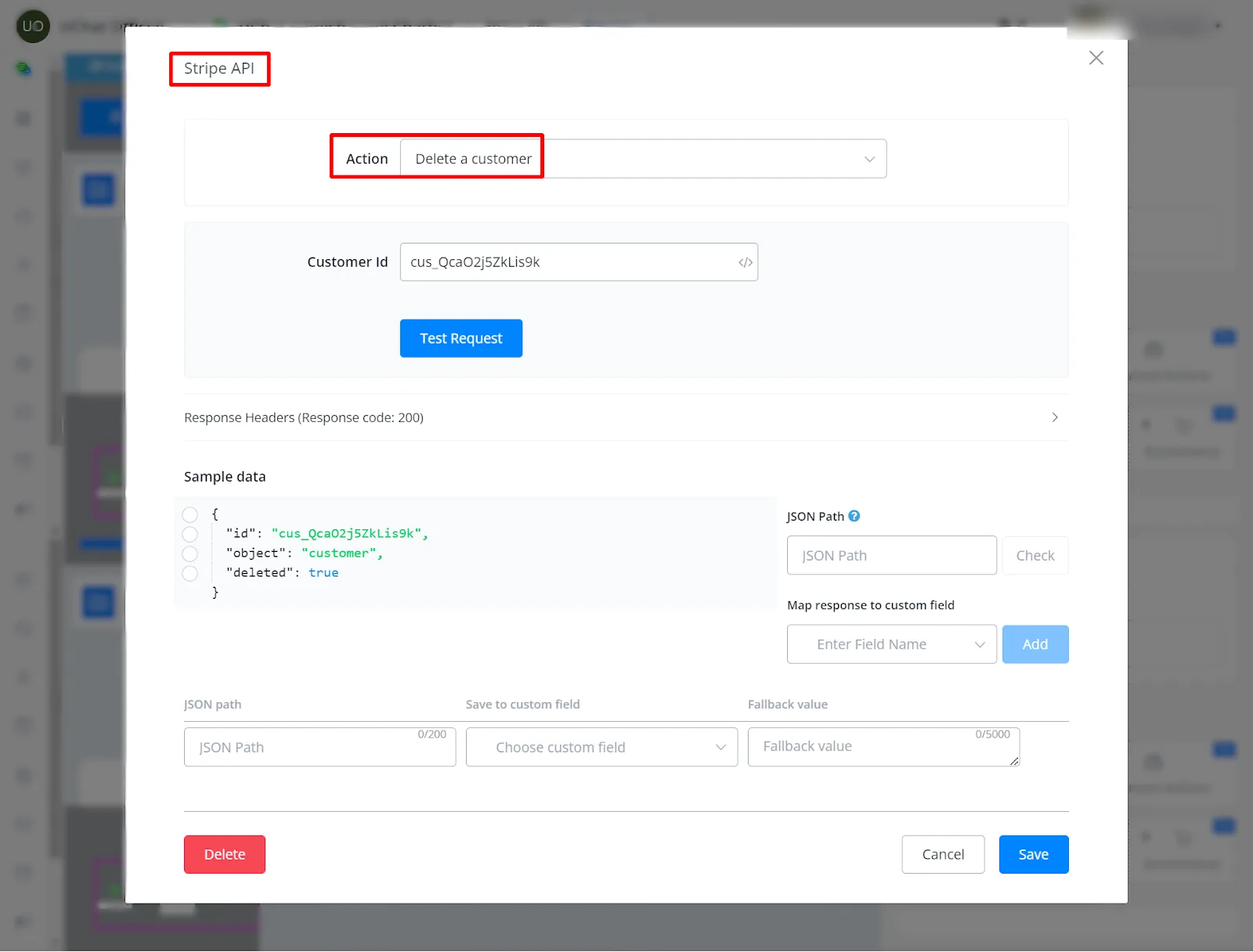
Remove a customer from your records using the customer ID.
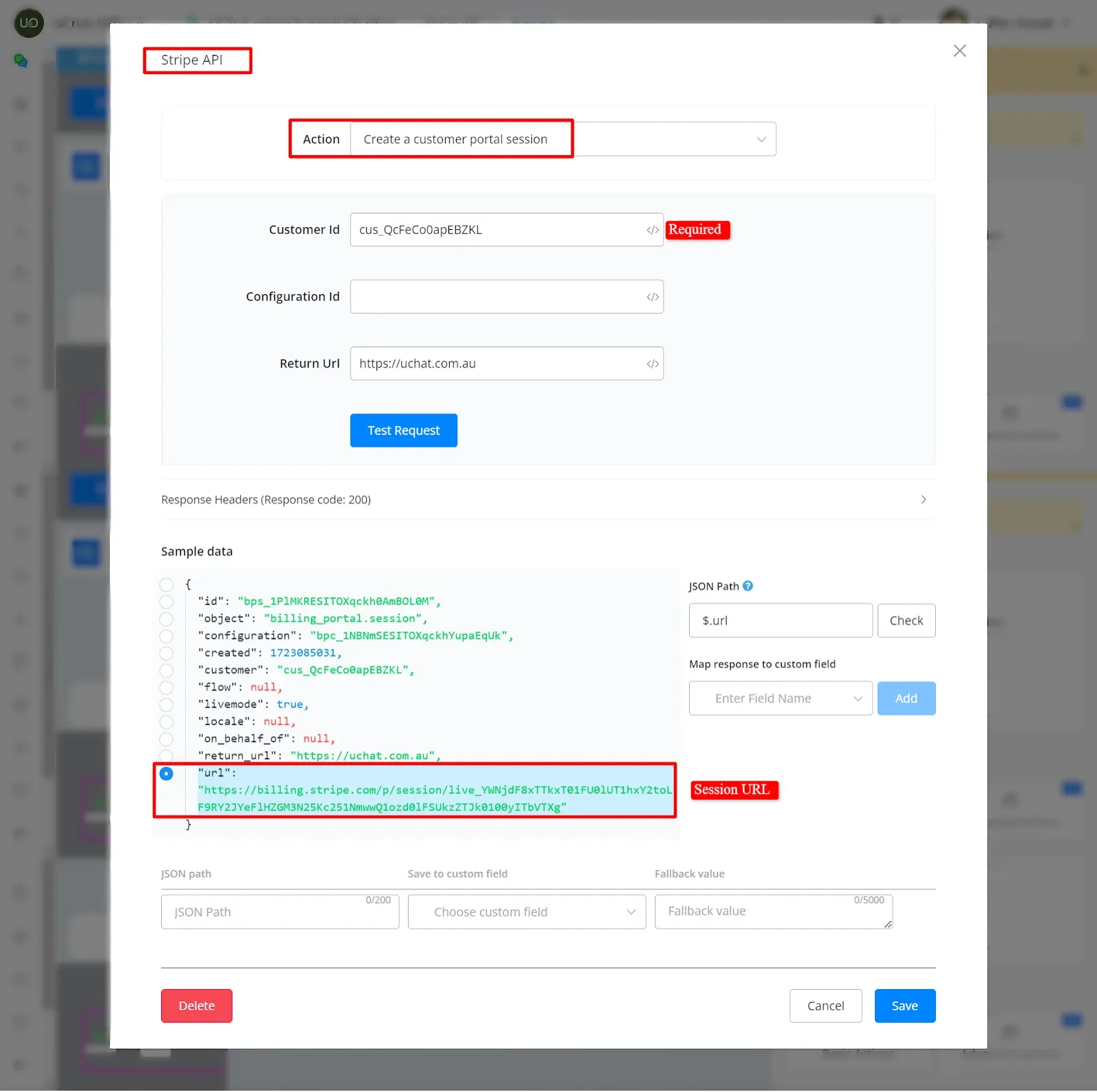
A portal session is an instance of the customer portal created for a specific customer. By visiting the URL generated for the session, the customer can manage their subscriptions and billing information. These sessions are short-lived and expire if they are not visited in time.
- Return_url: The default URL the customer is redirected to when they click the portal link to return to your website.
- After creating the session, you will receive a short-lived URL that gives the customer access to the customer portal.