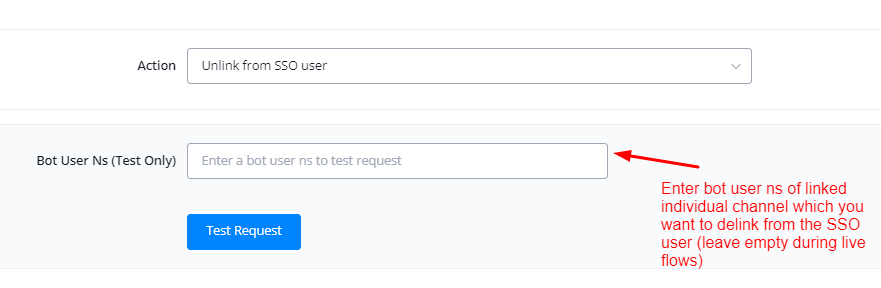
SSO Actions
NicoChat now lets your users expand SSO login even further with SSO actions. You can now link and unlink channels, as well as perform other actions that were not possible before, using automations in the flowbuilder.
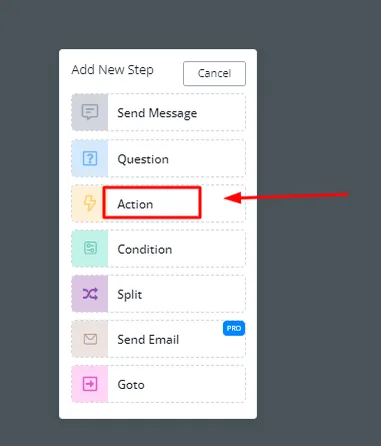
Inside the flowbuilder, right-click and select the “Action” block.
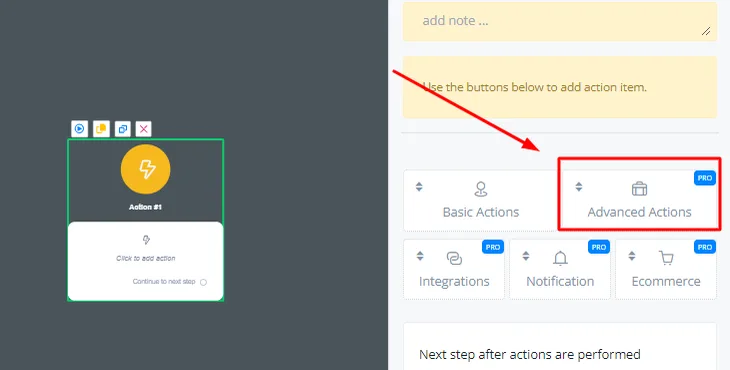
Click “Advanced Actions”.
Scroll down and select “SSO Actions”.
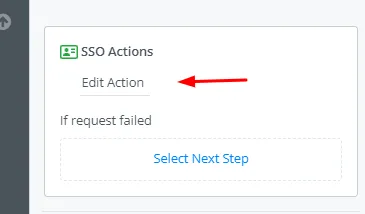
Click “Edit Action” to start exploring the different SSO actions.
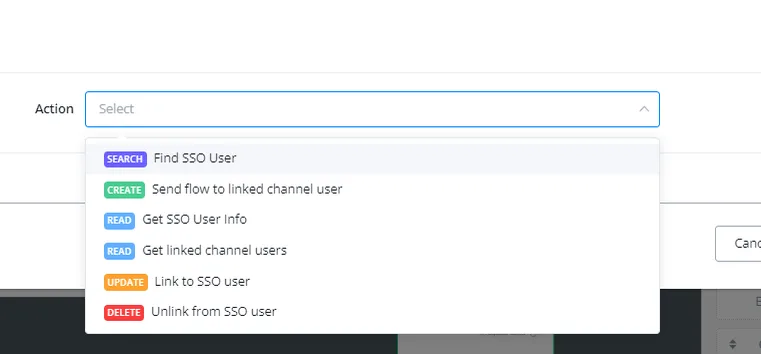
The following SSO actions are currently available in NicoChat.
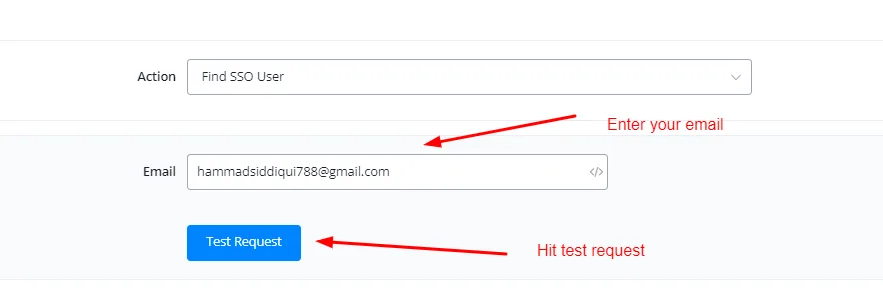
This action finds the SSO user by the attached email they used to log in with SSO.
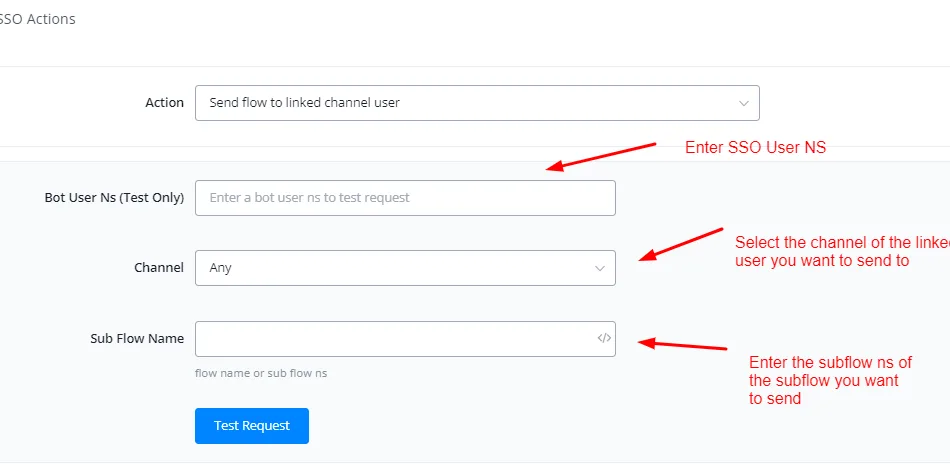
This flow is used to send a subflow to a linked user, in their linked channel. For example, sending a flow to your linked WhatsApp user from the SSO user.
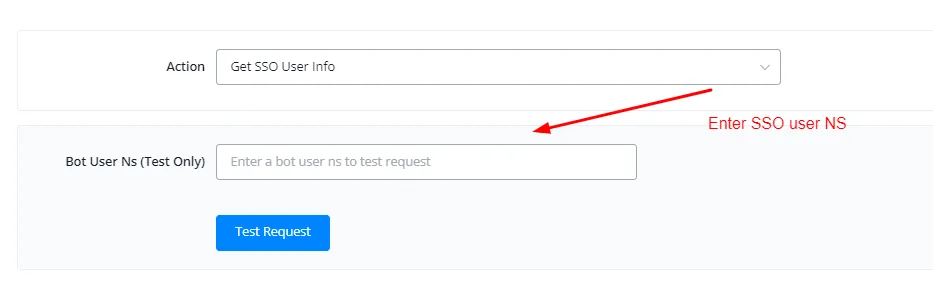
This action fetches the information of the SSO master user.
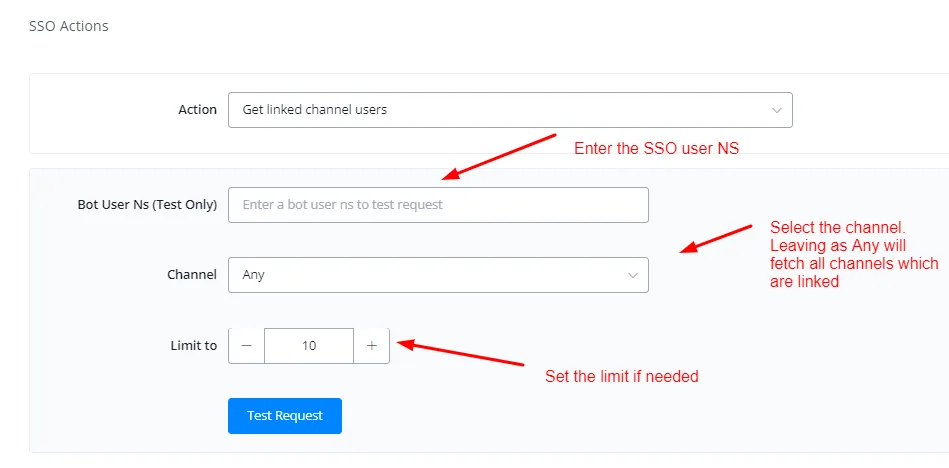
This action gets information about all the linked channels from the SSO User NS.
This action links a contact from an individual channel to the SSO master user using the SSO User NS.
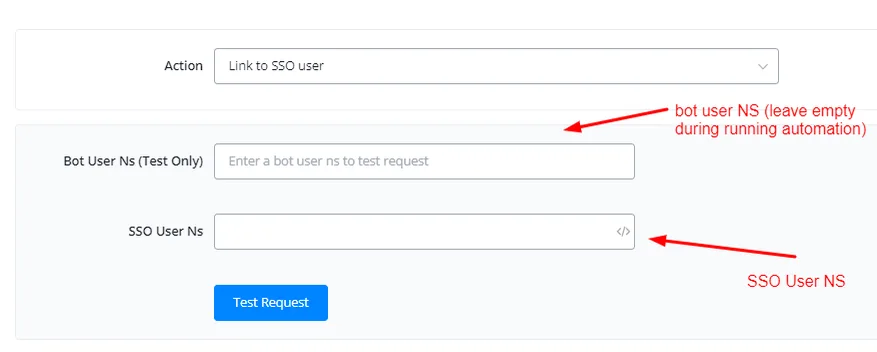
This action links a contact from an individual channel to the SSO master user using the SSO User NS.