

WhatsApp Ad Referral
NicoChat now allows its users to route the customers that arrive from WhatsApp ads and send them flows and automations using the WhatsApp ad referral trigger.
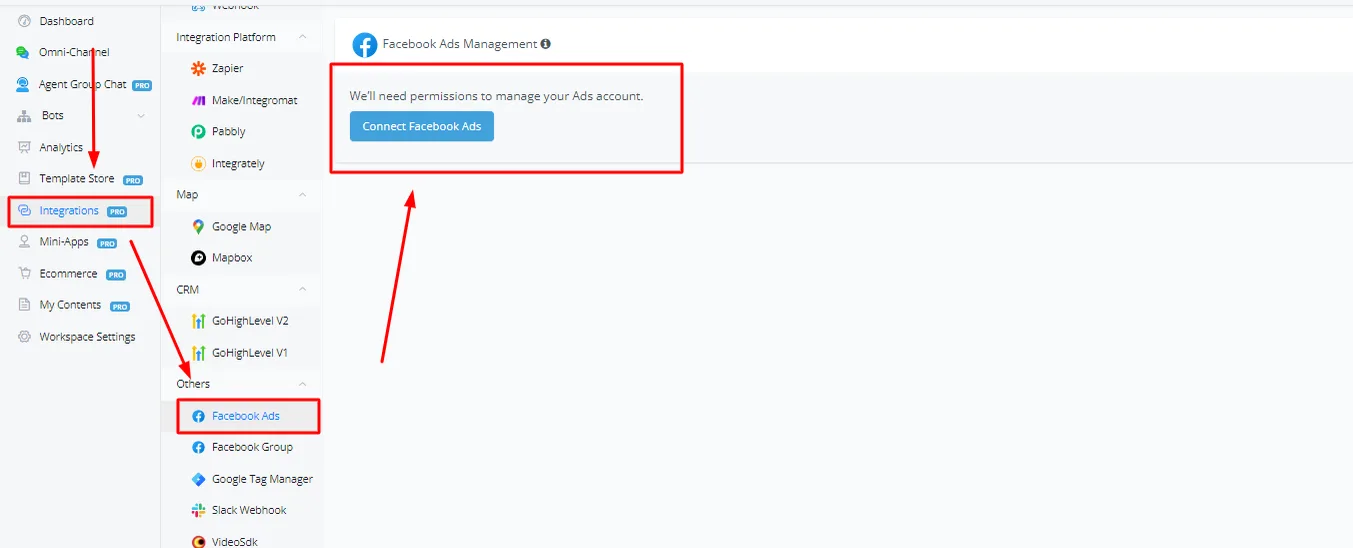
In your dashboard, click Integrations and scroll down until you see Facebook Ads. Connect your Facebook Ads account to NicoChat.
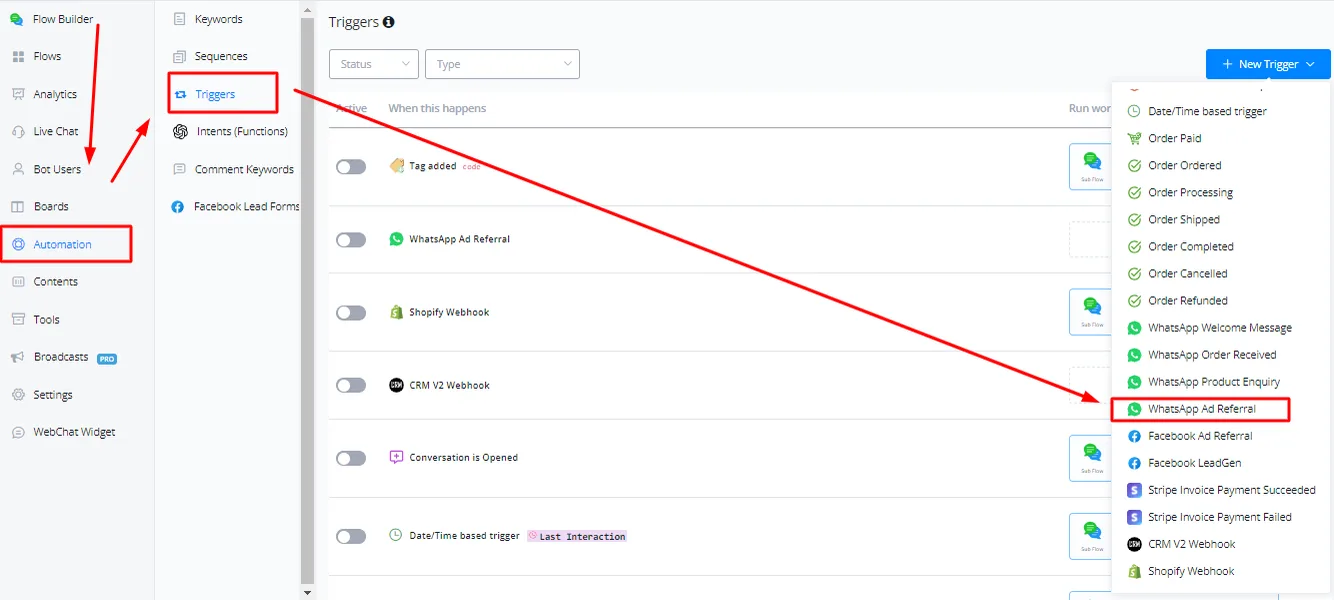
To create a WhatsApp ad referral trigger, go to the Automation tab, click Trigger and select WhatsApp ad referral from the drop-down menu.
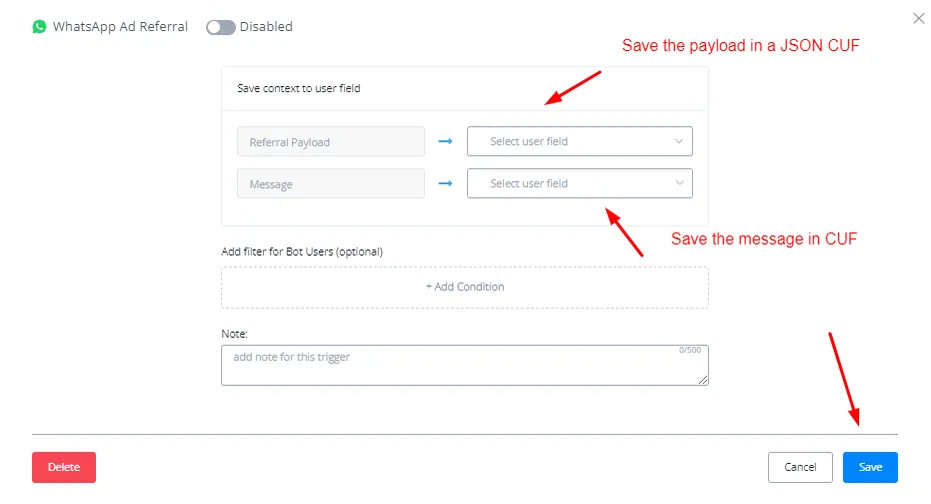
Save the payload in a CUF and click Save to create the trigger.
Connect a matching subflow to the trigger.

You are now ready to receive opt-ins coming from WhatsApp ads.
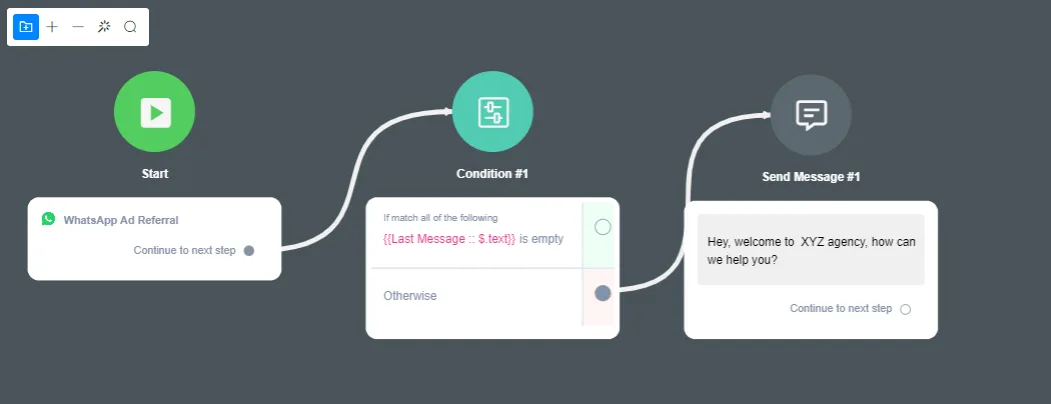
To avoid sending duplicates, apply the condition block below to your main flow or to your default reply flows. Duplicates happen because Meta sends an empty payload along with the actual flow, which triggers a double response.
Create a condition block, select “Custom” and then select the “Last message at” system JSON.
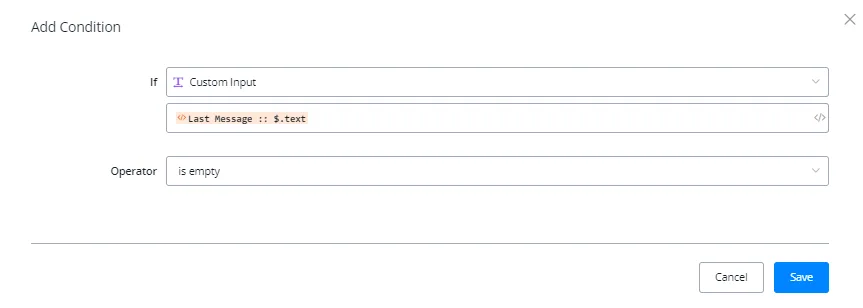
Once that is done, attach the condition block to the start block and connect the “Otherwise” condition to the actual flow.
Contacts arriving through this trigger become eligible for the 72h Ad Window (FEP): reply within 24 hours and the next 72 hours are free of charge.