

Facebook Ad Referral
The Ads Referral Trigger in NicoChat lets you create Facebook ads that, when clicked, open your chatbot on Messenger. Depending on the configured ad, you can trigger different automations in your conversation.
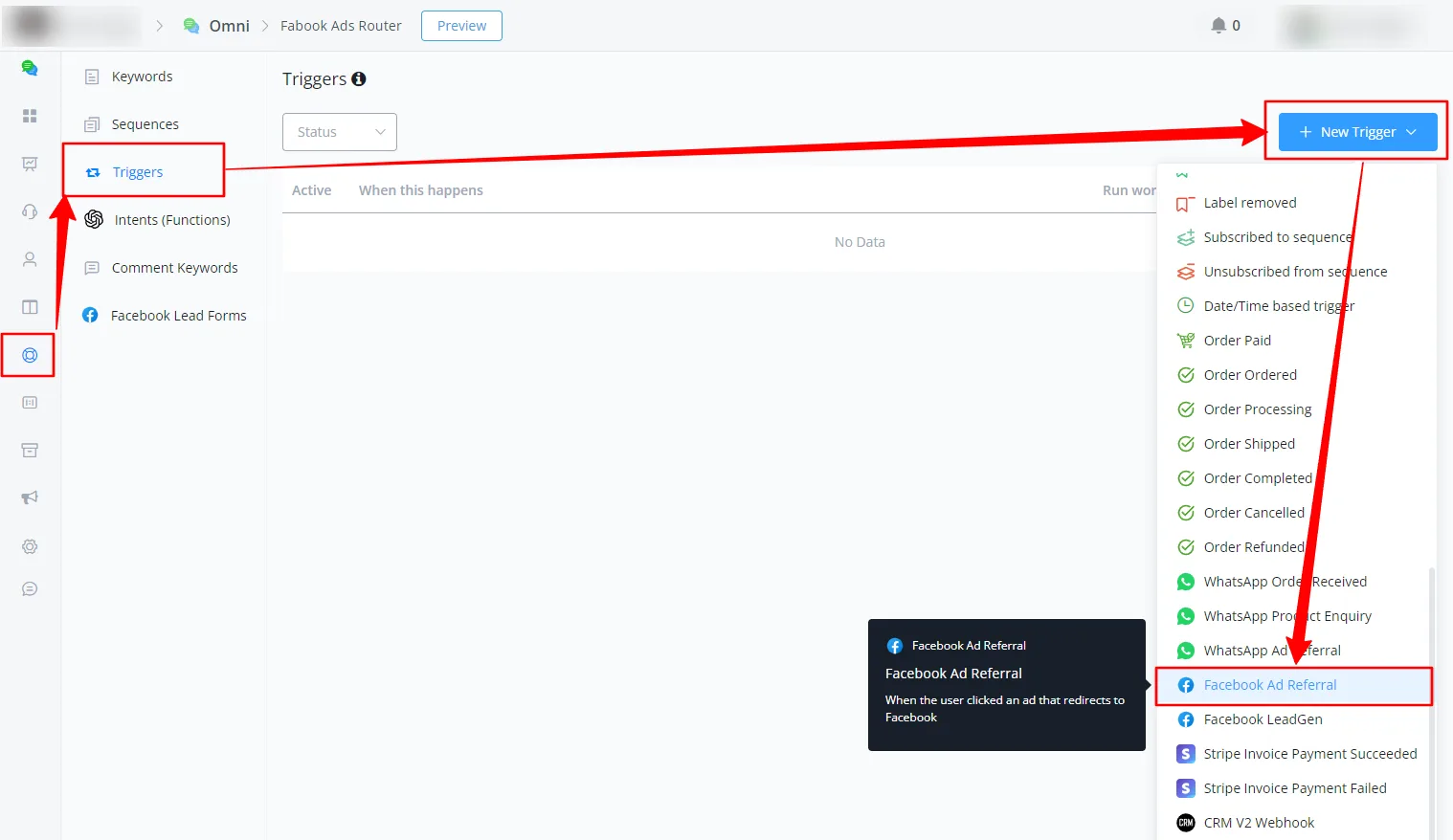
Go to the automation section and select "Triggers". Create a new trigger with the reference payload. This payload will be a JSON that you will save in the contact's custom fields.
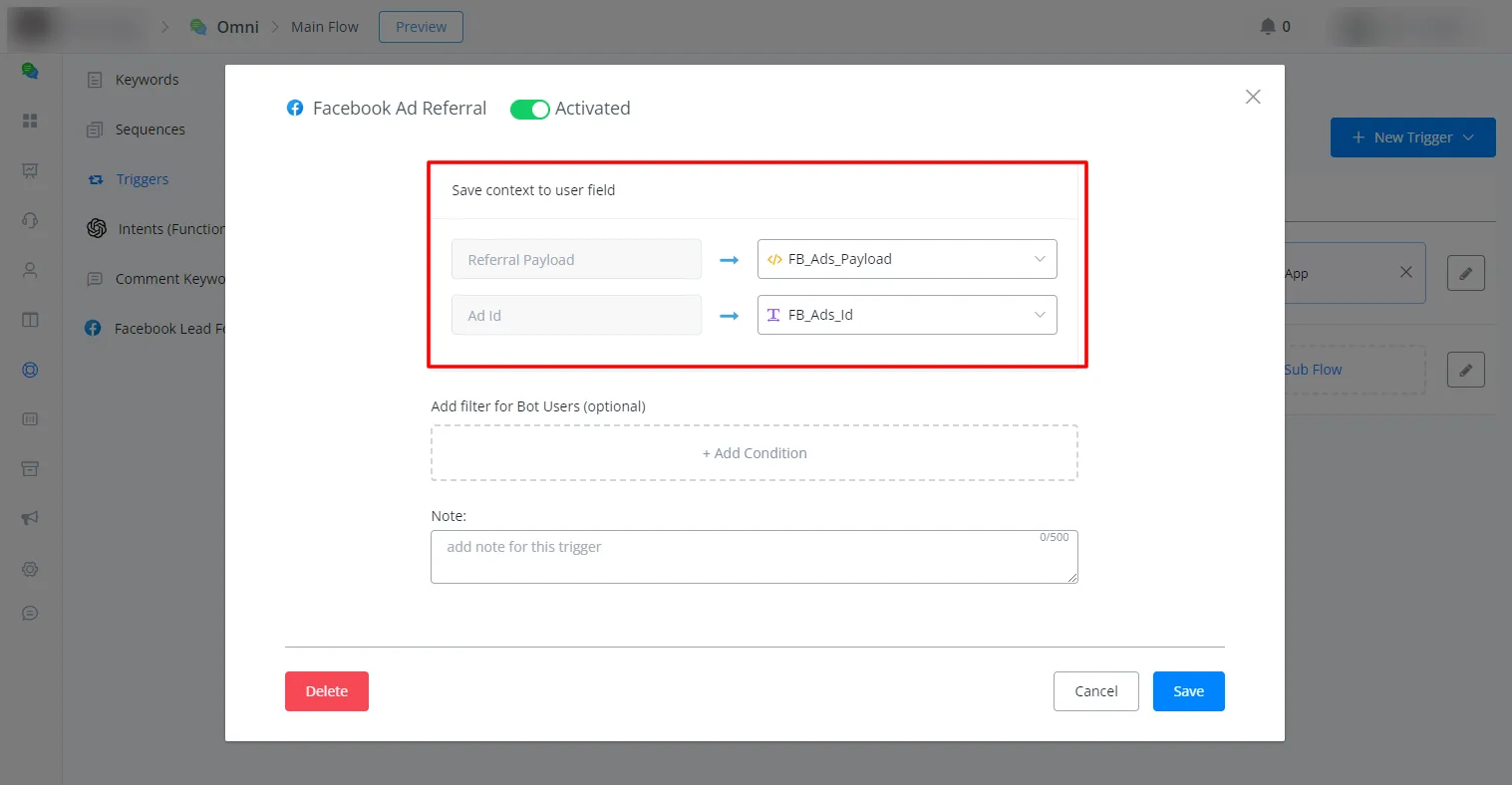
Saving the payload and the ad ID in custom fields:
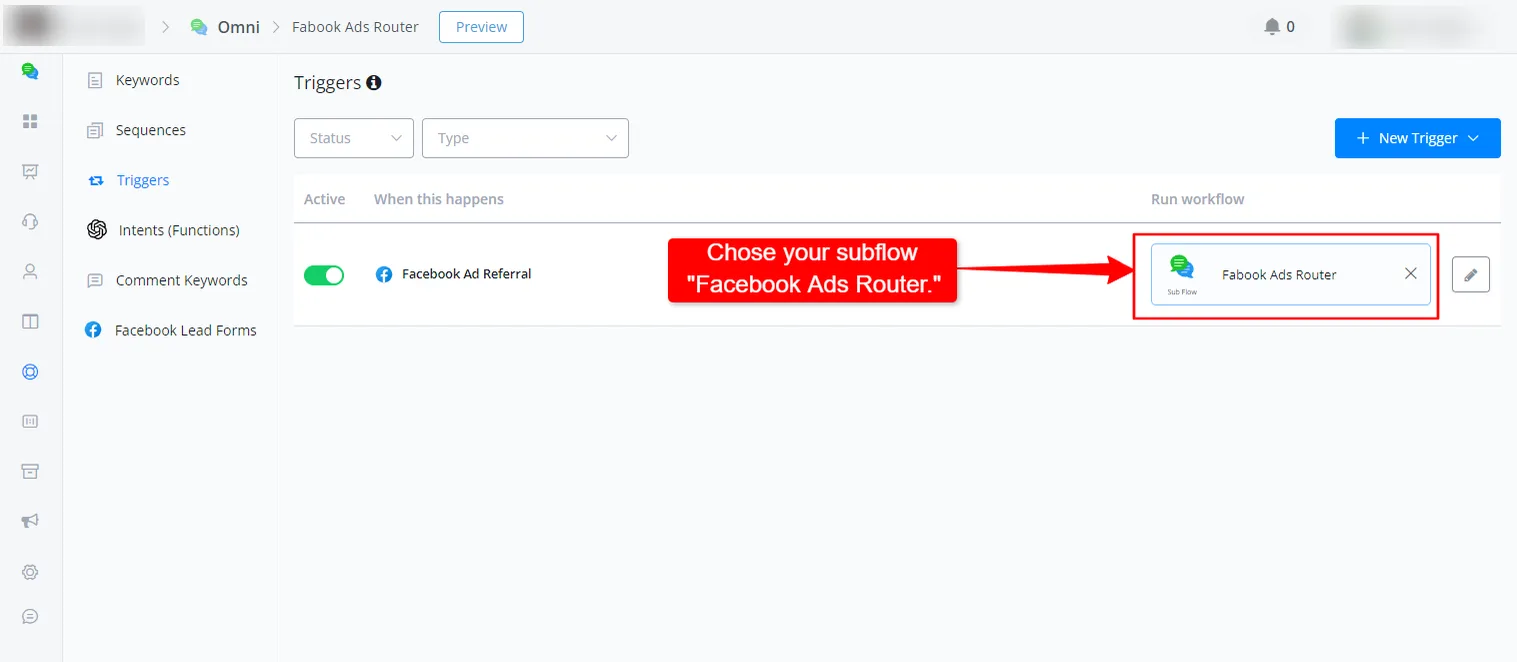
Choosing the subflow that will redirect the contact to the correct flow based on the ad ID:
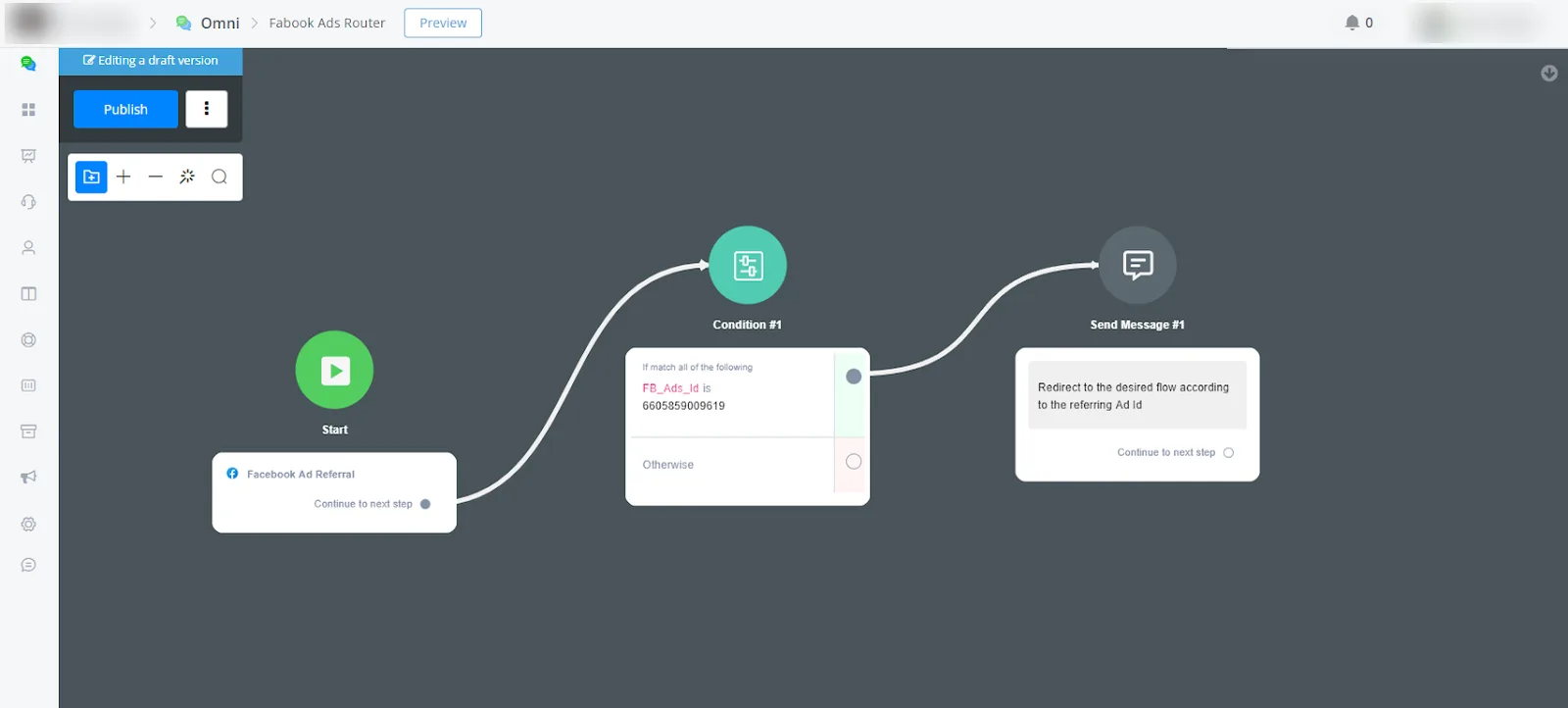
In your new flow, called "Facebook Ads Router", add a condition block at the beginning of this flow to check the Facebook ad ID and redirect the contact to the correct flow based on that ID. You can configure it as shown in the image below:
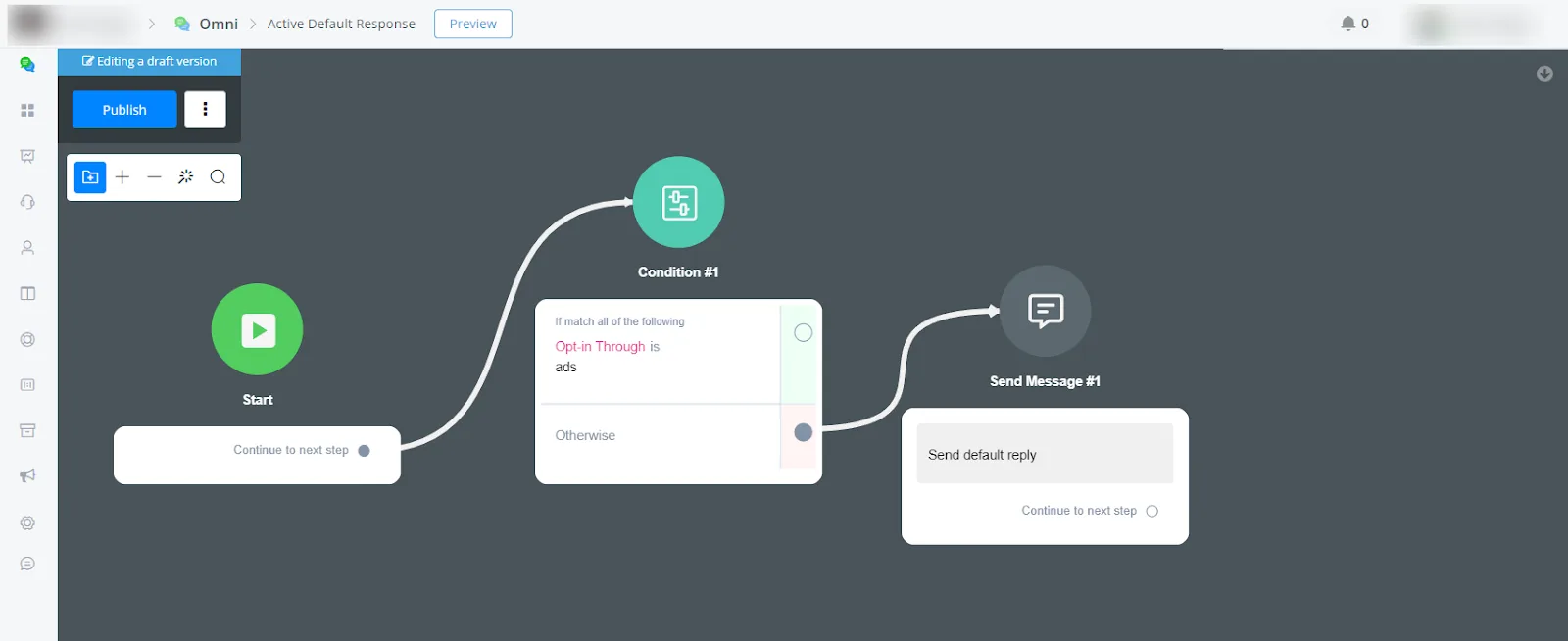
Create a new flow for the default reply. Add a condition to check whether the traffic type contains "ads". If the traffic comes from an ad, do not send any additional message, because the ads router flow already handles the automation.
Go to the main flow and add a condition at the beginning to check whether the traffic comes from an ad. If it does, do not send any additional message, thus avoiding duplicate messages.
See the image below for an example of this condition node that checks the traffic type:
If you need further assistance, submit a ticket to Tickets NicoChat.