New Contact
Introduction: we will show you how to trigger automation when a LiveChat agent is assigned to a contact. This can be done inside a flow or in the LiveChat interface.
Introduction:
we will show you how to trigger automation when a LiveChat agent is assigned to a contact. This can be done inside a flow or in the LiveChat interface.
Use case to explain the scenario:
1
Creating a flow:
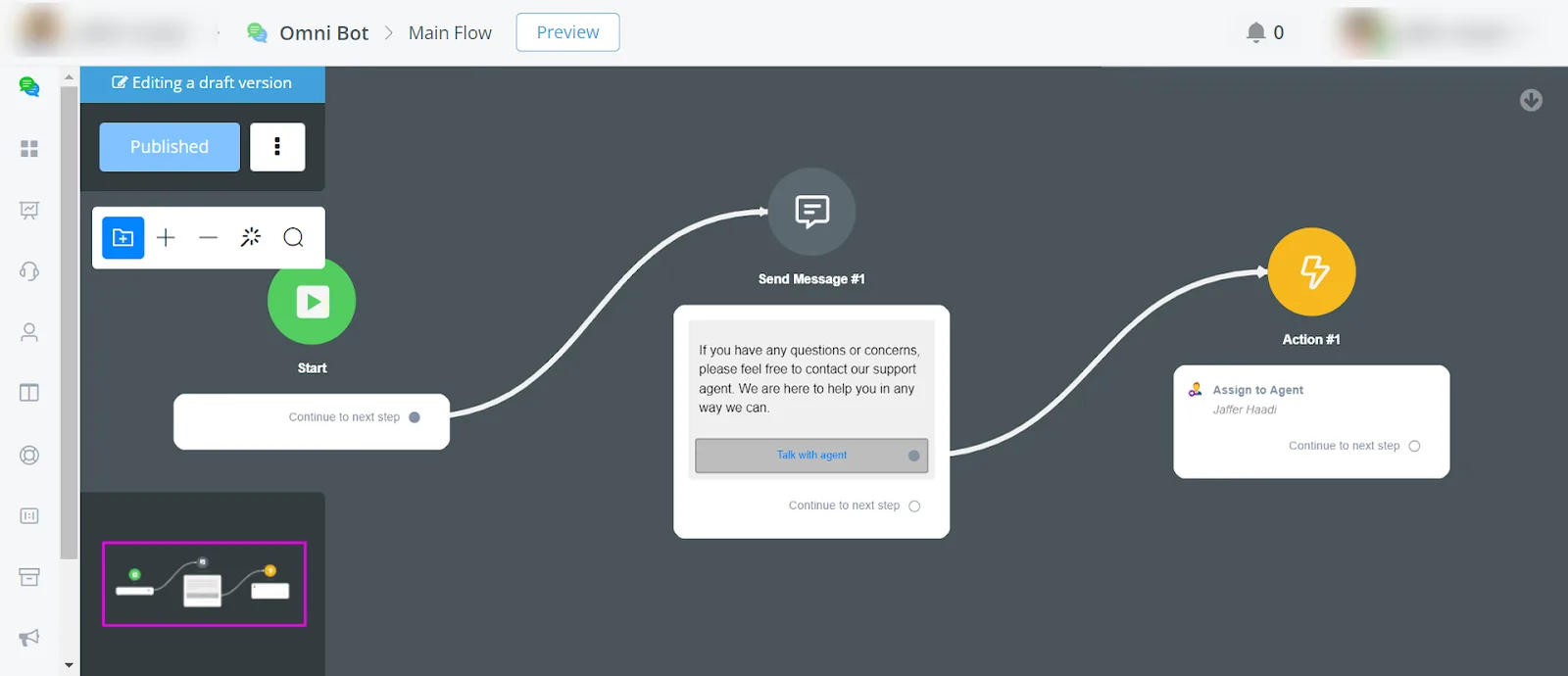
Start by creating a simple flow that asks the user whether they want to contact support. If the user answers "yes", assign a LiveChat agent to the conversation.
1
Setting up the automation trigger:
Navigate to
Automation> Triggers. Create a new trigger by selecting Chat assigned to an agent. Enable the trigger and save it. The new trigger will appear at the bottom of the list.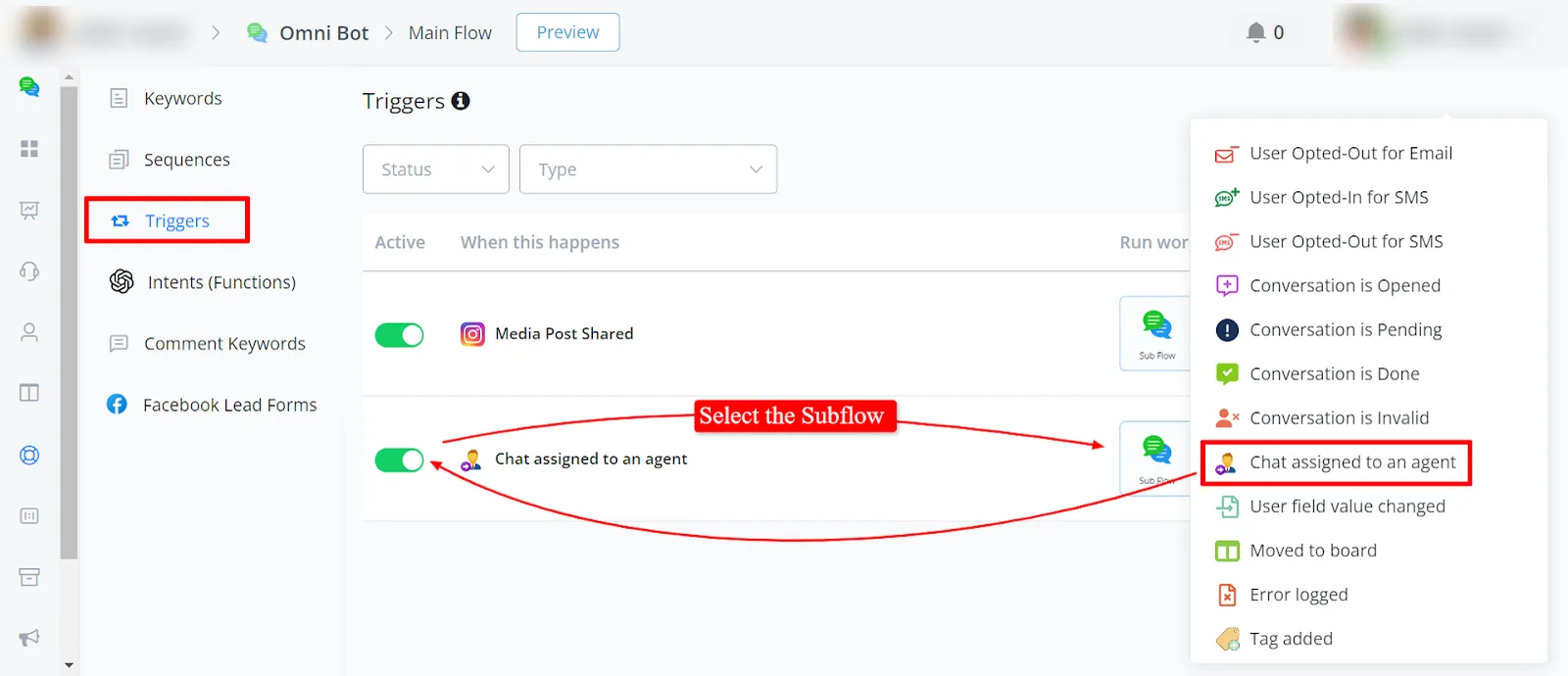
1
Trigger SubFlow:
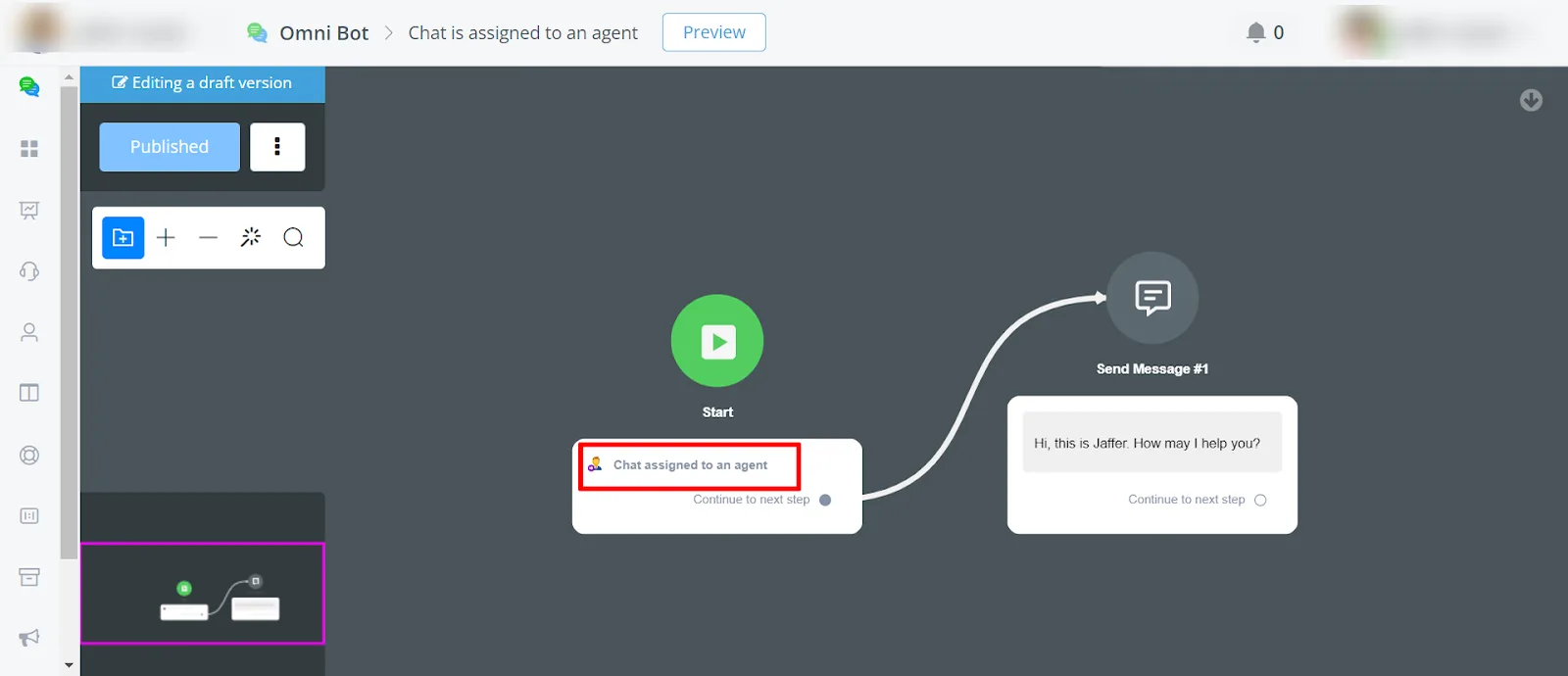
Set up the SubFlow according to your needs.
1
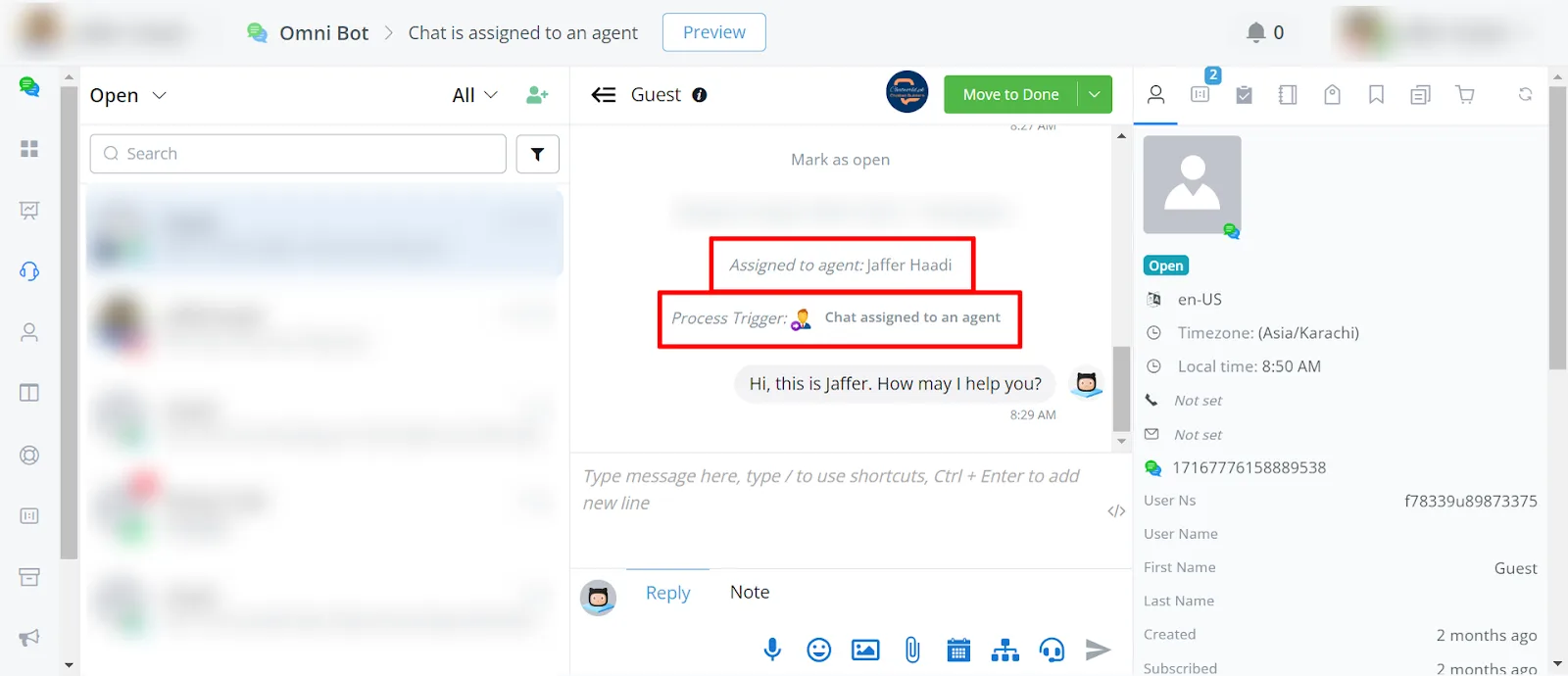
Testing the trigger:
You can see the trigger working in the LiveChat.