Moved to board
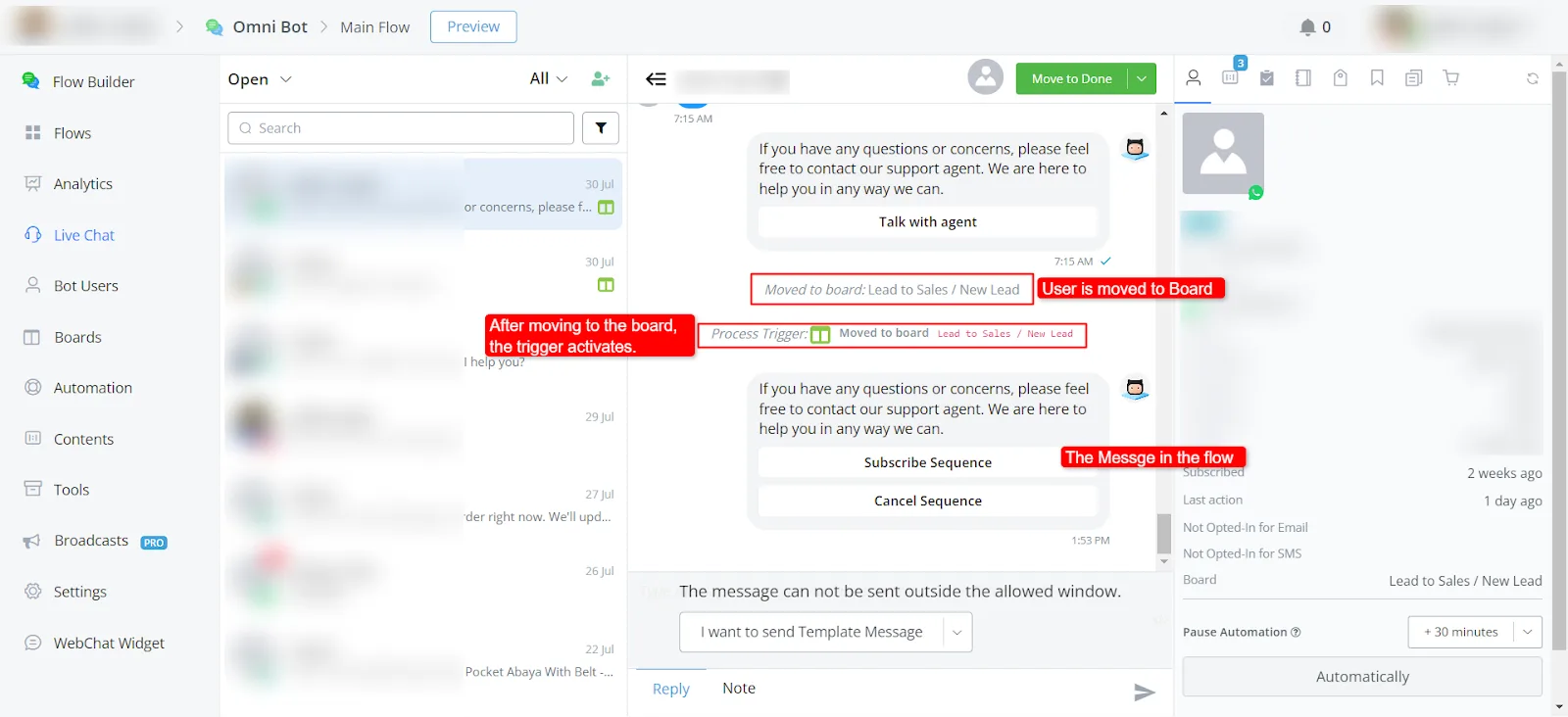
We have a trigger that fires when someone is moved to a board. This trigger lets you notify an agent that a lead has been generated, or use it for your own specific use cases.
Where to find this trigger:
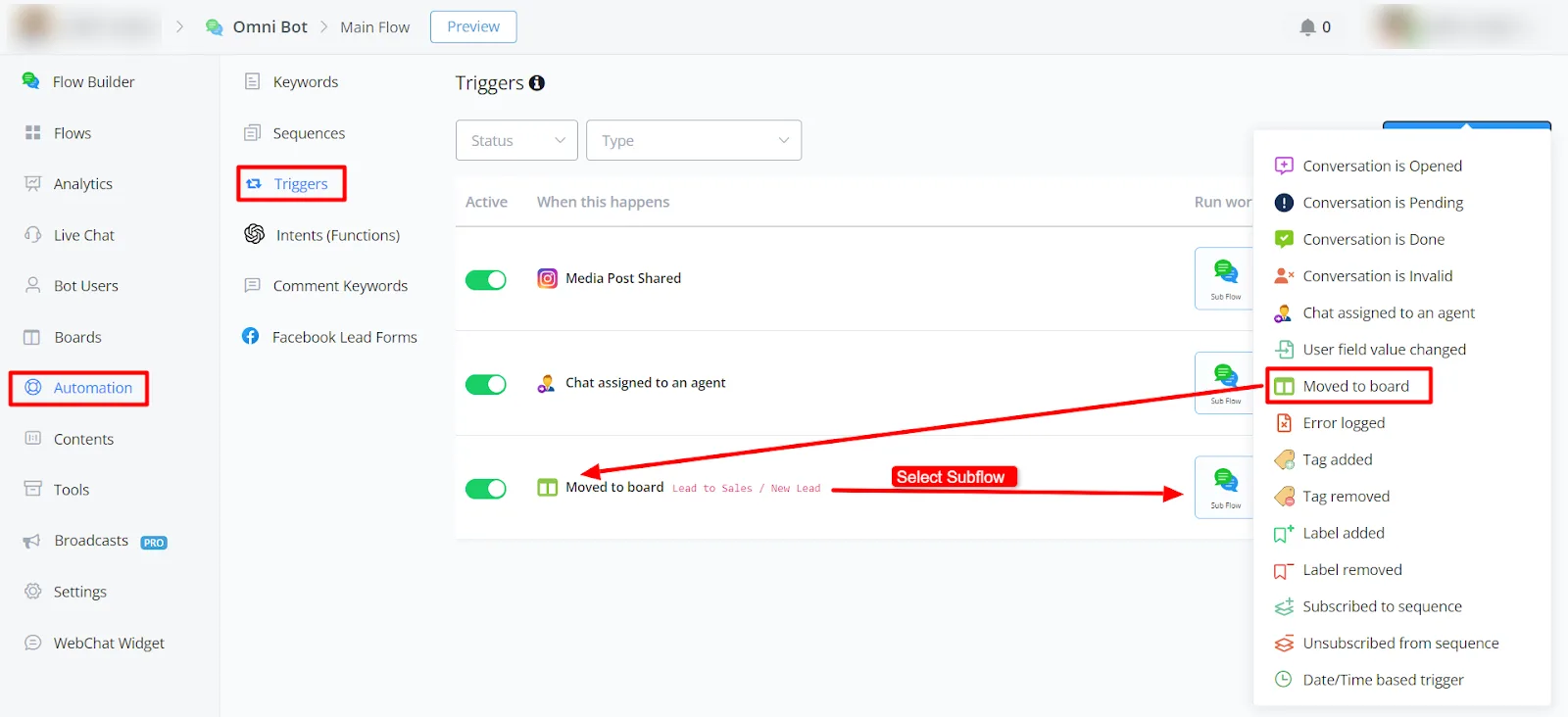
In the left sidebar, go to Automation -> Triggers -> Move to Board.
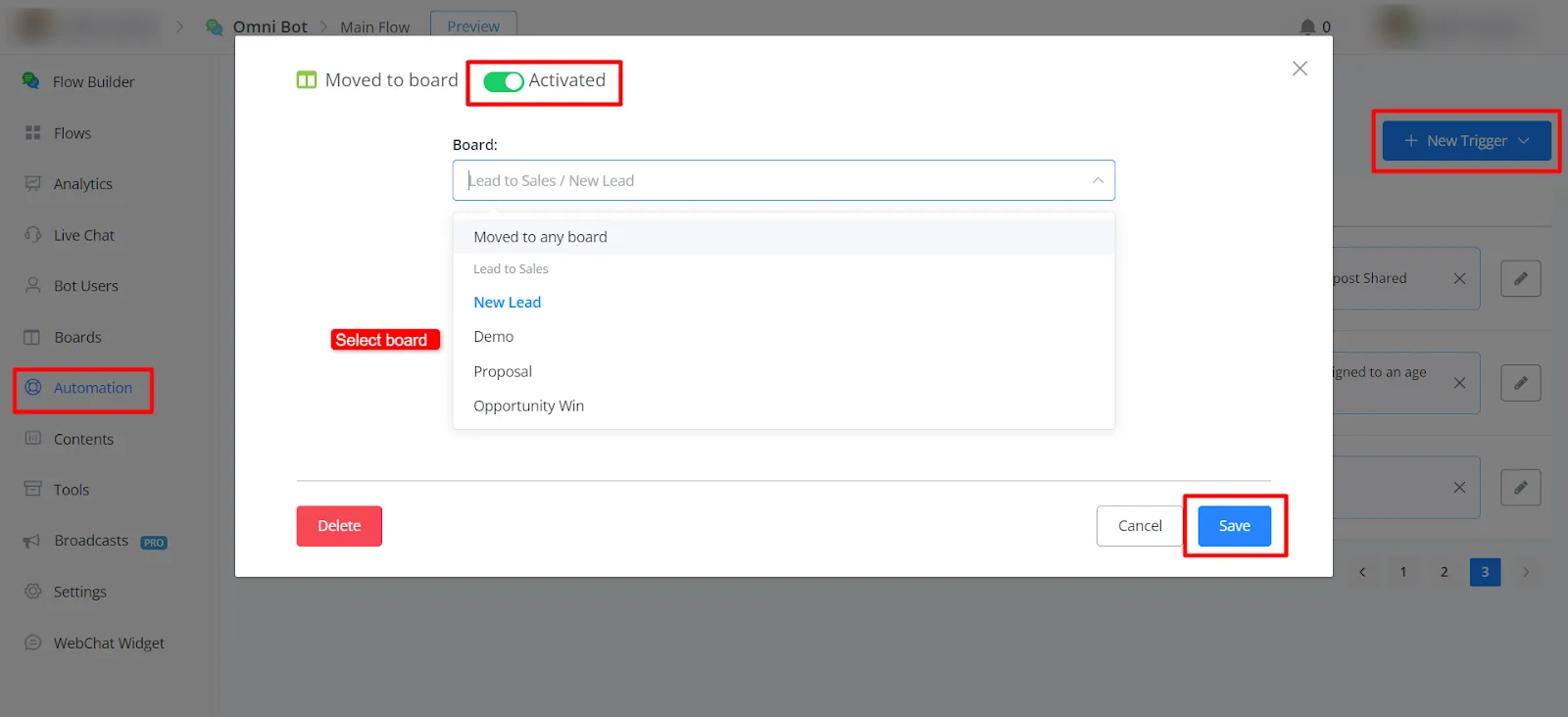
In the trigger, you need to select the board name. This ensures that it only fires on the board you selected.
You can see this trigger in the LiveChat: