

WhatsApp Welcome Message
The WhatsApp Welcome Messages trigger in NicoChat lets you send an automatic welcome message to users when they interact with your WhatsApp channel for the first time.
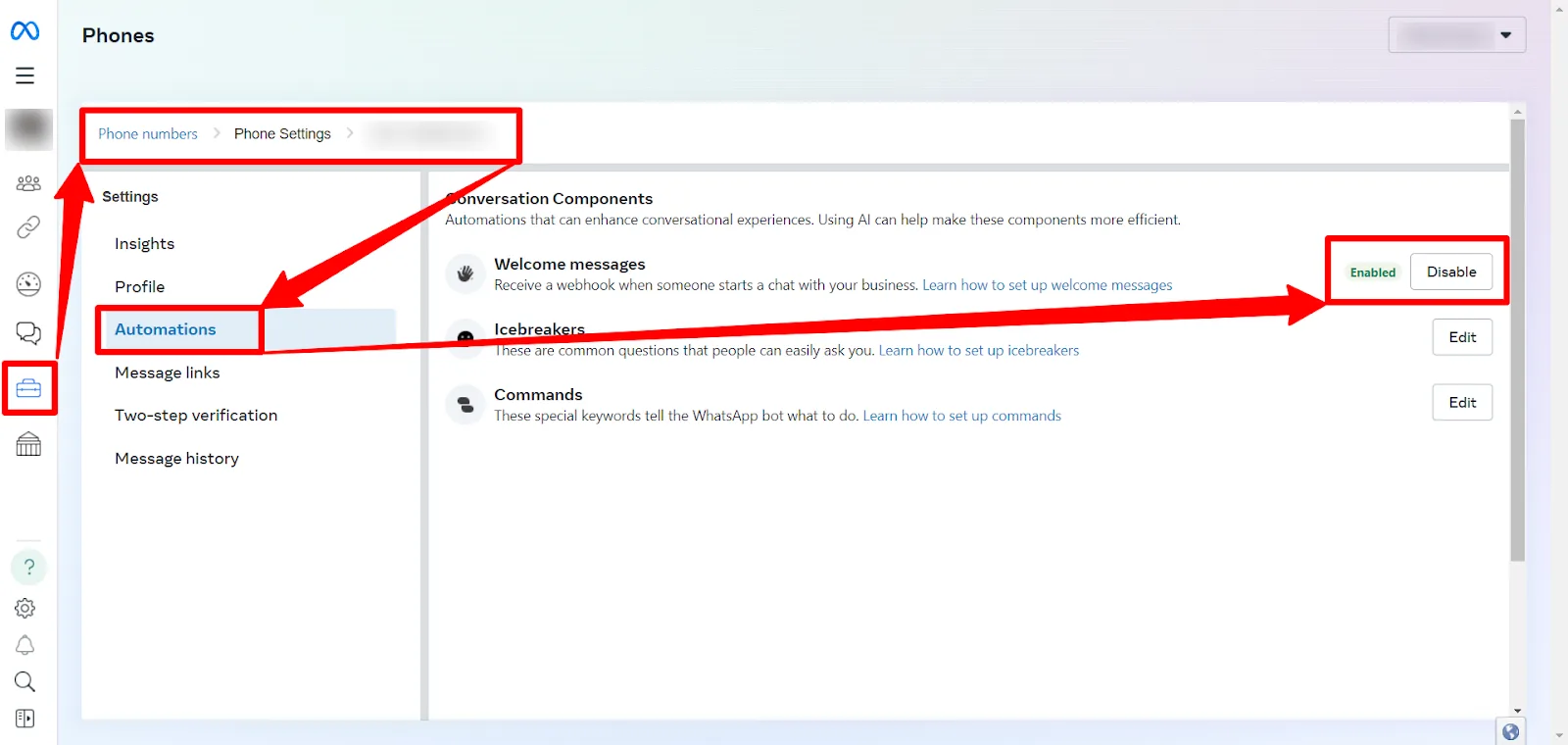
Before setting up the trigger in NicoChat, check that Welcome Messages are enabled in the WhatsApp Manager. This is done on the Meta website.
- Go to Meta Business Suite: log in to your Meta business account.
- Open the WhatsApp Manager: from the main dashboard, go to the WhatsApp Manager section.
- Turn on Welcome Messages: under the messaging tools, enable the Welcome Messages option. This setting allows your WhatsApp channel to send automatic greetings.
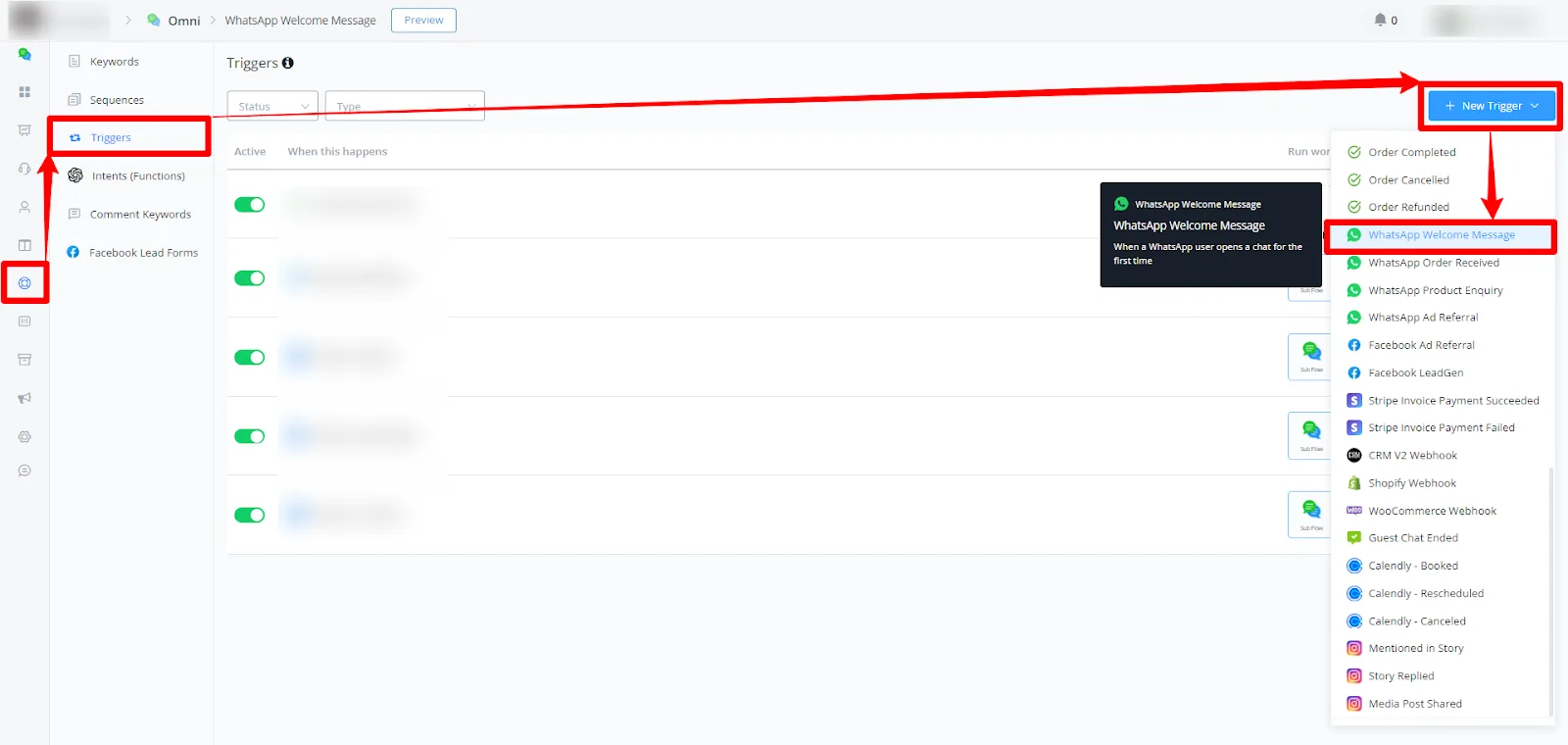
- Create a new trigger: inside your channel in NicoChat, go to Automation and select Triggers. Click + New Trigger and choose WhatsApp Welcome Messages from the list of available triggers.
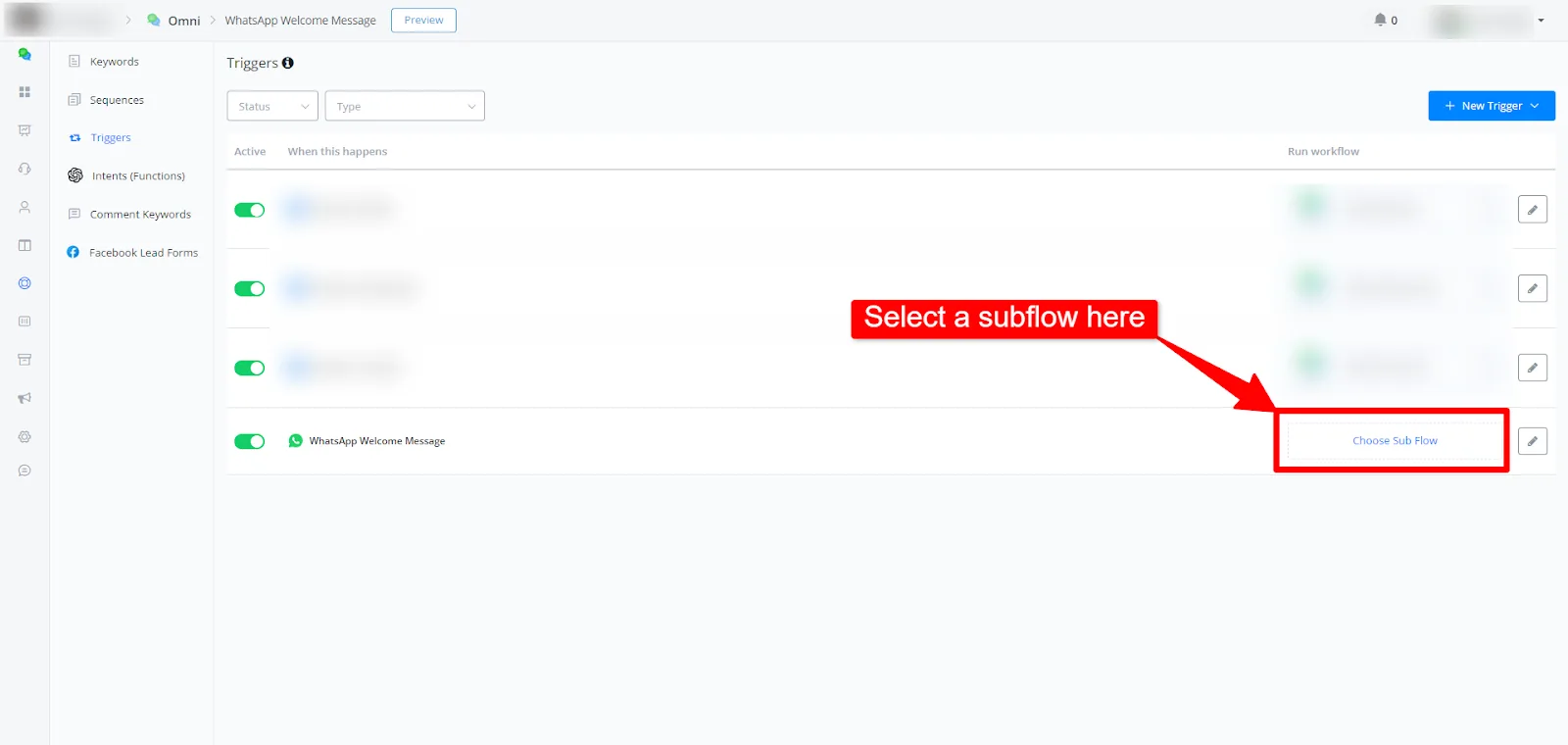
- Configure the trigger: with the trigger selected, define the conditions and the SubFlow of your welcome message. These will be the first SubFlow messages a user receives when interacting with your channel for the first time.
After setting up the trigger and enabling the welcome messages in the WhatsApp Manager, test the feature by starting a new conversation with the channel from a new contact, with no previous conversations in the WhatsApp app. Check that the welcome message is sent as expected.
Note
The Welcome Messages must be enabled in the WhatsApp Manager of Meta for this trigger to work correctly.
This document provides a step-by-step guide on how to enable and use the WhatsApp Welcome Messages trigger in NicoChat. If you need further help, contact us by email at Tickets NicoChat.
This document provides a step-by-step guide on how to enable and use the WhatsApp Welcome Messages trigger in NicoChat. If you need further help, contact us by email at Tickets NicoChat.