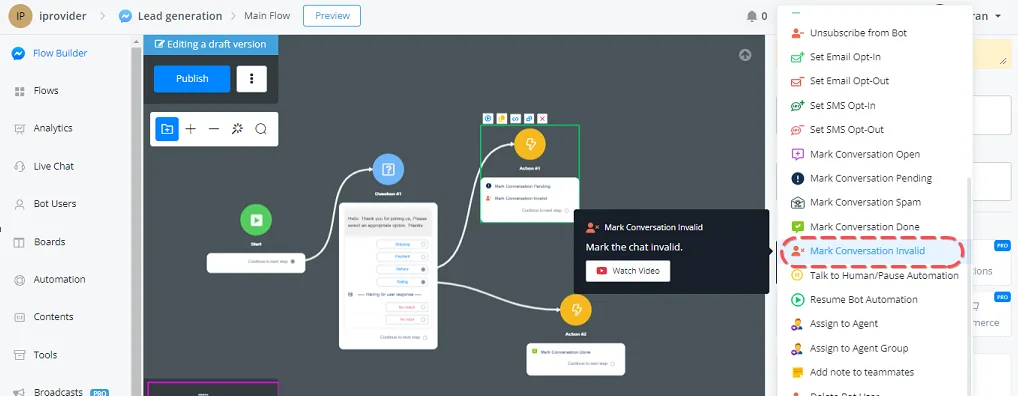
Mark Conversation Open / Pending / Spam / Done / Invalid
YouTube video (not available for embedding)
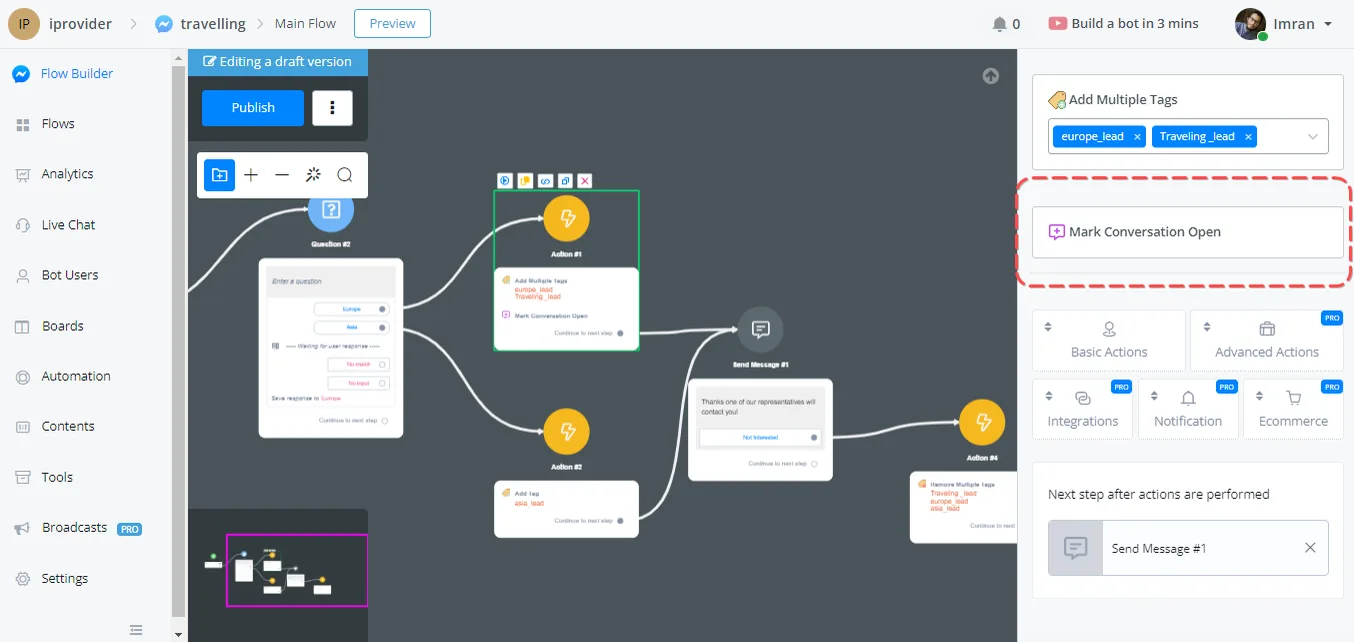
This option can be used to open the conversation in any situation. Note that, by default, all conversations stay open unless we don't set up any function inside them.
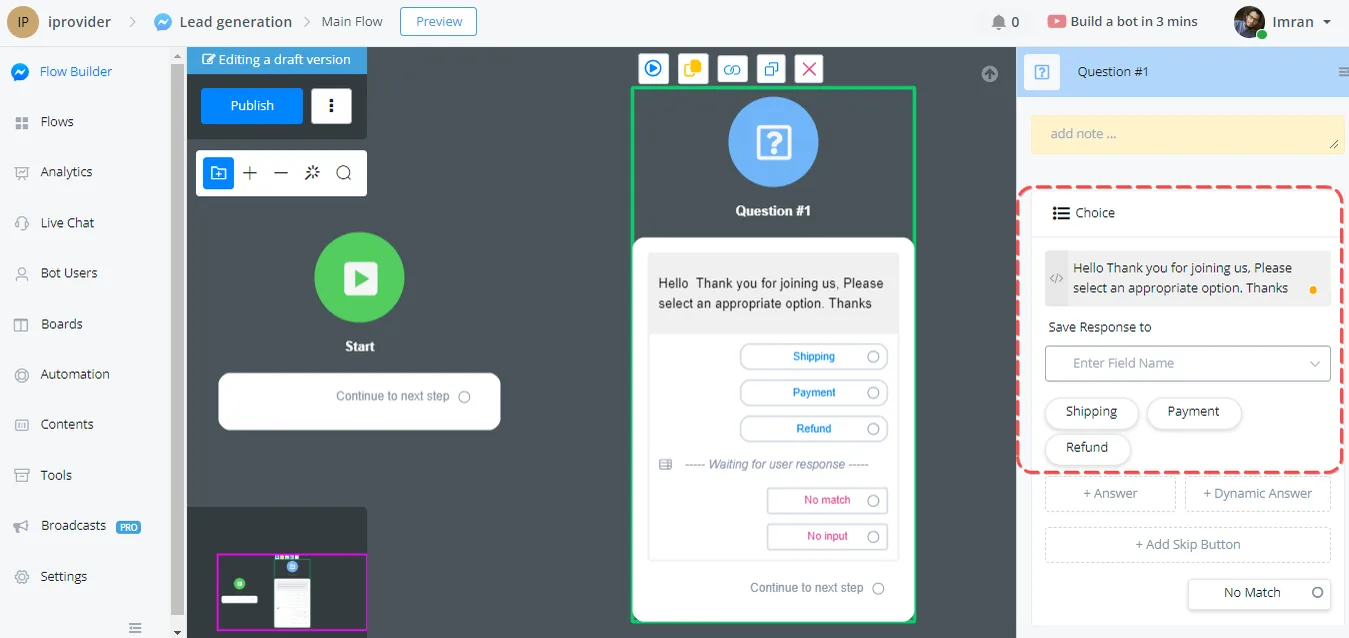
This option automatically sets the conversation status to Pending. One use case: imagine a shop with three categories.
- Shipping
- Payment
- Refund
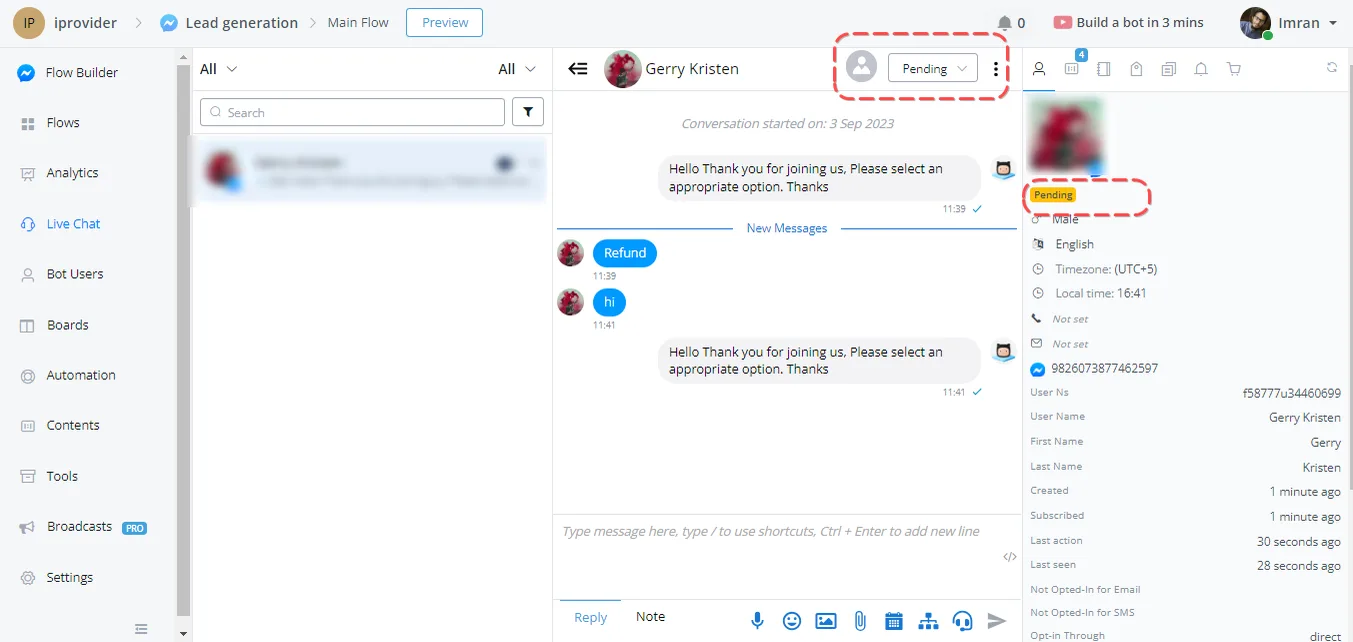
So, if the user selects Refund, the flow will mark the conversation status as Pending to highlight this information to the chat agent.
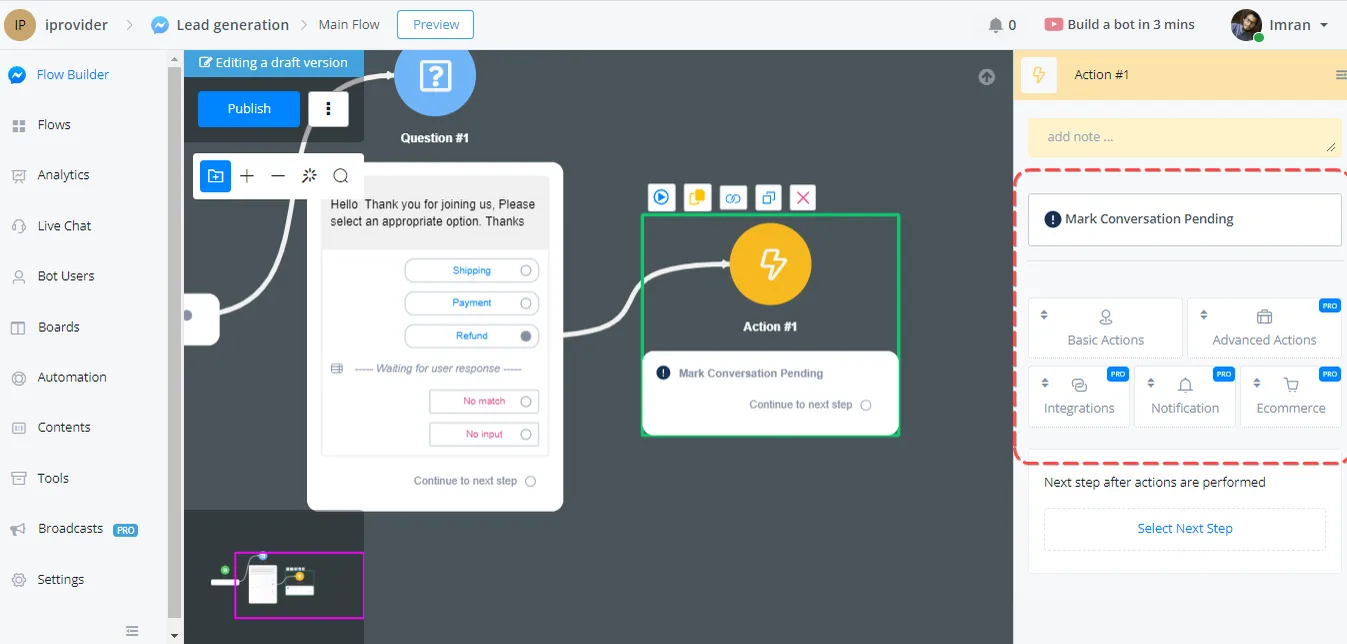
See it on the live chat screen:
here you can see that the conversation status changes to Pending when the user selects the Refund option in the chat section.
A conversation can be marked as spam. We need to ensure that the chatbot provides accurate and reliable information; that is why, when creating the channel, we can mark a user's conversation as spam to avoid distractions.
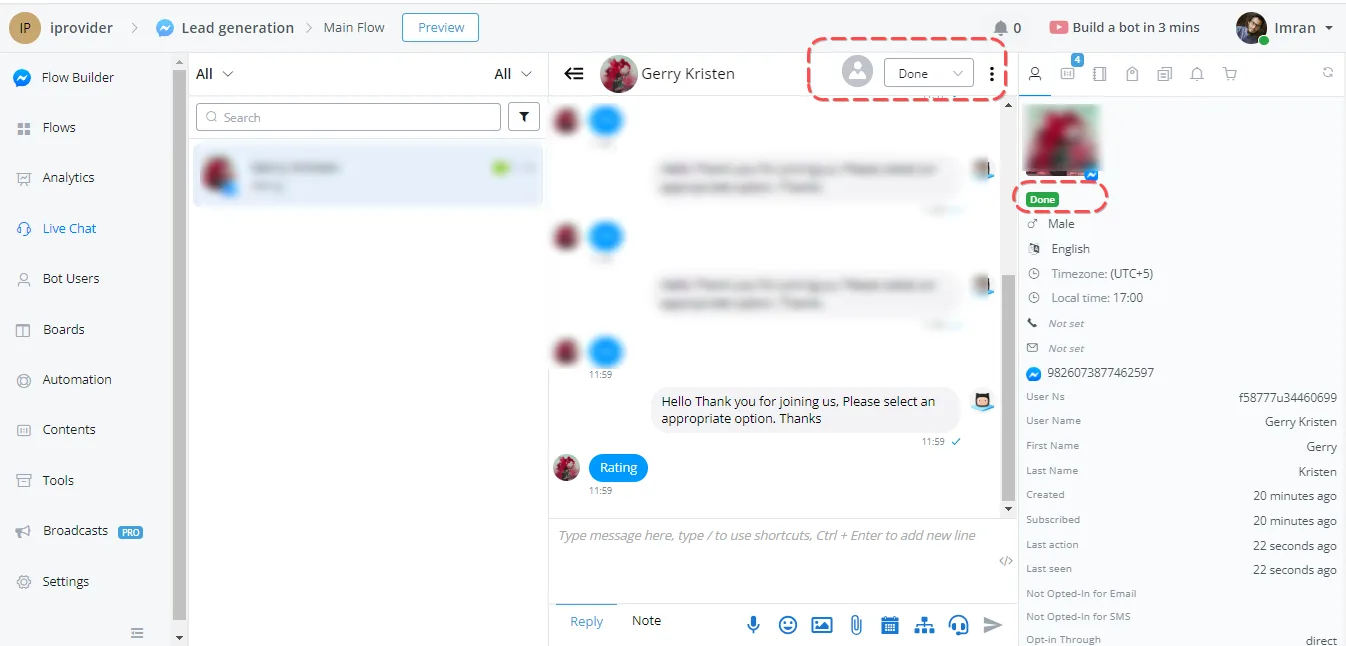
A conversation can be marked as done in certain cases. What if your flow succeeds and the user gets what they wanted? You can set the Done action in a specific action set. That way, your chat agent will not pick up conversations with the Done status.
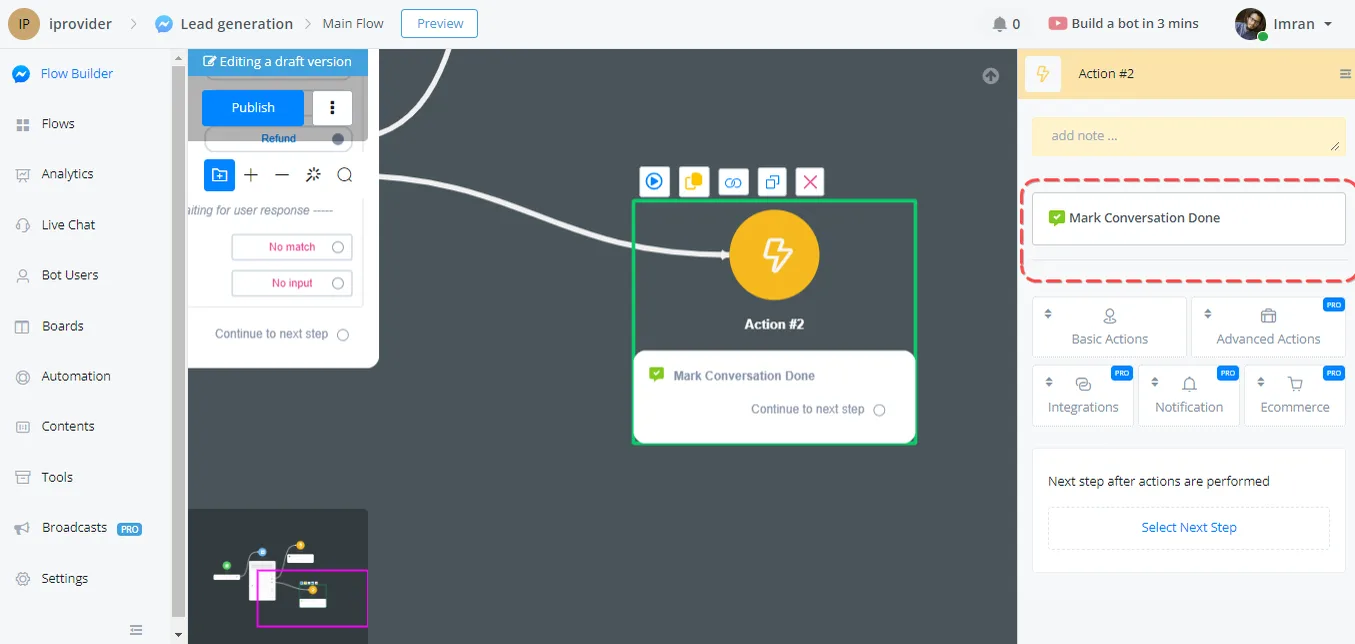
So let's say that whenever the user selects the LeaderBoard option we will mark the conversation status as Done.
A conversation can be marked as invalid based on certain criteria: a lead that does not meet the business goal of an agent/channel can be marked as invalid.