Instagram API (Advanced Actions)
This guide provides a comprehensive overview of the actions available in the NicoChat integration with Instagram. With it, you can automate tasks, interact with your followers, and manage your account efficiently.
- NicoChat account
- Instagram Business account
Log in to your NicoChat account.
Go to "Settings" and then "Channels".
Click "Add Channel" and select "Instagram".
For more details about the integration step, click the link below:
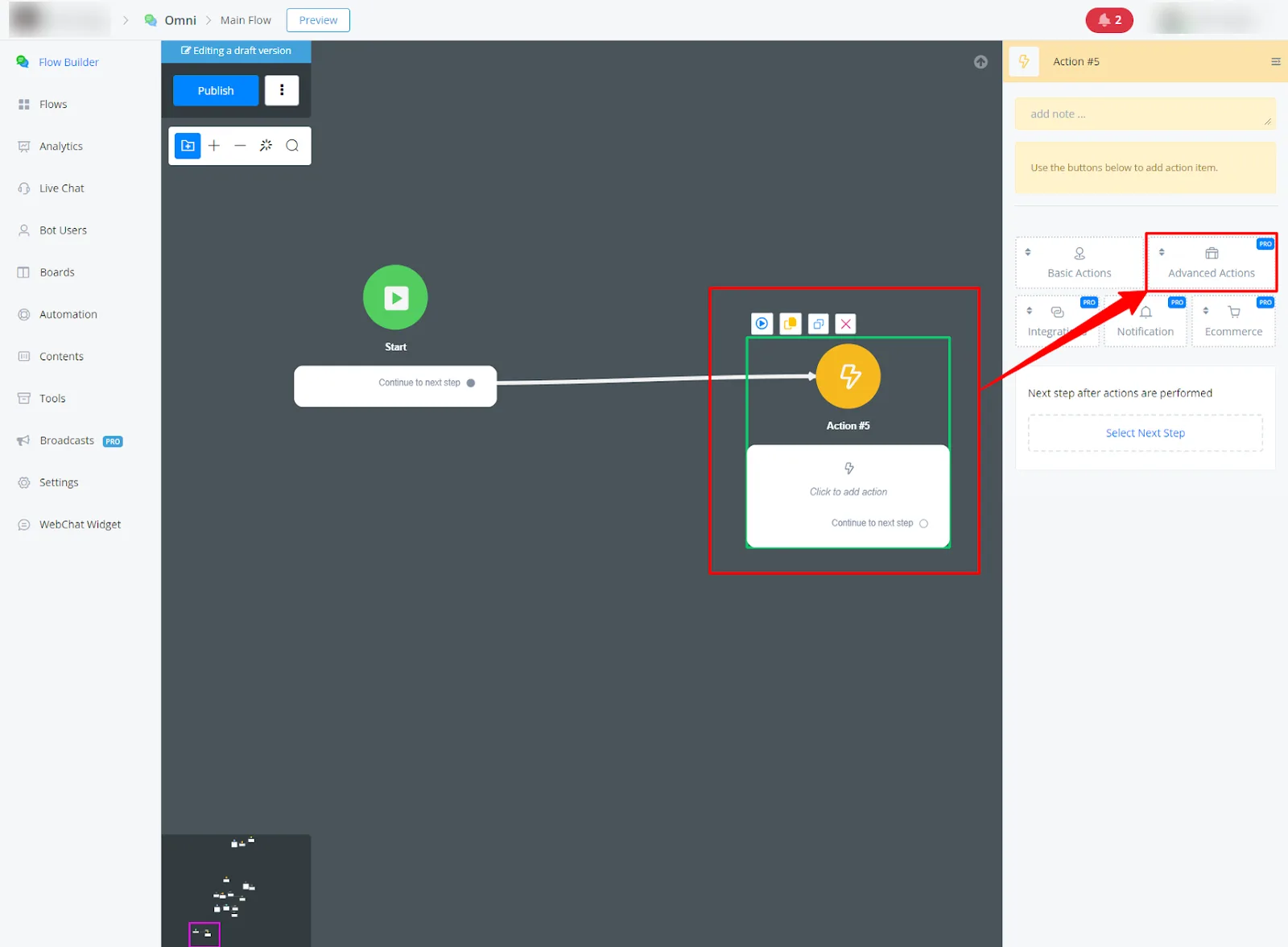
Insert an Action Block into your flow and go to Advanced Actions.
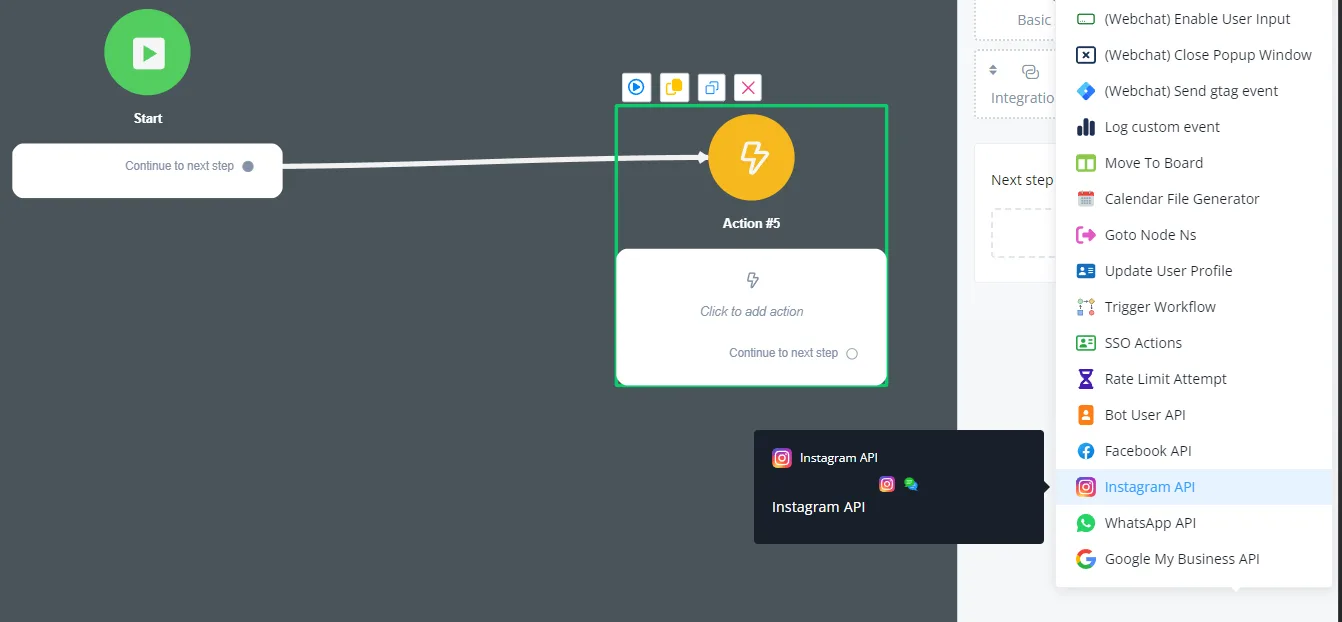
Select Instagram API Available actions
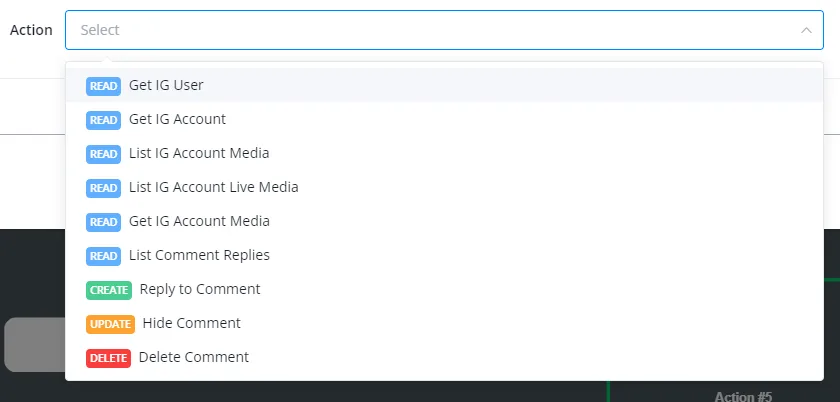
NicoChat offers a variety of actions to automate tasks and interact with Instagram.
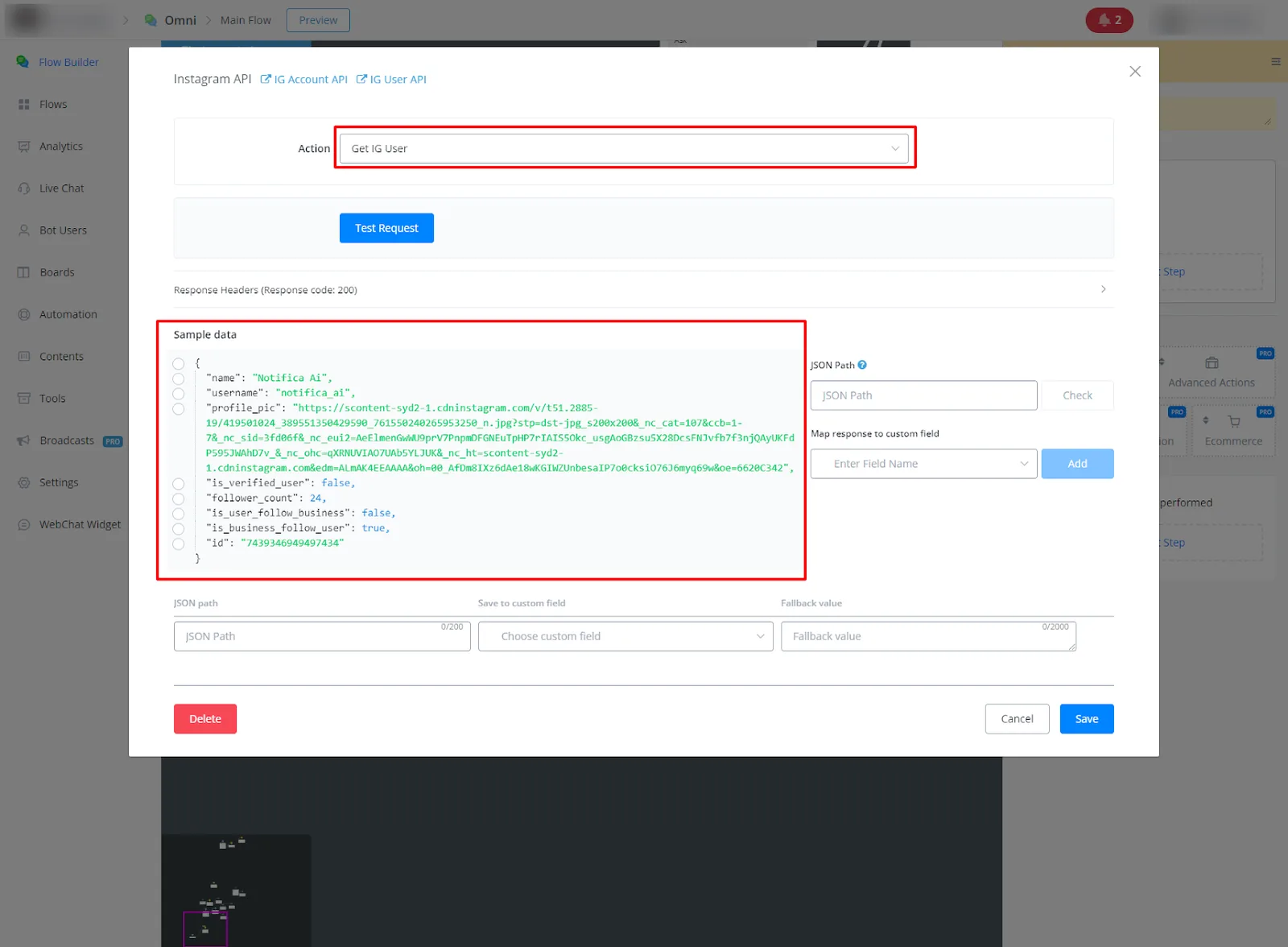
- Get Instagram User
- Description: Retrieves information about a specific Instagram user.
- Response:
name: User's name. username: Instagram username. profile_pic: URL of the profile picture. is_verified_user: Indicates whether the user is verified. follower_count: Number of followers. is_user_follow_business: Indicates whether the user follows the business account. is_business_follow_user: Indicates whether the business account follows the user. id: Instagram account ID.
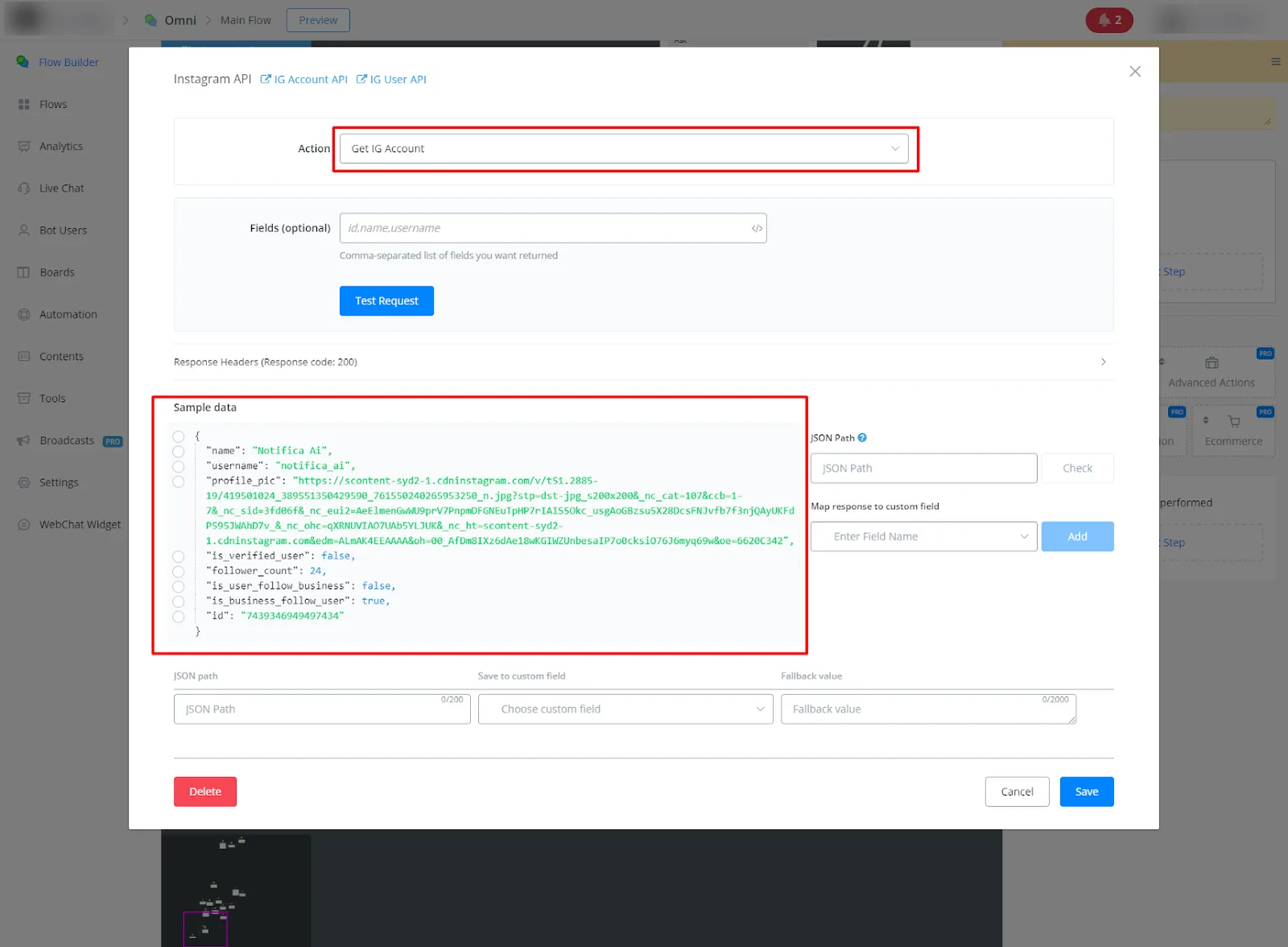
- Get Instagram Account
- Description: Retrieves information about an Instagram account.
- Parameters/Fields:
fields (optional): comma-separated list of fields to return (for example, media_count,followers_count). - Response:
id: Instagram account ID. username: Instagram username. name: Instagram account name. media_count: Number of media posts. follows_count: Number of users followed by the account. followers_count: Number of followers of the account. profile_picture_url: URL of the profile picture.
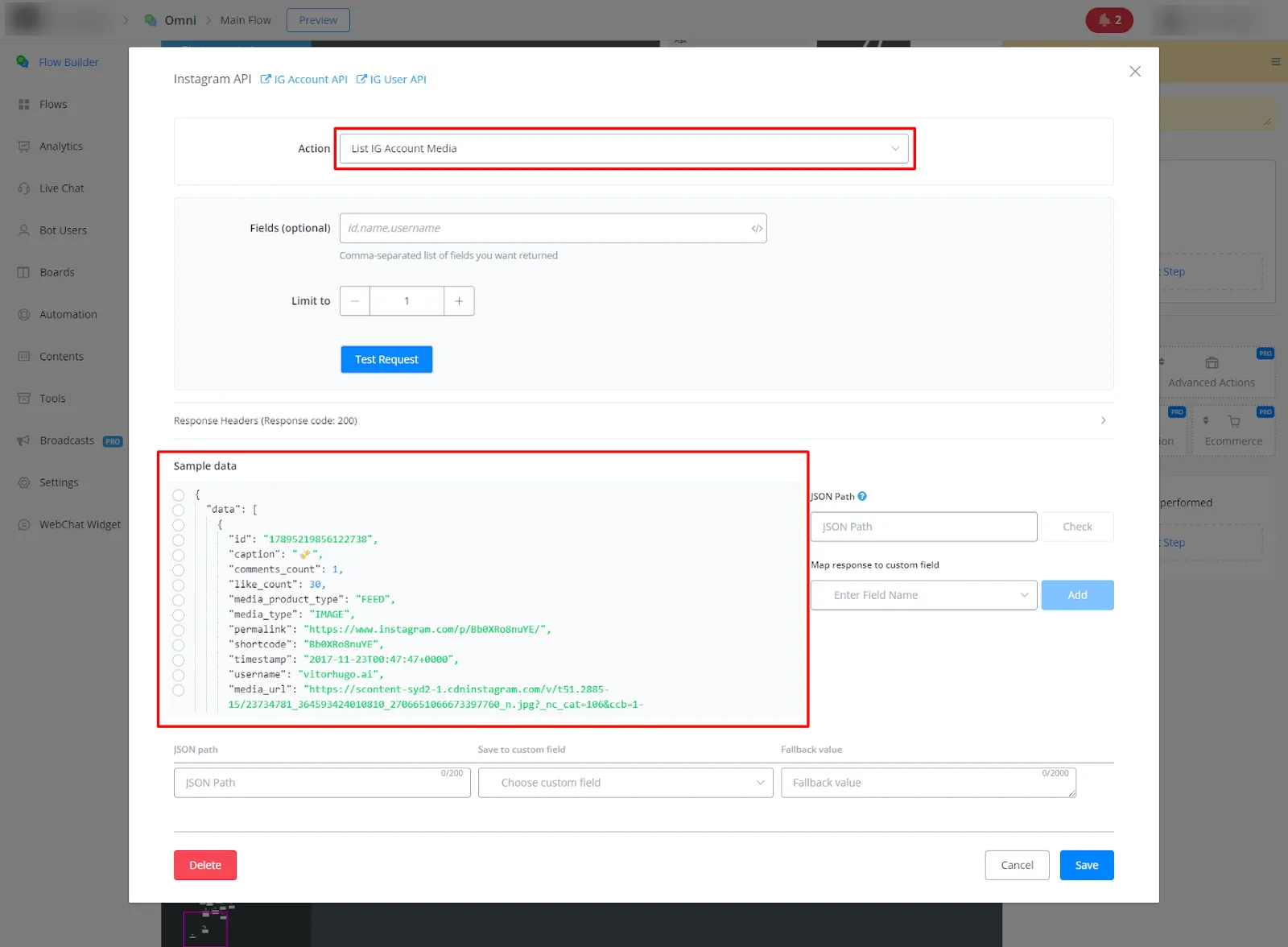
- List Instagram Account Media
- Description: Retrieves a list of media posts from an Instagram account.
- Parameters/Fields:
fields (optional): comma-separated list of fields to return (for example, media_url,like_count). limit: limits the number of media posts returned. - Response:
data: List of media posts. Each post includes information such as: id: Media post ID. caption: Post caption. comments_count: Number of comments. like_count: Number of likes. media_product_type: Type of media (for example, FEED). media_type: Type of media (for example, IMAGE). permalink: Permanent URL of the post. shortcode: Shortcode of the post. timestamp: Post timestamp. username: Instagram username. media_url: Media URL. paging: Pagination information to retrieve more media posts.
- List Live Media from Instagram Account
- Description: Retrieves information about live media (live broadcasts) from an Instagram account.
- Parameters/Fields:
fields (optional): comma-separated list of fields to return (for example, media_url,like_count). - Response:
id: Live media ID. media_url: URL of the live broadcast. viewer_count: Number of viewers of the live broadcast. comments_count: Number of comments on the live broadcast. like_count: Number of likes on the live broadcast. timestamp: Live media timestamp.
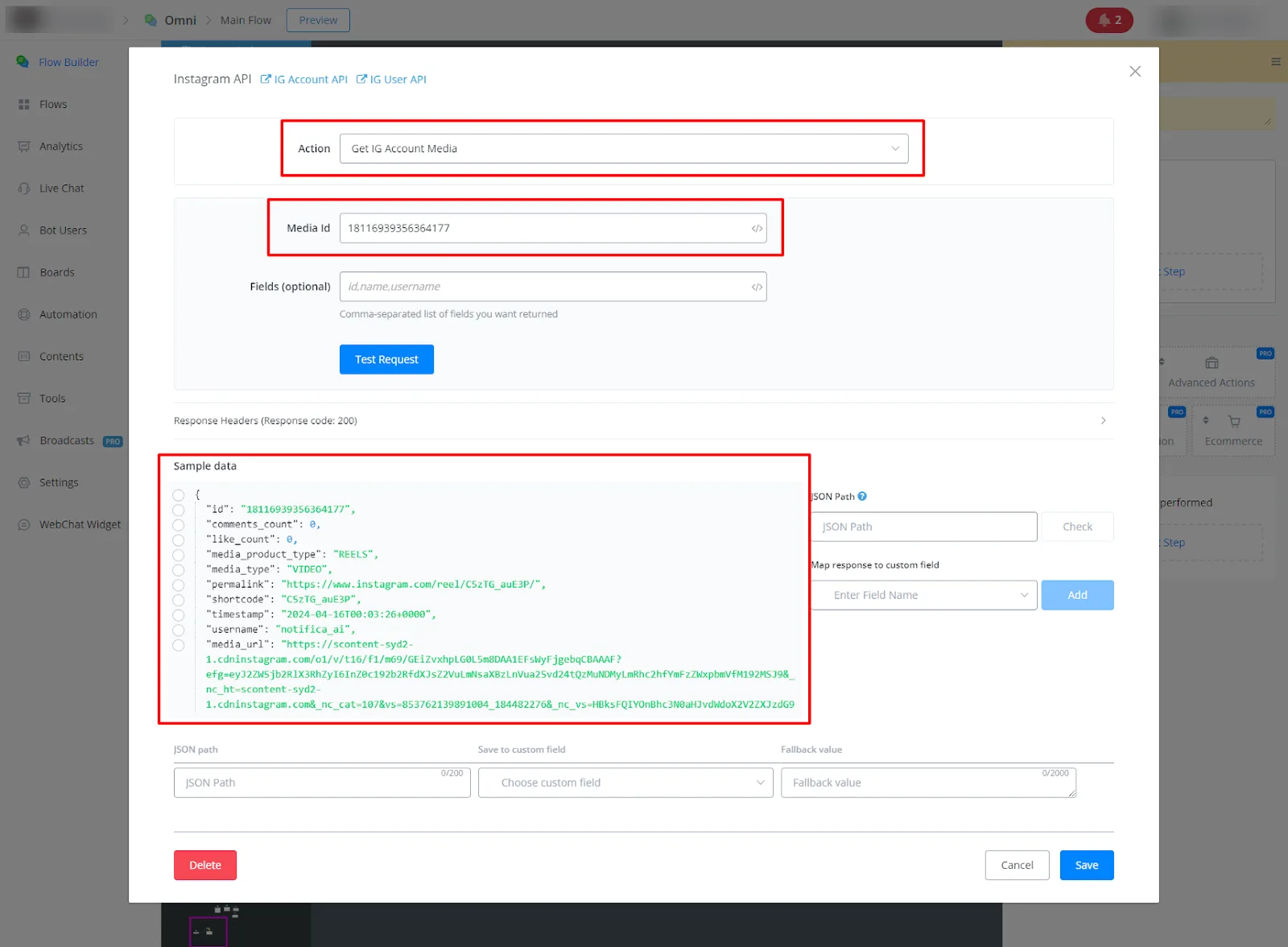
- Get Instagram Media Details
- Description: Retrieves detailed information about a specific media post from an Instagram account.
- Parameters/Fields:
id: Media post ID (required). fields (optional): comma-separated list of fields to return (for example, comments_count,like_count). - Response:
Detailed information about the media post, including: id: Media post ID. caption: Post caption. comments_count: Number of comments. like_count: Number of likes. media_product_type: Type of media (for example, FEED). media_type: Type of media (for example, IMAGE). permalink: Permanent URL of the post. shortcode: Shortcode of the post. timestamp: Post timestamp. username: Instagram username. media_url: Media URL.
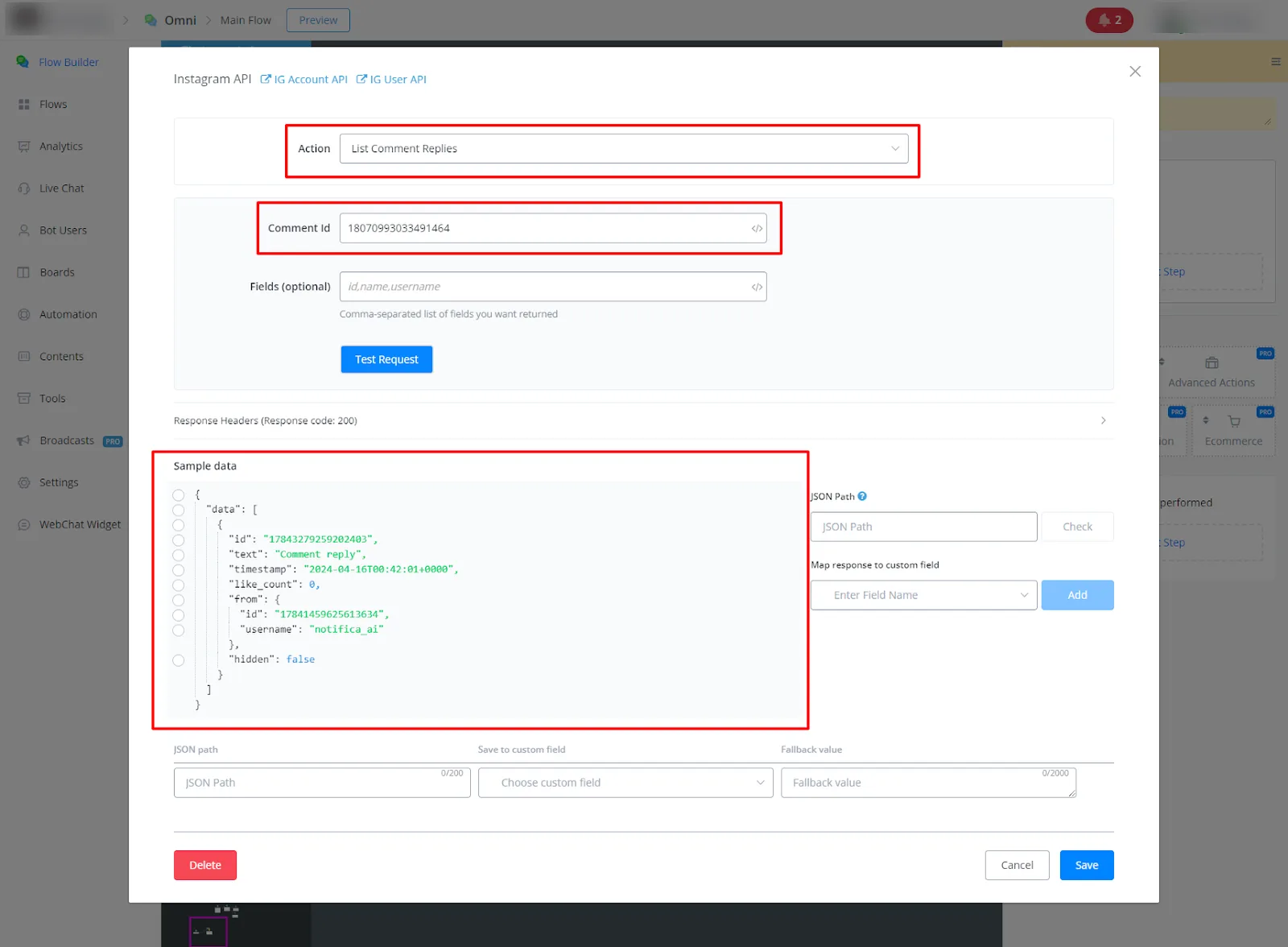
- List Comment Replies on Instagram
- Description: Retrieves the list of replies to a specific comment on an Instagram post.
- Parameters/Fields:
comment_id: Comment ID (required). fields (optional): comma-separated list of fields to return (for example, timestamp,text). - Response:
id: Comment reply ID. text: Text of the comment reply. time_stamp: Timestamp of the comment reply. like_count: Number of likes. from: Information about the user who replied to the comment (includes id and username).
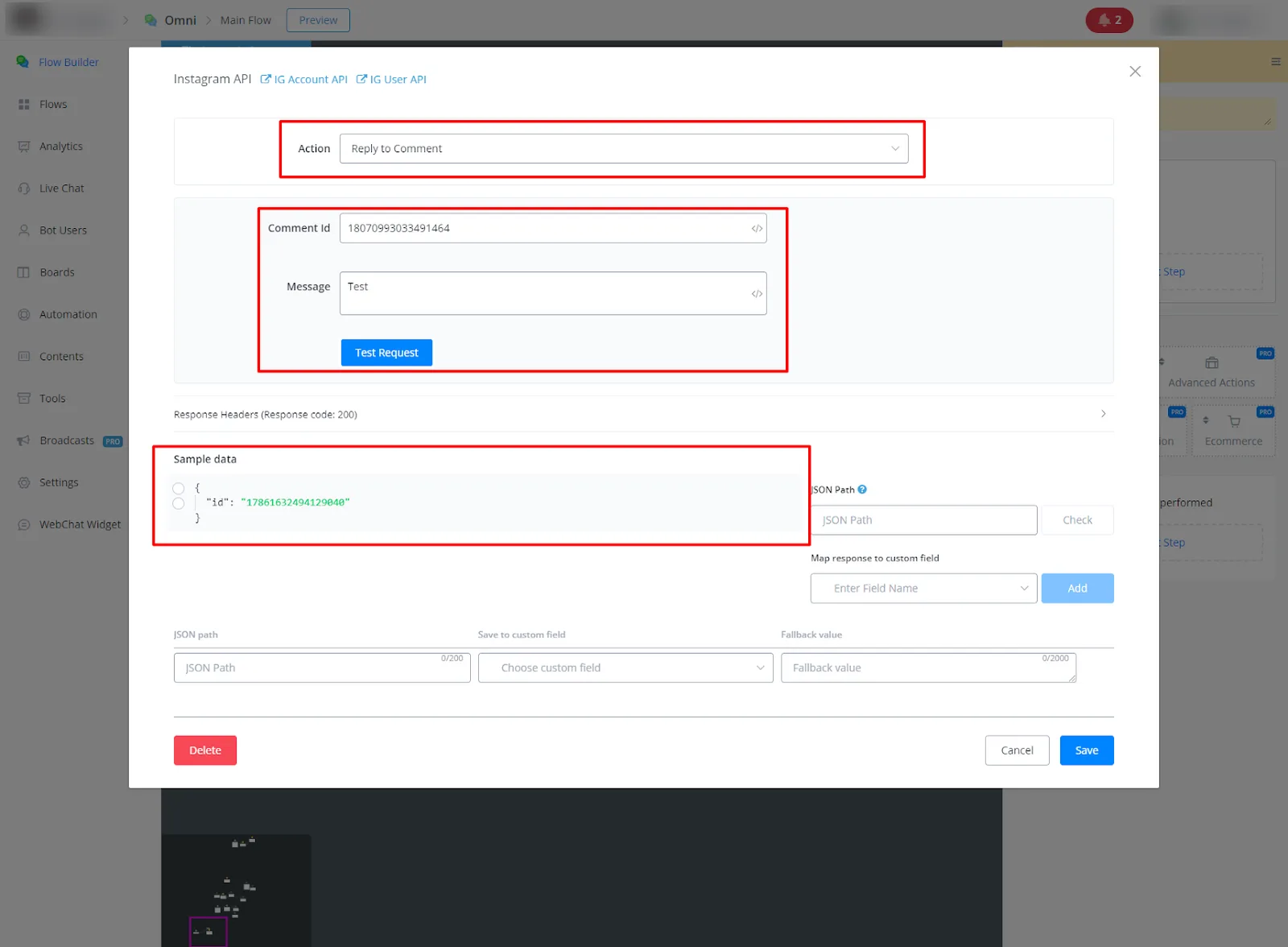
- Reply to Comment on Instagram
- Description: Replies to a comment on an Instagram post.
- Parameters/Fields:
comment_id: Comment ID (required). message: Message of the comment reply (required). - Response:
id: Comment reply ID.
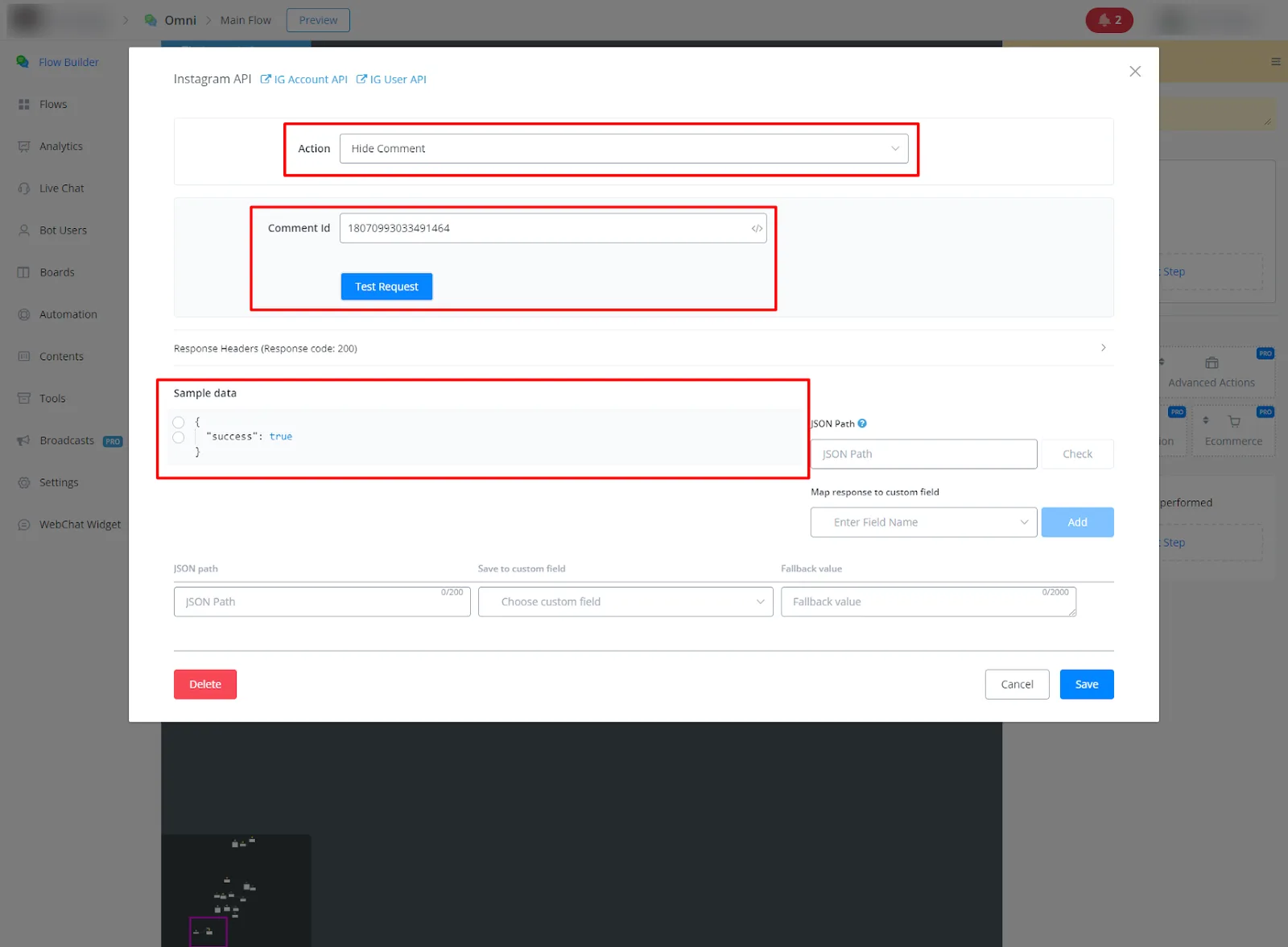
- Hide Comment on Instagram
- Description: Hides a comment on an Instagram post.
- Parameters/Fields:
comment_id: Comment ID (required). - Response:
Success or error message.
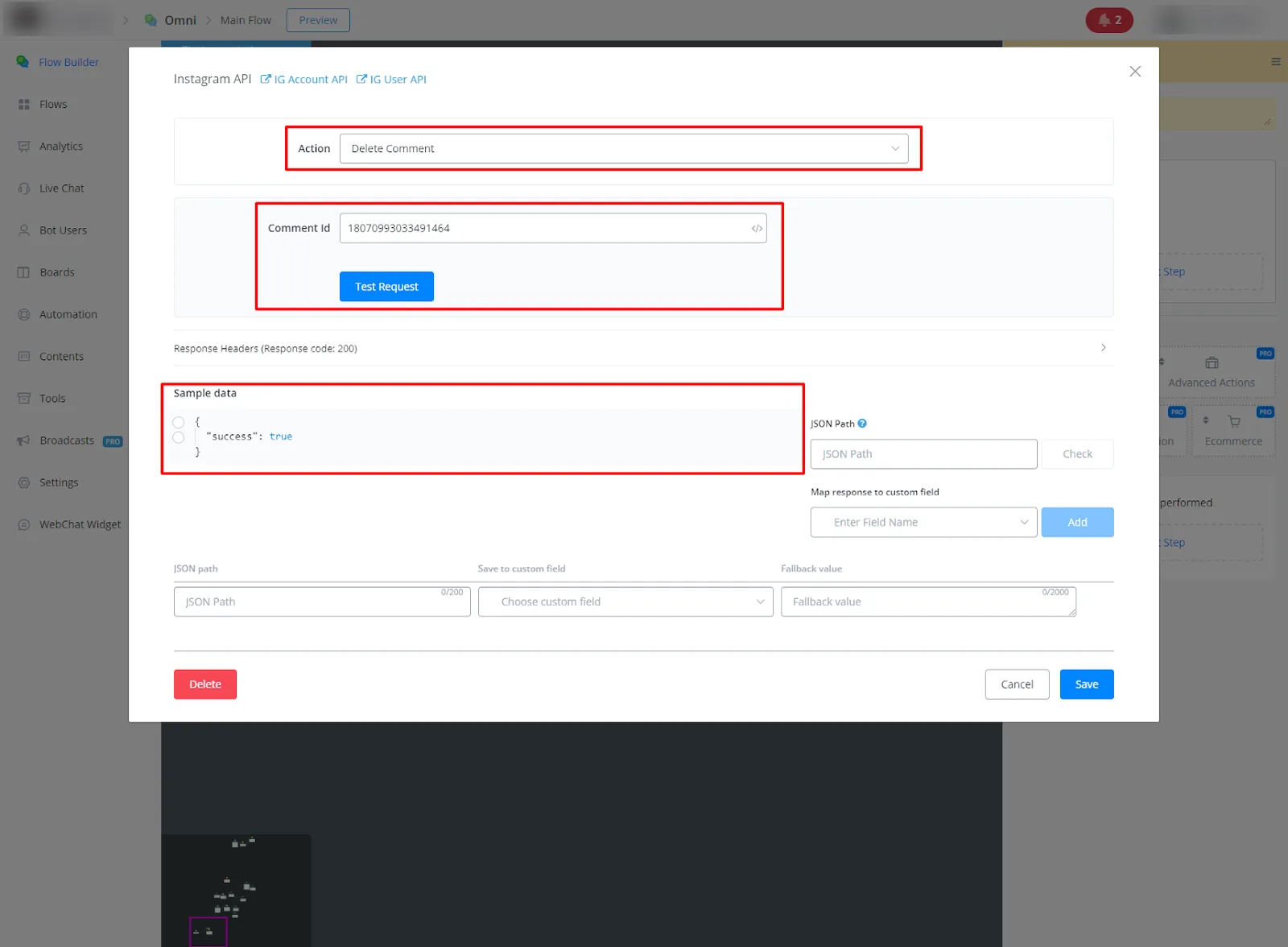
- Delete Comment on Instagram
- Description: Deletes a comment on an Instagram post.
- Parameters/Fields:
comment_id: Comment ID (required). - Response:
Success or error message.