

JavaScript Function
NicoChat now allows your users to carry out complex flow logic using the JavaScript action. Users can write JavaScript code to build various complex flows and formulas that NicoChat does not yet support natively.
Create an Action node block, click on Advanced Actions and select the JavaScript Function node.
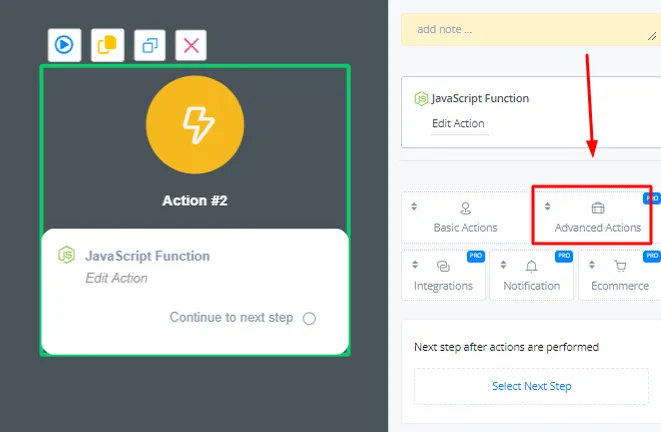
A JavaScript function works exactly like a function. All parameters are first parsed in the JavaScript block before they can be used. The top part of the action is used for the input.

Parameter Name: add the name of the variable you are parsing.
Parameter Value: add the Contact Field you want to parse into the JavaScript function.
Test Value: add a test value that can be used here to run tests.
The function block supports multiple JavaScript libraries.

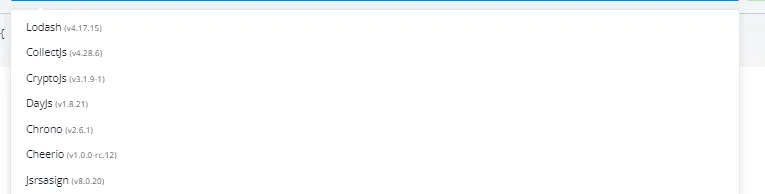
These JavaScript libraries extend the functionality of the native function block.
These are the available libraries, with the version the block loads:
map, groupBy, cloneDeepDateTick in the block the libraries the code will use — only the selected ones are available at run time.
In the function block, you can write your JavaScript code.
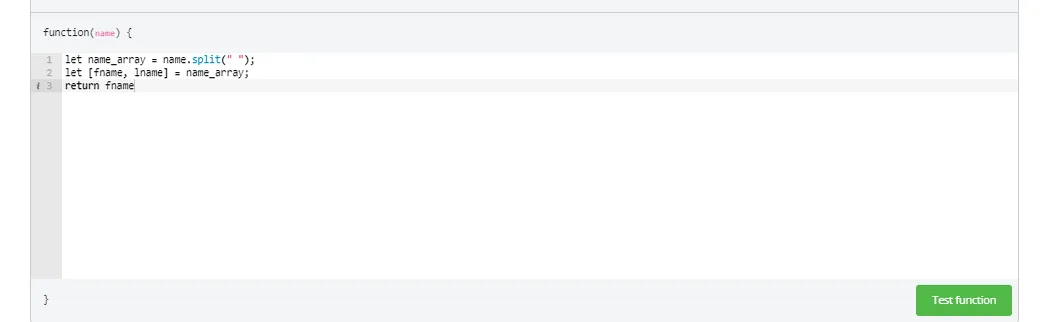
After writing the code, you always need to return the value, because the function block works like a regular function.
Note: native JavaScript methods that require a browser, such as console.log, do not work in the JavaScript Function node.
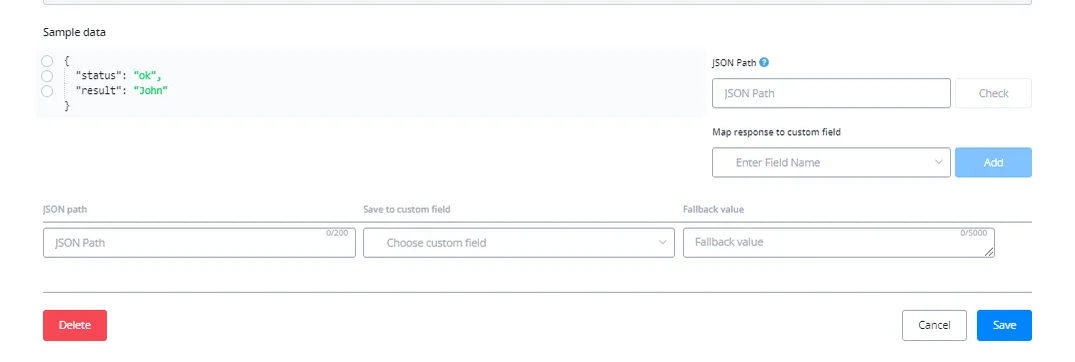
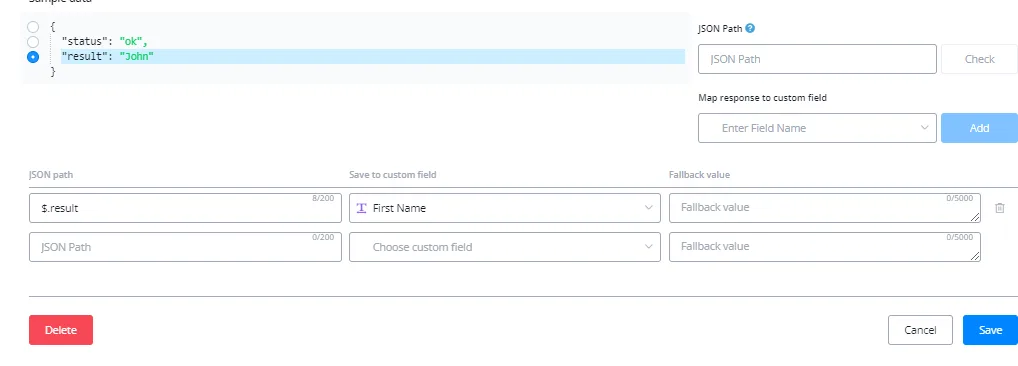
You can map the results of your code to update certain Contact Fields.
Note: when handling JSONs, all of them need to be parsed before being used inside the code.
Every parameter value reaches the code as text, even when the variable holds a number, a list or a JSON. Before looping over an array or reading an object’s keys, convert it with JSON.parse.
// carrinho chega como texto: '[{"preco":30,"qtd":2},{"preco":15,"qtd":1}]'
const itens = JSON.parse(carrinho);

return {
  total: itens.reduce(function (s, i) { return s + i.preco * i.qtd; }, 0),
  quantidade: itens.length
};
The parameter name already exists as a variable inside the code — do not declare it again. Writing const carrinho = ... for a parameter named carrinho breaks the run.
The code does not resolve {{variable}}: whatever is written in the editor is literal text. Contact data comes in only through the Parameter Value field, and that is where the variable is replaced.
Whatever the function returns is delivered inside result. In the mapping, the total key of a returned object has the path $.result.total — if you write just total or $.total, NicoChat completes it to the right form.
return 45;$.resultreturn { total: 45 };$.result.totalreturn ['a', 'b'];$.result[0]areturn { itens: [...] };$.result.itensMapping $.result on its own saves the whole object or array into a single variable. To store each piece in a different field, return an object and map key by key.
- No network access. To call an API, use the External Request (API) block and bring the result here.
- Short execution time, around 5 seconds. An infinite loop or heavy processing is cut off.
evalis not allowed.- Nothing that depends on a browser:
console.log,documentandwindowdo not exist here.
There is no dedicated JSON block in NicoChat: summing, counting, finding the largest value, extracting a key or removing an item is work for this block. After JSON.parse, it is plain JavaScript.
reduce and lengthMath.max and Math.min over a mapmapObject.keysfindfilterBesides this block, there is JavaScript in the pre-processing of the External Request (API) block. The two do not behave the same, and mixing them up is the most common cause of an empty mapping.
JSON.parsepayload variable, with the API response ready to useresult — map $.result.<key>$.<key>