Delete Contact
YouTube video (embedding unavailable)
A new feature that lets you set a contact limit for your chatbot and automatically delete the excess contacts. This update simplifies the process of managing and maintaining your chatbot's contact base.
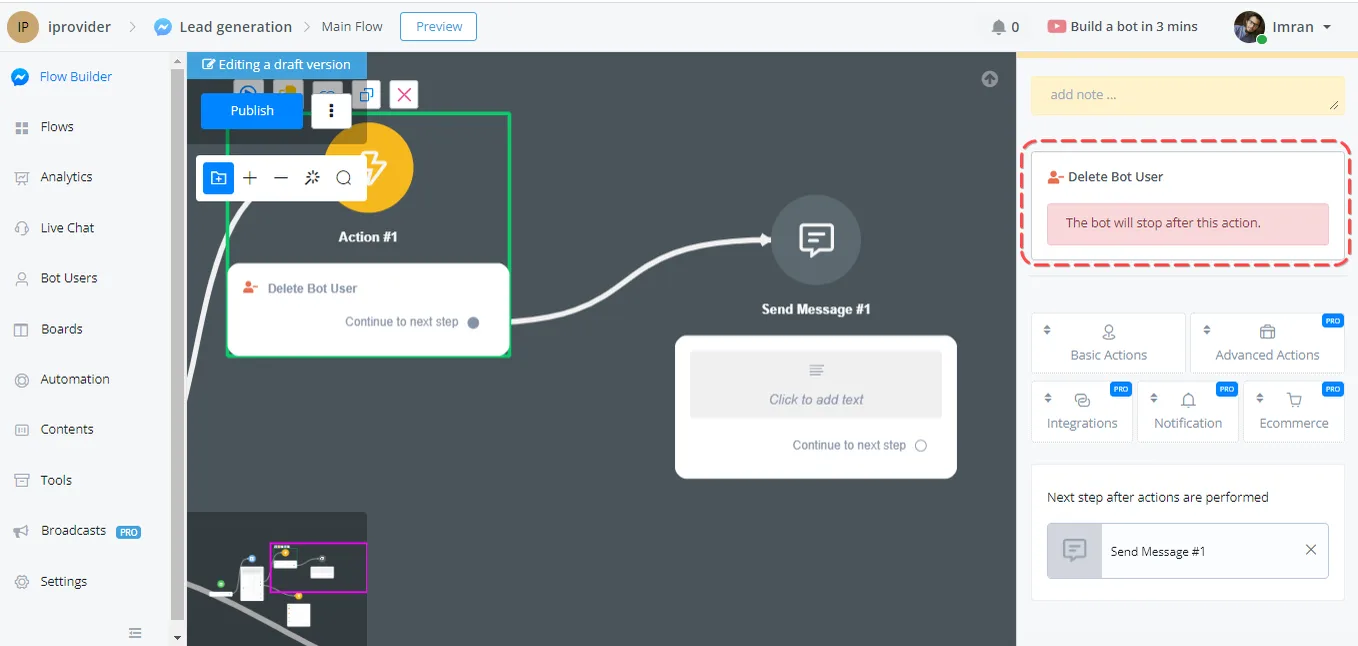
The first method uses an action step inside your chatbot's flow. Simply locate the "Delete Contact" action step under the Basic Actions category. When the flow reaches this step, it will delete the contact automatically, ensuring that the following messages or conditions are not processed.
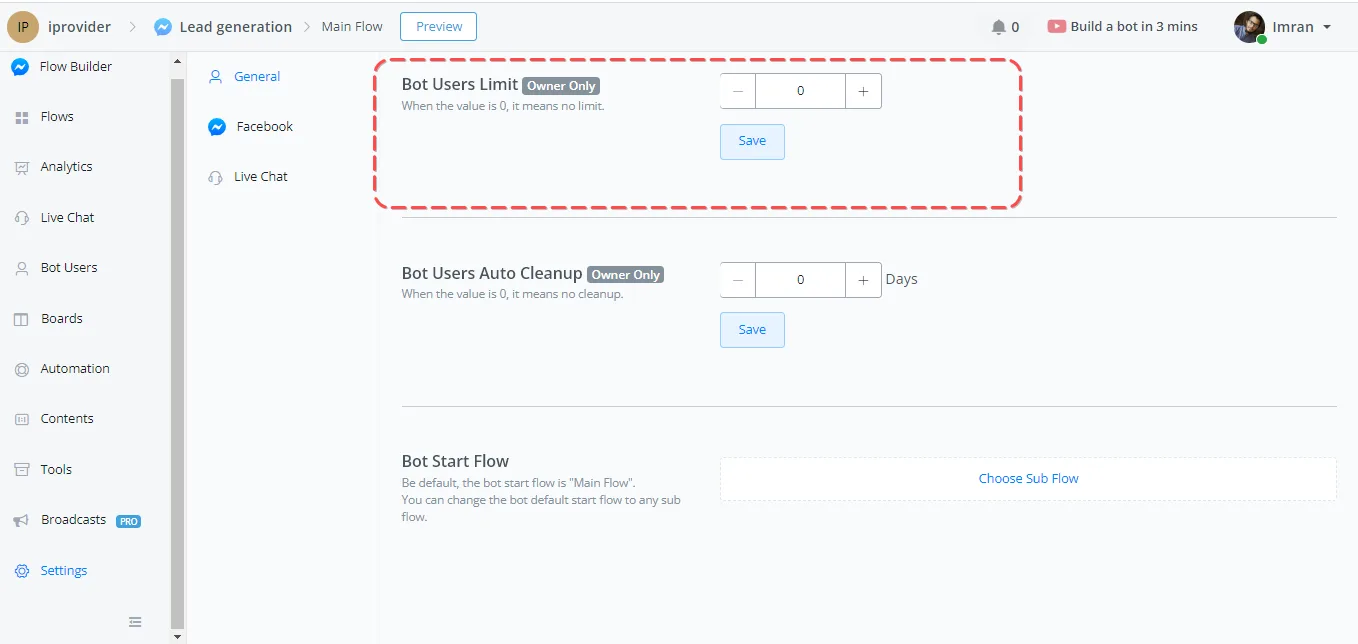
Another way to delete contacts automatically is to set contact limits in the NicoChat Settings. Under the General section, you will find the "Contact limit" option. By specifying a value greater than zero, the system will periodically check the total number of contacts and delete the oldest ones if the limit is exceeded.
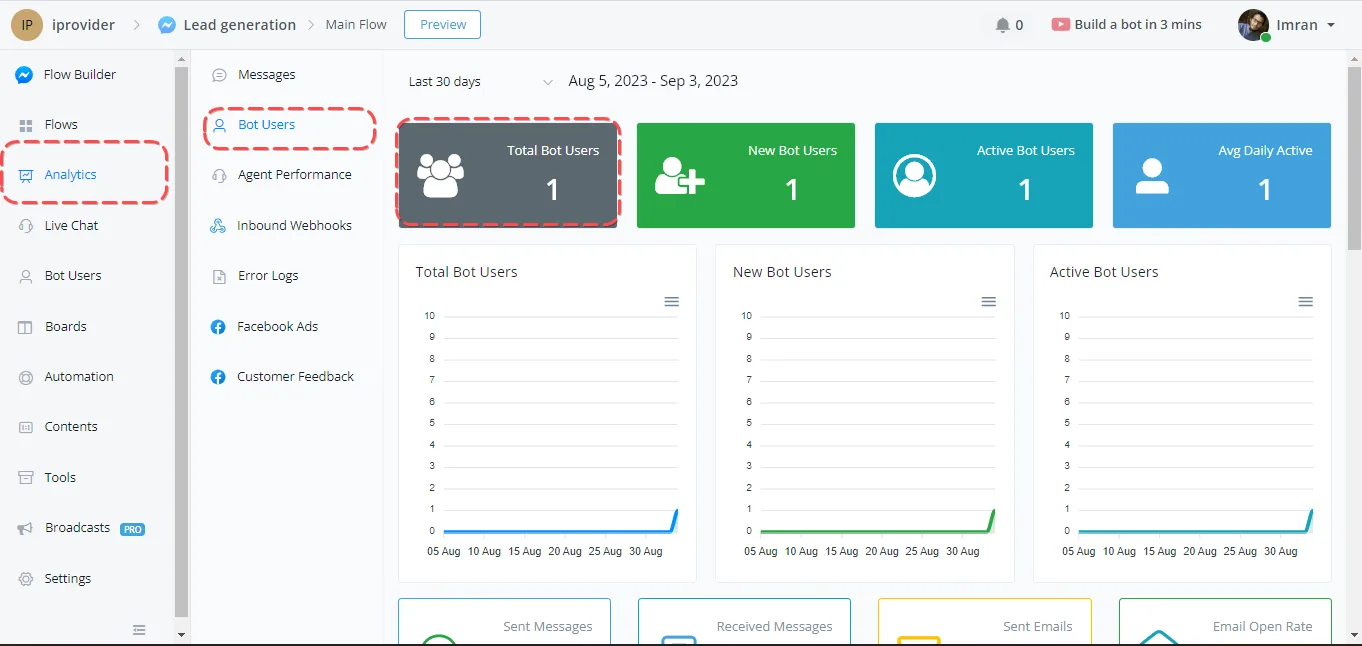
To keep track of the number of contacts, go to the Statistics section. There you will find data on the total number of contacts. This information helps you determine the appropriate contact limit for your chatbot.
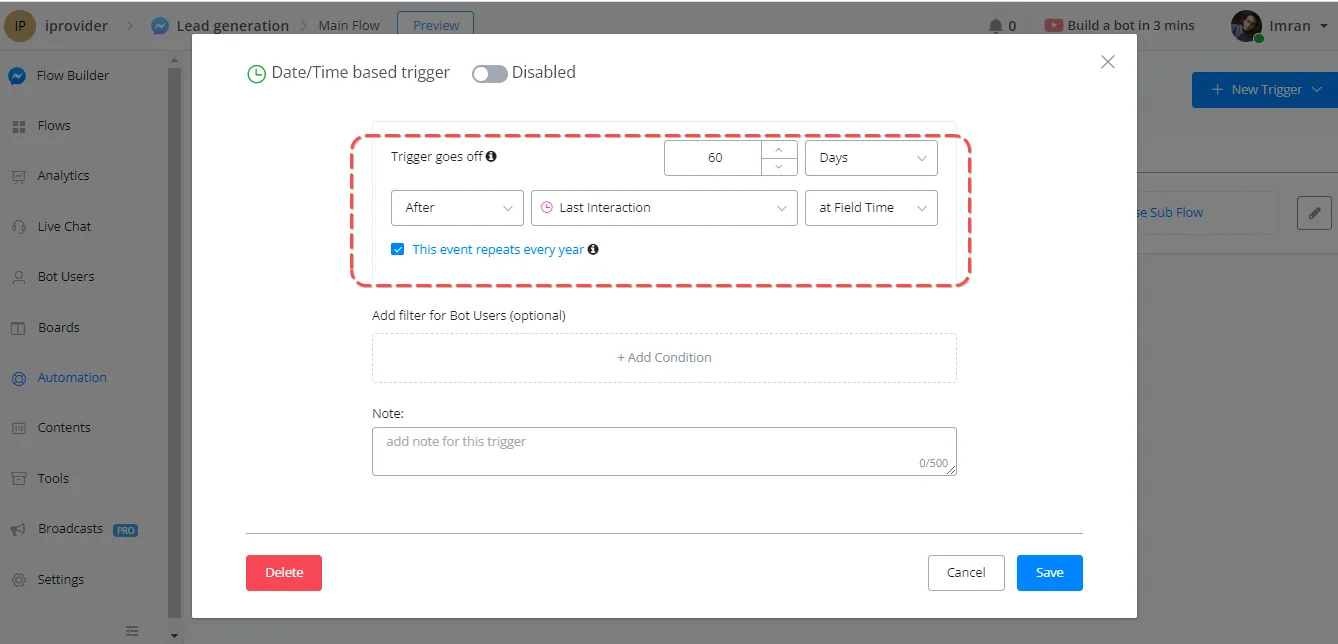
If you prefer a more customized approach, you can create triggers based on specific conditions. For example, you can set a trigger to delete a contact if there has been no interaction for a given period. With time-based triggers, you have more control over the deletion process.