

Error Logged
The Error Logged trigger lets you automate tasks and receive notifications when specific errors occur on the platform.

The Error Logged trigger lets you automate tasks and receive notifications when specific errors occur on the platform.
- Go to Automation > New Trigger.
- Select "Error Logged".
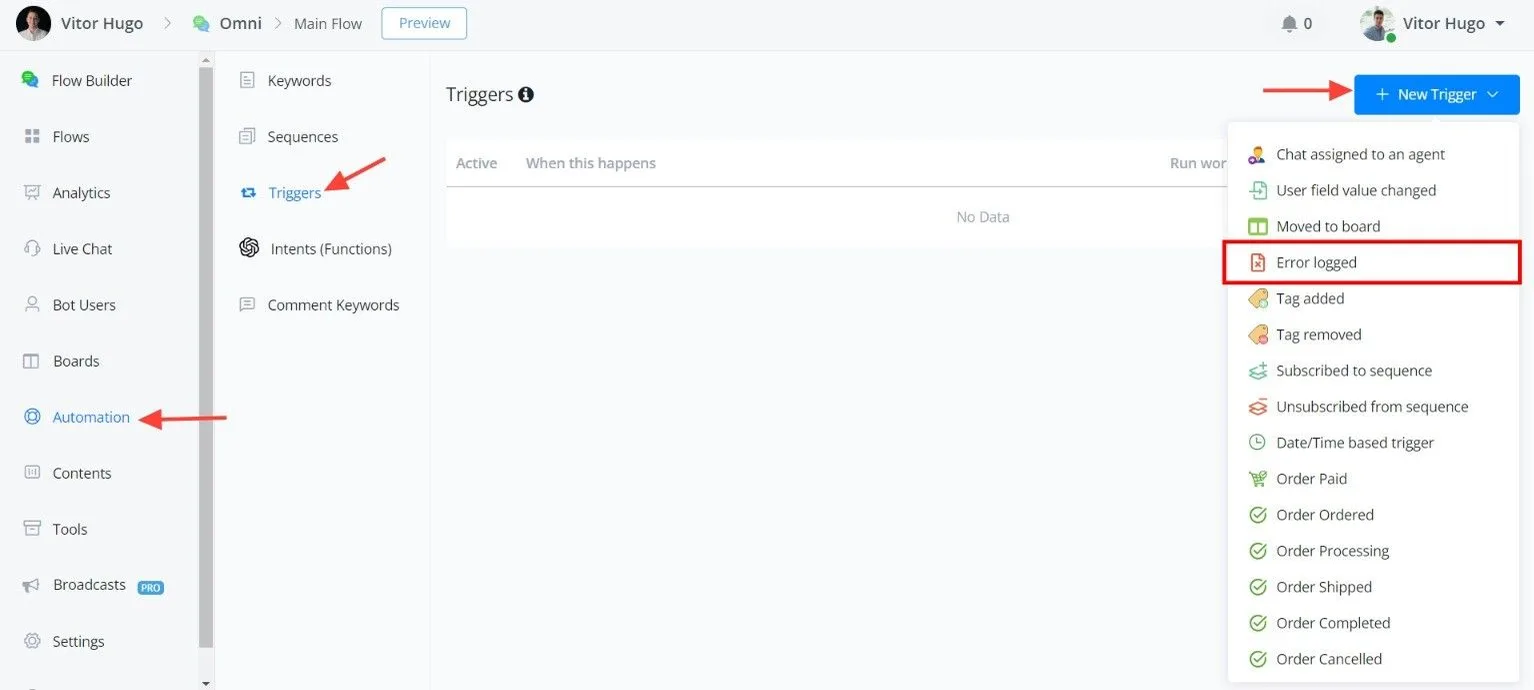
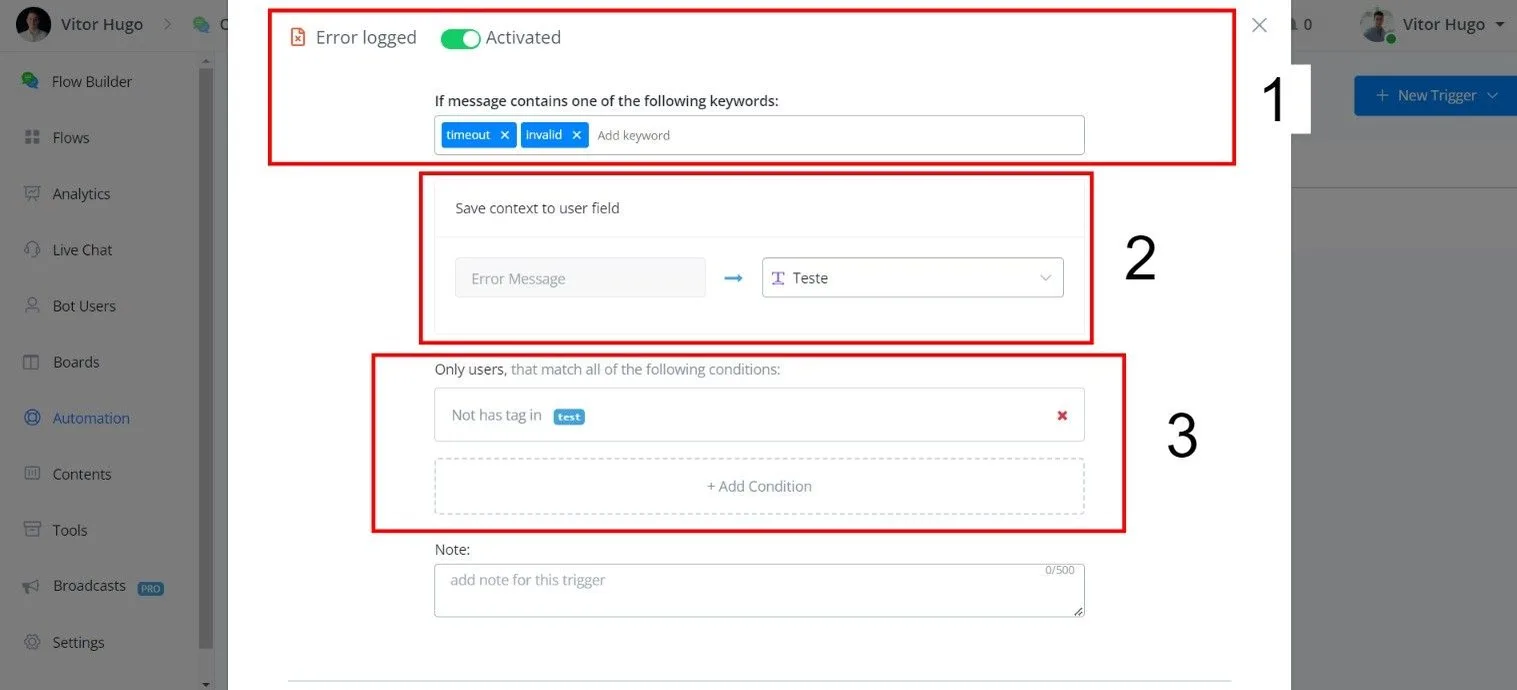
- Error Message Contains: specify keywords to capture specific errors.
- Custom Fields: save the error message to a custom field for future reference.
- Optional: filter contacts by conditions.
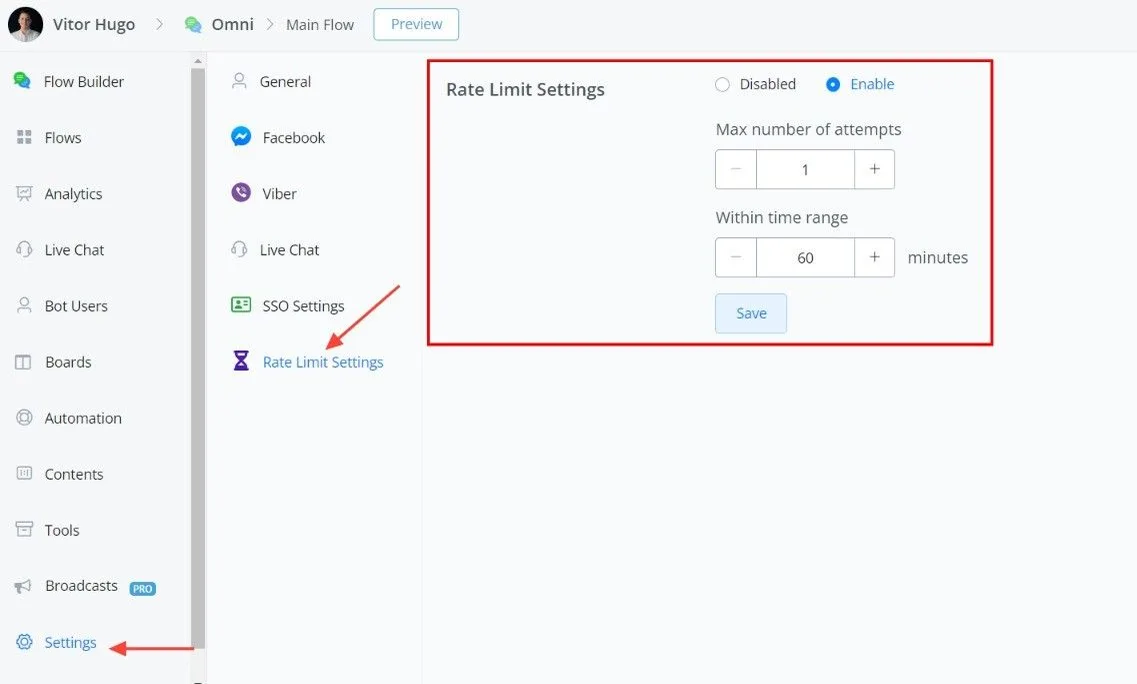
To prevent excessive trigger activations, implement a rate limit within your workflow.
- Minimizes unnecessary notifications and automations.
- Maintains platform stability and performance.
- Makes it easier to identify critical errors.
- Admin notification: build a flow to alert administrators when the trigger is activated.
- Fallback automation: runs a predefined workflow in response to the error.
The Error Logged trigger is a powerful tool for error management. By configuring it with appropriate rate limiting and notification options, you ensure efficient and effective error handling in your workflows.
Warning
The platform does not automatically apply a global rate limit to the Error Logged trigger. Implementing a rate limit within your workflow is crucial to avoid overloading the system and to ensure accurate error identification.