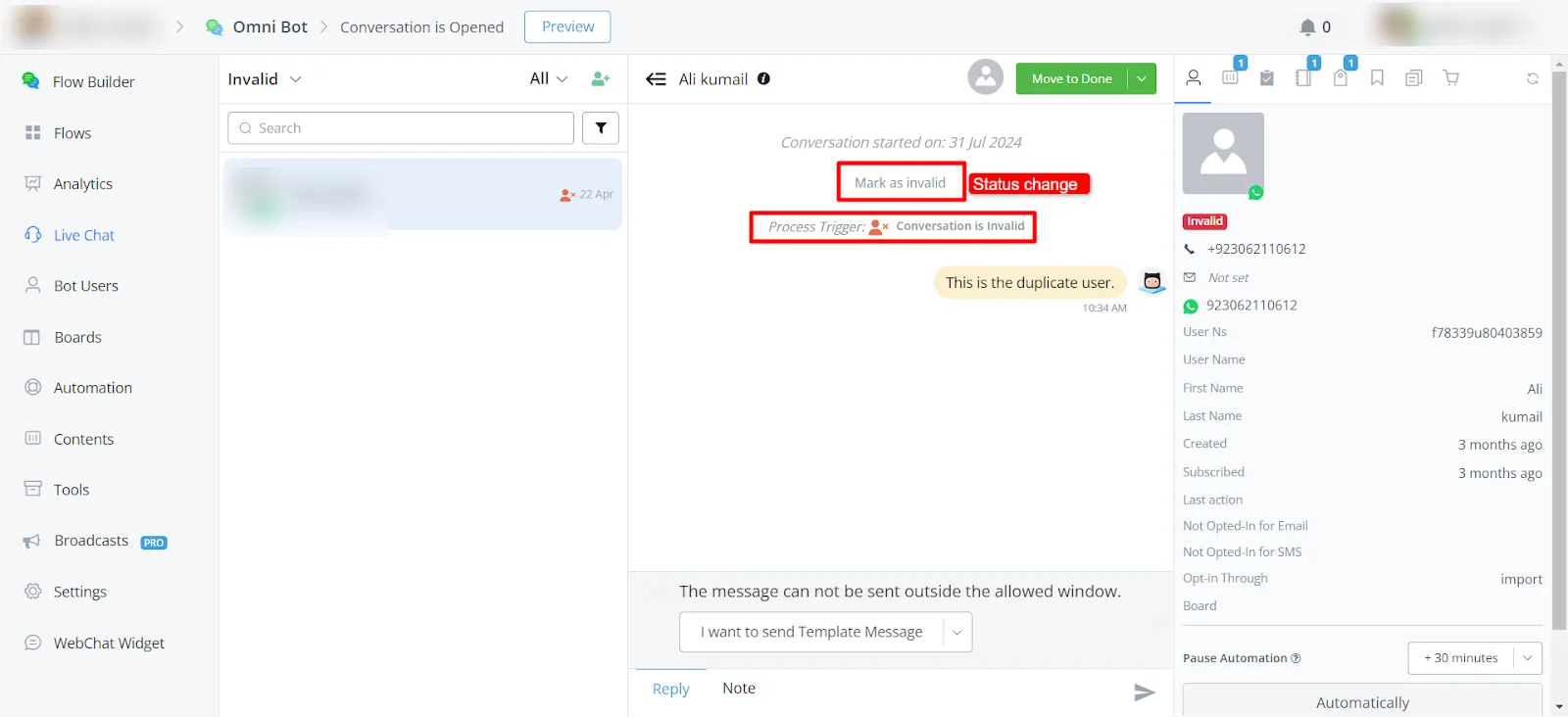
Conversation is Done / Pending / Invalid / Spam / Opened (Trigger)
We have different statuses for our live chats. Agents can change the chat status by marking the conversation as Opened, Pending, Done, or Invalid. We have a trigger for each of these statuses.
We have different statuses for our live chats. Agents can change the chat status by marking the conversation as Opened, Pending, Done, or Invalid. We have a trigger for each of these statuses; whenever the status changes, the corresponding trigger will activate.
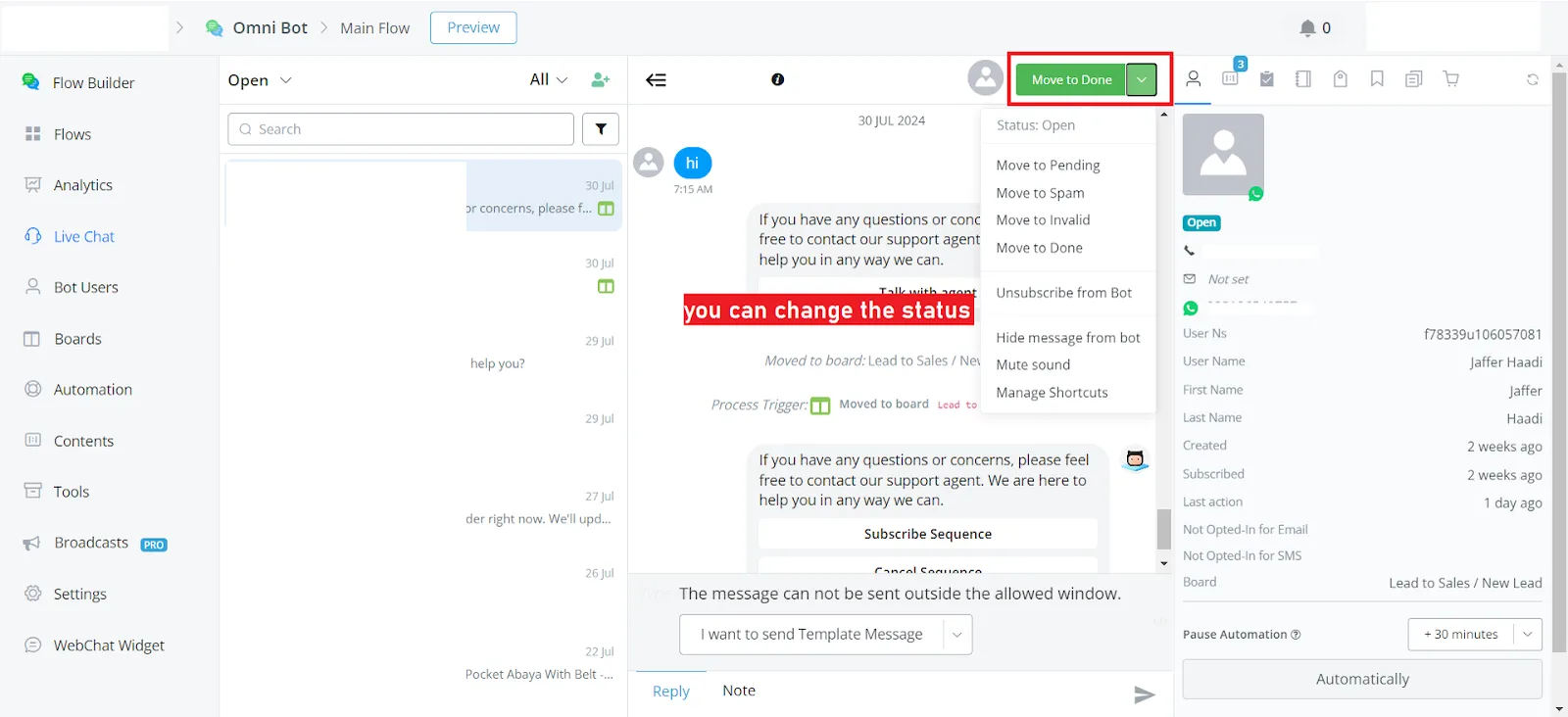
In the live chat, where to change the status:
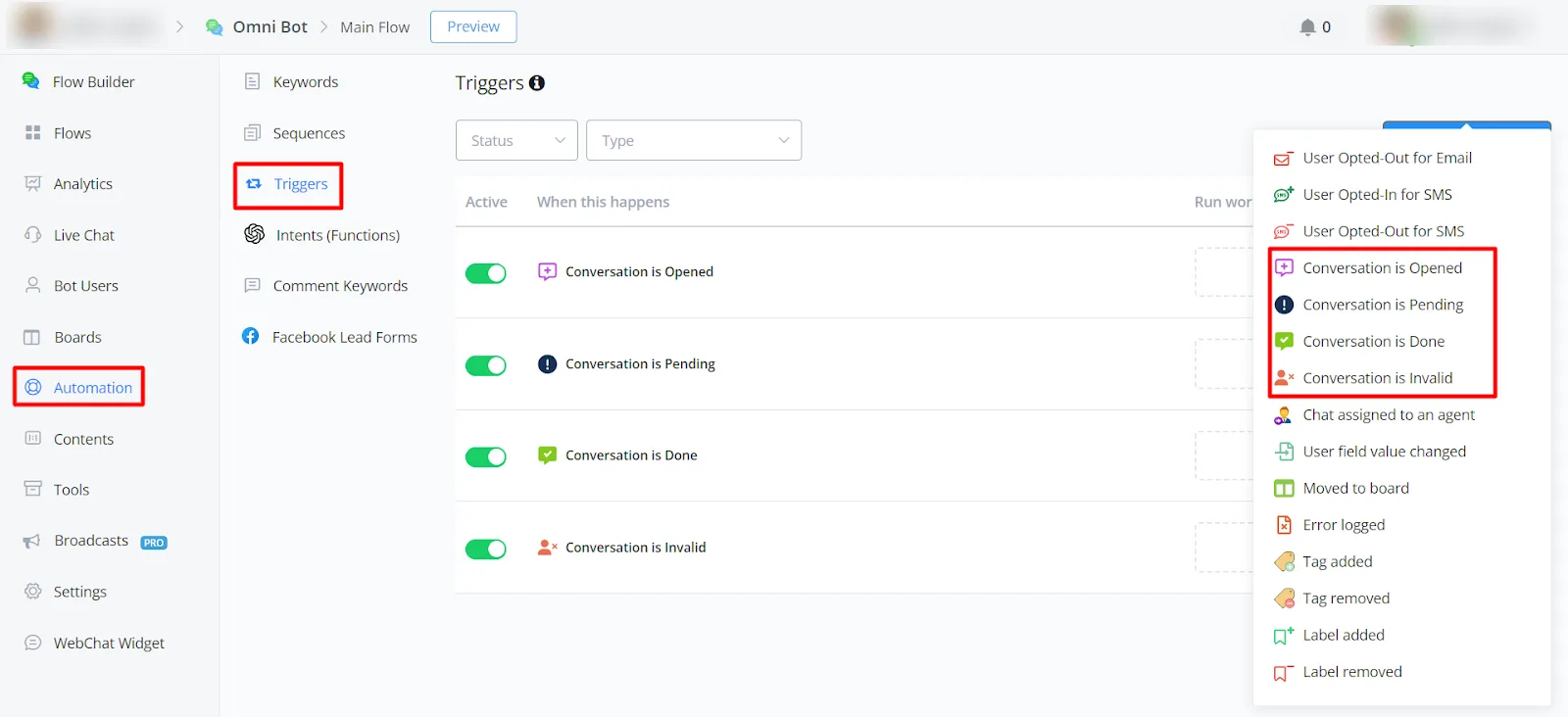
On the left sidebar, go to Automation -> Triggers -> New Trigger. There you will find these triggers.
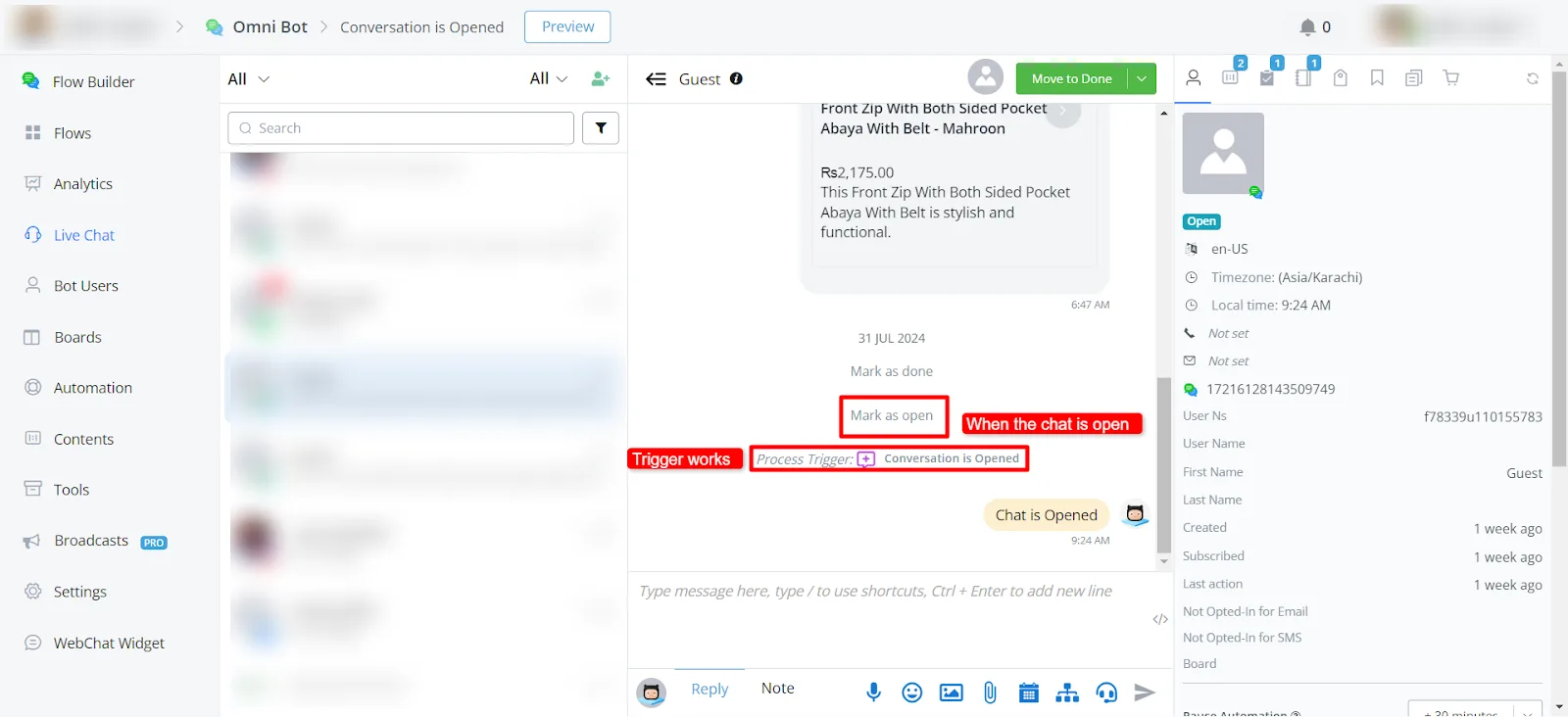
This trigger will activate when a chat's status changes to Opened or when the chat is opened.
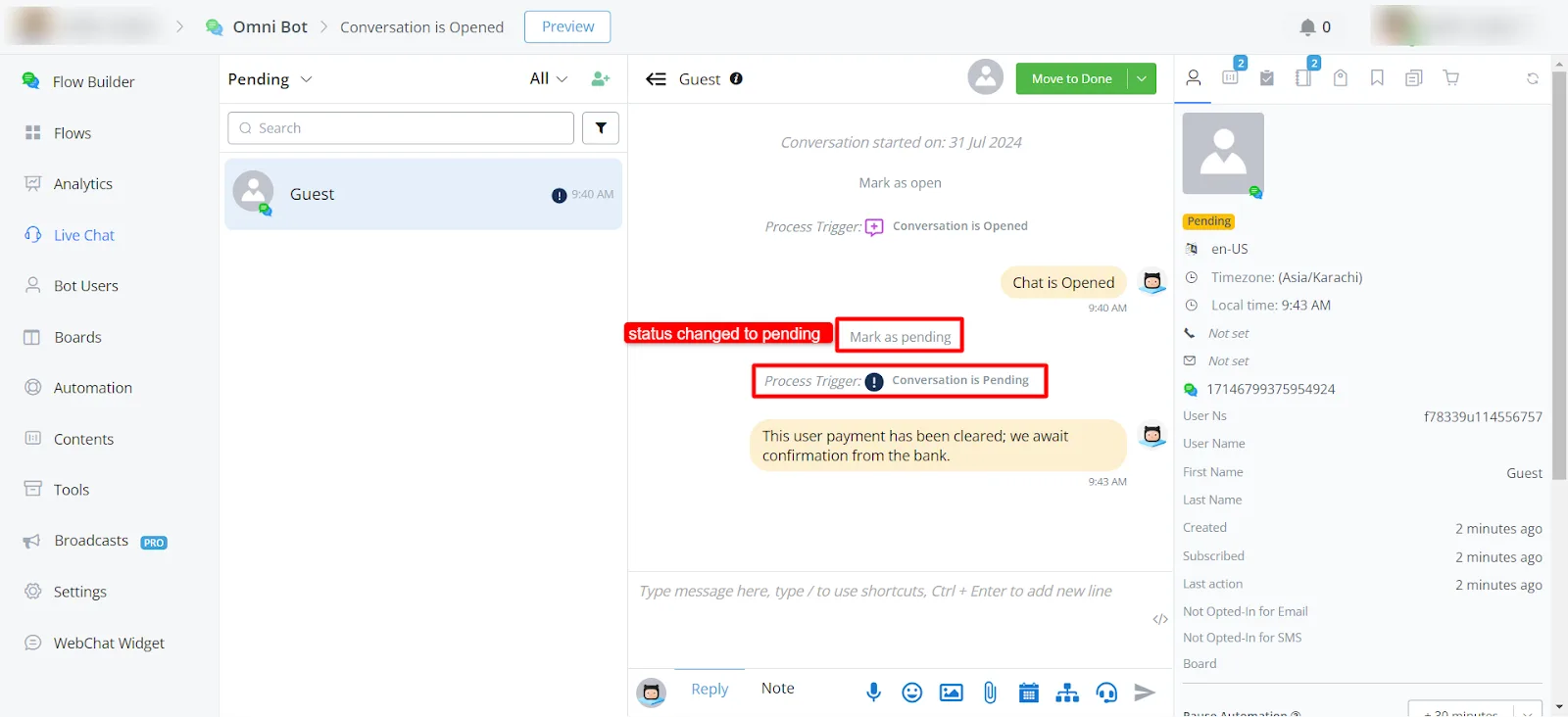
This trigger will activate when a chat's status changes to Pending.
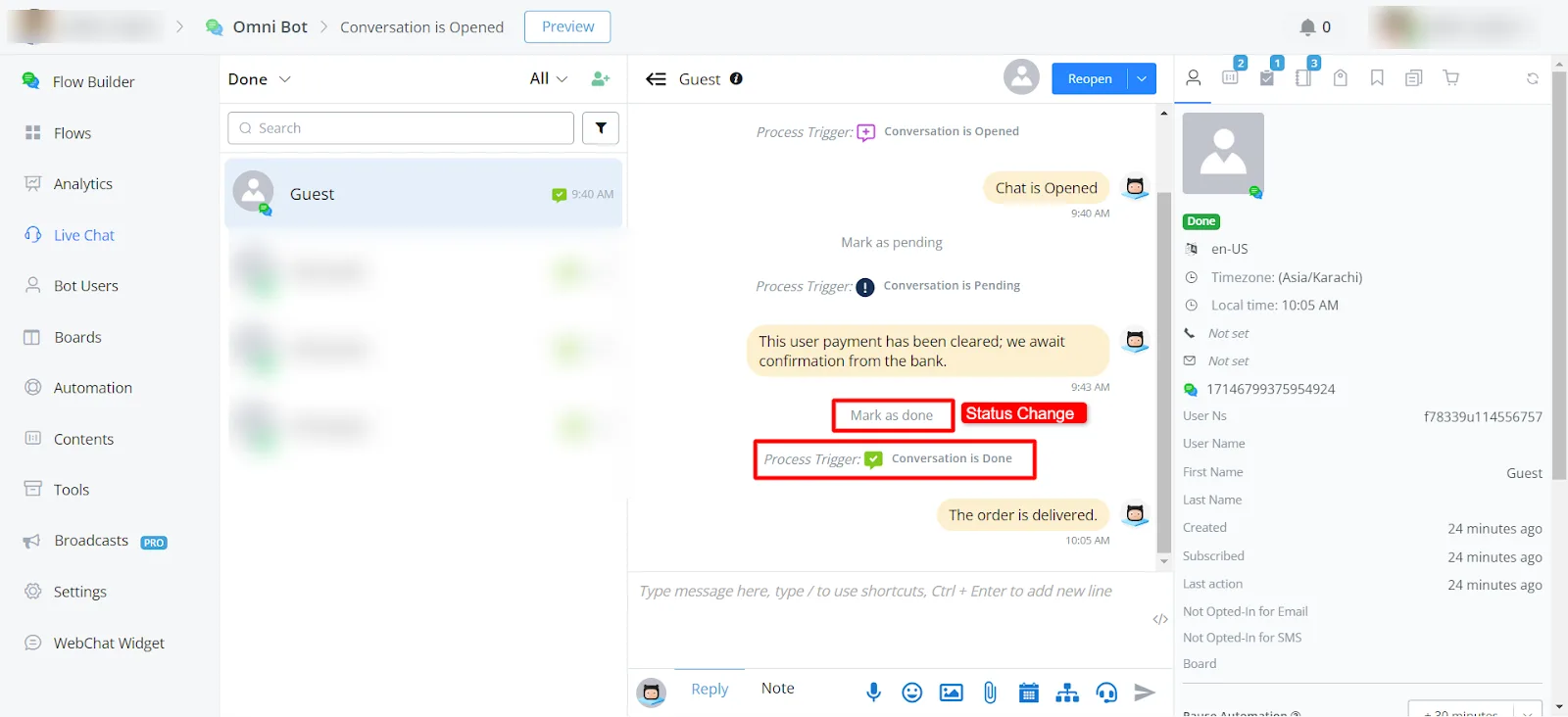
This trigger will activate when a chat's status changes to Done.
This trigger will activate when a chat's status changes to Invalid.