Field Variable
TIP - Before detailing each step, let’s take a look at what a field (variable) is in NicoChat. It may take a moment, but it is essential to understand the system.
https://www.youtube.com/watch?v=s0lAUjoIDg0&list=PLZXMPAid_M2N-PR1-LG9zRpN9uv1QDOFY&index=6&pp=gAQBiAQBField, also known as variable, is a container to hold a value.
The user field belongs to users. For example, each user has their own name and email address. So “name” and “email” are user fields.
The bot field belongs to the channel. For example, the channel of a restaurant holds the address and the phone number of the restaurant. So "restaurant_address" and "restaurant_contact" should be created as bot fields, since you do not want to manage different addresses or contacts of your restaurant for each user.
The system field is created by the system, with a predefined variable name and type. There are system bot fields and system user fields:
Some system fields exist only in specific channels. See in the table below how to edit the system field:
| Field Name | Field Type
| Variable Type
Note - If the channel does not provide a timezone in the user profile, or if it does but the user has no timezone value, the workspace timezone is used.
Note - The channel unique id is unique only within your Facebook page, your Telegram bot, your Slack workspace or your WeChat account; it is not a unique id across the whole of Facebook, the whole of Slack, etc.
There are 7 variable types in NicoChat:
+ - x ÷, mod, power, log, root, round...
When one of these values is stored in the field, the boolean returns false; otherwise, it returns true:
- empty
- null
- 'false'
- false
- 'no'
- 0
Wow, now you are a master 👨🎓 of fields! Let’s try it out! 😎😎
You can create variables in 2 ways:
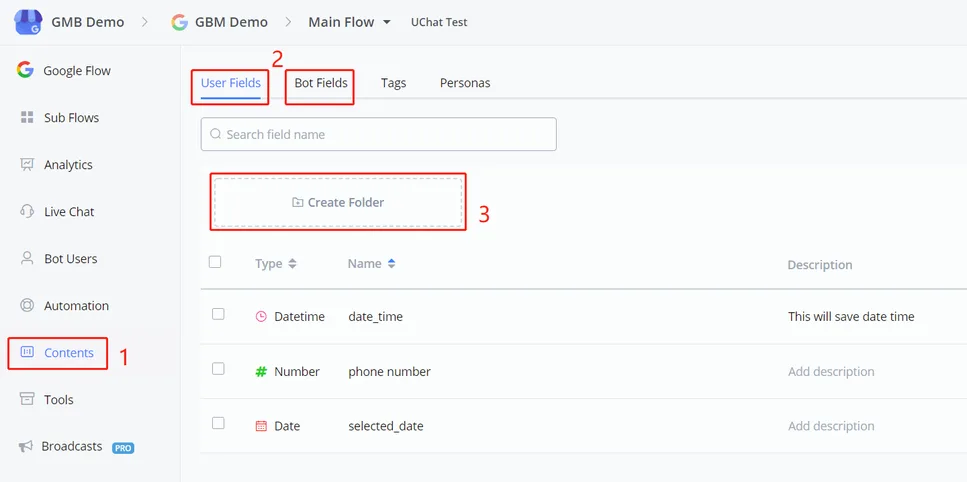
- go to "Content" in the left sidebar
- select User Fields or Bot Fields
- use the folder to organize your fields, if needed
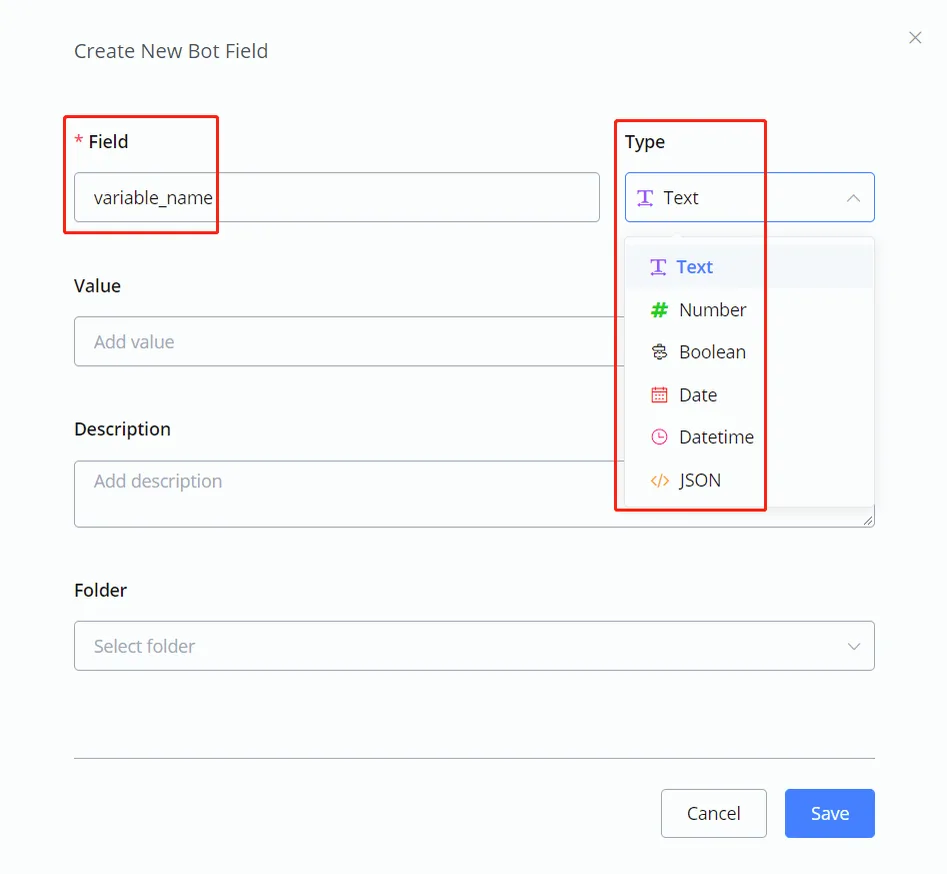
Click the blue "+ New user/bot field" button on the right to create a field. "Field name" is required. You can use any character to separate words, such as underscore or space. We suggest keeping the field name as concise as possible, to avoid possible display problems.
After that, choose a variable type. Add a default value or a description, if needed. (the default value exists only for bot fields)
Folders can be used to organize variables. Believe me: you will need them when your flow grows. 🧐
For example, to create new fields in the question step:
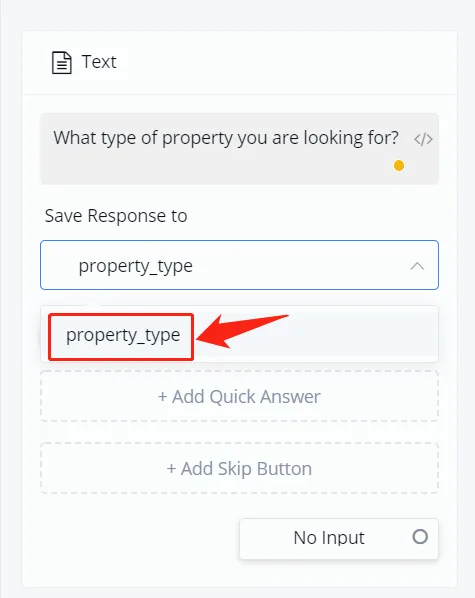
Type a new variable name in the “Insert field name” box and click it in the dropdown list. Select the corresponding variable type and you are done.
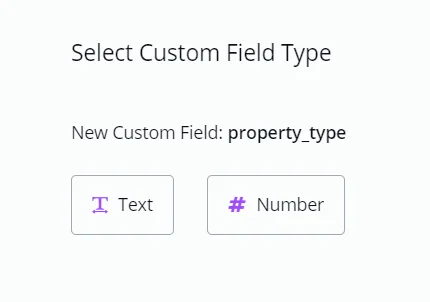
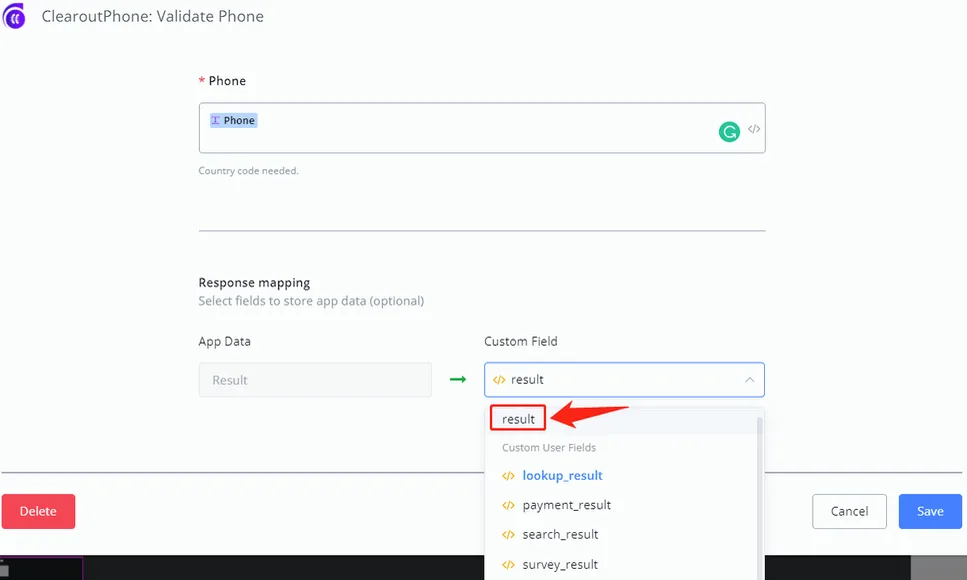
Another example, creating the field in an integration: