

Calendly and Calendly Scheduling URL
As soon as Calendly is connected, you will be able to use it in any of your channels.
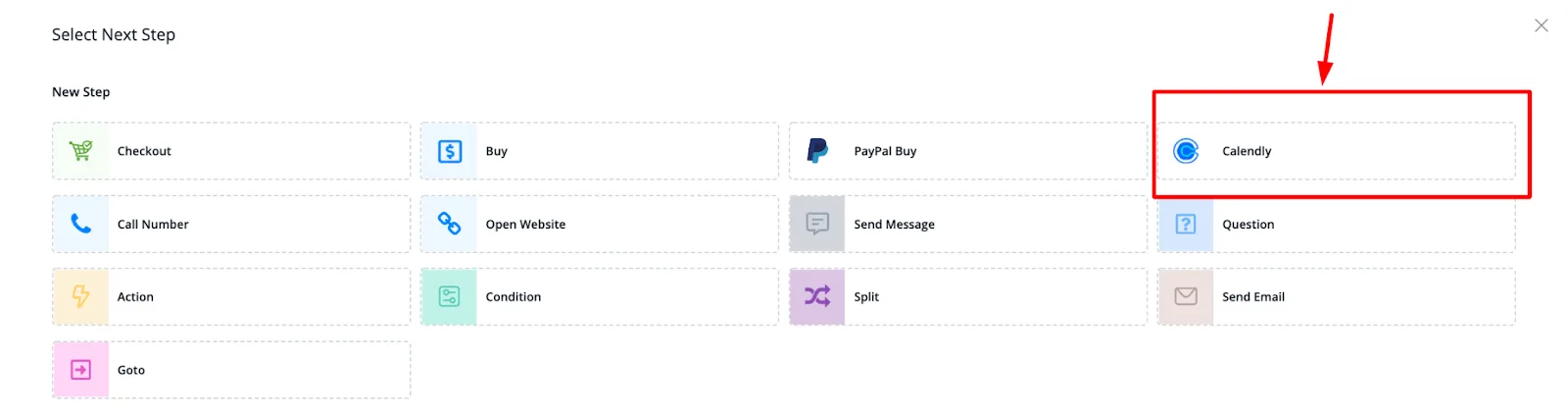
Go to a flow, select a text message and add a button. For the button type, select the Calendly button.
Once that is done, you will be able to select an event type. These events are fetched from your Calendly account.
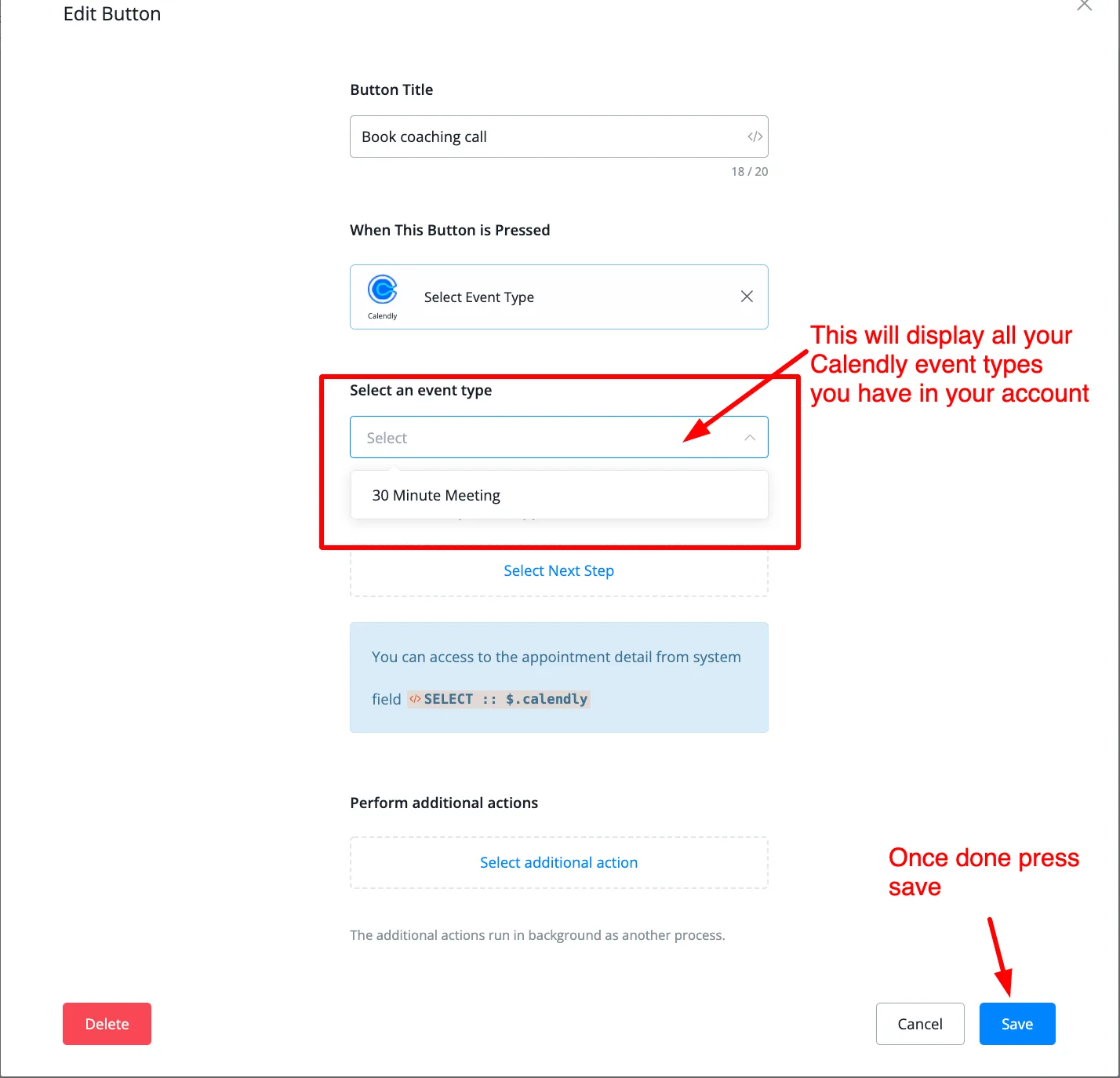
After you send this message with the button to the subscriber, they will be able to book a time using the event you set up.
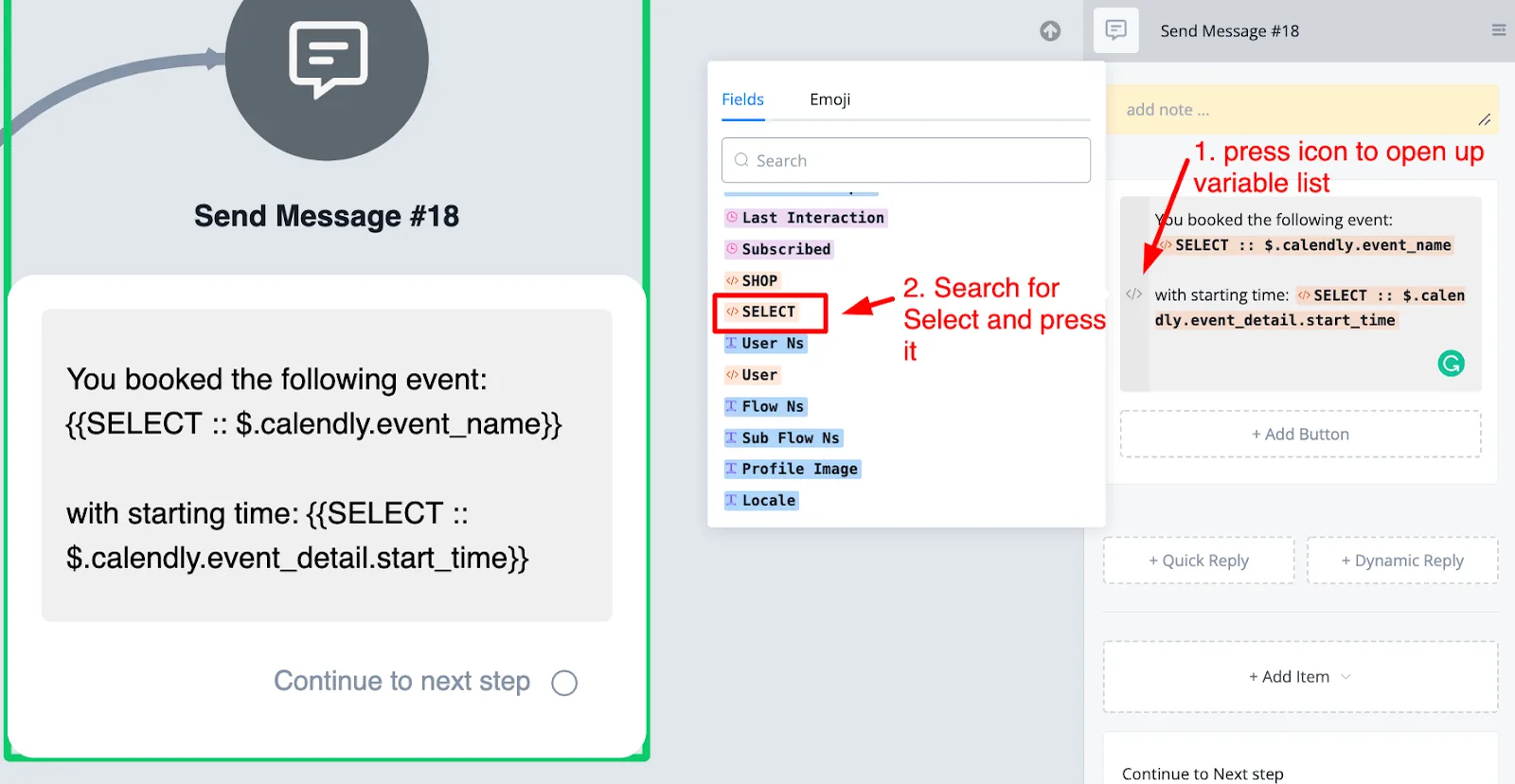
After that, you will be able to fetch the booking details from the Select system field.
Open the system variable list and look for the system field called Select.
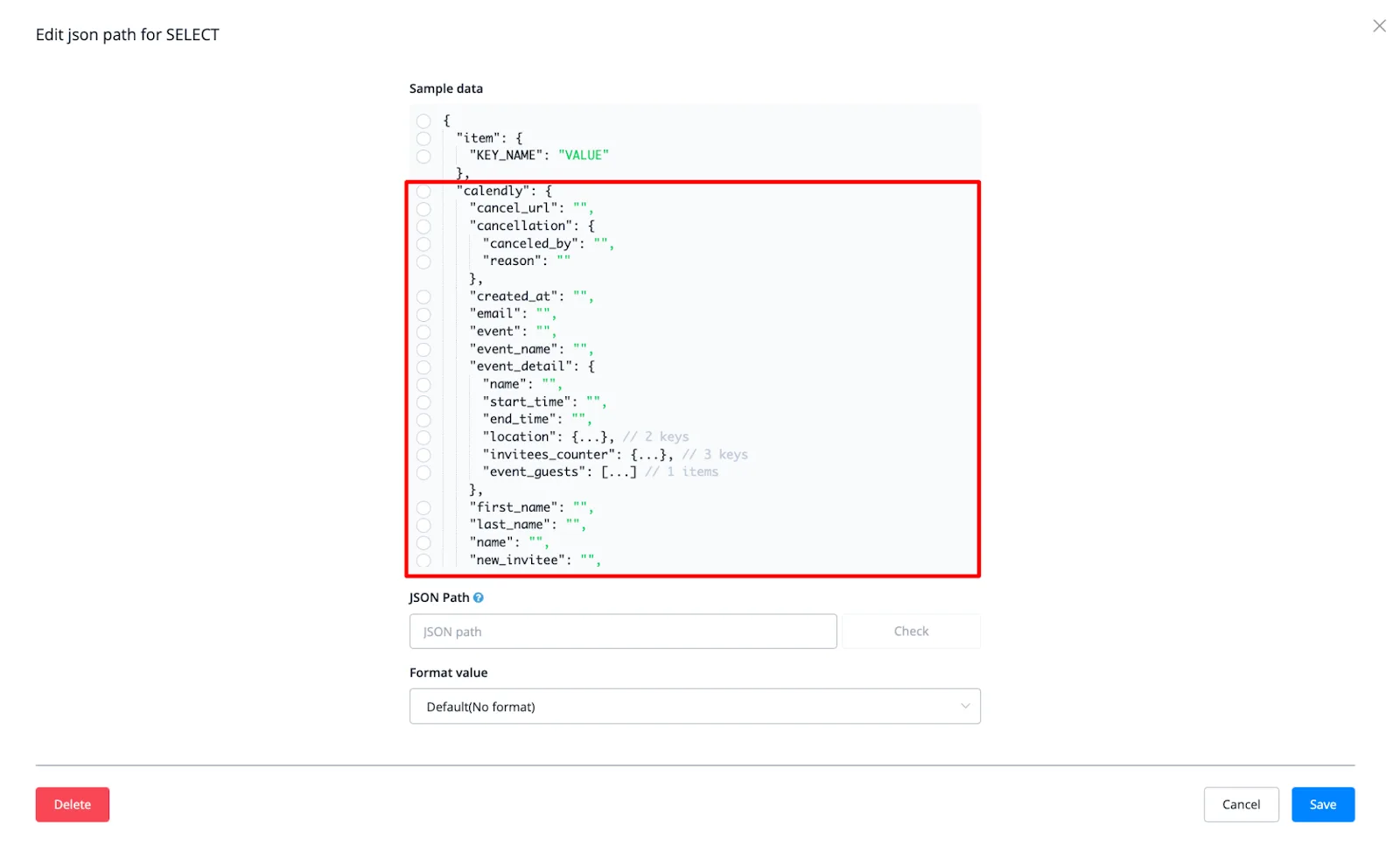
When you click it, you will see a pop-up with all the information you can get from Calendly.
This way you can confirm the booking with the subscriber, as shown in the previous screenshot.