

Contact API (Advanced Actions)
Accessing a contact's information or using the NicoChat API through code can be difficult for many users. But with our simple method, you use the API endpoints effortlessly, with no coding required.
Open the Flow Builder. Select an action block and choose "Advanced actions". Explore the "Contact API" options.
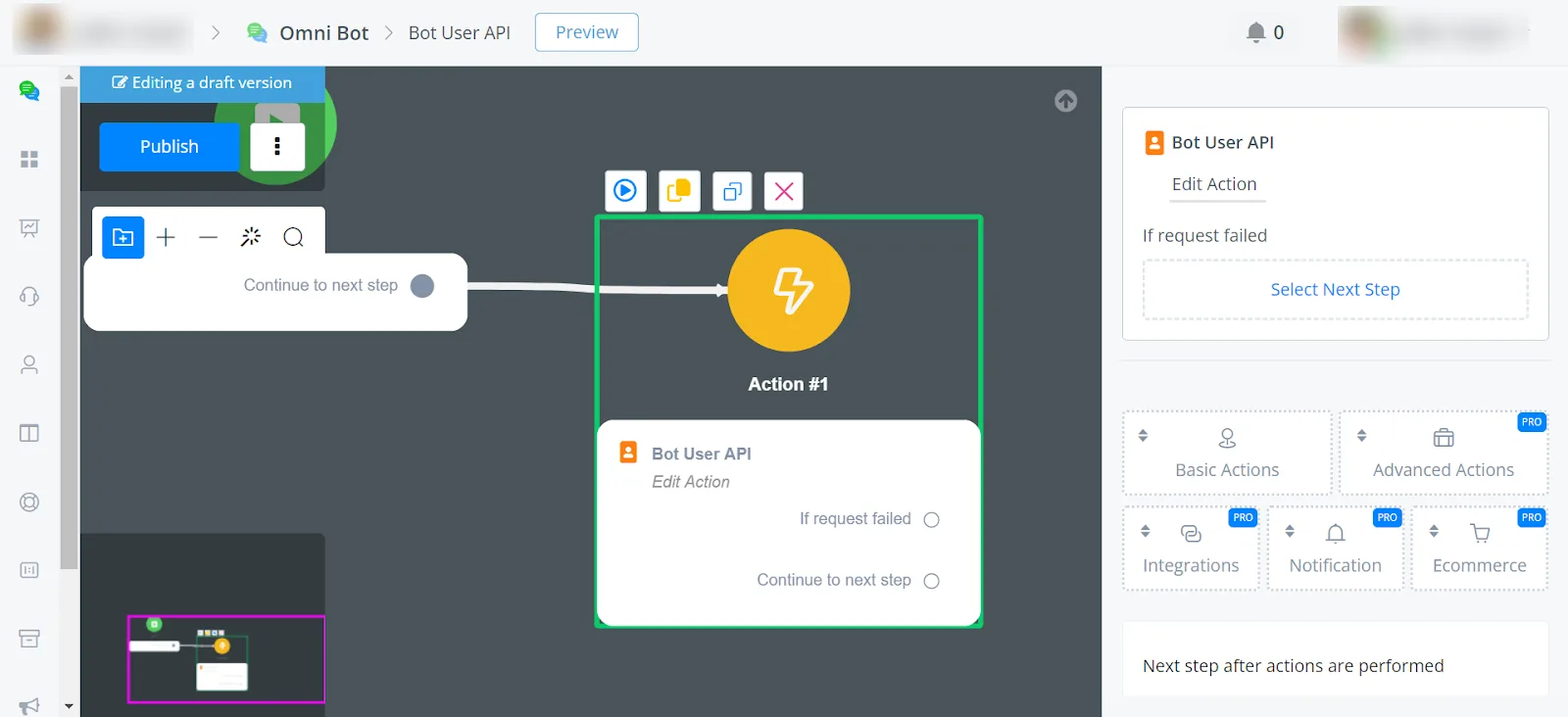
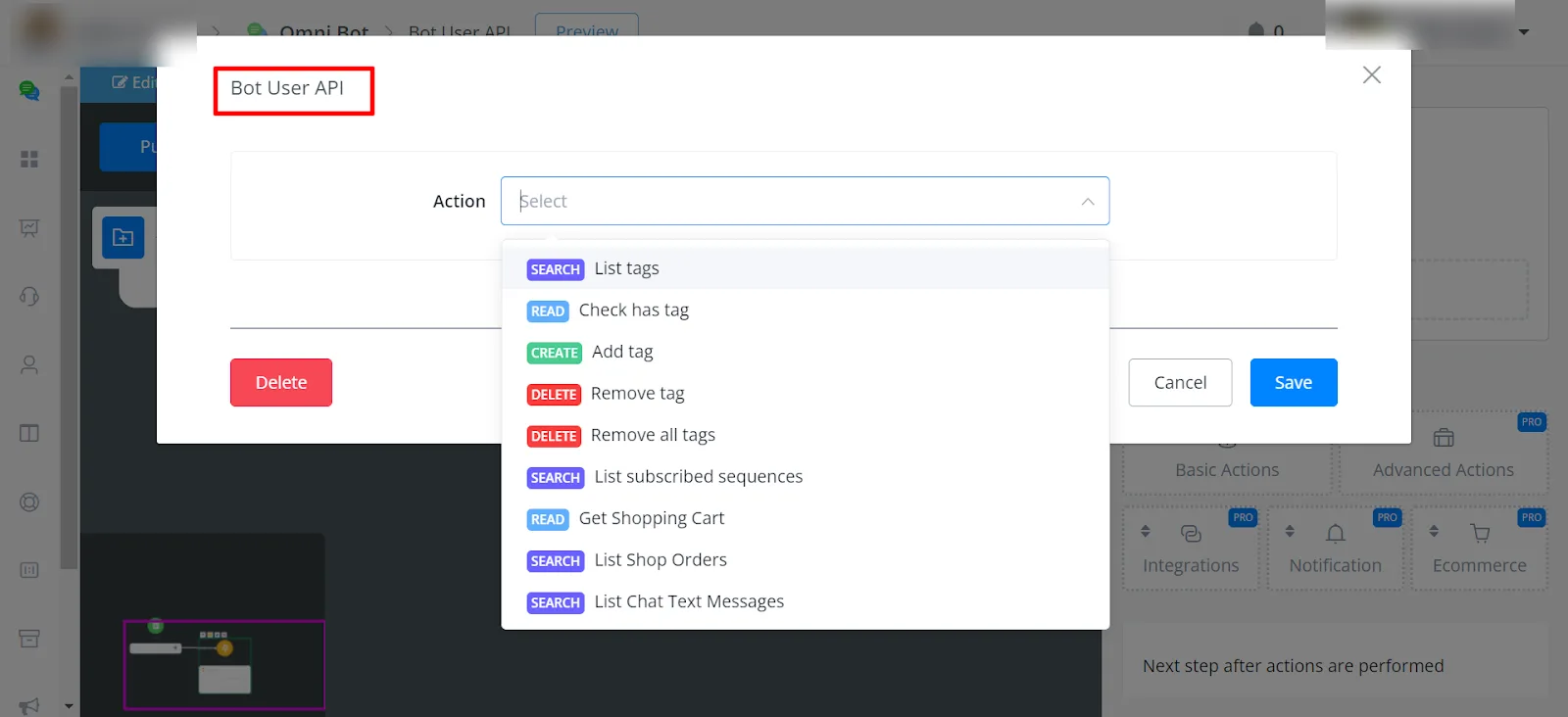
- List all tags
- Check whether the user has a certain tag
- Add or remove tags
- List subscribed sequences
- Retrieve shopping cart details
- List Shop Orders
- List chat text messages
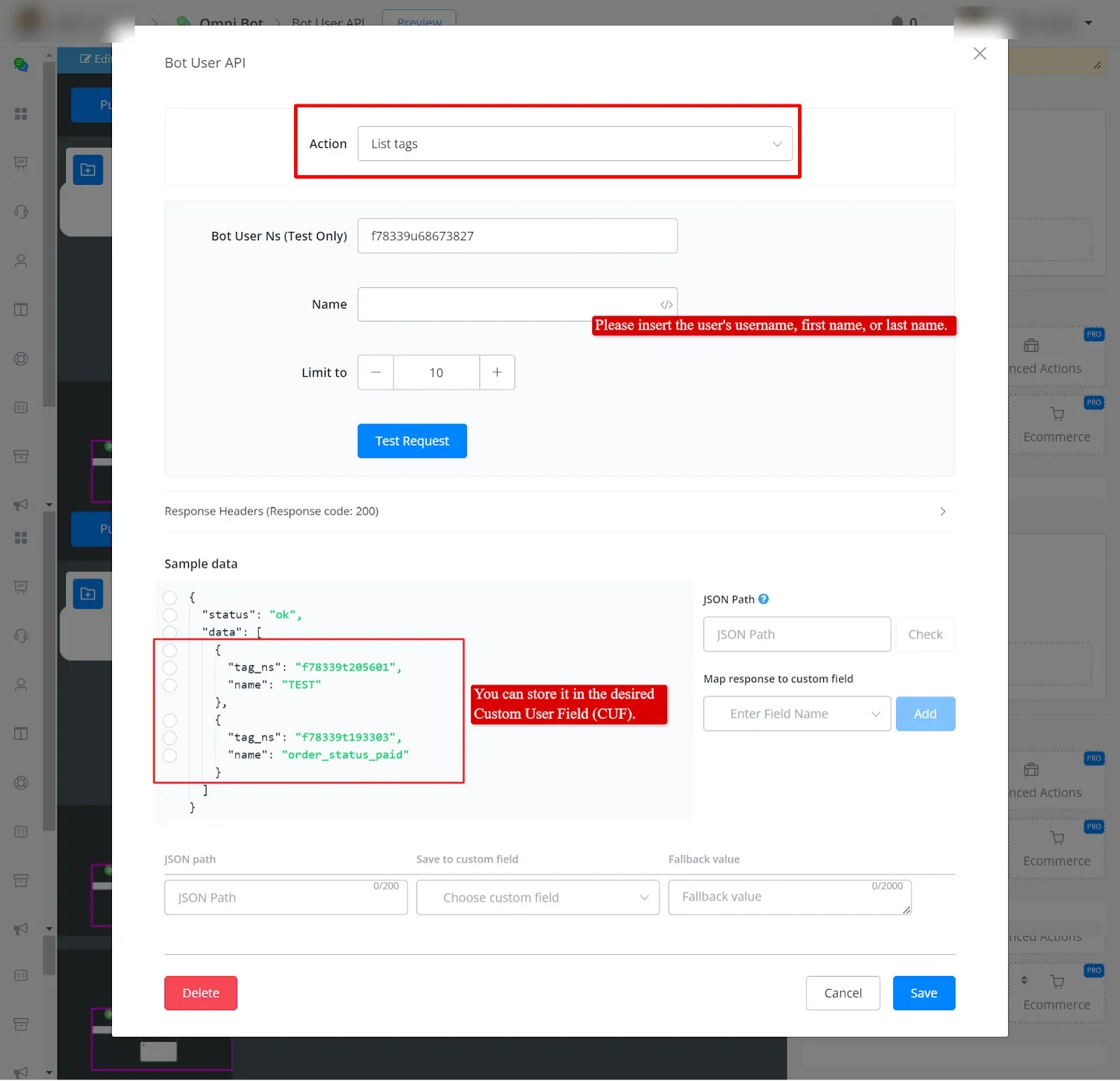
For testing purposes, you can retrieve the list of all tags using the User Ns. For permanent storage, use the Username, First Name and Last Name system fields.
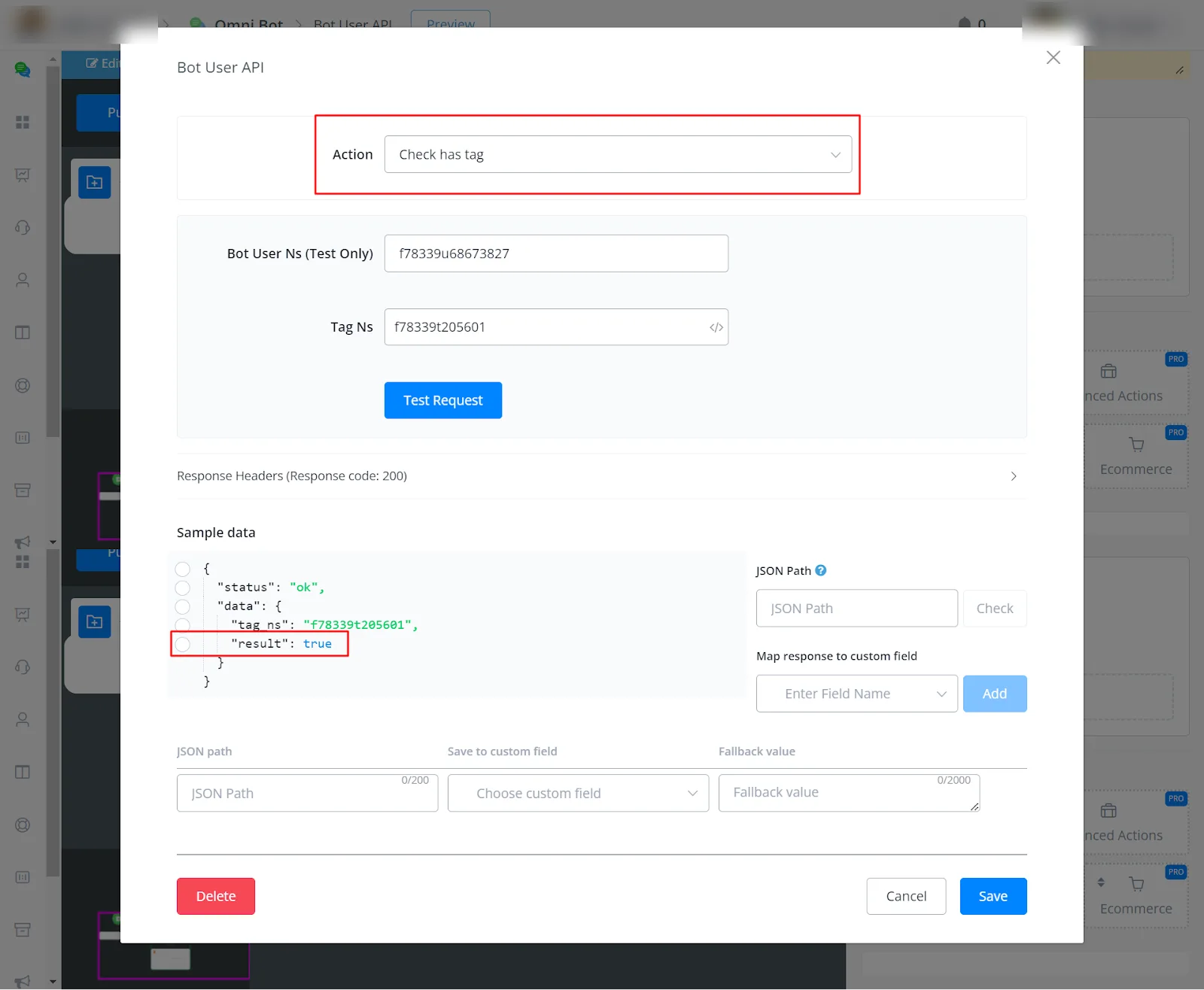
You can check whether a user has a tag or not by entering the User Ns and the Tag Ns.
Where to find the Tag Ns:
Go to Content -> Tag -> hover the cursor over the tag and you will see the Tag Ns.
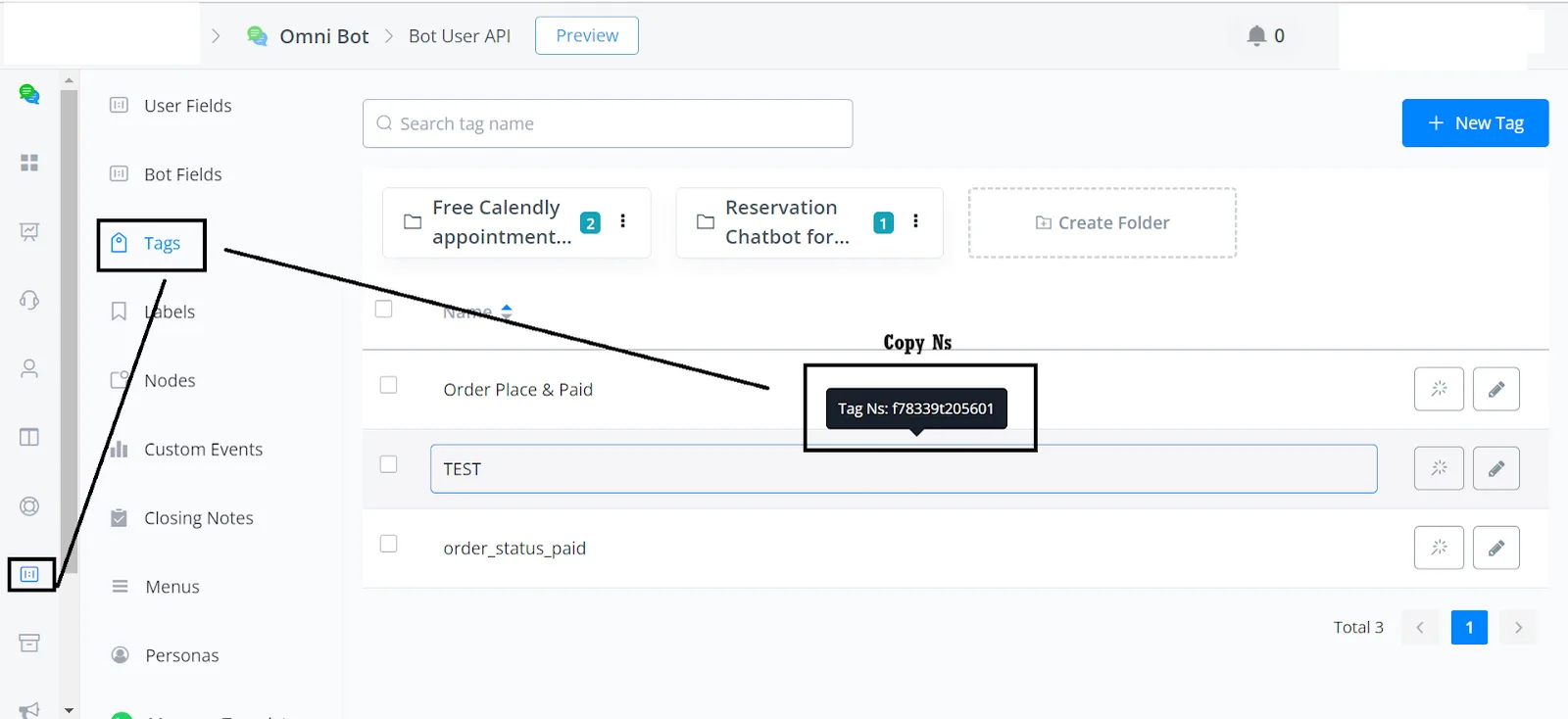
To add a tag to the user, simply select the Tag Ns.
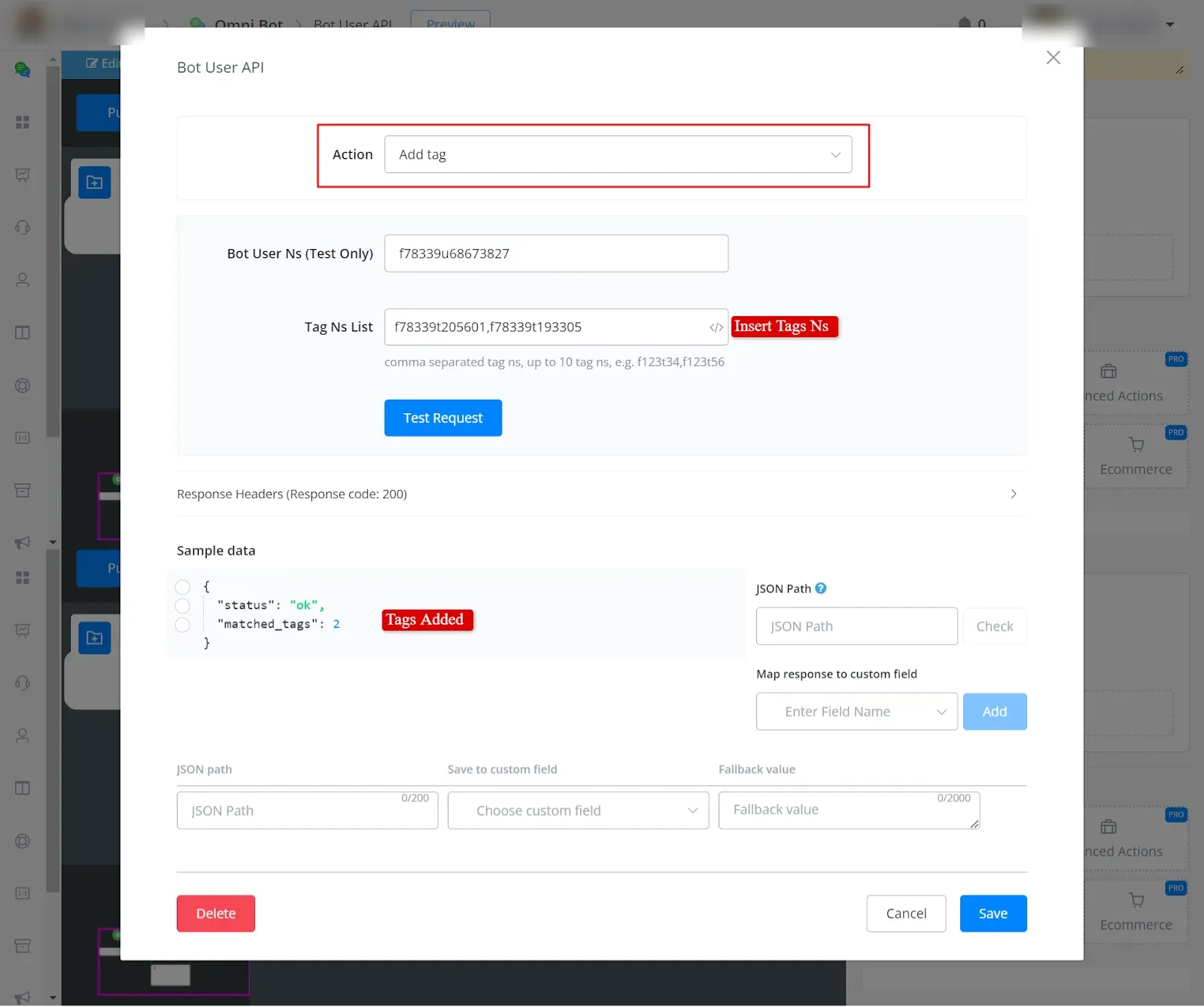
The process for removing tags is similar to adding them. Simply enter the Tag Ns to remove the tags.
It works the same way. You do not need to enter any value: the action automatically removes all of the user's tags.
By entering the user's username or first name, you retrieve the list of subscribed sequences, for testing purposes.
You will receive a list of all the items currently in the cart.
You will receive a list of all the orders placed by the user.
You can access the chat history of the last 50 messages. You can include agent messages and bot messages, and choose the format (default, text or text with time) according to your preference.