

Using Official WhatsApp Message Templates
Message templates offer more features, such as buttons (which can link to external URLs) and a phone call button.

Message templates offer more features, such as buttons (which can link to external URLs) and a phone call button.
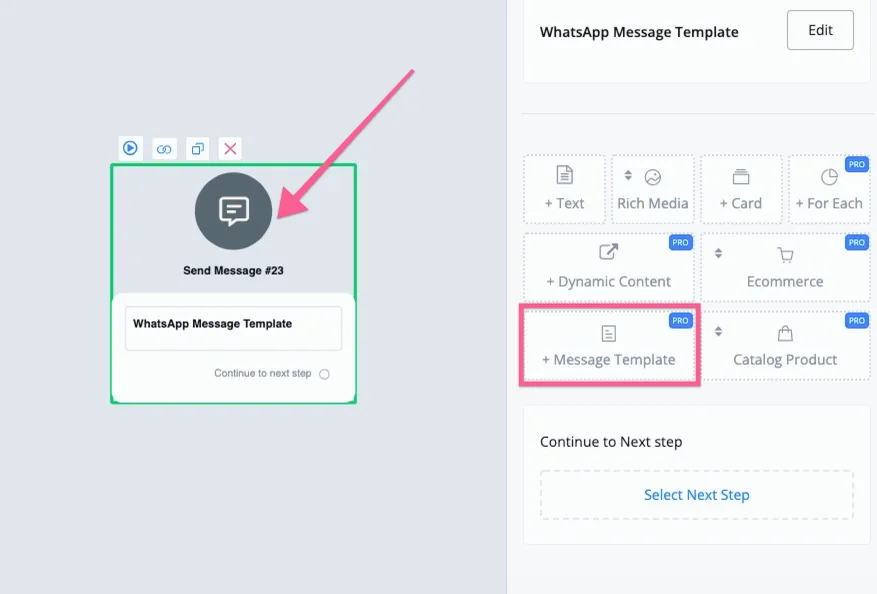
You can send the message template right in the flow builder. Sending is free if it is within the 24-hour engagement window.
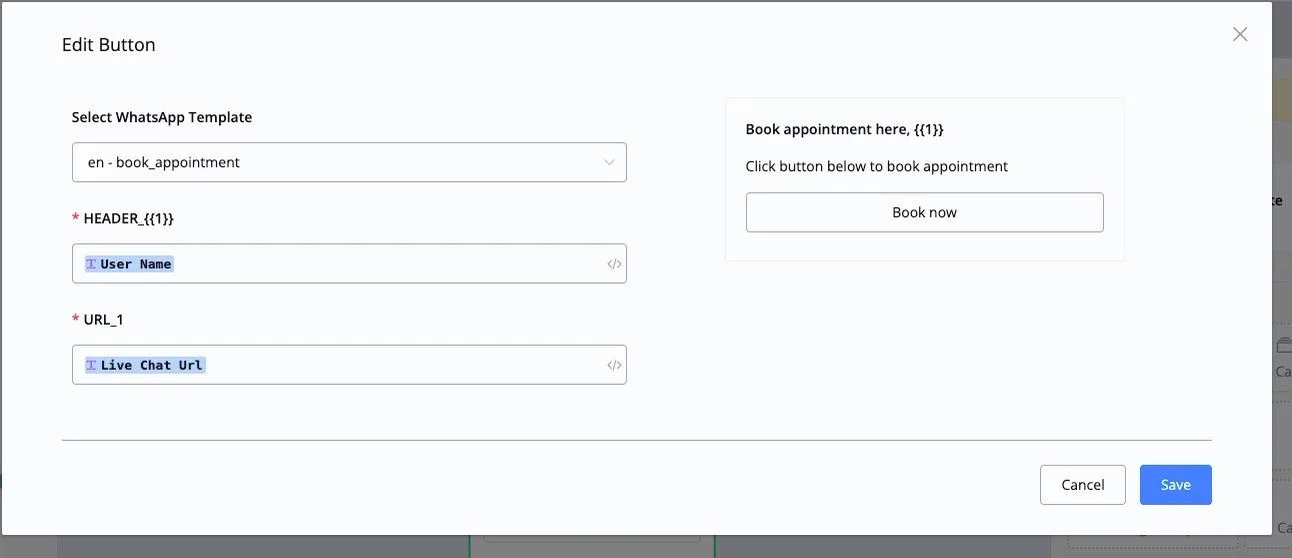
In the send message mode, select “Message template”. If there is a variable in the template, you can select the NicoChat Custom Field.
You can also use message templates in the NicoChat Broadcast.
First, let's build the flow you want to send in the Broadcast. You can use a simple conditional check to decide whether or not to use a message template.
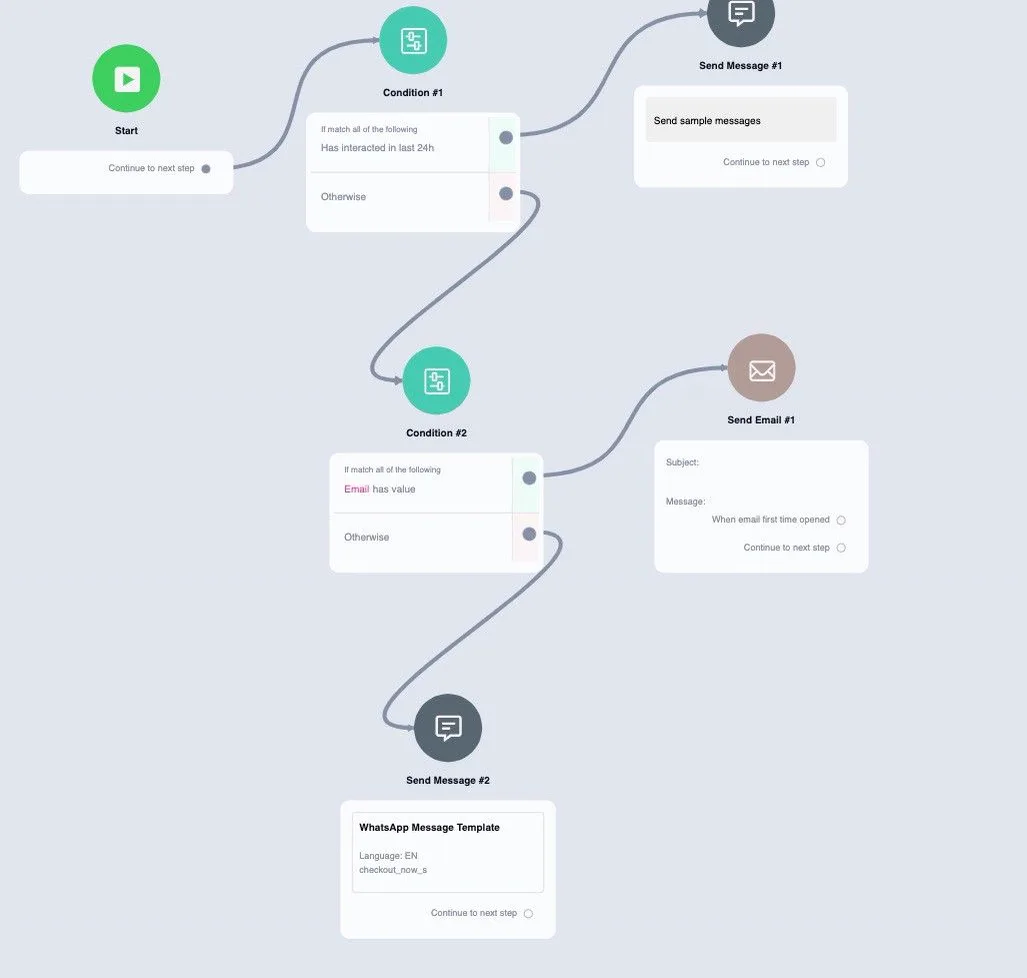
In the sample flow above, we first use conditions to check whether the user is still within the 24-hour window; if they are, you can reach out to them for free.
And then you can also choose to send them an email, if you have their email address.
Finally, you can choose to send a template to the user.
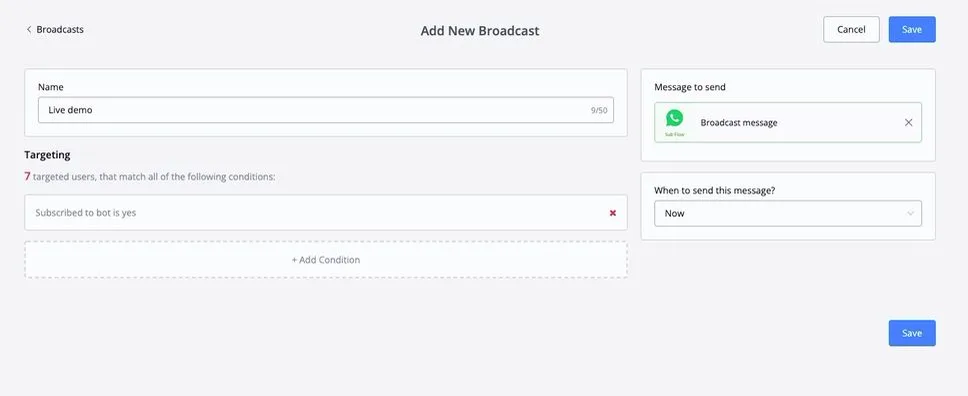
Once you have set up the flow to use in the Broadcast, just go to the Broadcast, select the audience you want and send the flow you have just built.
In live chat, if the user is outside the 24-hour window, you can only reach them through the message template.
When you open the live chat window, you will see the option “I want to send a message template”.
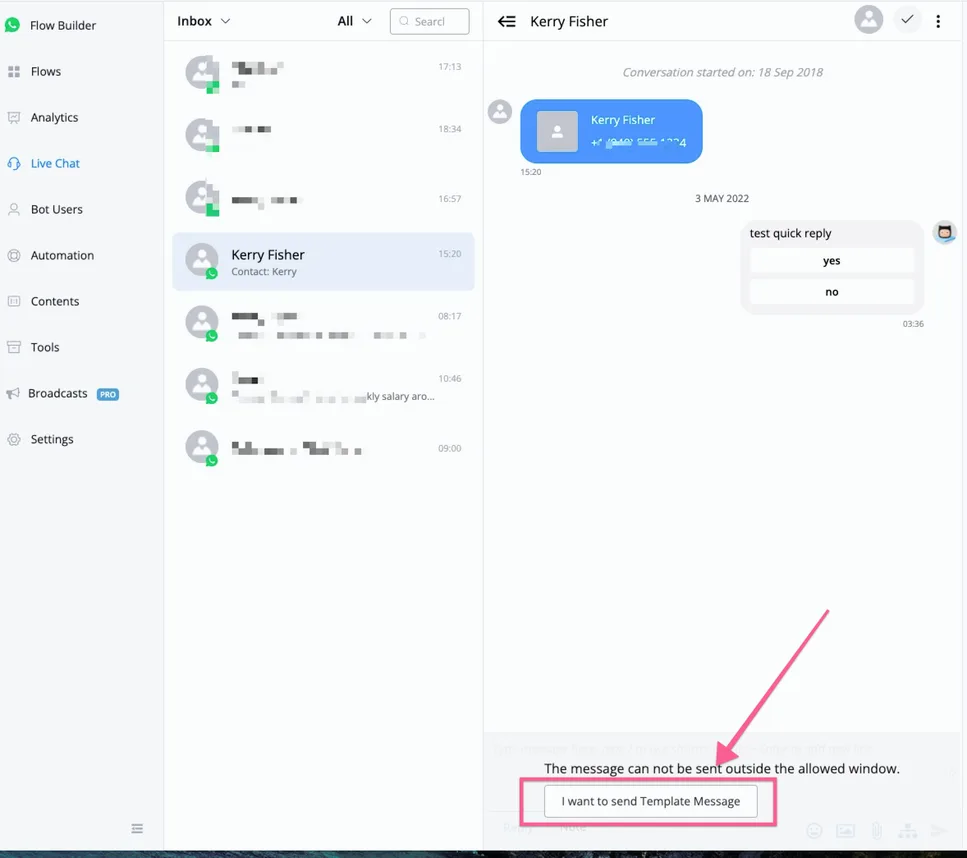
Note that the template will only be sent if it is the first message in the SubFlow.
Then you can choose the SubFlow that starts with the message template.
Once you start using the WhatsApp Business API, you will no longer be able to use the number in the WhatsApp Business app or in your personal WhatsApp.
NicoChat offers the option to install our mobile app to handle live chat conversations.