

WhatsApp Ad Referral Trigger
The WhatsApp Ad Referral Trigger is a new feature that lets you run ads on Facebook and trigger specific automations in your WhatsApp chatbot when contacts click the ads.
Here we will cover two important aspects of this feature:
- triggering different flows for different ads
- handling duplicate messages.
When you run several ads for different products or services, it is essential to make sure each ad triggers the right automation flow. To do that, you can set up conditions that determine which ad the contact came from.
To start, create a new flow, which we will call “WhatsApp Ads Router”. This flow will act as a router for all ads, forwarding contacts to different flows according to the ad they clicked.
Automation -> Triggers -> +New Trigger -> WhatsApp Ad Referral
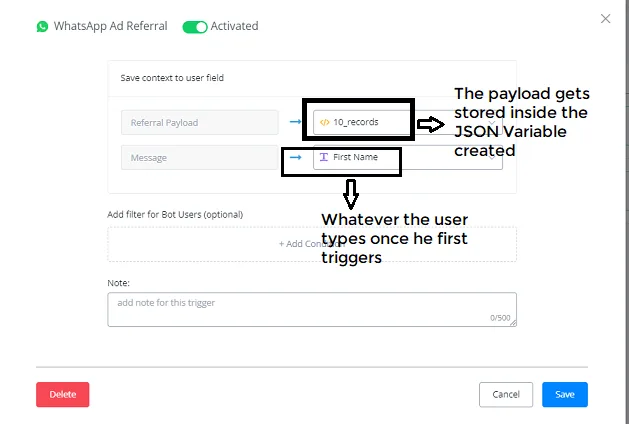
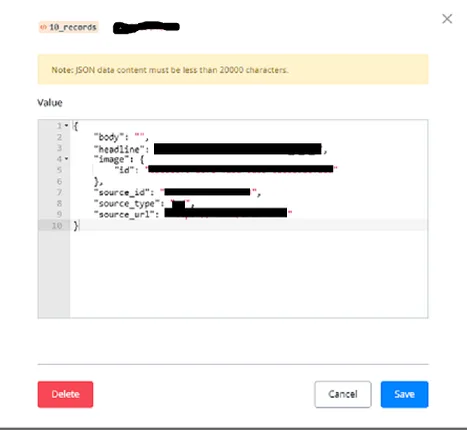
Source_id -> is relevant to which ads you are displaying.
Source_url -> you can use it.
These two are unique identifiers of the ads you are displaying, and Source_type -> indicates that the source is an ad.
Using Condition nodes together with Source_id, we can trigger the flow that corresponds to each ad.
Let’s create a new subflow called “Whatsapp_Ads_Router”. Each ad will be directed to this flow and, based on the ad’s Source ID, the contact will be forwarded to a different subflow.
First, create an Action node -> Set Variable Value -> Whatsapp_ads_ID (the CUF you created) and assign the JSON path value.
To learn how to create a JSON path, use the JSONPath Online Evaluator app, at -> jsonpathfinder.com/
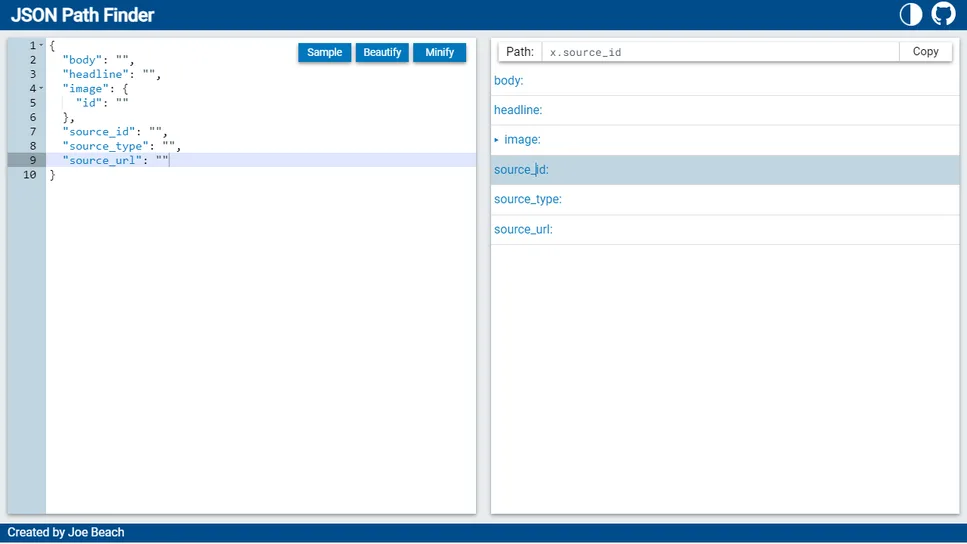
Now, using these JSON paths, we will set up the CUF values.
Source_id -> $.source_id
Source_type -> $.source_type
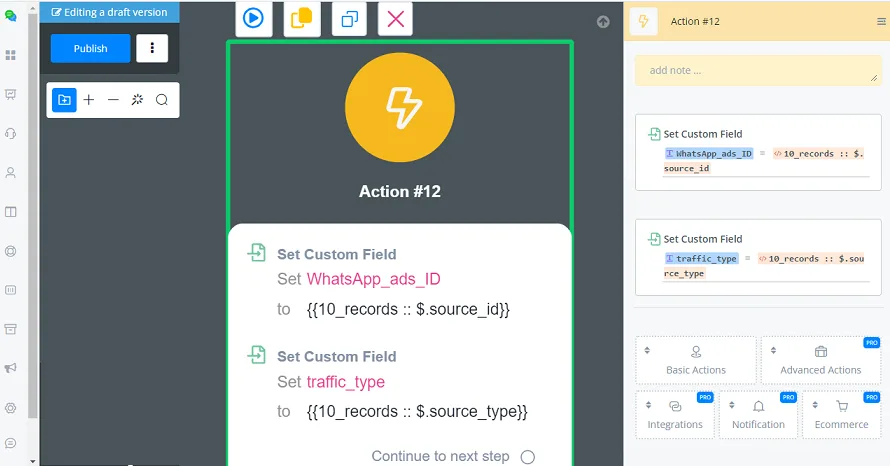
Create a Condition node that checks whether WhatsApp_ads_ID has a certain Number (the data comes from the </> 10_records variable of the JSON CUF). From this source_id number you know which product or service the ad belongs to. This way, you can trigger different flows tied to different ads.
If the Default Reply is active -> Condition Control of the triggered flow
If the Default Reply is NOT active -> Condition Control of the main flow.
We need to add the Condition node at the beginning of the flow that is triggered.
If the Default Reply is NOT active, the main flow will be triggered. So you need to add the Condition node at the beginning of that flow.
Let’s look at the automations for Case 1, where the Default Reply is active:
Automation -> Keywords -> Default Reply -> Active -> choose the example subflow (Default Reply).
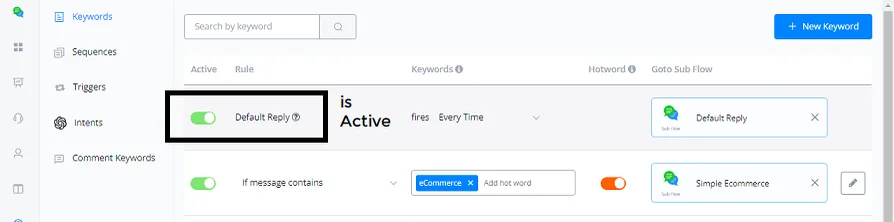
Whenever a new contact enters the channel, this subflow will be triggered.
In this Default Reply subflow you need to add a Condition node: if Traffic_type contains ad, do not send anything, because there is already a subflow handling that automation.
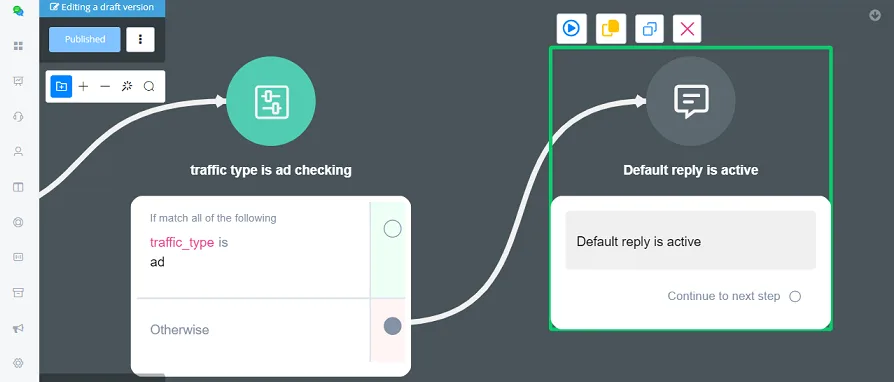
You have already built the WhatsApp Ads Router flow to handle the traffic coming from Ads.
If the Default Reply is not active,
Automation -> Keywords -> Default Reply -> Not active -> we are triggering the main flow.
You need to go to the main flow and add the Condition node, checking whether Traffic_type is ad; if it is, you do not send anything to them.
These automations are already handled by WhatsApp_ads_Router.
This ensures the contact receives messages from only one automation, the one you set up inside WhatsApp_ads_Router.
The regular contact, who arrives organically through your Ref URL or through your website widget, can still trigger the main flow.
This way, the contact coming from Ads does not receive duplicate messages.