

Connect Your Existing WhatsApp Business App (Coexistence Mode)
Coexistence lets you use the WhatsApp Business app on your phone and connect the same number to the WhatsApp Cloud API at the same time.
Before connecting, make sure these requirements are met:
- WhatsApp Business app: You must use the WhatsApp Business app (separate from the standard WhatsApp Messenger).
- Latest version installed: Make sure the WhatsApp Business app is updated to the latest version from the official app store.
- Meta Business Manager: An active Meta Business Manager account is required.
- Compliance: The country code of the phone number and your company's business type must comply with the WhatsApp Business and Commerce Policies.
Go to WhatsApp API on your platform and click the button:
“Connect to WhatsApp API”.
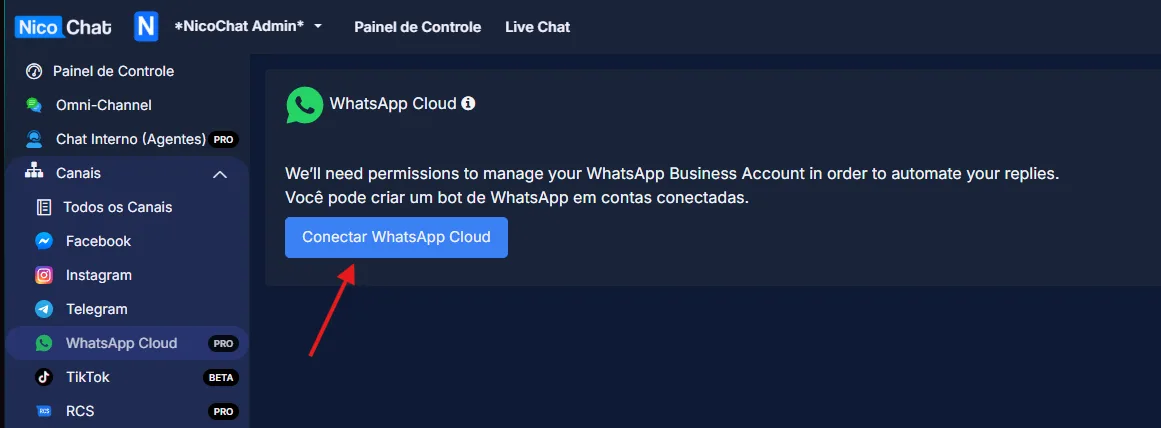
Choose your Business Manager. Select the connection type: “Connect the WhatsApp Business App”.
You will see two types of onboarding screens:
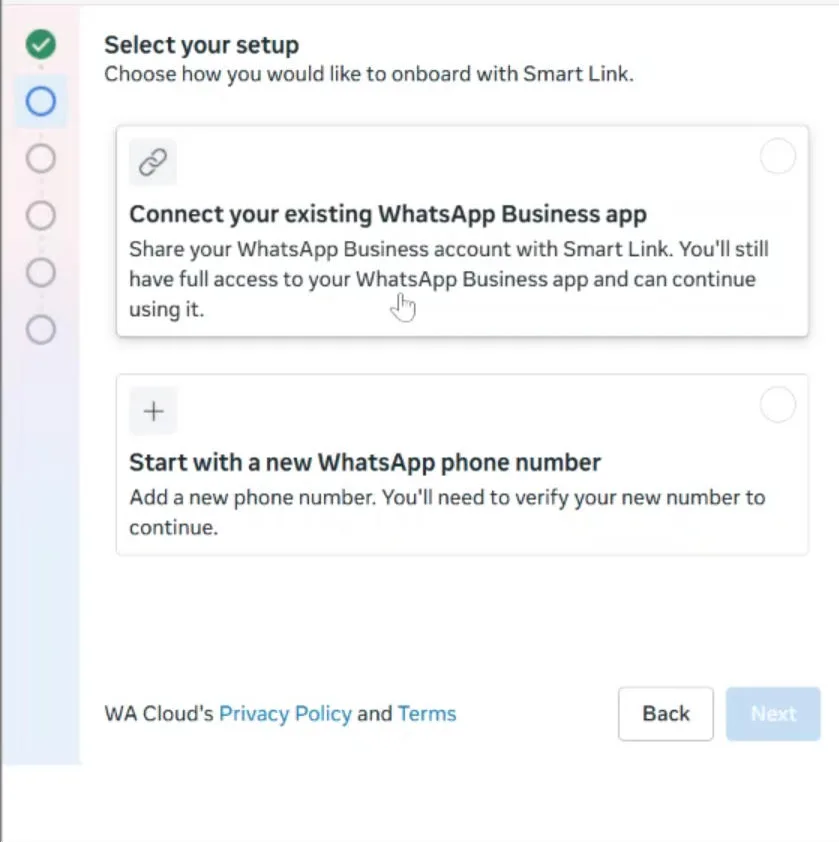
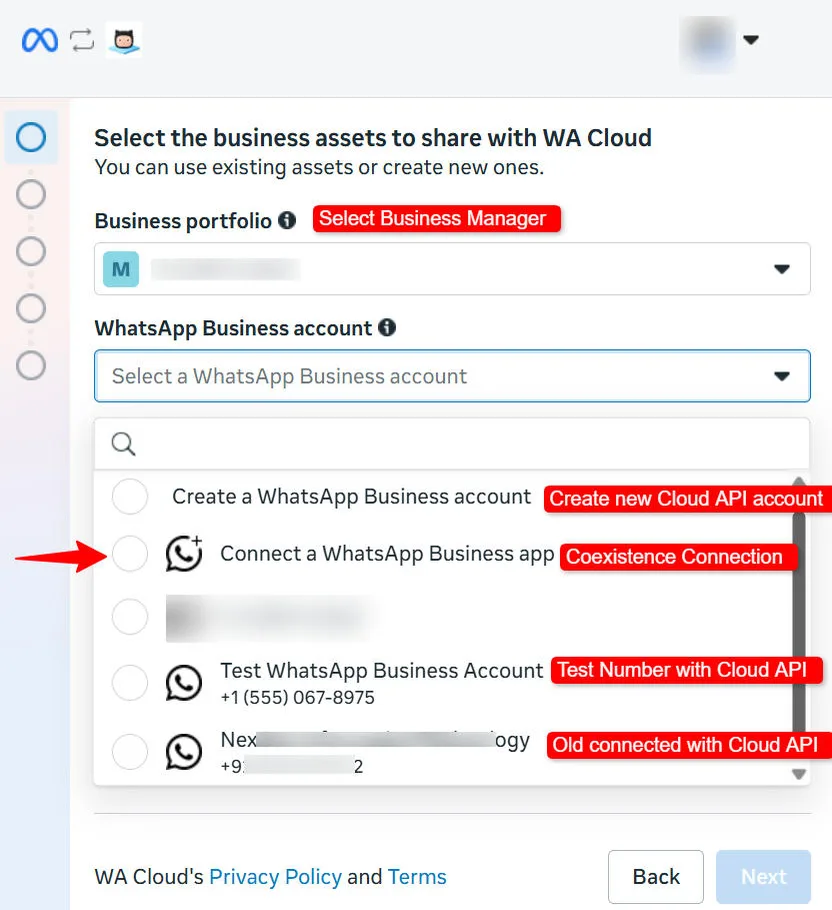
Note on existing linked numbers
If you already have a number connected to the Cloud API and want to add another number using Coexistence:
- Simply connect the new WhatsApp Business app number.
- After connecting, both numbers appear in your dashboard automatically.
No additional setup is required.
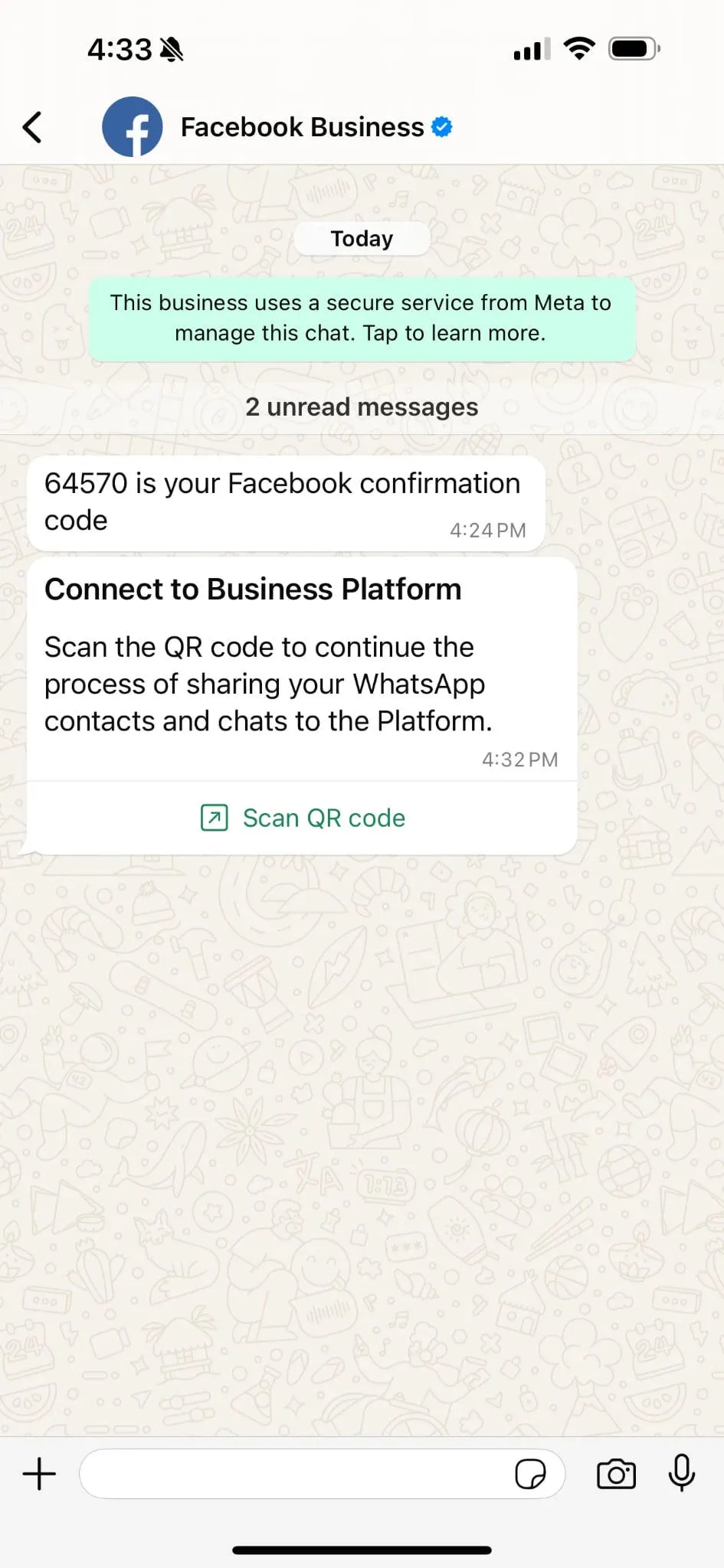
Enter the phone number of your WhatsApp Business app. A verification code will be sent by your Facebook Business account, inside the WhatsApp Business app.
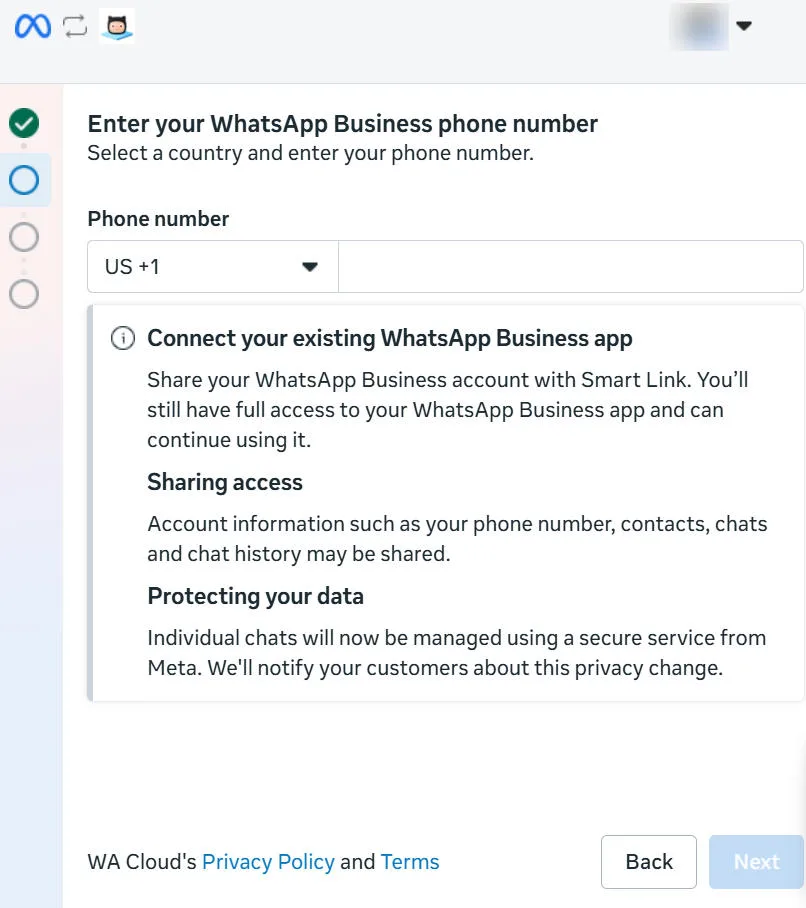
After verification, scan the QR code or enter the code. You receive both messages on your WhatsApp.
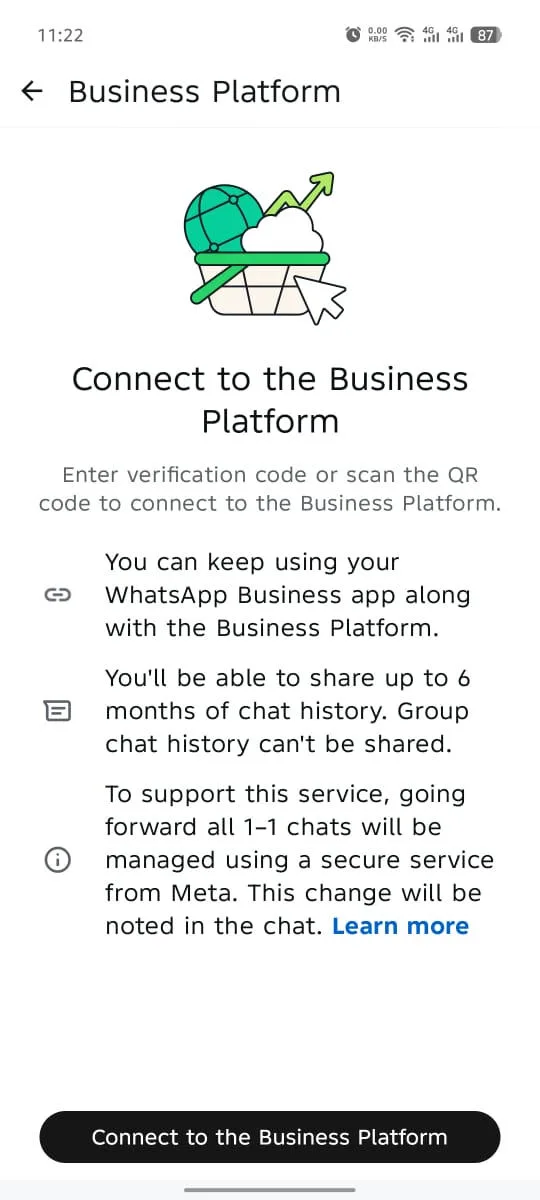
Tap the Connect to the Business Platform button to continue the onboarding.
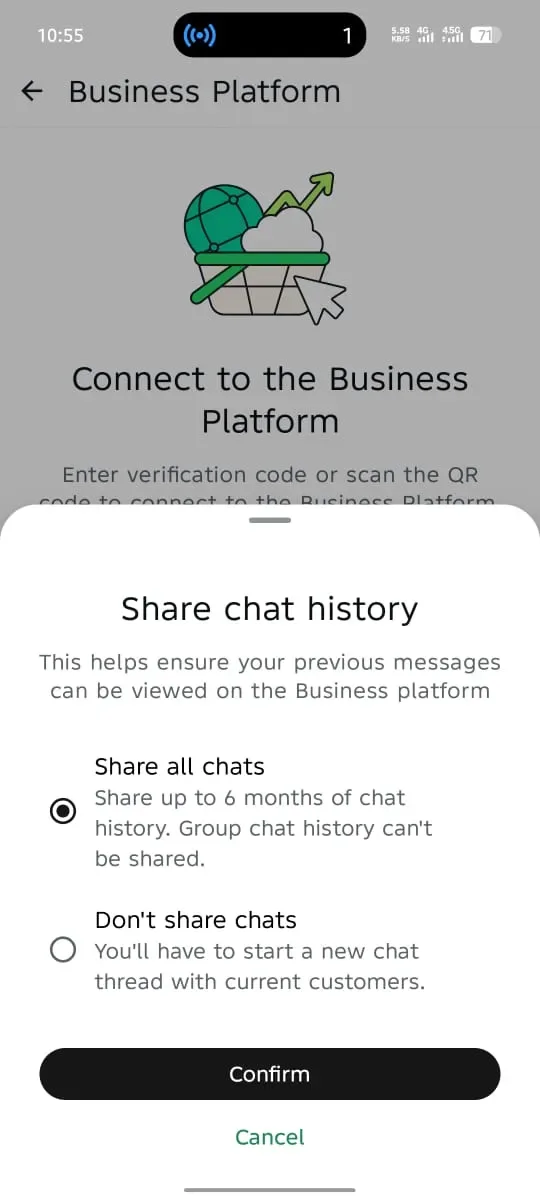
Tap the Confirm button in the app to give the business the option to share the chat history with you.
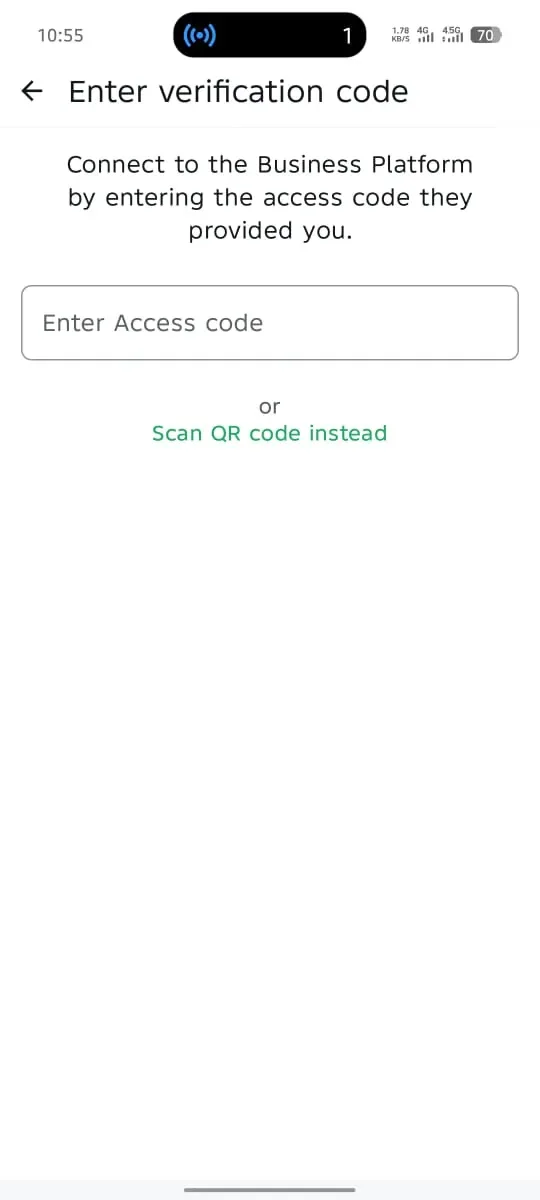
Scan the QR code or paste the verification code.
Once that is done, the connection is complete. Next, just add your payment method and link your number to the channel. After that, everything is ready to use.
The WhatsApp Business app on your phone must remain active. Do NOT delete or uninstall the WhatsApp Business account.