

Advanced Metrics for Conversations
The new Advanced Metrics for Conversations feature is designed to give you a comprehensive, detailed view of customer support interactions. With this update, you can track and analyze conversations more effectively and get complete reports on the performance of each one.
Advanced Metrics for Conversations lets you see essential information about conversation management, including:
- Number of assigned and resolved conversations: track how many conversations were assigned to agents and how many were successfully resolved.
- Agent Response Time: assess how quickly agents respond to the conversations assigned to them.
- Resolution time: see how much time is spent resolving each conversation.
These detailed reports help optimize team performance and improve customer support efficiency. Explore Advanced Metrics for Conversations to take full advantage of these new features and ensure high-quality service.
In the main dashboard, click Workspace Settings in the left menu to access the workspace settings.
In the top menu, select the Conversation tab. Then enable Advanced Metrics for Conversations by clicking the Enable button. Set the conversation session timeout as needed.
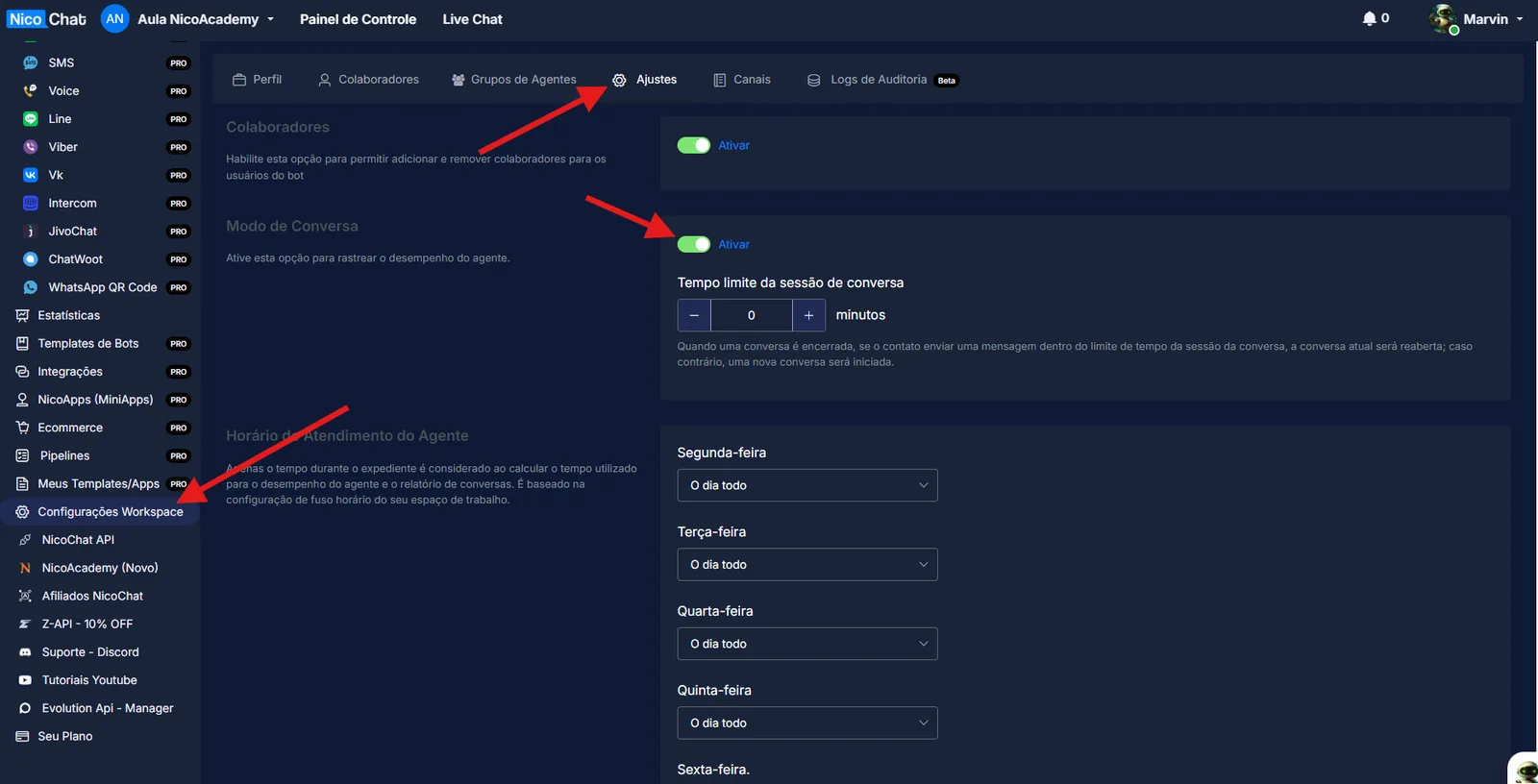
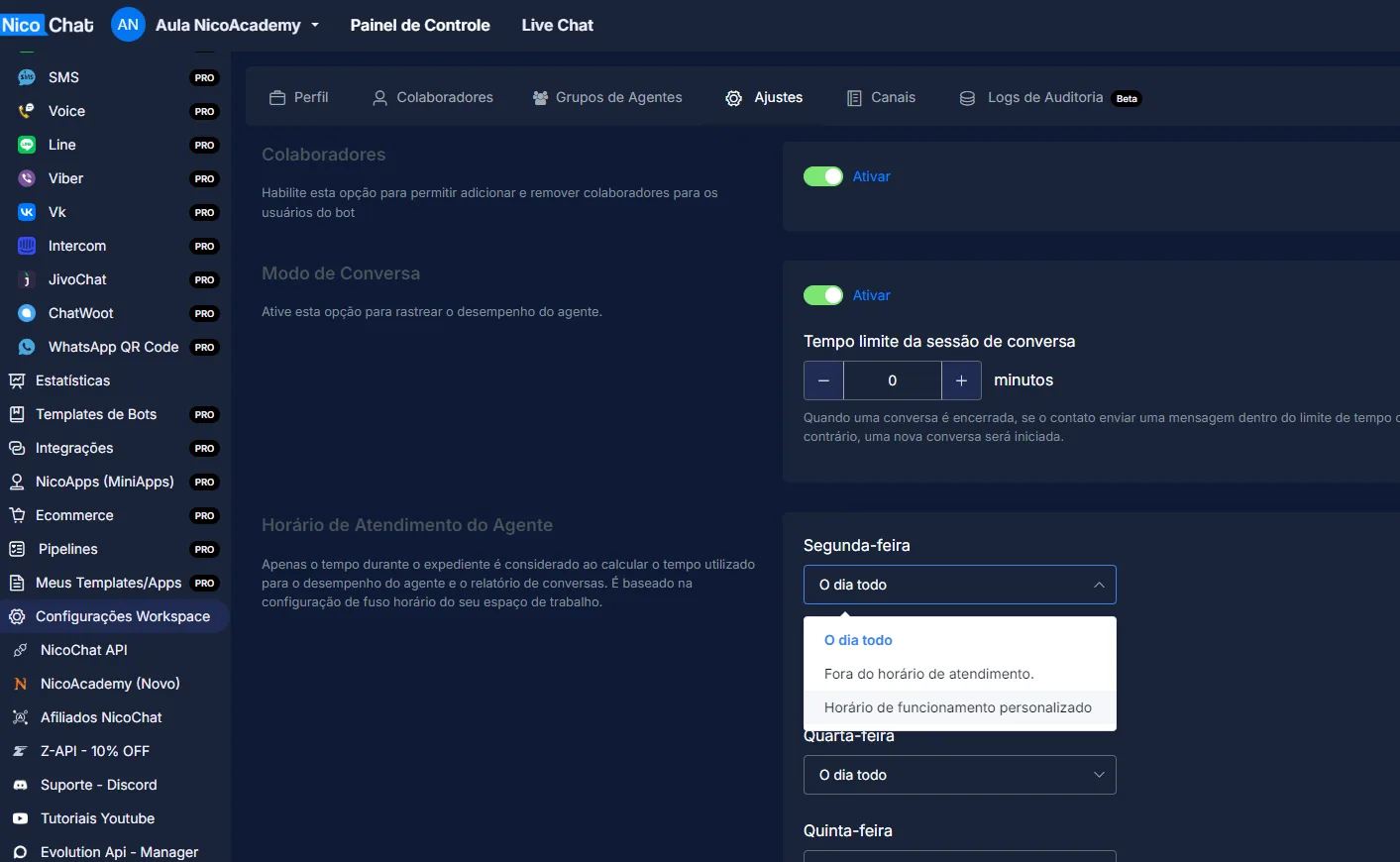
In the same Conversation tab, configure the agent office hours under Agent Office hours. You can set custom hours for each day of the week. Click each day and select Custom office hours to set the start and end times.
Once you enable Advanced Metrics for Conversations, you will see more reports on the “Statistics” tab in each of your channels.