

Business Hours
NicoChat lets you configure your company's business hours directly from the Dashboard, with no need for JavaScript scripts or manual date and time validations.

NicoChat lets you configure your company's business hours directly from the Dashboard, with no need for JavaScript scripts or manual date and time validations.
With this setup, you can easily identify whether an interaction is happening inside or outside business hours, using a native system variable in conditions within your flows.
- Go to the NicoChat Dashboard
- Go to Workspace Settings
- Click the Business Hours tab
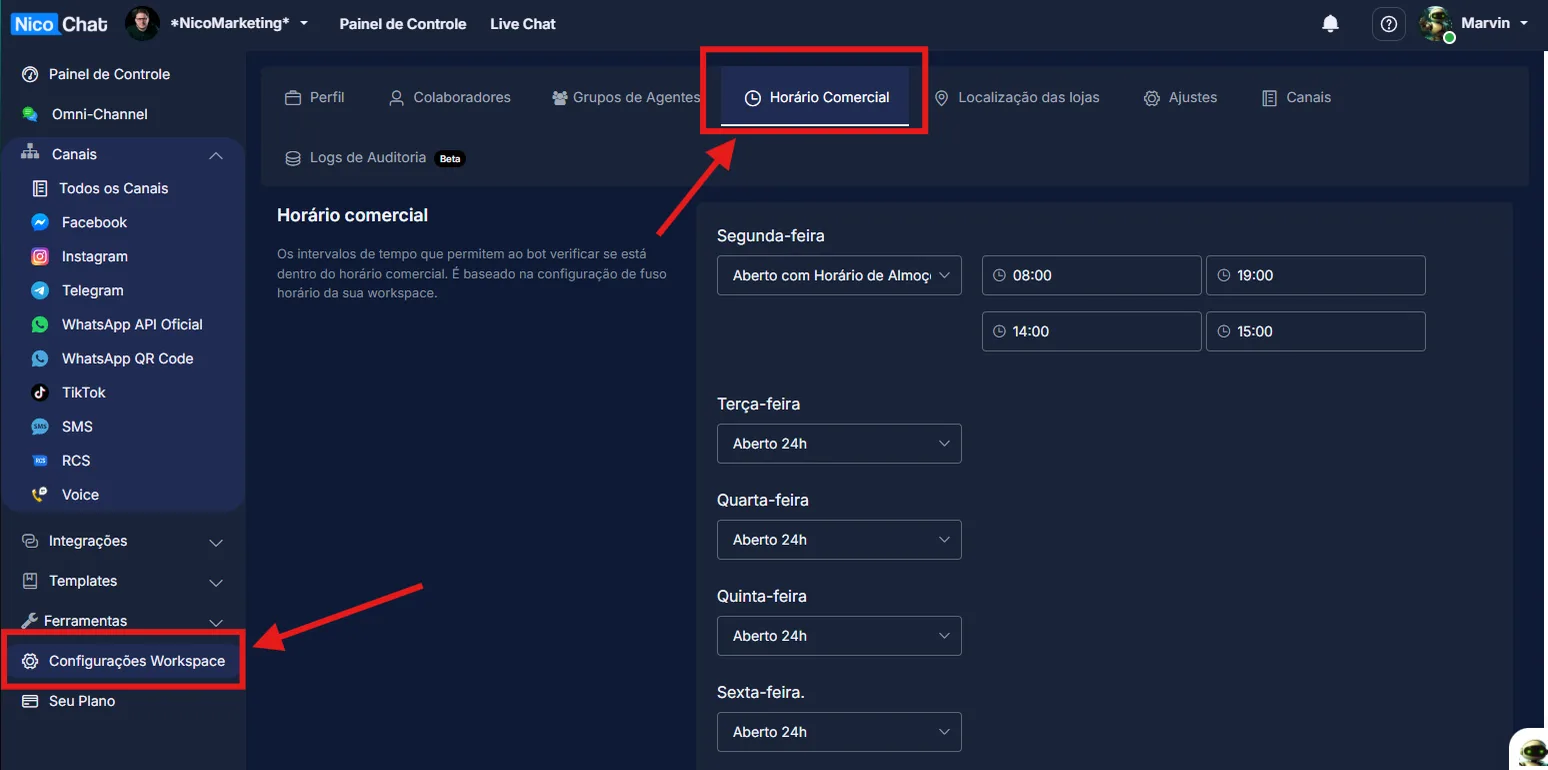
There you define the company's service days and hours.
You can:
- Set the operating days, such as Monday to Friday or Monday to Saturday
- Set different hours for each day of the week
- Mark days as Closed, Sundays for example
- Copy and repeat identical hours across days to make setup easier
Example:
- Monday to Friday, from 8:00 to 18:00
- Saturday, from 8:00 to 11:30
- Sunday, closed
Once you are done, click Save.
There is a second place where business hours can be configured, inside Agent Metrics Settings, with Advanced Metrics for Conversations enabled.
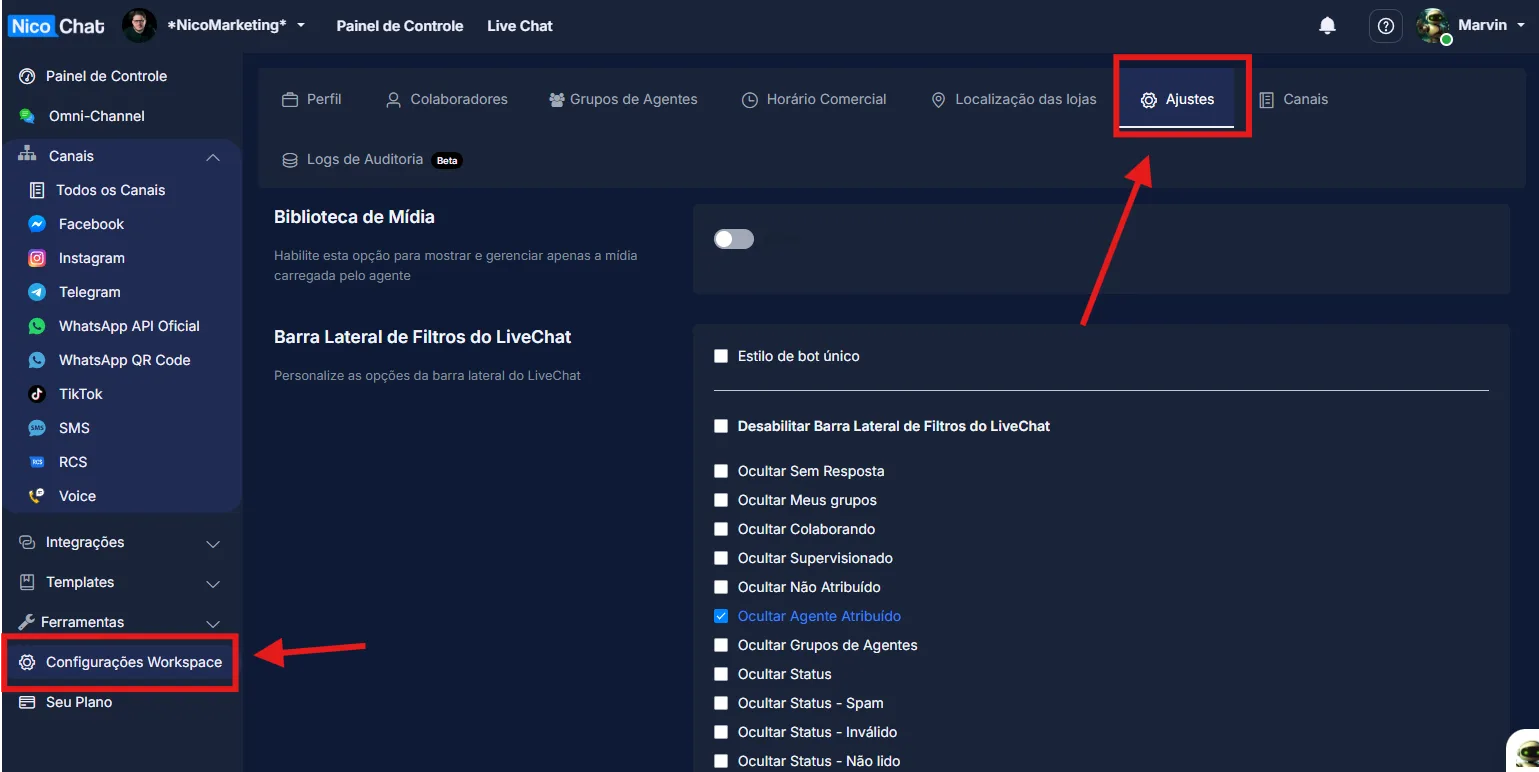
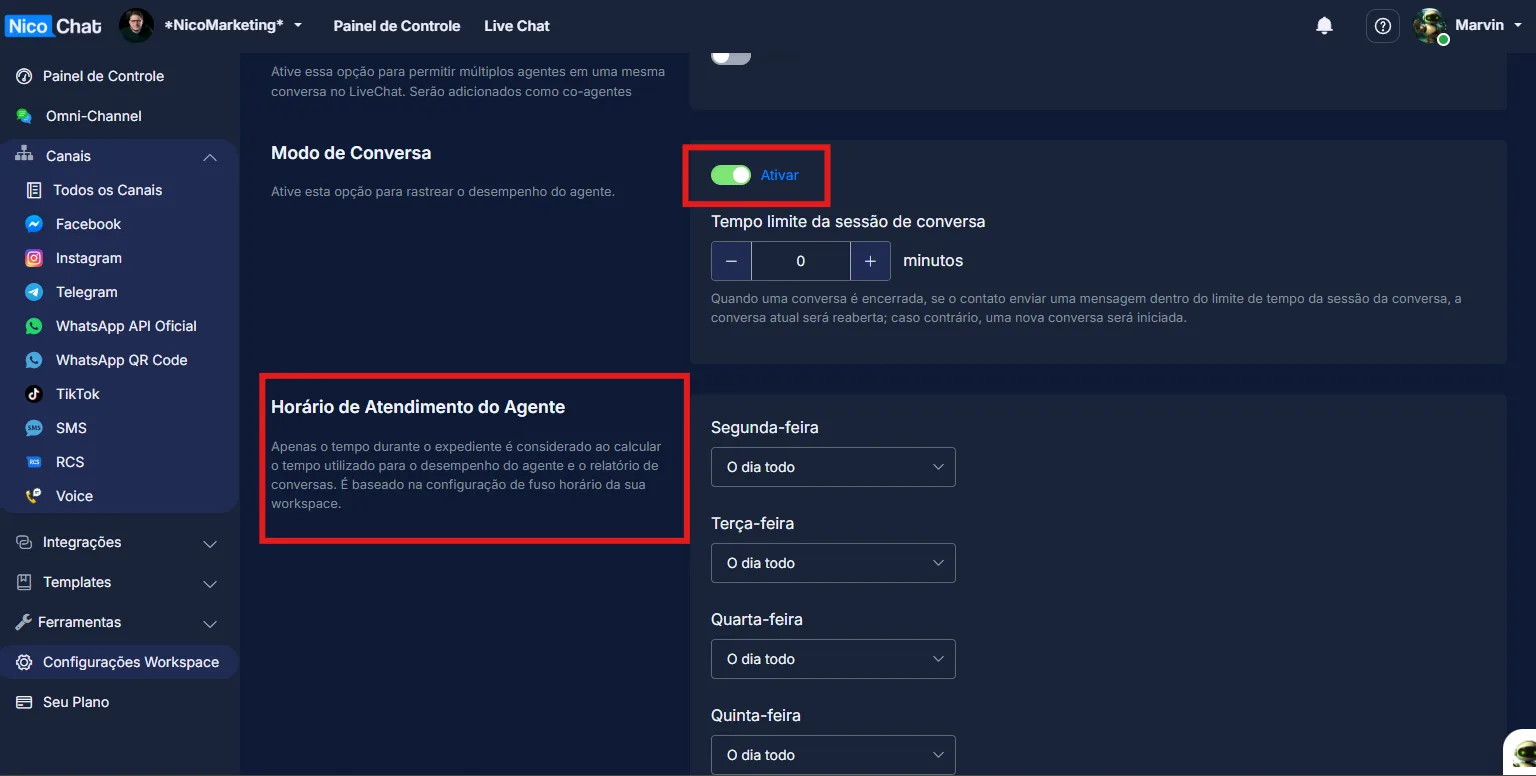
These hours are used exclusively to:
- Measure the response time of human agents
- Evaluate performance during open hours
If you want consistency, repeat the same hours set in the Workspace.
Once business hours are configured, NicoChat automatically provides a system variable called:
“Is Business Hours”
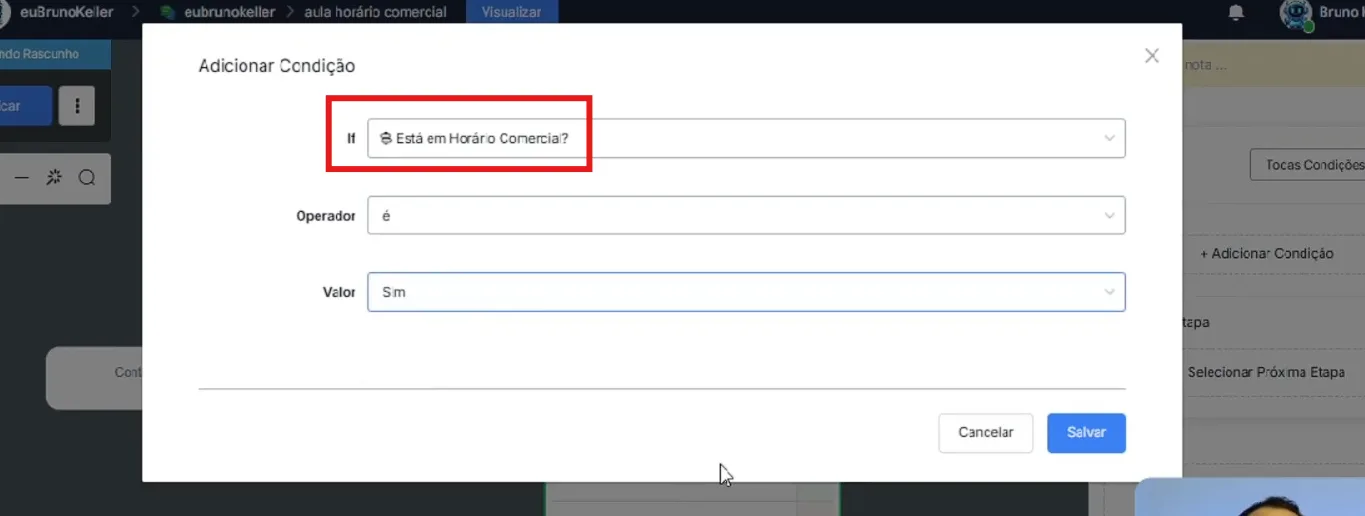
This variable returns:
- Yes, if the interaction is within the configured hours
- No, if it is outside the configured hours
From there, you can:
- Route to a human agent if it is within business hours
- Send automatic messages outside business hours
- Create different flows for on-call, notices, or waiting queues
- Within business hours:
Transfer to a human agent; continue normal service - Outside business hours:
Inform the open hours; record the lead; schedule an automatic follow-up
- Eliminates the need for JavaScript
- Requires no manual validation of the day of the week or the time
- Reduces logic errors in flows
- Makes maintenance and scaling easier
- Uses a native, reliable system variable
Setting up business hours in NicoChat is now simple, fast, and fully integrated with flows.
Just set the hours in the Workspace and use the Is Business Hours variable to create smart, professional conditions.
This feature completely replaces old solutions based on scripts and manual calculations.