

Email Templates
Follow steps 1 to 4 in the image above.
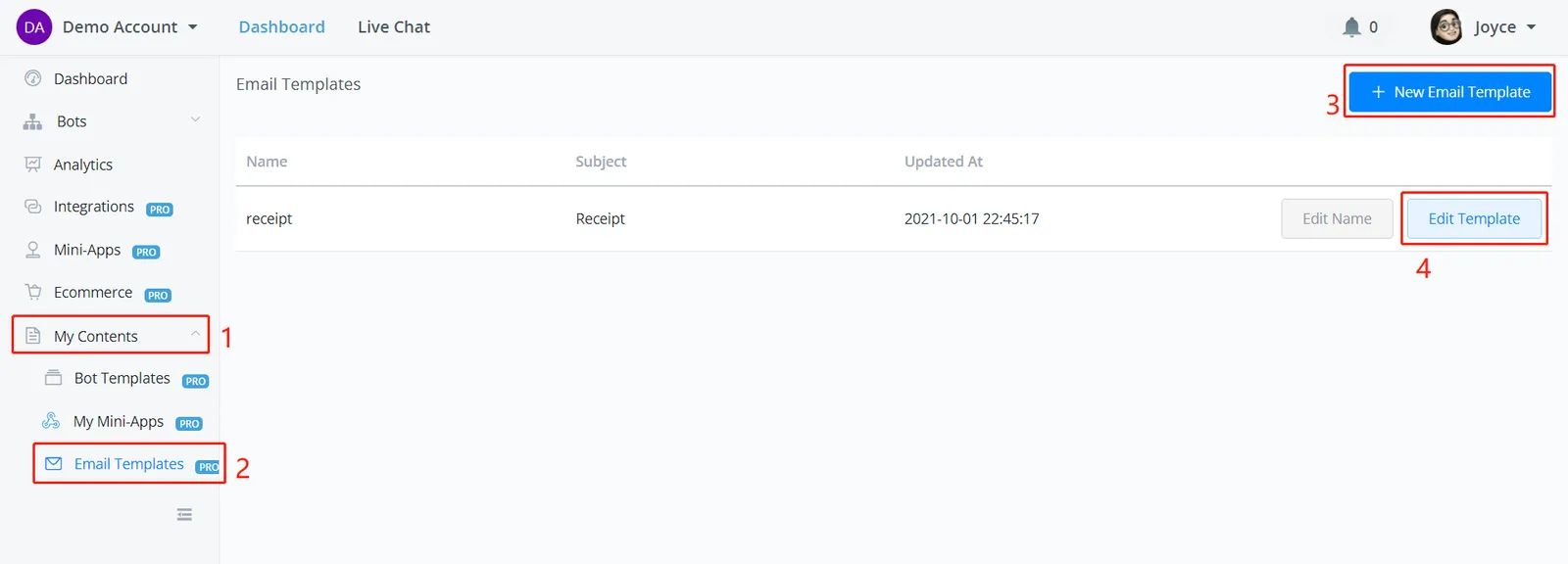
Follow steps 1 to 4 in the image above.
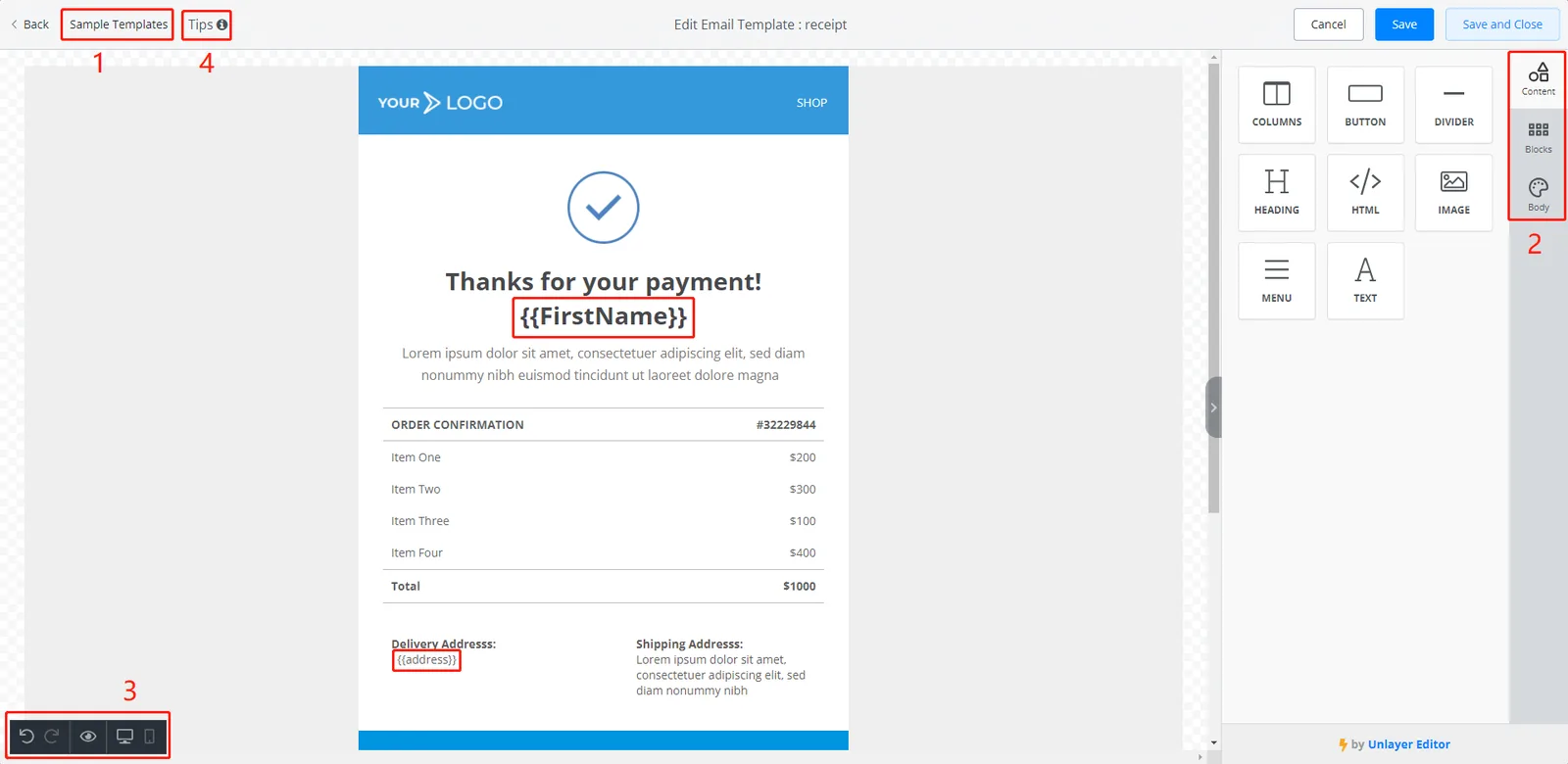
In the screenshot above:
- you can get started with a sample template
- use the tools on the right sidebar to edit your email
- preview your email on computer or phone
- define up to 10 variables to fill in later
Remember to save your template after you finish.
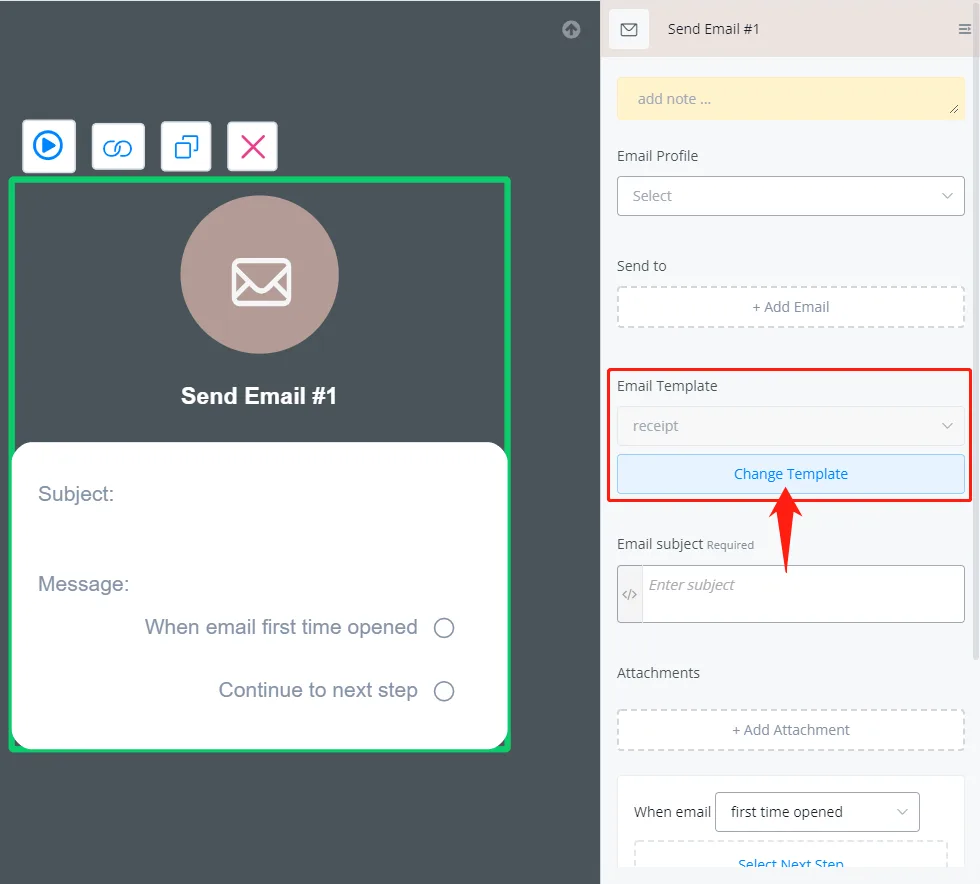
In your flow, right click to create a Send Email step, edit it and click "Change Template".
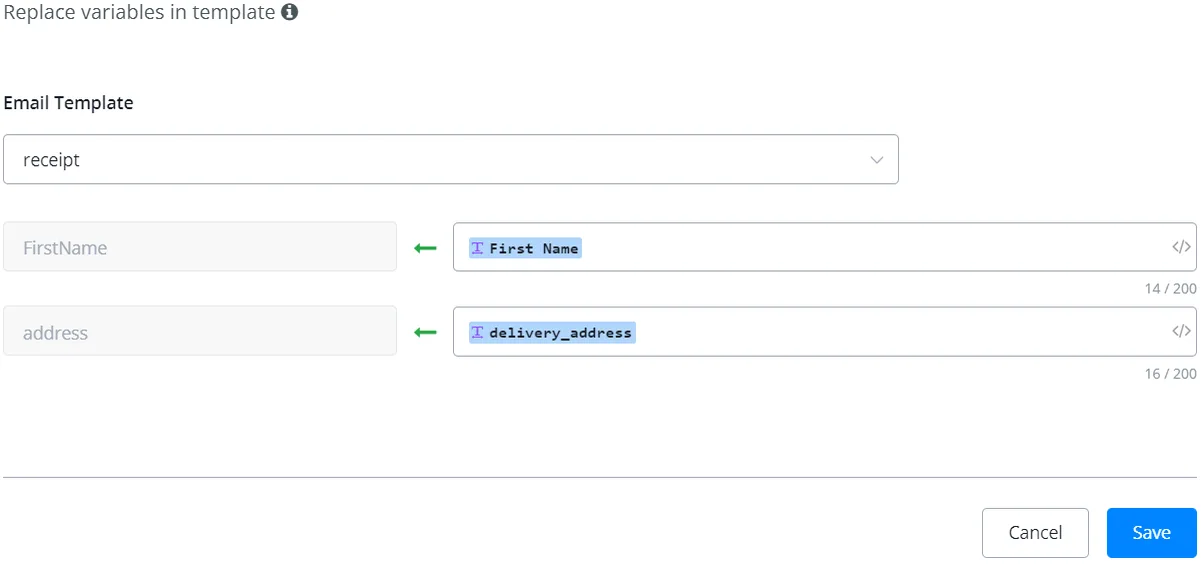
Choose a template and map the values of the pre-defined variables in it.