

Triggers
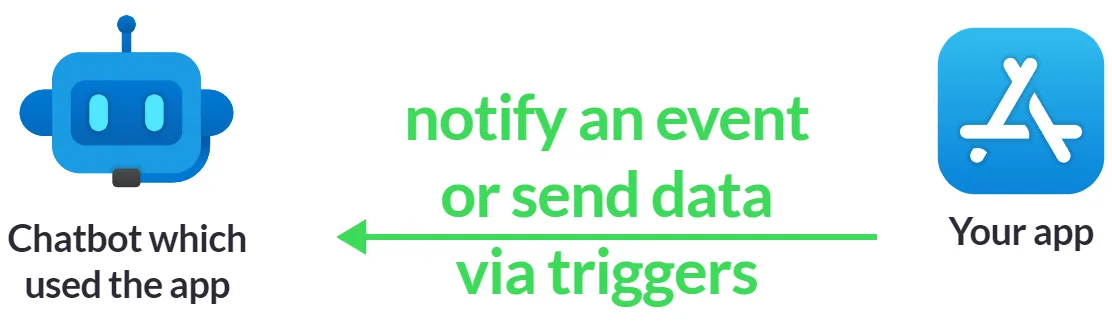
Triggers are used to transfer information. You use triggers to send data from your app to users' chatbots:
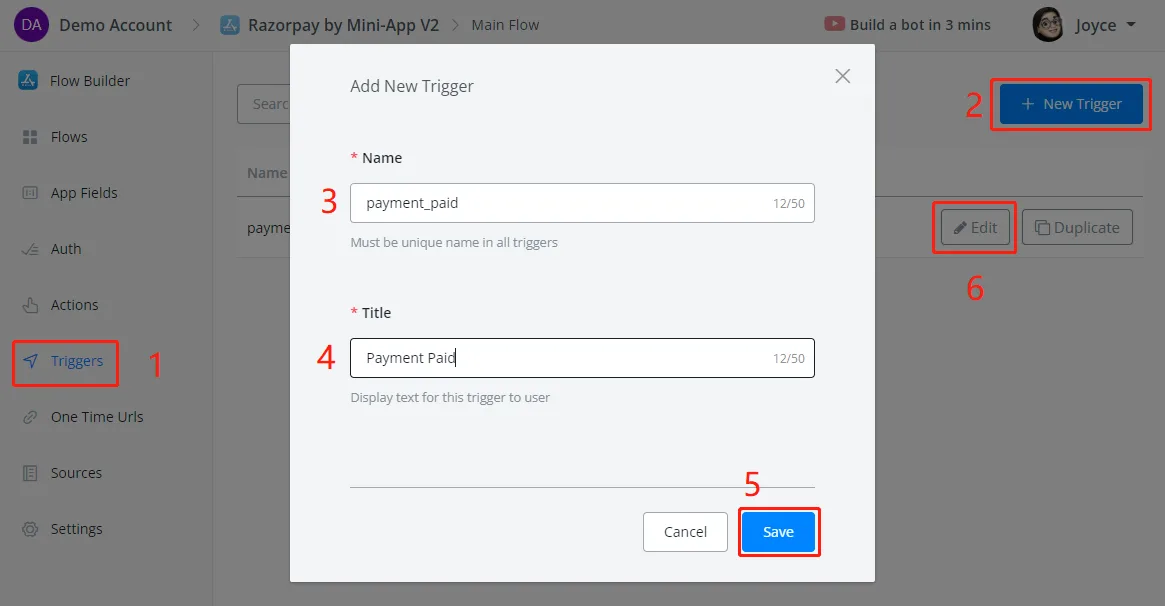
To create a trigger, follow steps 1 to 6 in the following screenshot:
Click Add Item to specify what information to send back to the chatbot. For example, a payment status:
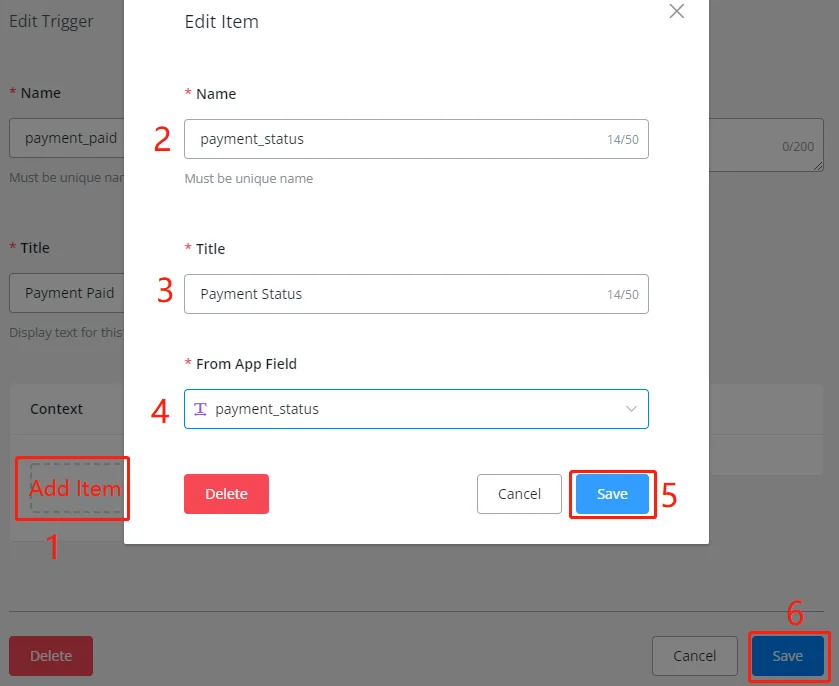
You can send as many items as you need. When there are many of them, it may be worth packaging them into a JSON variable and specifying that variable as a single item here, instead of the several items.
Note
TIP – The app field selected here must be a field that already exists. You cannot create a new field here: create it in the App Fields section.
Whenever you need to notify an event or send data to chatbots, use a Trigger Event action.
After that, users can set up a flow to handle the payment paid event — for example, mark the order as paid, send a receipt, etc.