

Settings (NicoApp 2.0)
In the settings section you provide the basic information about your app: name, description, logo, cover image, video link and API scope.
Users can see your app information in the app store before downloading it.
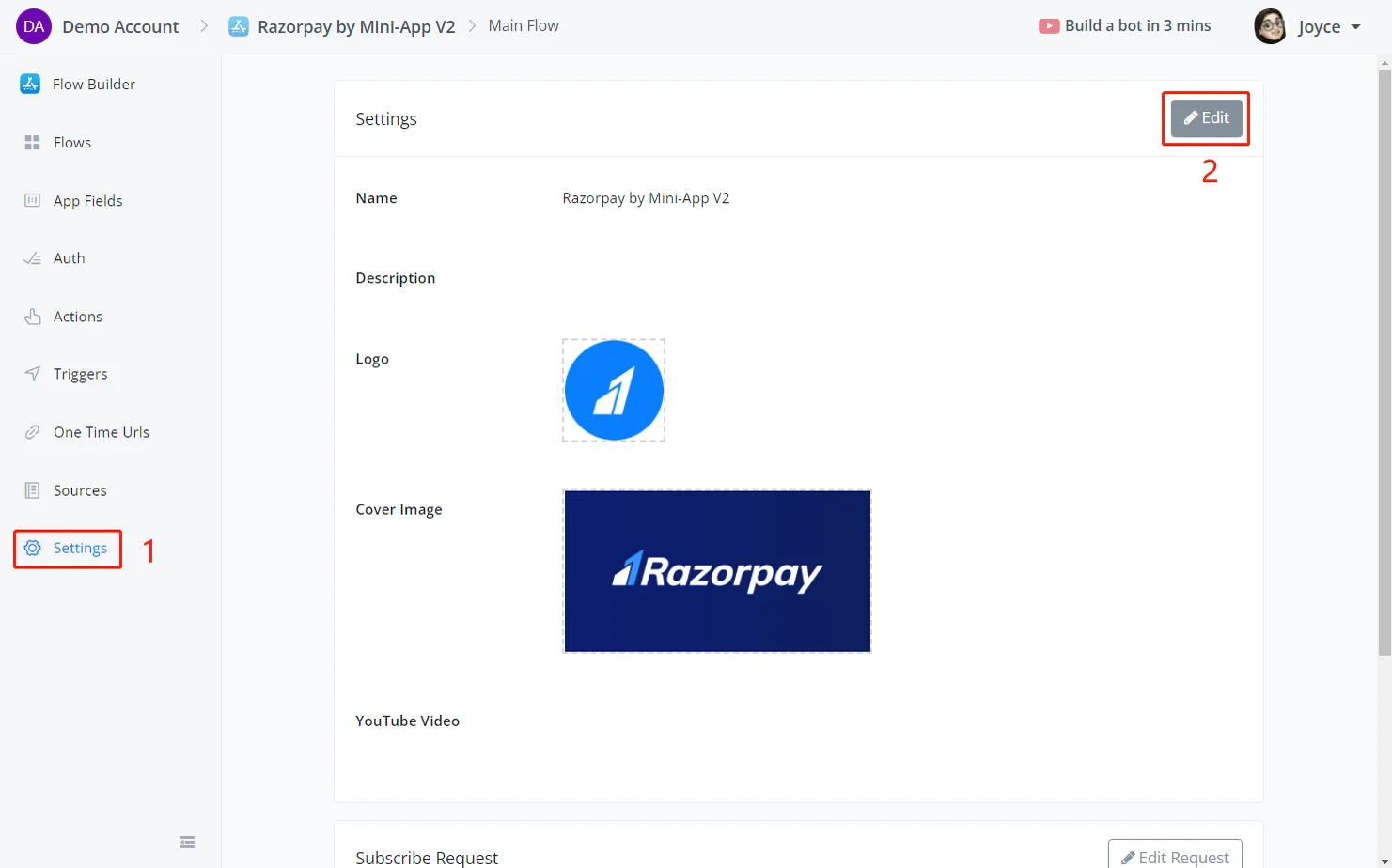
In the settings section, click Edit:
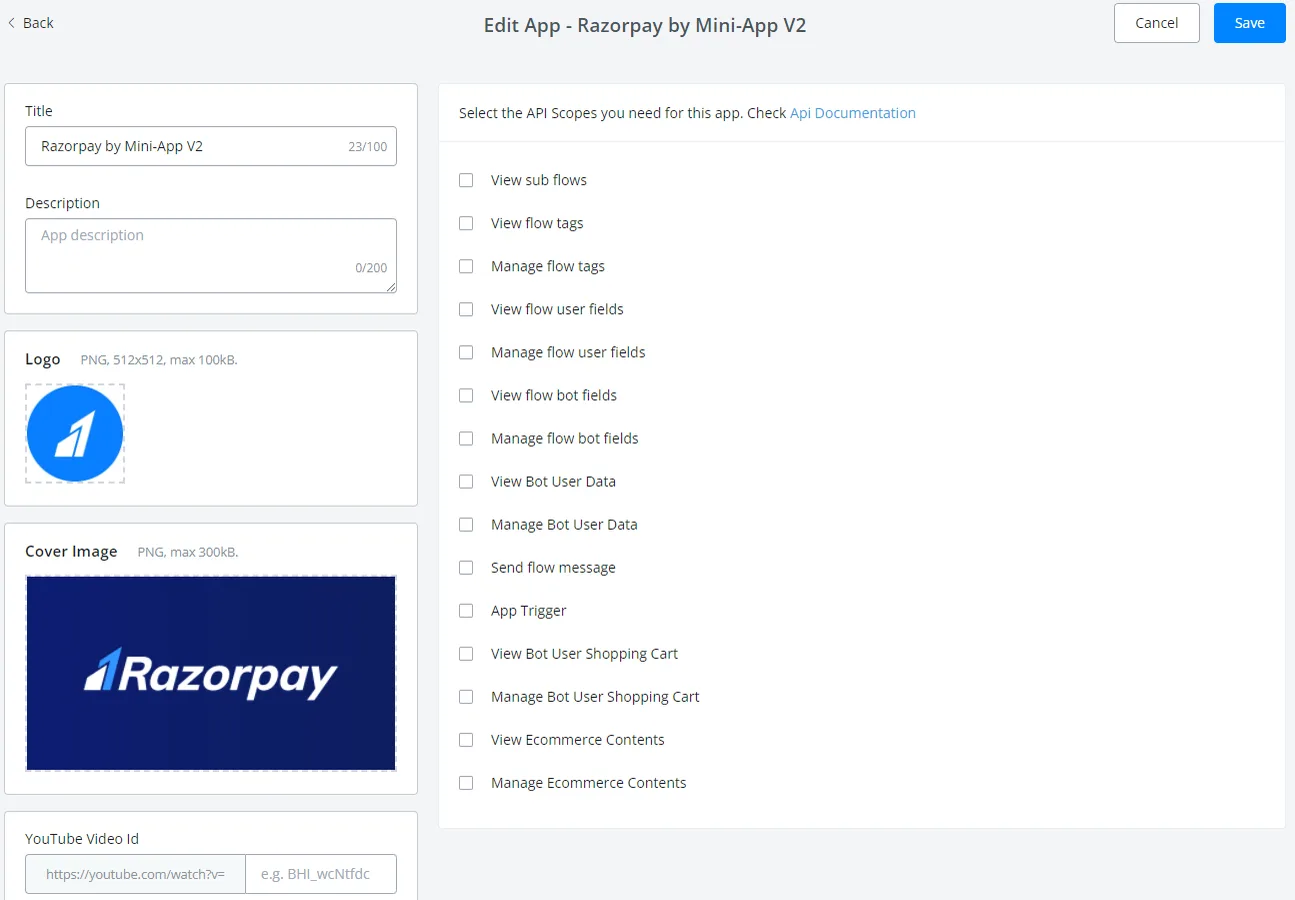
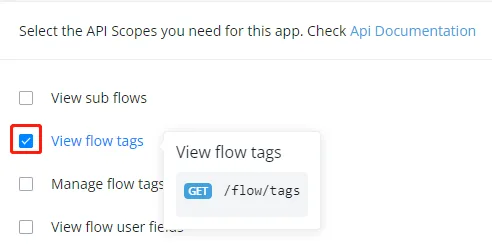
In the API scope, indicate which scopes the app needs to access in the users' chatbots. For example, if your app needs to read tags in the user's chatbot, check "Ver tags de fluxo" here:
Whenever a user installs your app, the system performs the subscribe request to send the necessary data to your server.
Likewise, whenever a user uninstalls your app, the system performs an unsubscribe request to send the necessary data to your server.
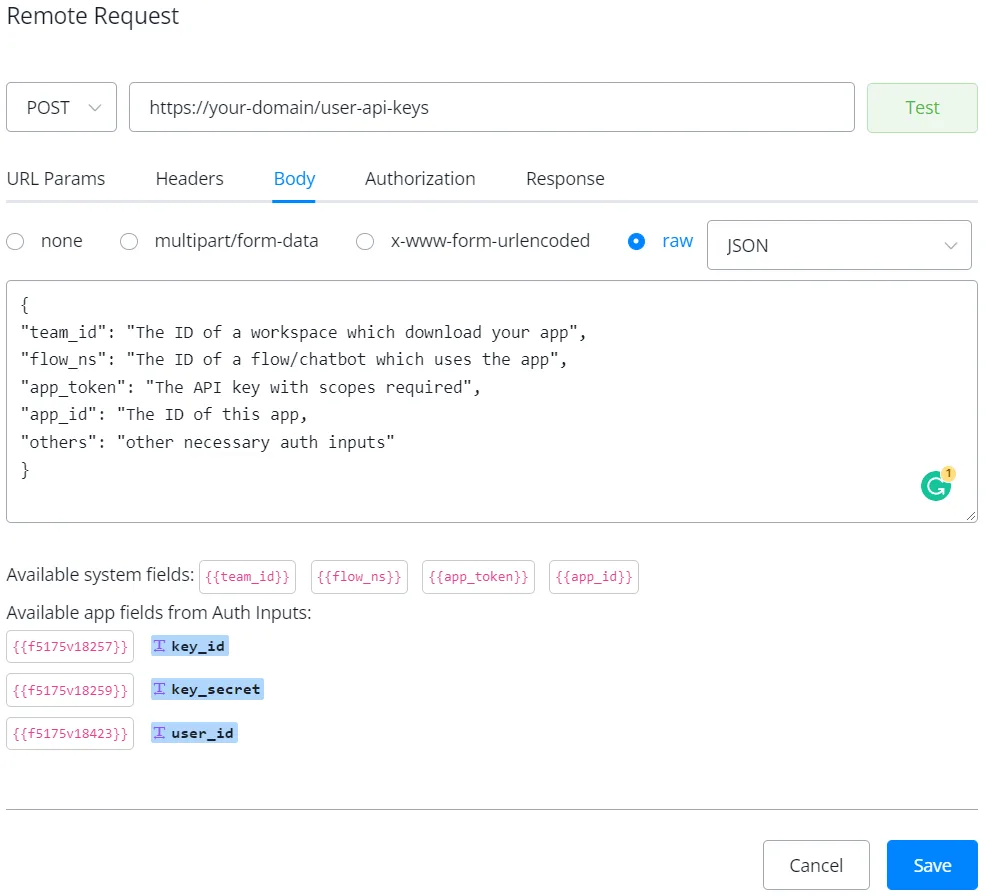
With the external request above set up, the system sends you the information after the user installs the app and fills in the auth inputs.
You have 4 system fields available, plus any other values set up in the auth inputs. See the Auth section for how to set up the auth inputs.