

Share / publish your apps
🛎️ Final step for your app: how would you like to share it?
- used only in your workspace?
- shared privately with other workspaces?
- shared publicly, with anyone?
- sold for profit? 🤑🤑
We support any of the options above!
To use it only in your workspace, just install it and use it the same way you tested it.
To share it privately with other workspaces, go to the publish page of your app:
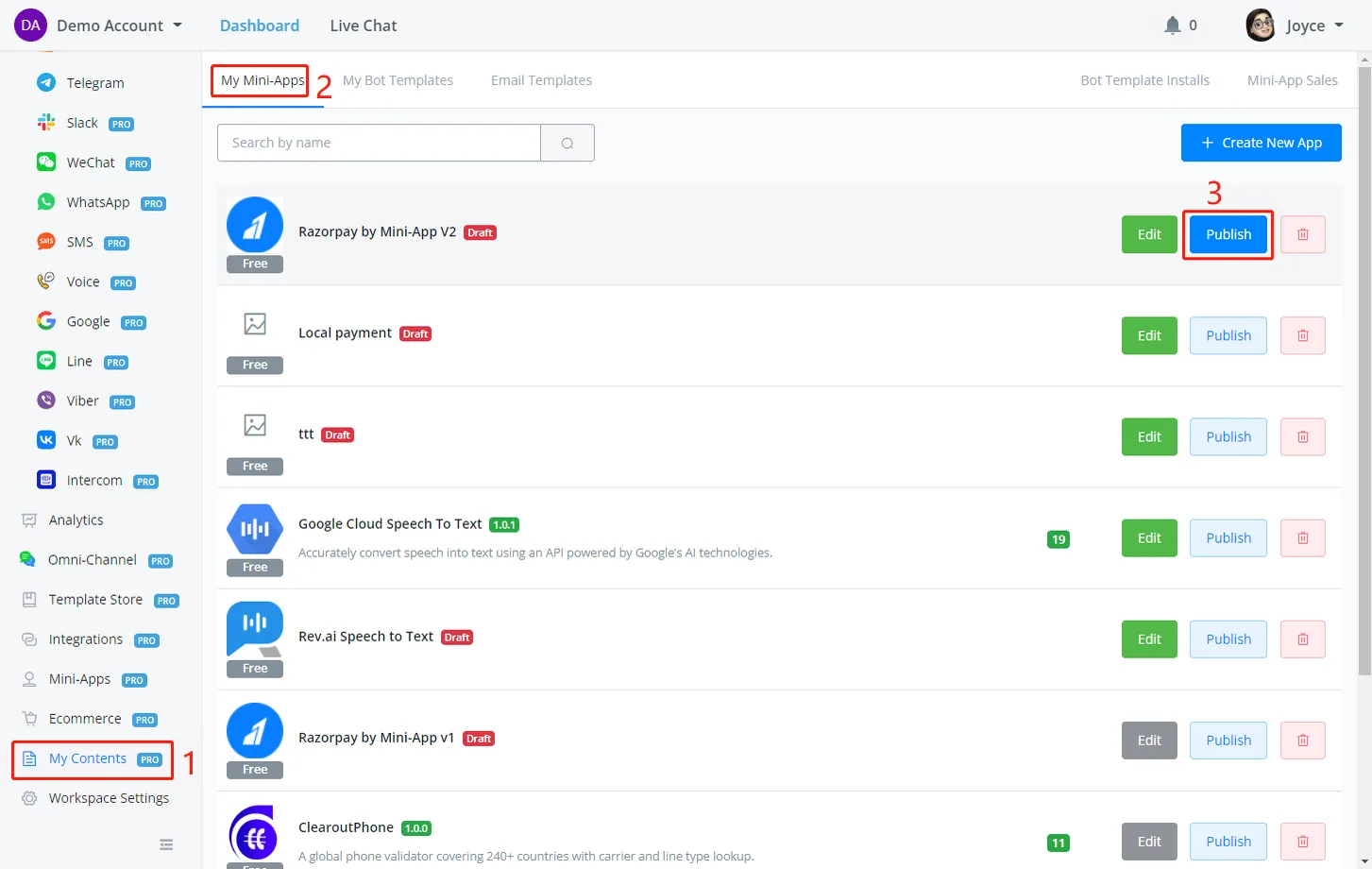
Copy the URL link and share it with other people:
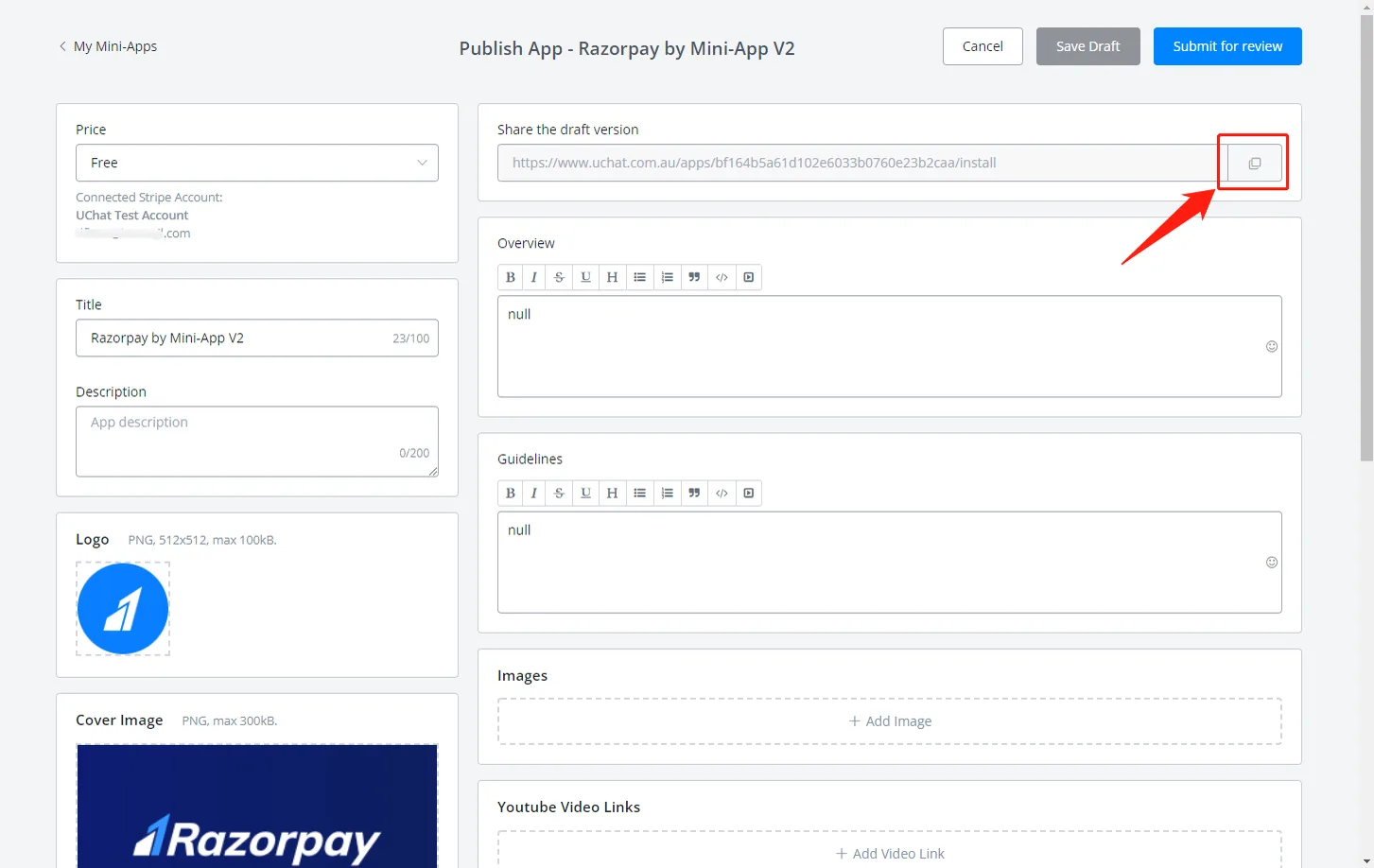
Do not click Submit for review: click Cancel or < My NicoApps to go back.
To share your app publicly in NicoChat's NicoApps Store, for free or paid, go to the publish page of your app:
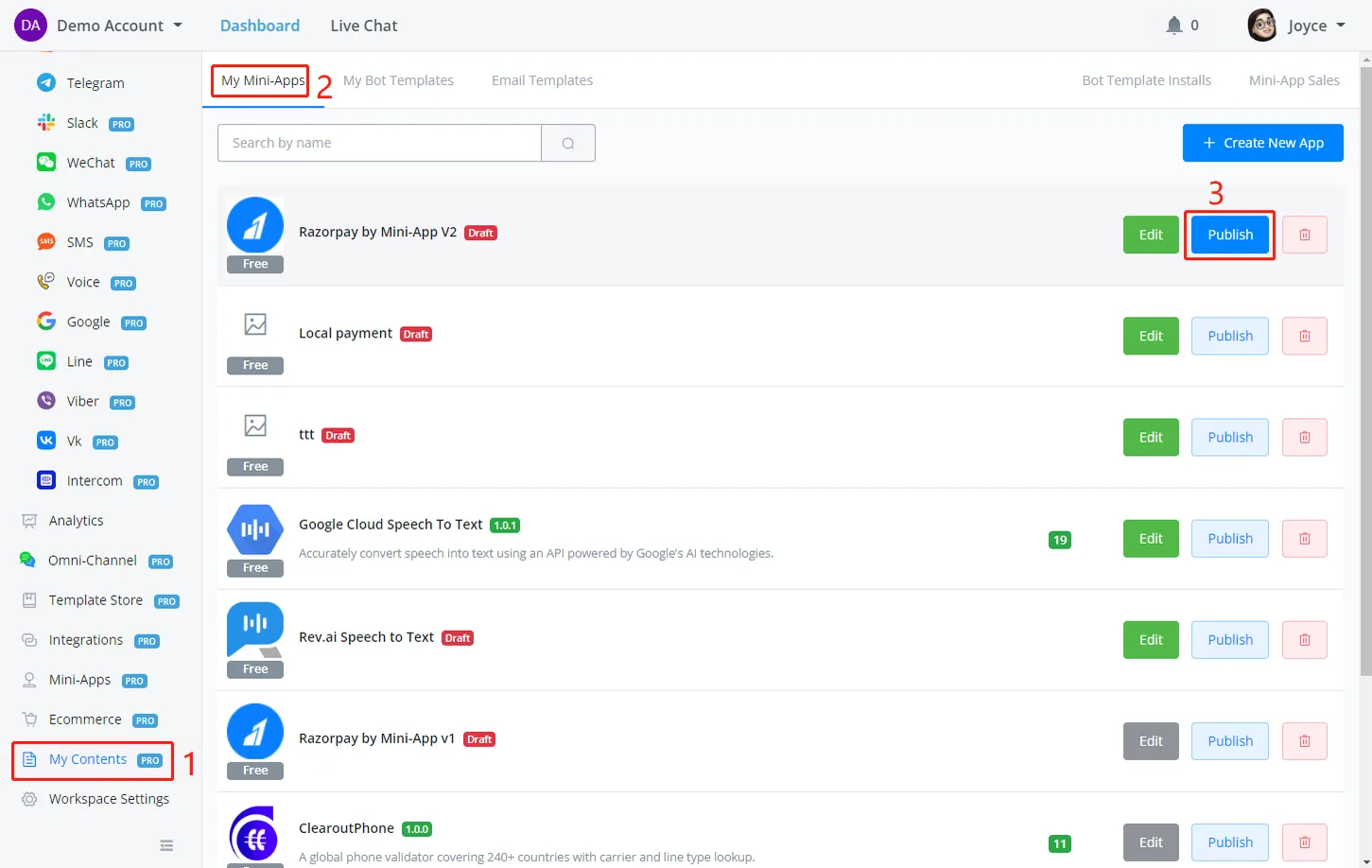
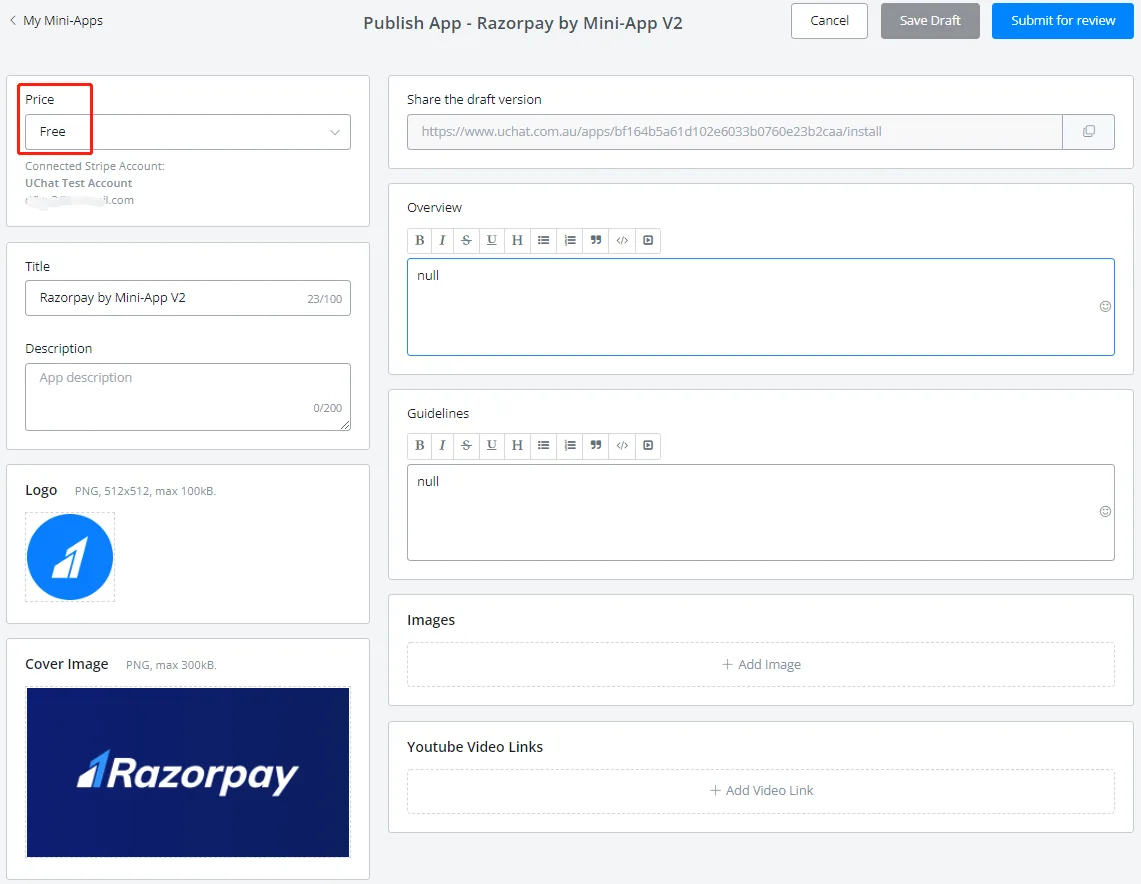
Fill in the mandatory information — price, overview and guidelines — and the optional information, such as screenshots and videos.
Author information is also mandatory. See the following screenshot for reference:
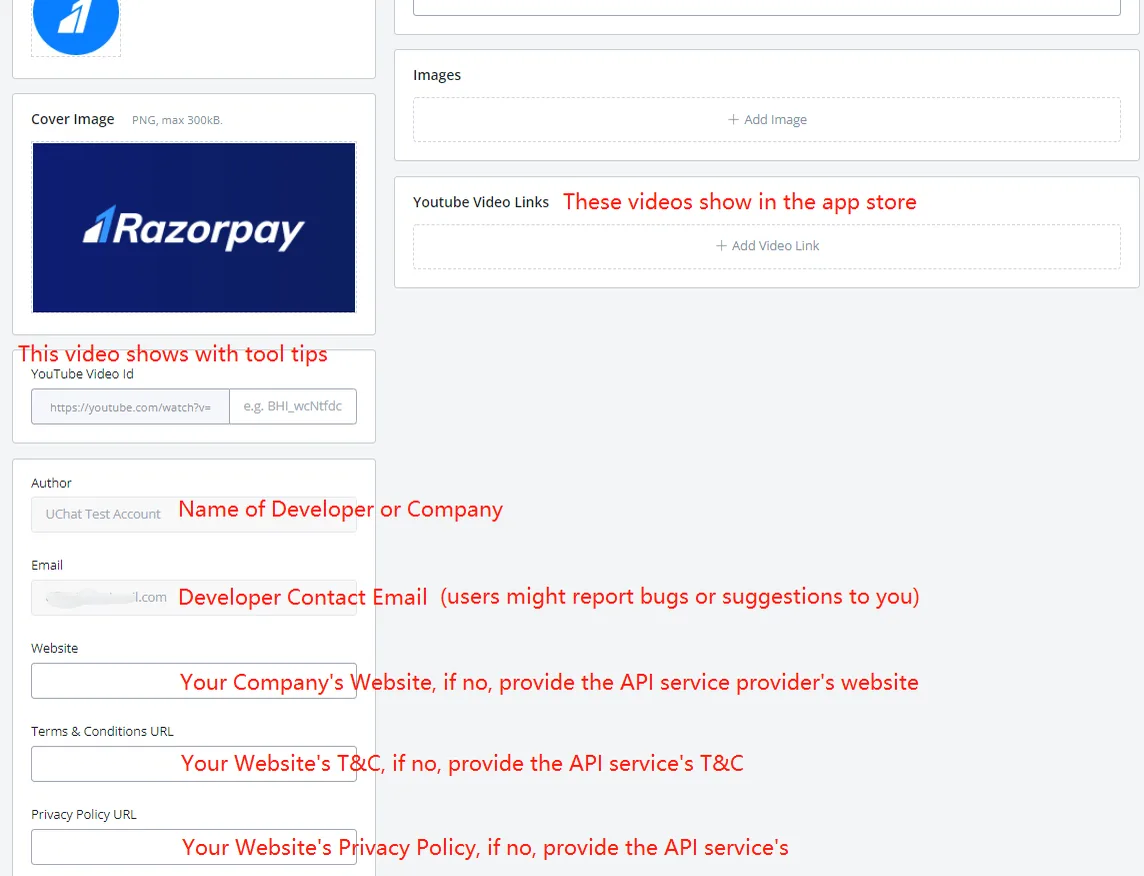
If there is a Stripe account connected to your workspace, you will not be able to edit the Author and the E-Mail here.