

Zaia
Click below to create an account with a 50% discount on the Aceleração plan using the NICOCHAT coupon:
Click below to create an account with a 50% discount on the Aceleração plan using the NICOCHAT coupon:
Integrating Zaia with NicoChat is a strategic step for any business that wants to optimize its customer service operations through advanced artificial intelligence. Zaia, as a powerful AI system, combined with the versatility of NicoChat, offers a perfect combination for automated service that keeps personalization and effectiveness at the heart of communication with the customer. The ability to manage and control the conversation flow provides unprecedented flexibility, making it possible to create rich and interactive user experiences, with the assurance of having human support available when needed.
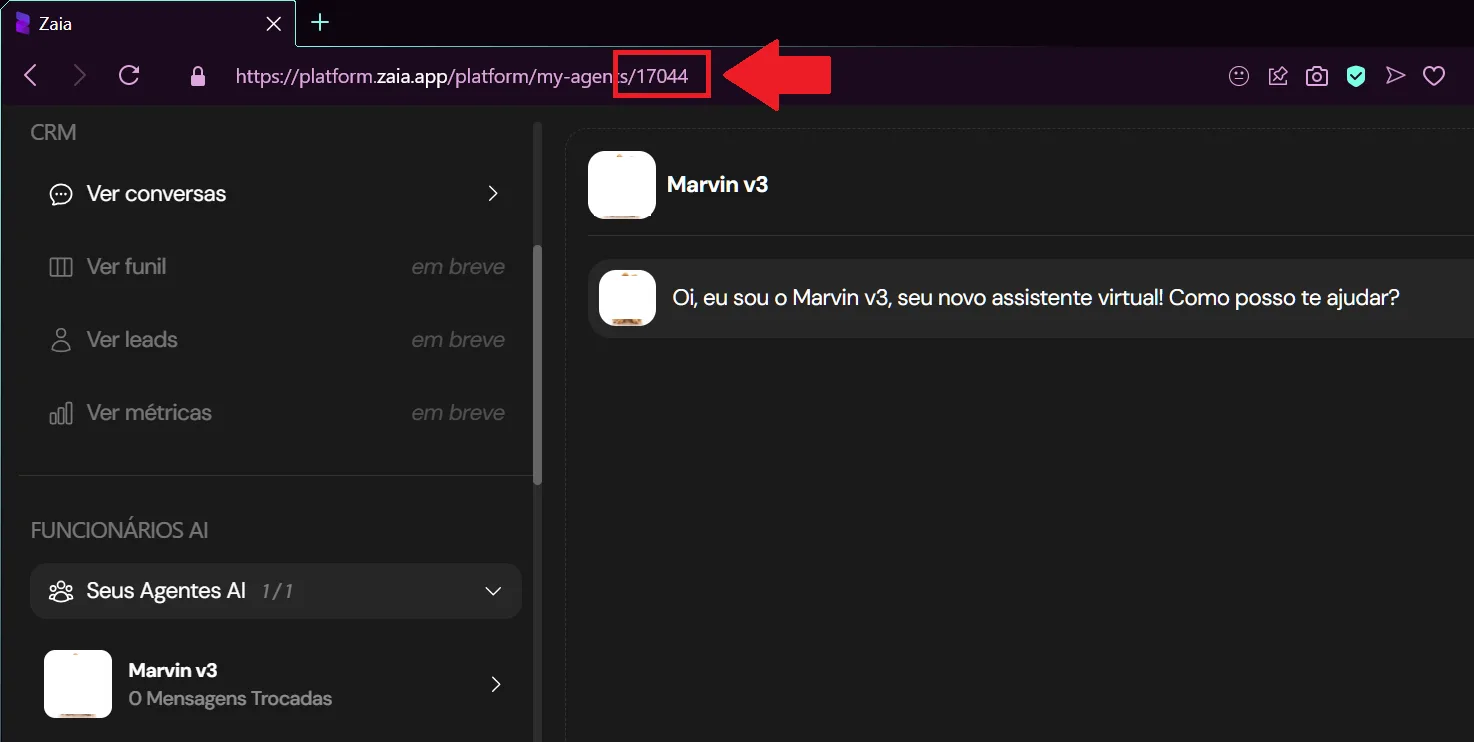
- Find your Agent ID:
- In the Zaia panel, open your agent.
- Look for your Agent ID in the URL; it will be a number like the one in the image below:
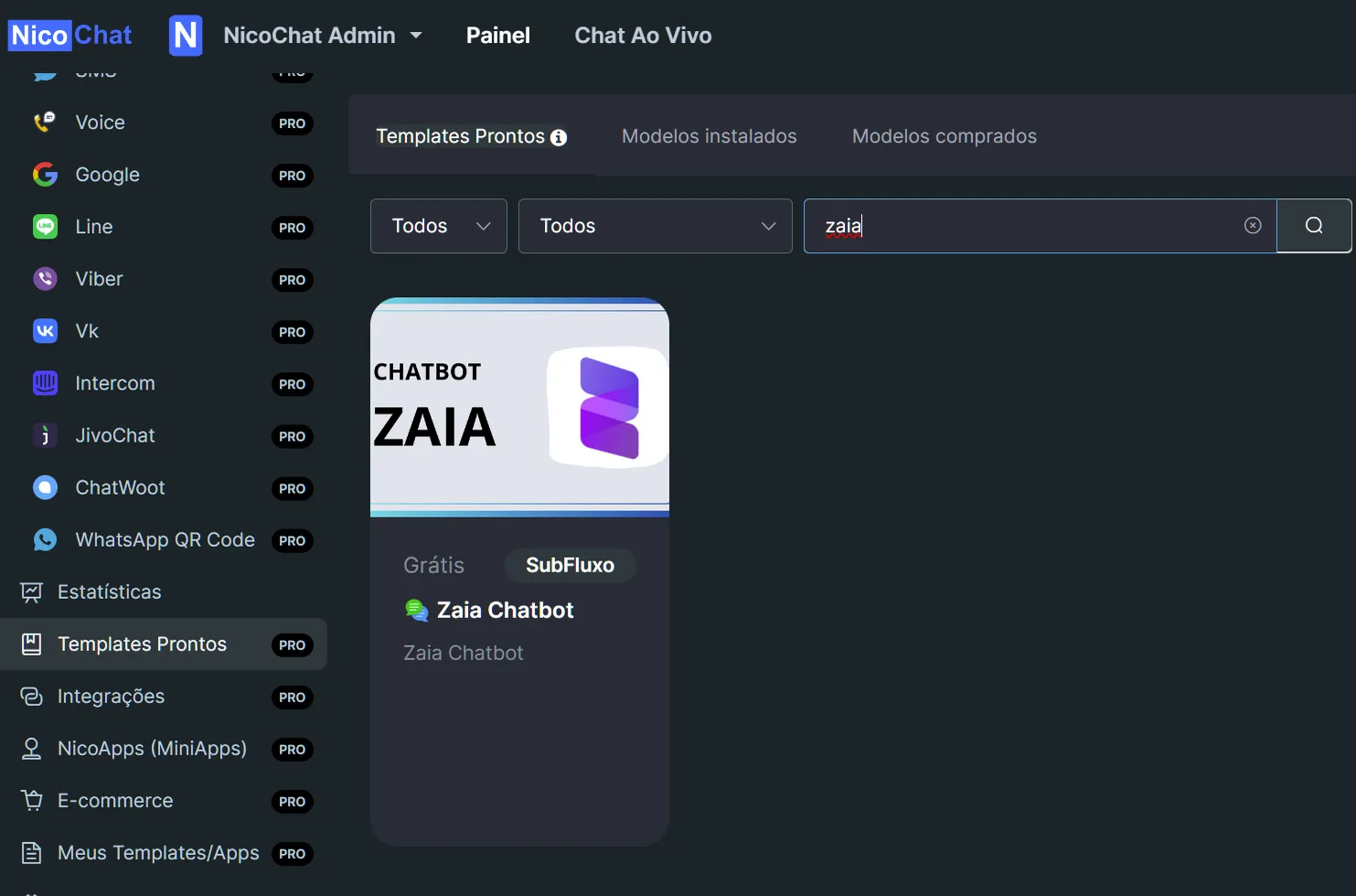
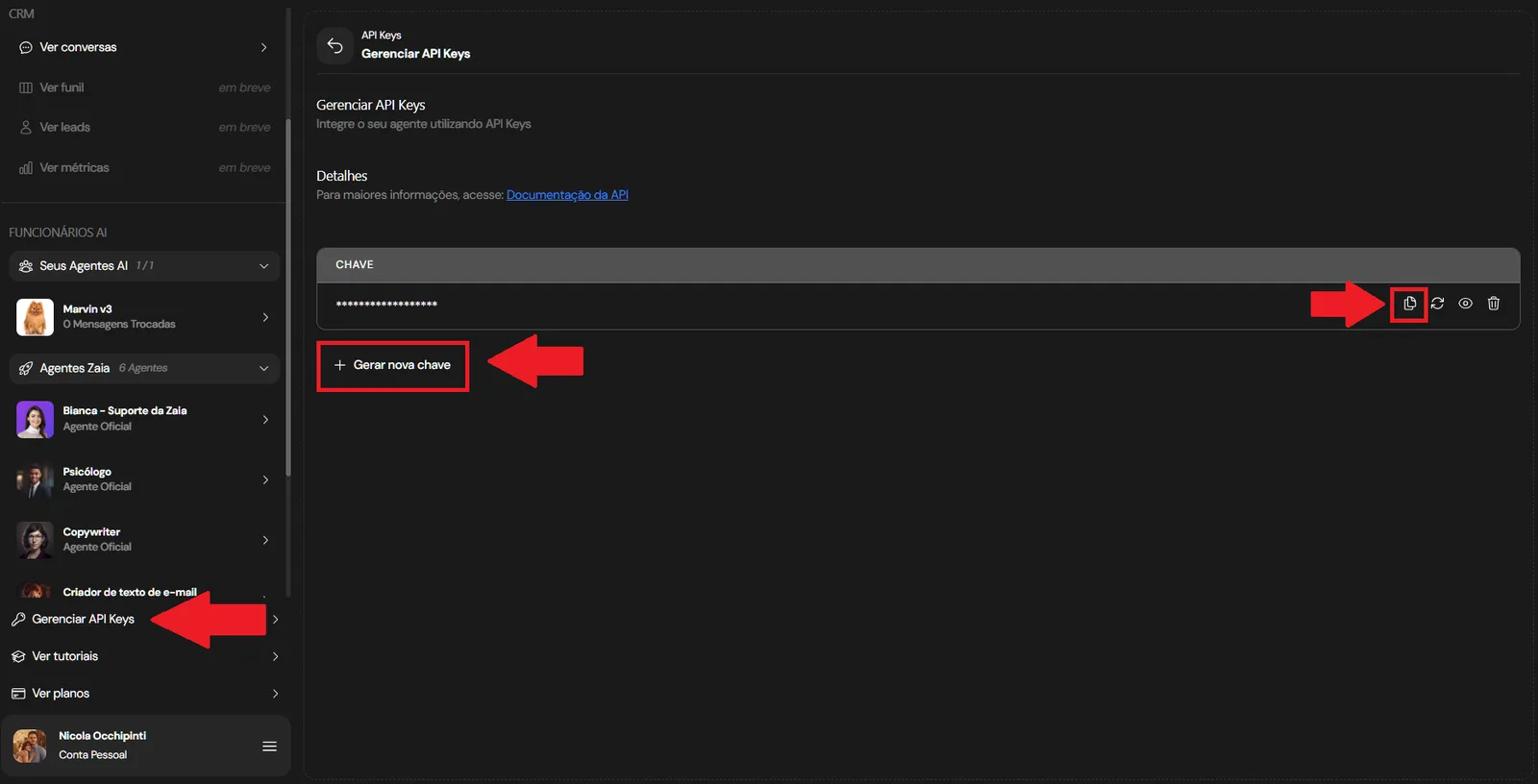
Entering the API Key in NicoChat:
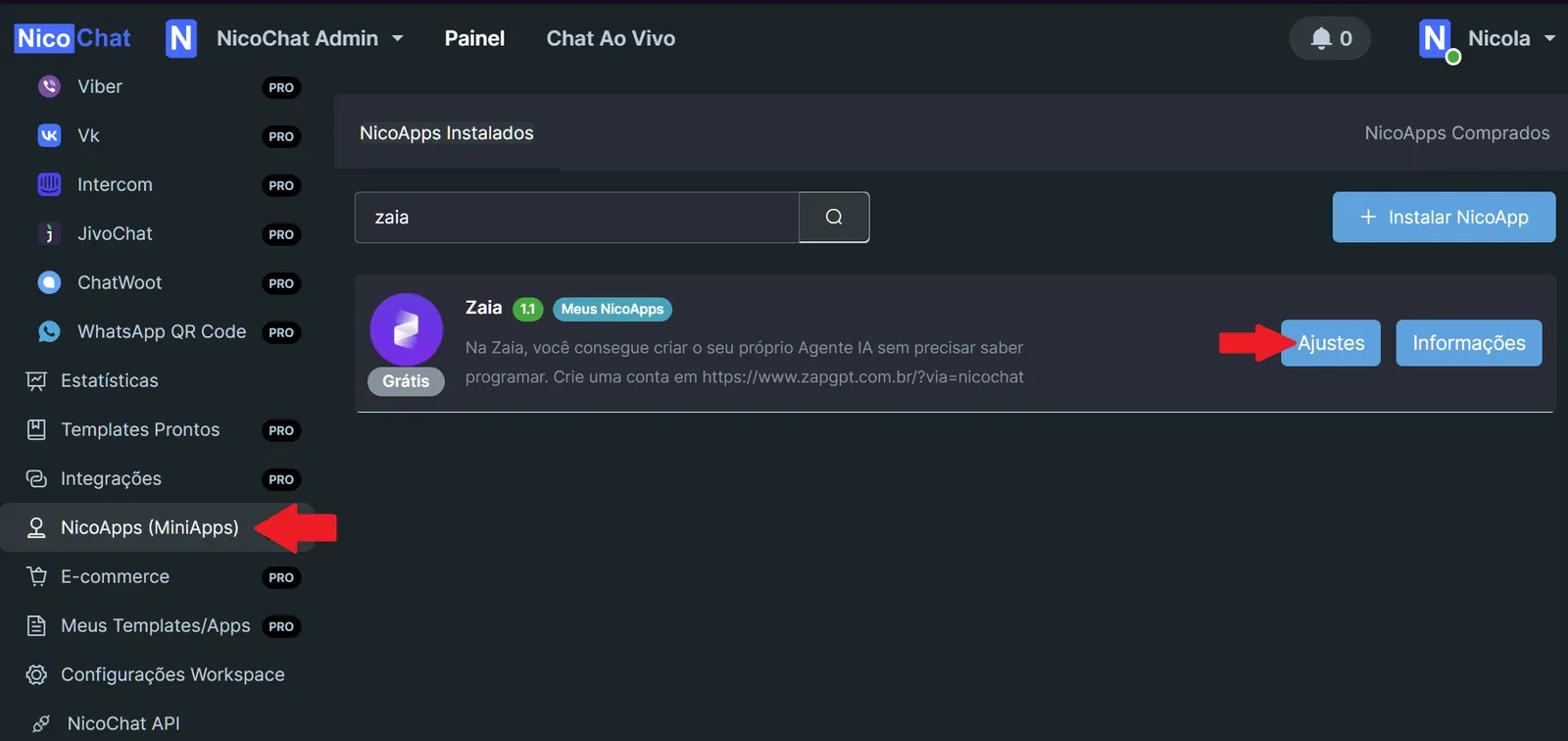
- In NicoChat, find the "NicoApps" section and select the Zaia configuration.
- Enter the API key in the designated field and save the settings.
Implementing Zaia through NicoChat provides improved control of the chatbot, ensuring that automation does not replace the importance of the human touch, but works together with it to deliver a superior user experience. If questions come up or you need further assistance, do not hesitate to seek help in the community.