X AI
NicoChat now lets users connect natively to the X AI platform, making it possible to use cutting-edge AI directly in your Chatbots. Follow this tutorial.
The most interesting part is that it is one of the few alternatives to OpenAI that has Function Calling.
To integrate X AI with NicoChat, you will need an API key. Here is how to get it:
- Go to the X AI site through this link: console.x.ai
- Log in or sign up.
- In the main dashboard, click "API Keys" in the left side menu.
- Create a new API key by clicking the "Create API key" button.
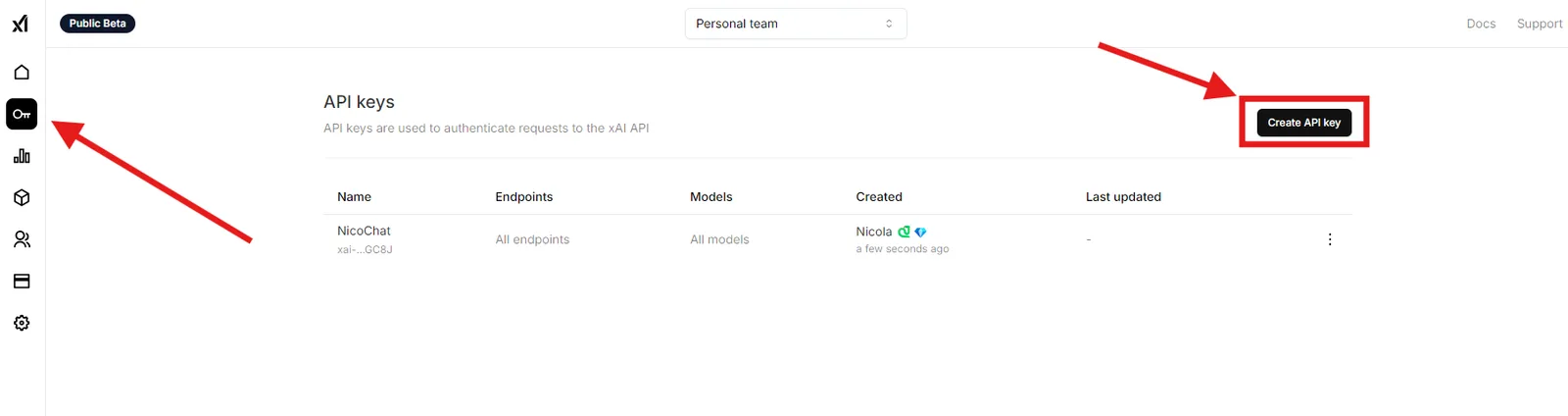
As soon as the key is generated, copy it, since you will need it to configure the integration in NicoChat.
Now that you have the X AI API key, follow the steps below to configure the integration in the NicoChat dashboard:
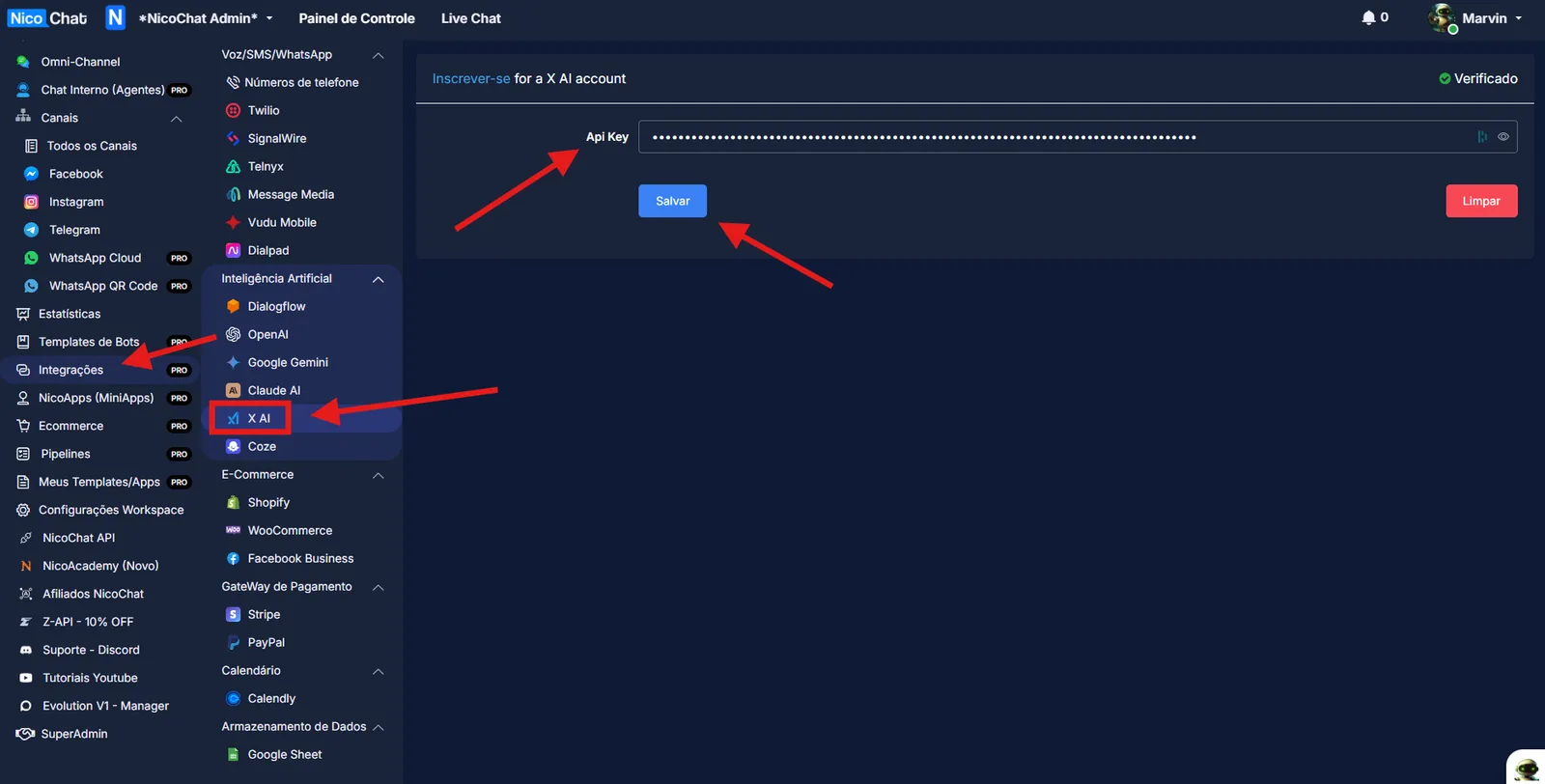
- In your workspace dashboard in NicoChat, click Integrations.
- Under Artificial Intelligence, select X AI.
- Enter the API key you obtained in your X AI account.
- Click Save. When the integration is complete, a check mark will appear indicating that everything is ready.
You can use X AI directly in the NicoChat Flow Builder through the action node:
- Create an action node and select the Integrations option.
- In the menu that appears, click X AI.
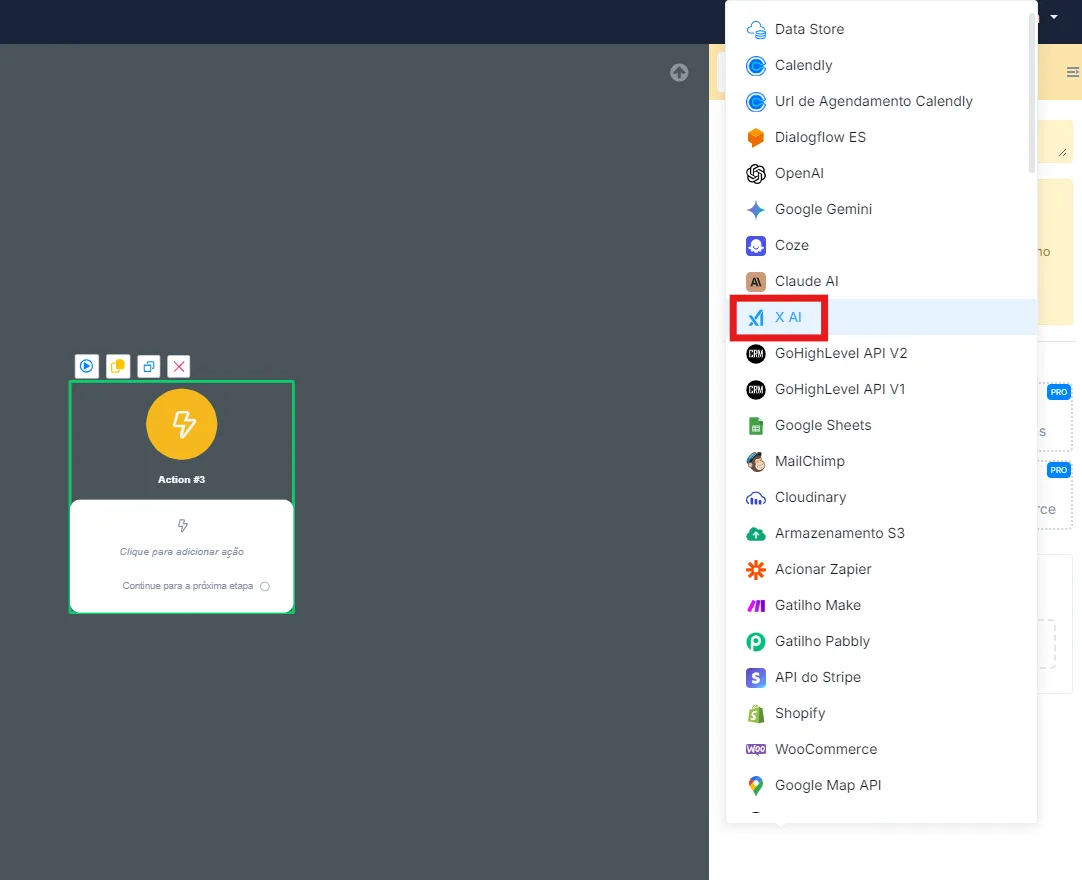
This way, you can create intelligent flows using the X AI features.
NicoChat integrates natively with the following endpoints offered by the X AI API:
- Create Response with AI (Chat Completion): This action is used to generate contextual responses from the information provided.
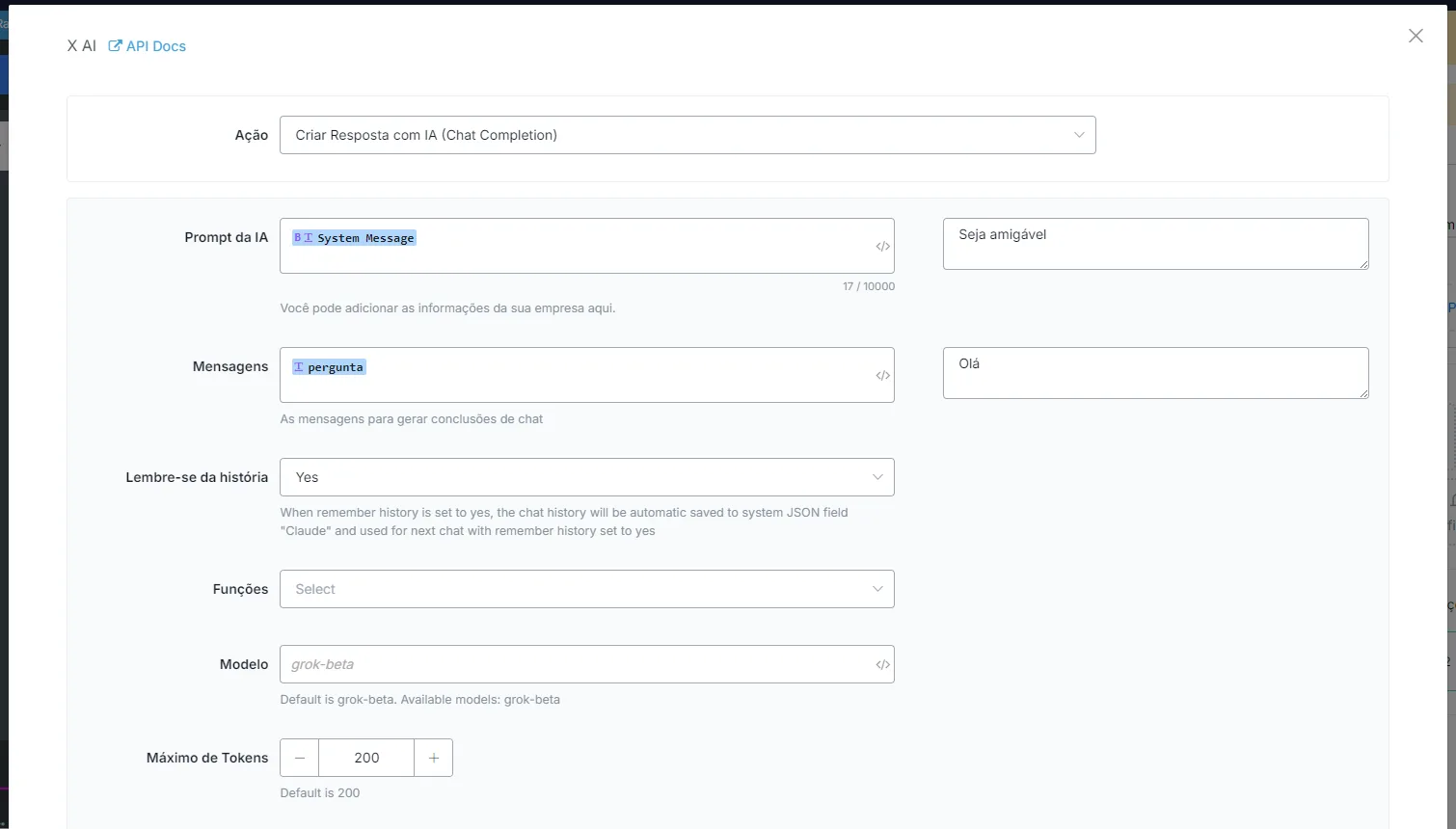
Below is an example of a result generated by X AI when creating a Response with AI (Chat Completion):
{
  "id": "8aafcb7a-7526-4b58-9fdb-025a078178dd",
  "object": "chat.completion",
  "created": 1731678942,
  "model": "grok-beta",
  "choices": [
    {
      "index": 0,
      "message": {
        "role": "assistant",
        "content": "Olá! Como posso ajudar você hoje?",
        "refusal": null
      },
      "finish_reason": "stop"
    }
  ],
  "usage": {
    "prompt_tokens": 17,
    "completion_tokens": 10,
    "total_tokens": 27
  },
  "system_fingerprint": "fp_be475d80cf",
  "messages": [
    {
      "role": "system",
      "content": "Seja amigável"
    },
    {
      "role": "user",
      "content": "Olá"
    },
    {
      "role": "assistant",
      "content": "Olá! Como posso ajudar você hoje?"
    }
  ]
}
You can also use the X AI Function Call feature for specific actions:
{
  "id": "fd807436-ac8c-44a7-8aff-485b0d5a49a4",
  "object": "chat.completion",
  "created": 1731678976,
  "model": "grok-beta",
  "choices": [
    {
      "index": 0,
      "message": {
        "role": "assistant",
        "content": "Claro! Aqui estão os próximos horários disponíveis para agendamento: ```json ",
        "tool_calls": [
          {
            "id": "0",
            "function": {
              "name": "get_availables_times",
              "arguments": "{}"
            },
            "type": "function"
          }
        ],
        "refusal": null
      },
      "finish_reason": "tool_calls"
    }
  ],
  "usage": {
    "prompt_tokens": 126,
    "completion_tokens": 21,
    "total_tokens": 147
  },
  "system_fingerprint": "fp_be475d80cf",
  "messages": [
    {
      "role": "system",
      "content": "Seja amigável"
    },
    {
      "role": "user",
      "content": "Me mande os horários disponíveis"
    },
    {
      "role": "assistant",
      "content": "Claro! Aqui estão os próximos horários disponíveis para agendamento: ```json "
    }
  ]
}
You can also clear the X AI system chat history whenever necessary. This helps you keep control over the history, the execution time and the token consumption.
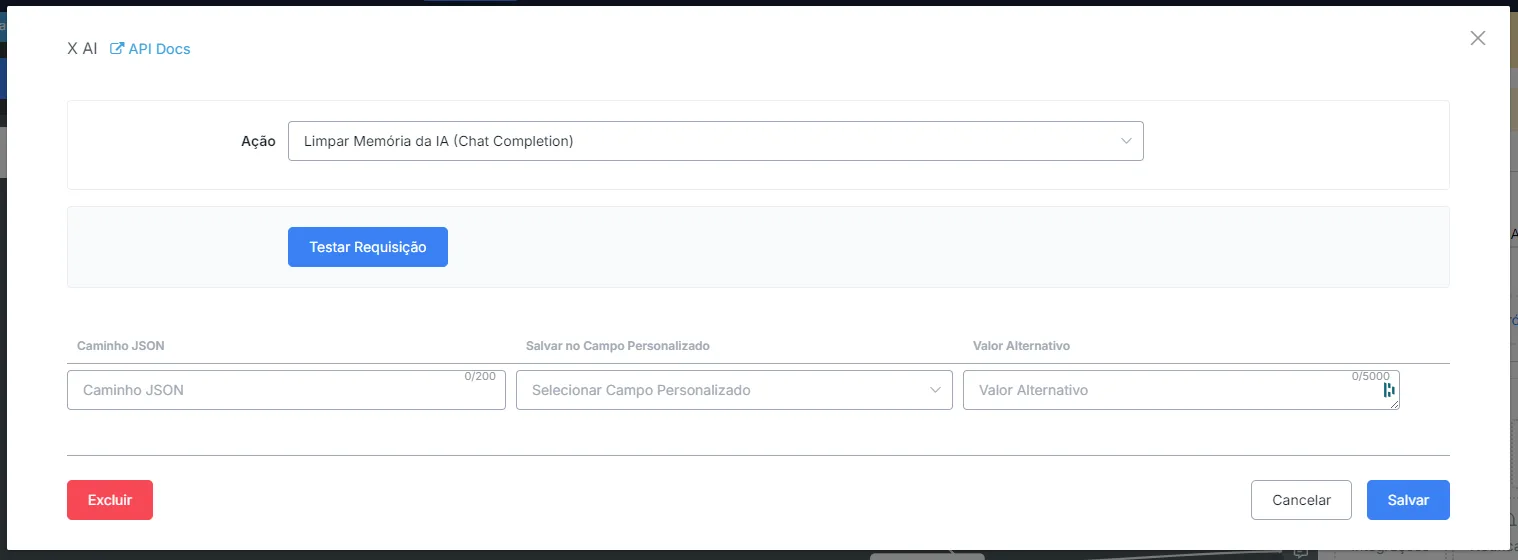
Remember: more information to process = higher token consumption.
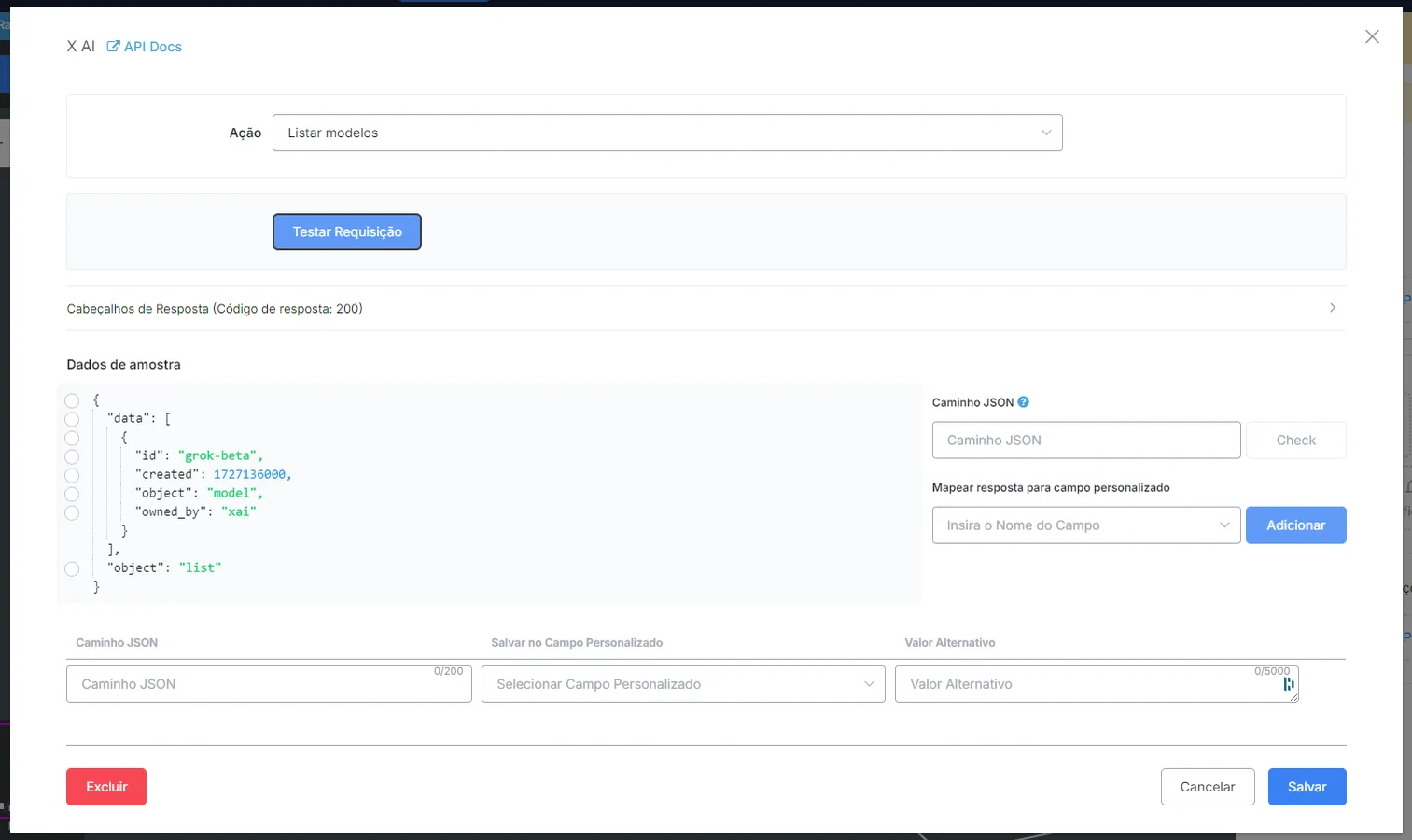
X AI also lets you list the available models.