

Live Chat Webhook
Webhooks are a powerful NicoChat feature that lets you integrate your own platform with NicoChat's chat automation. This is useful if you have your own Live Chat platform and want to leverage NicoChat's automation features without taking users to the NicoChat interface.
Webhooks are designed for developers who have their own platform and some experience with APIs.
Here is the step-by-step guide to set up webhooks in NicoChat:
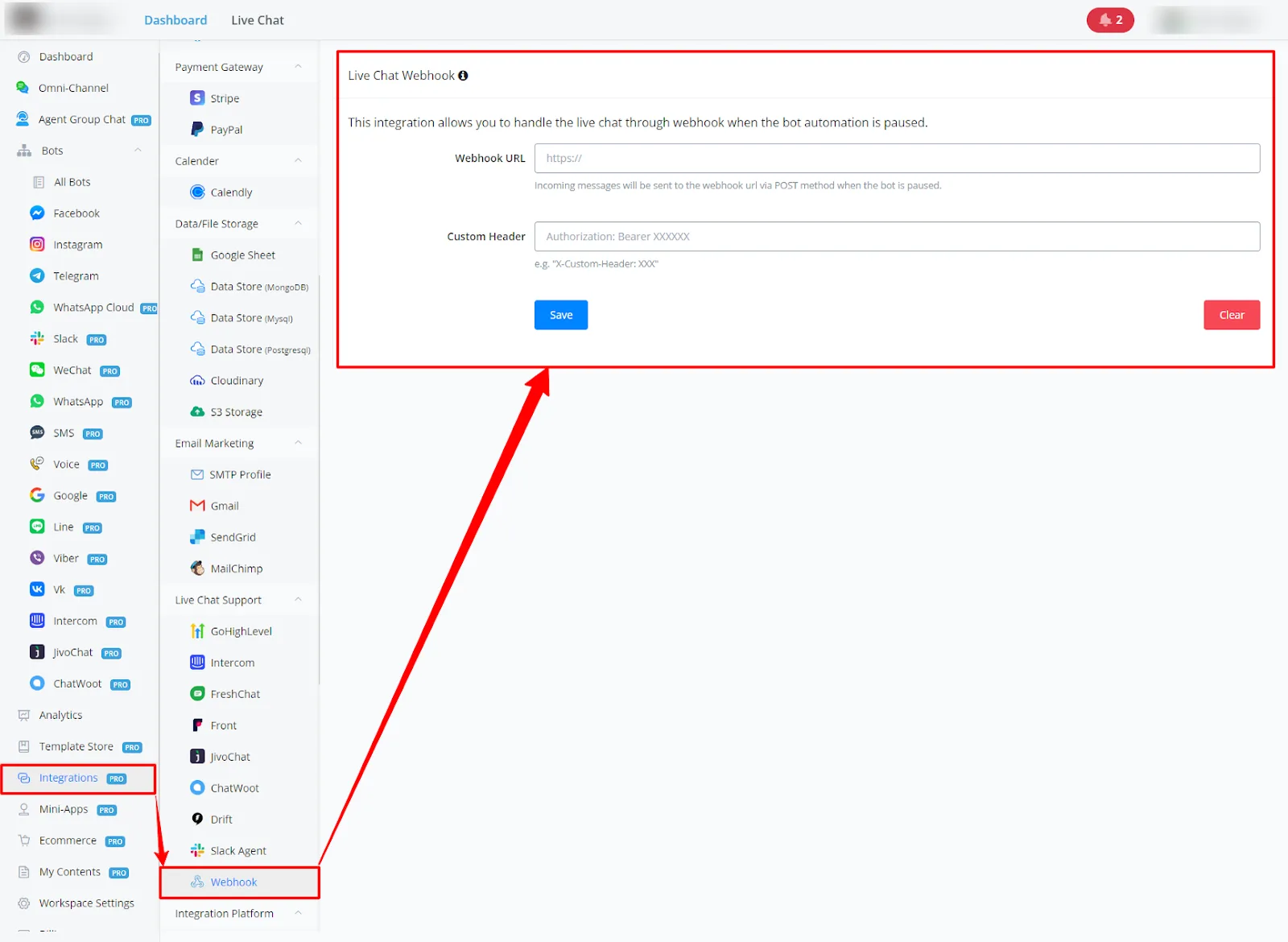
- Go to Integrations and then Webhooks.
- Optionally, you can set up your own headers for extra security.
- Provide the Webhook URL where you want to receive the data.
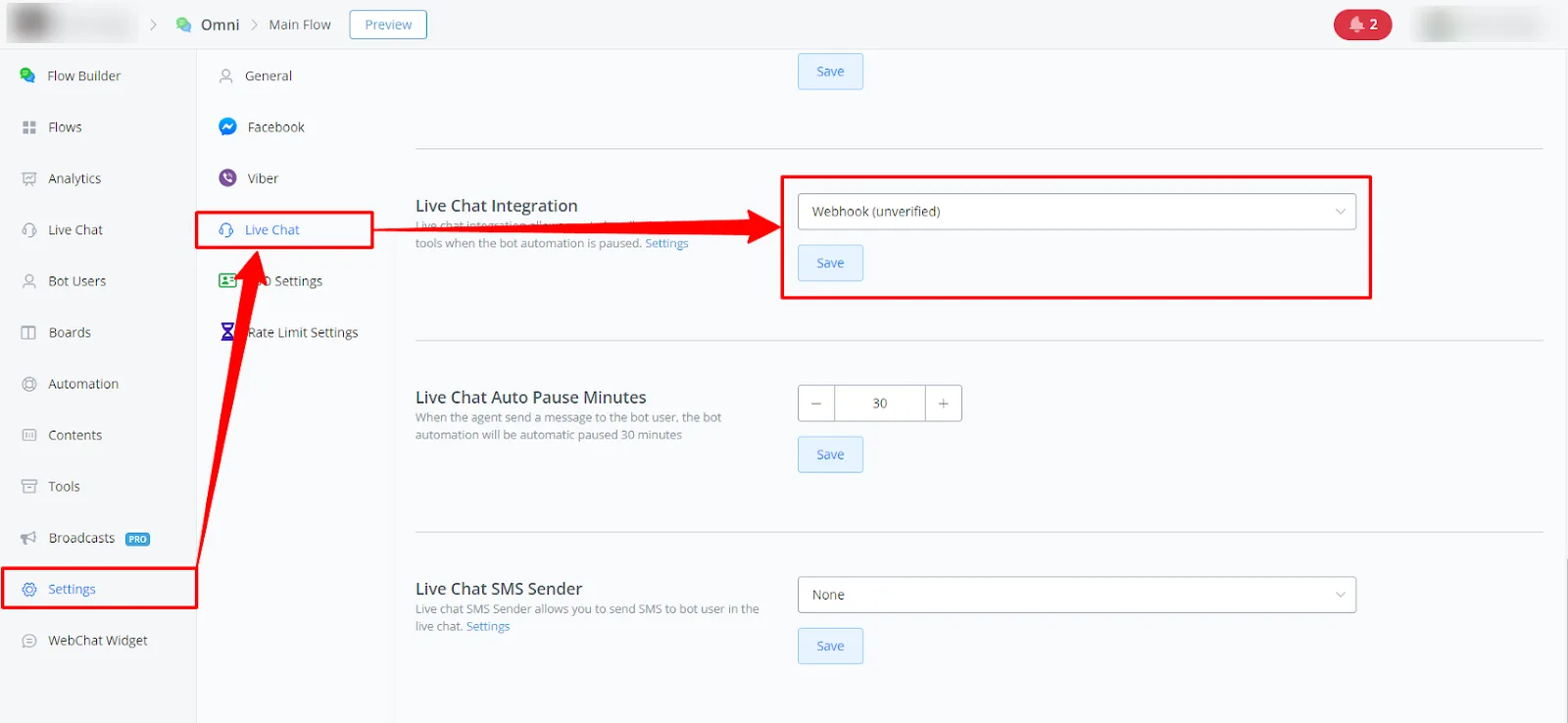
- Go to the Channel Settings of the chat you want to integrate with your platform (for example, WhatsApp, SMS).
- Under Live Chat Settings, select Webhook.
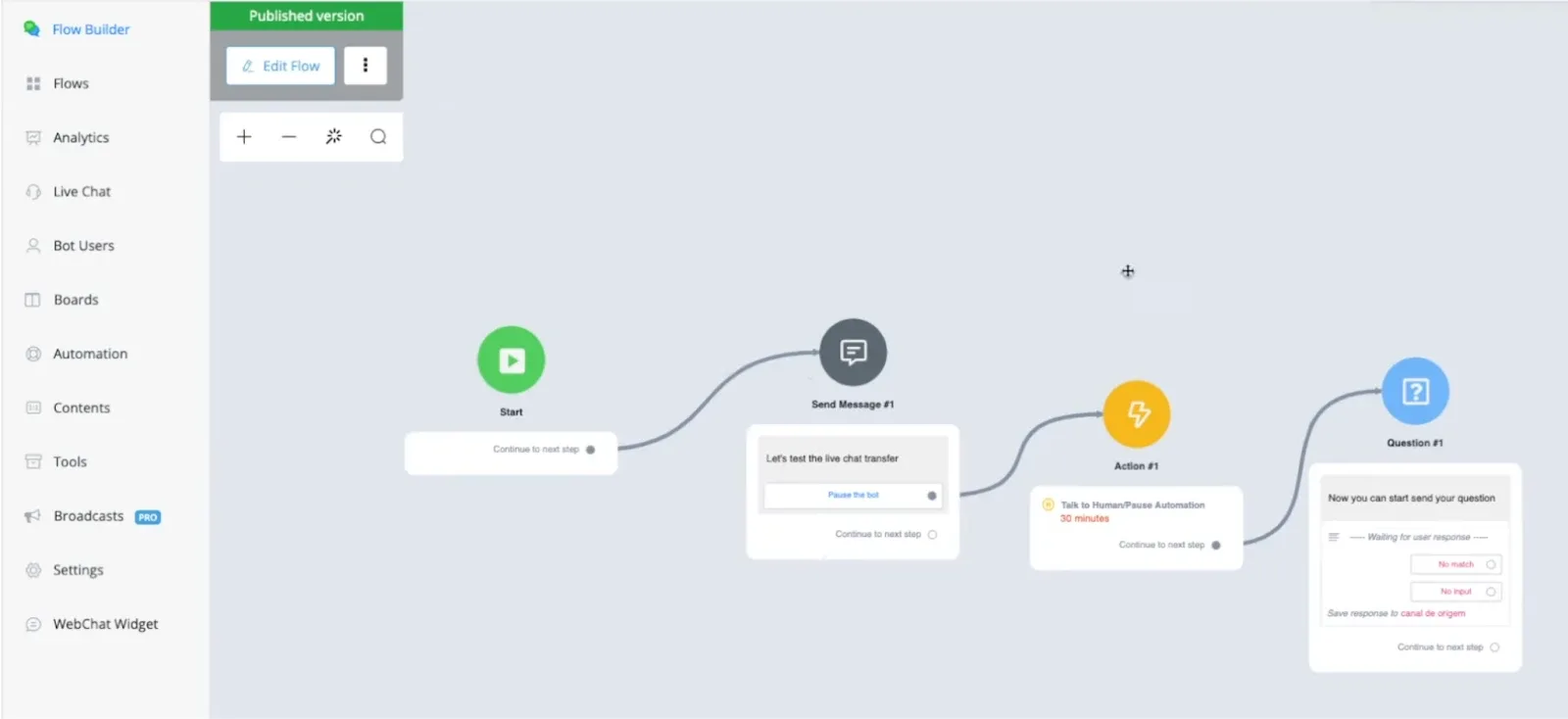
- In your NicoChat flow, include the Pause the Bot action at the point where you want the conversation to switch to your platform.
- When a user interacts after that point, the message will be sent to your Webhook URL.
The data NicoChat sends to your Webhook URL is a JSON payload with several details about the message and the conversation. Here is the breakdown of the sample payload in the image:
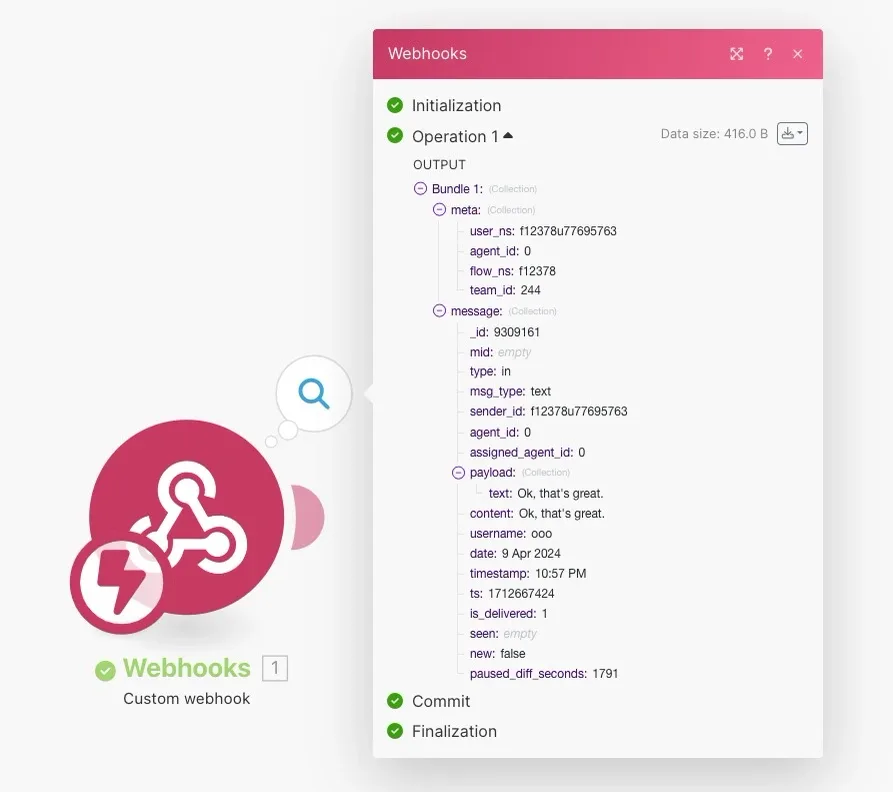
- meta
user_ns: unique identifier of the user. agent_id: ID of the agent currently assigned to the conversation (0 indicates no assigned agent). flow_ns: unique identifier of the chat flow. team_id: ID of the team the chat belongs to. - message
_id: unique identifier of the message. mid: unique identifier of the message within the channel. type: indicates the message type (for example, "in" for an incoming message). msg_type: specifies the message content type (for example, "text"). sender_id: ID of the message sender. agent_id: ID of the agent who received the message (0 indicates no assigned agent). assigned_agent_id: ID of the agent assigned to the conversation after the message was received. - payload
text: contains the text content of the message. content: also contains the text content of the message. username: username of the message sender. date: shows the date the message was sent. timestamp: message timestamp in milliseconds. ts: another representation of the message timestamp. is_delivered: indicates whether the message was delivered (1 means delivered). seen: this field comes empty in the sample payload, but it can indicate whether the message was seen.
Once you capture the user's message in your platform, you can use the NicoChat API to send a response to the user within the conversation. The NicoChat API uses the user_ns and the flow_ns from the payload to identify the conversation and send the message.
- Webhooks are a powerful tool, but they require development expertise.
- NicoChat supports several message types, and the payload reflects the content type (text, image, etc.).
- Use the NicoChat API for two-way communication between your platform and NicoChat users.
By following these steps and understanding the payload data, you can set up webhooks to integrate your own platform with NicoChat's automation features.