

Twilio
With Twilio you can create voice, SMS and WhatsApp chatbots. To connect your Twilio account, go to the integration section in the left-hand menu and select Twilio.
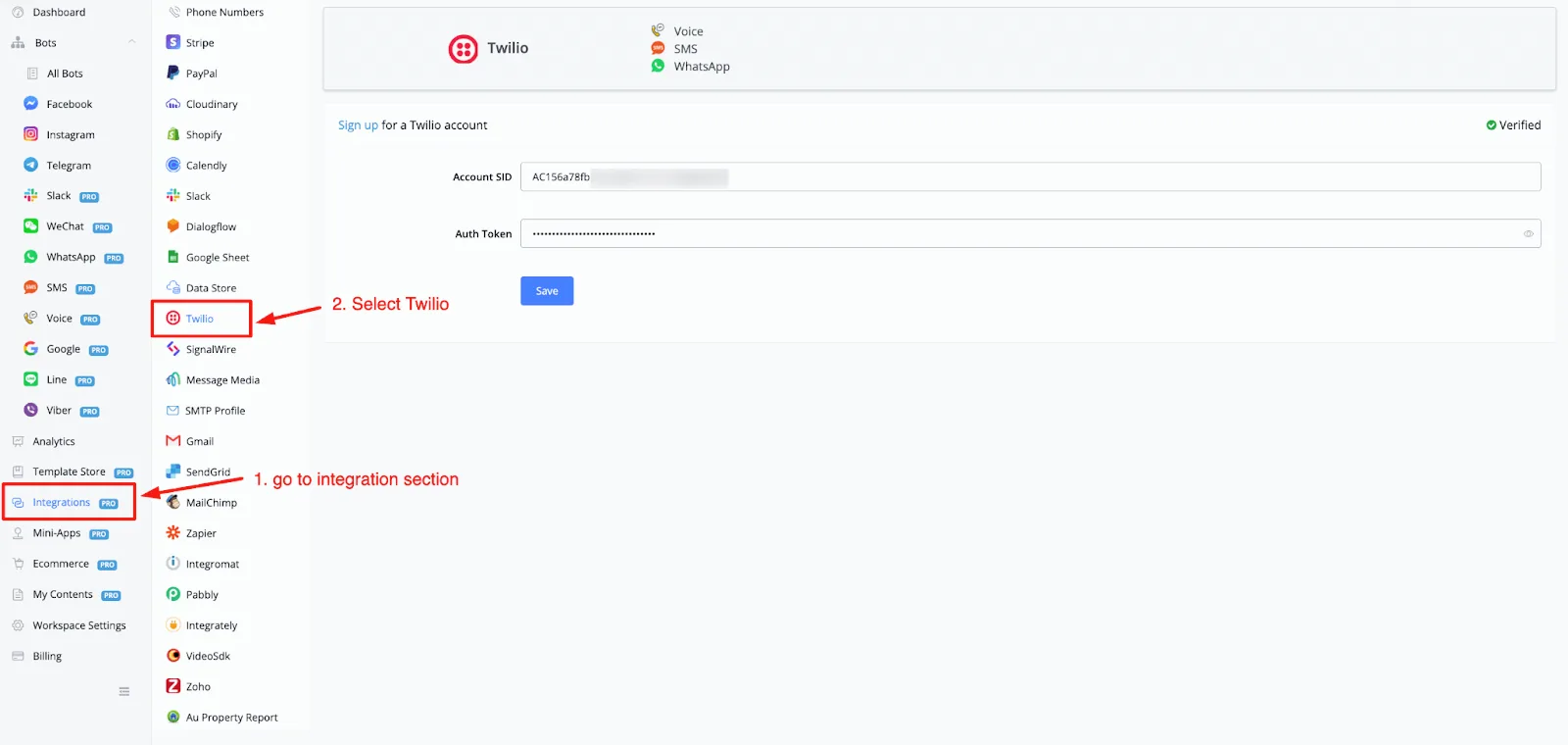
As you can see, you only need to enter two access credentials to connect your Twilio account:
- Account Id
- Authentication Token
Log in to your Twilio account (opens a new window). When you reach the dashboard overview, you will be able to copy the Account SID and the Authentication Token directly.
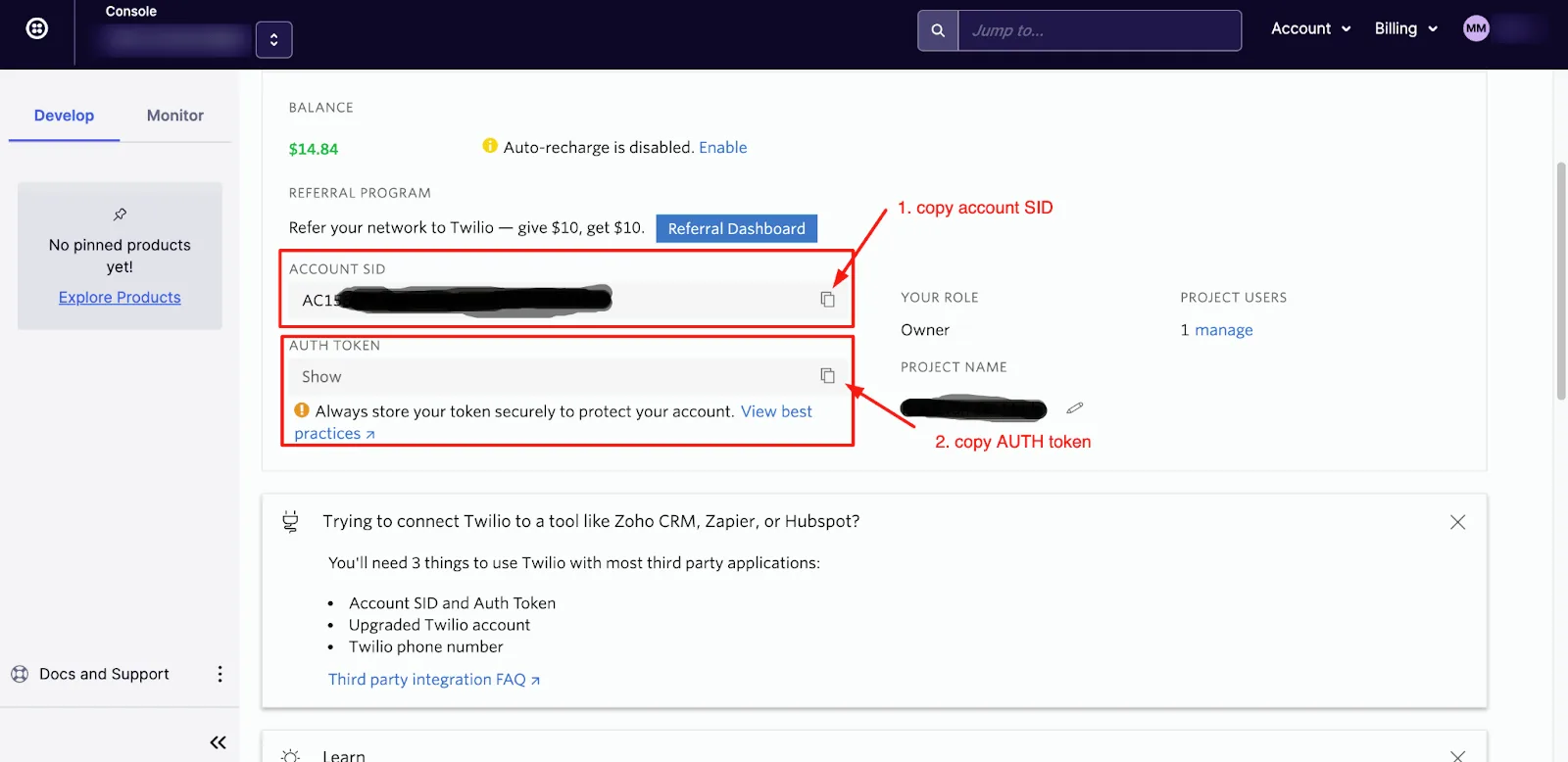
Copy and paste both into the Twilio section of your workspace and click the Save button. If all goes well, you will also see the verified status in the top right corner of the screen.
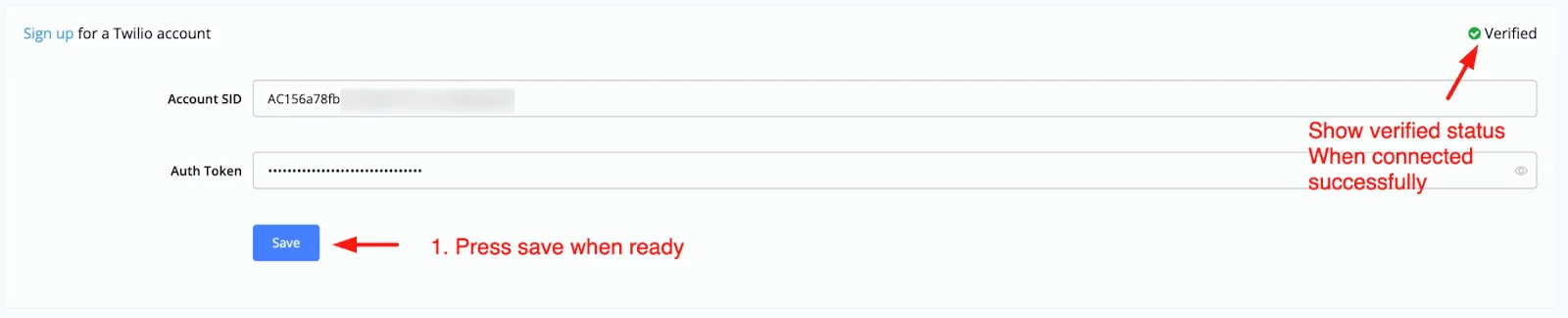
Now that your account is connected, you can create a chatbot on one of the following channels:
- Voice
- SMS
- WhatsApp. Note that the available channel depends on the settings of the connected phone number.
In the example below, when you select a voice channel and choose Twilio as the provider, you will see something like this:
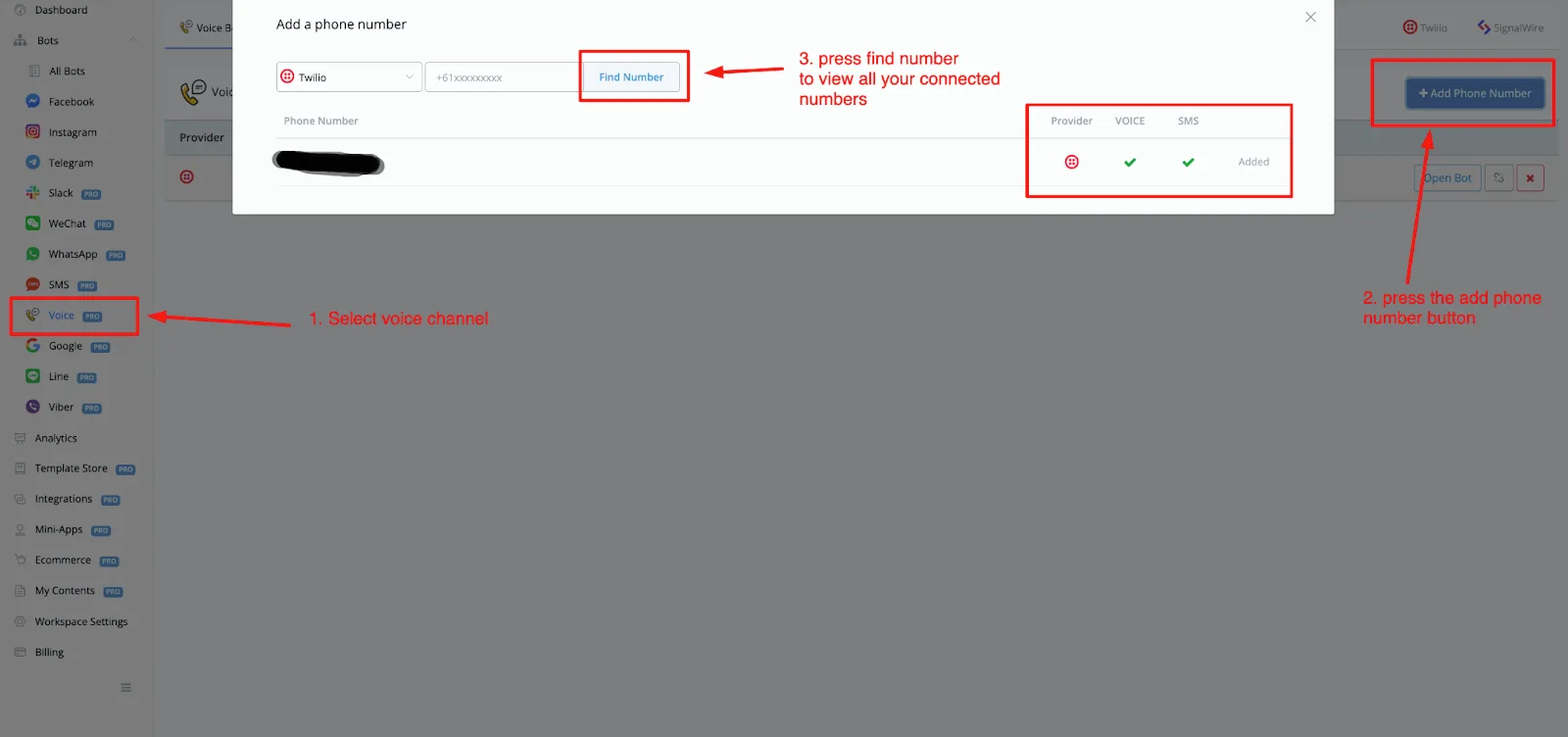
You will also see which channels have been connected to each phone number.