

SuperSaaS
The SuperSaaS integration with NicoChat is a tool for managing appointments and schedules directly from your customer service platform. Through this integration, NicoChat users can create, look up, edit and remove appointments without leaving the conversation.
1
Installation and Connection:
Install the SuperSaaS NicoApp in NicoChat. Sign in to your account and get your API key at SuperSaaS.
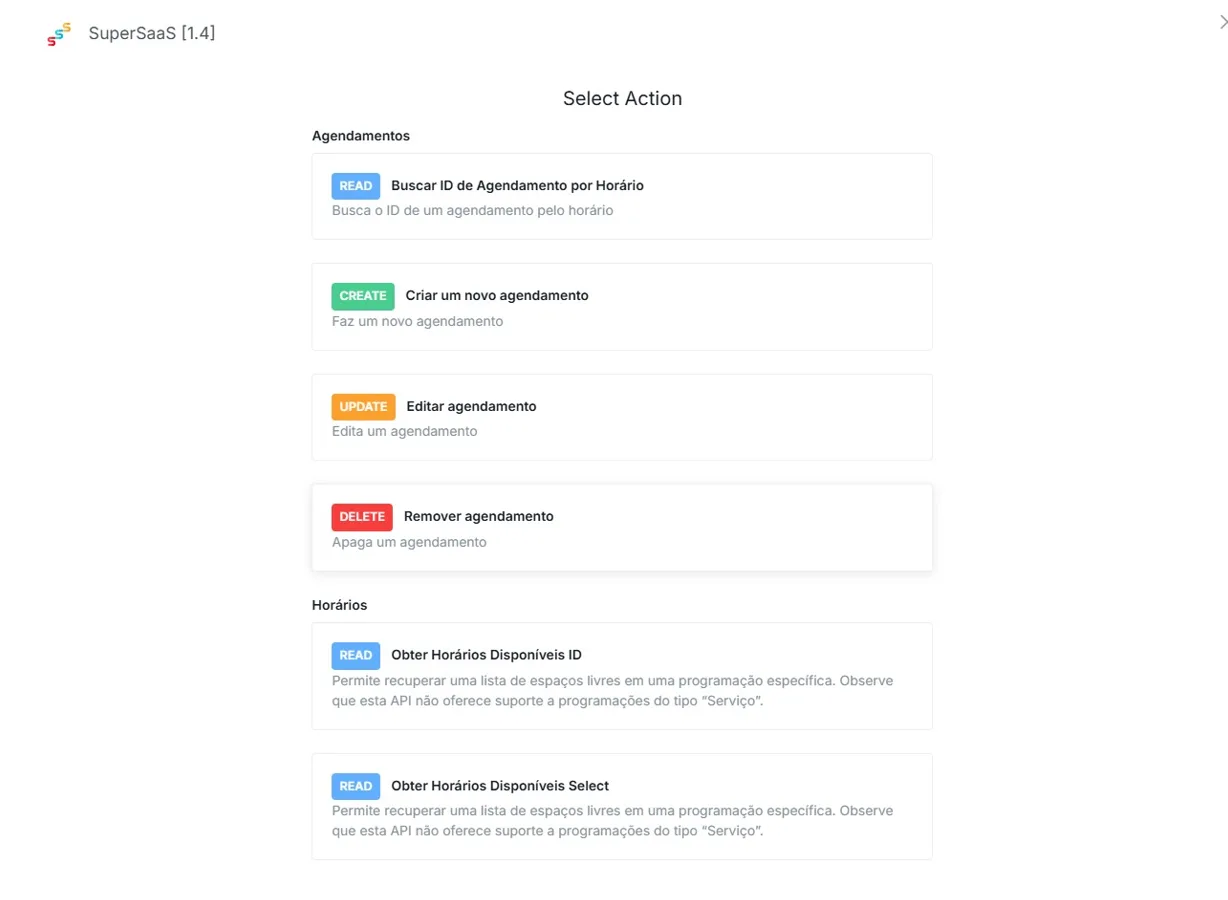
- Search appointment ID by Time (READ):
Search by time for the details of your appointments, including attendees and descriptions. - Create a new appointment (CREATE):
Create new events and appointments in your calendar directly from NicoChat. - Edit appointment (UPDATE):
Make changes to existing events, adjusting times or extra info. - Remove appointment (DELETE):
Remove appointments from your calendar when they are no longer needed. - Get available times ID (READ):
Retrieve your available times to book new appointments and events. - Get available times select (READ):
Retrieve your available times to book new appointments and events.
Thank you for choosing NicoChat for the SuperSaaS integration. We hope this guide makes setup easier and improves the efficiency of your operations. See you next time!