

Stripe - MCP
The Stripe MCP Server lets NicoChat connect directly to your Stripe account. With this integration, the AI can look up or create customers, process payments, issue refunds and much more, exactly as you authorize in the MCP tools.
The Stripe MCP Server lets NicoChat connect directly to your Stripe account. With this integration, the AI can look up or create customers, process payments, issue refunds and much more, exactly as you authorize in the MCP tools.
These features are available for use in flows that use the OpenAI Response.
- Stripe already offers a remote MCP server publicly available at:
- Authentication is done via Bearer Token, using your Stripe API Key.
OAuth is not currently supported.
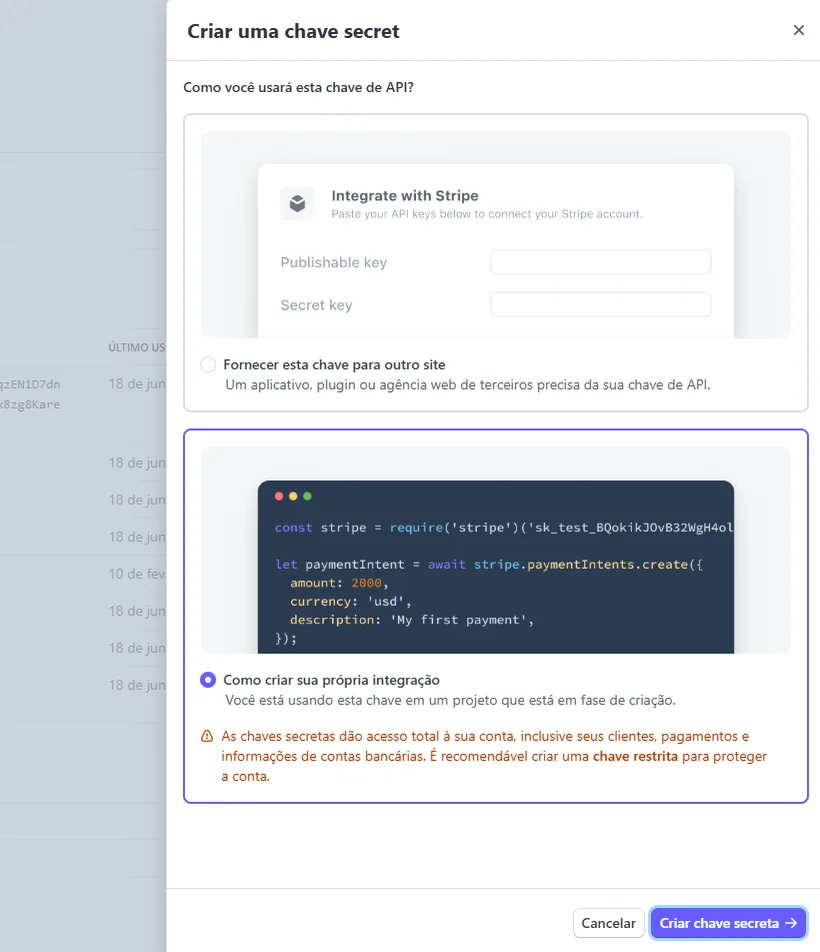
- In the Stripe dashboard, go to Developers → API Keys.
- Generate or copy an API key (recommended: a restricted key).
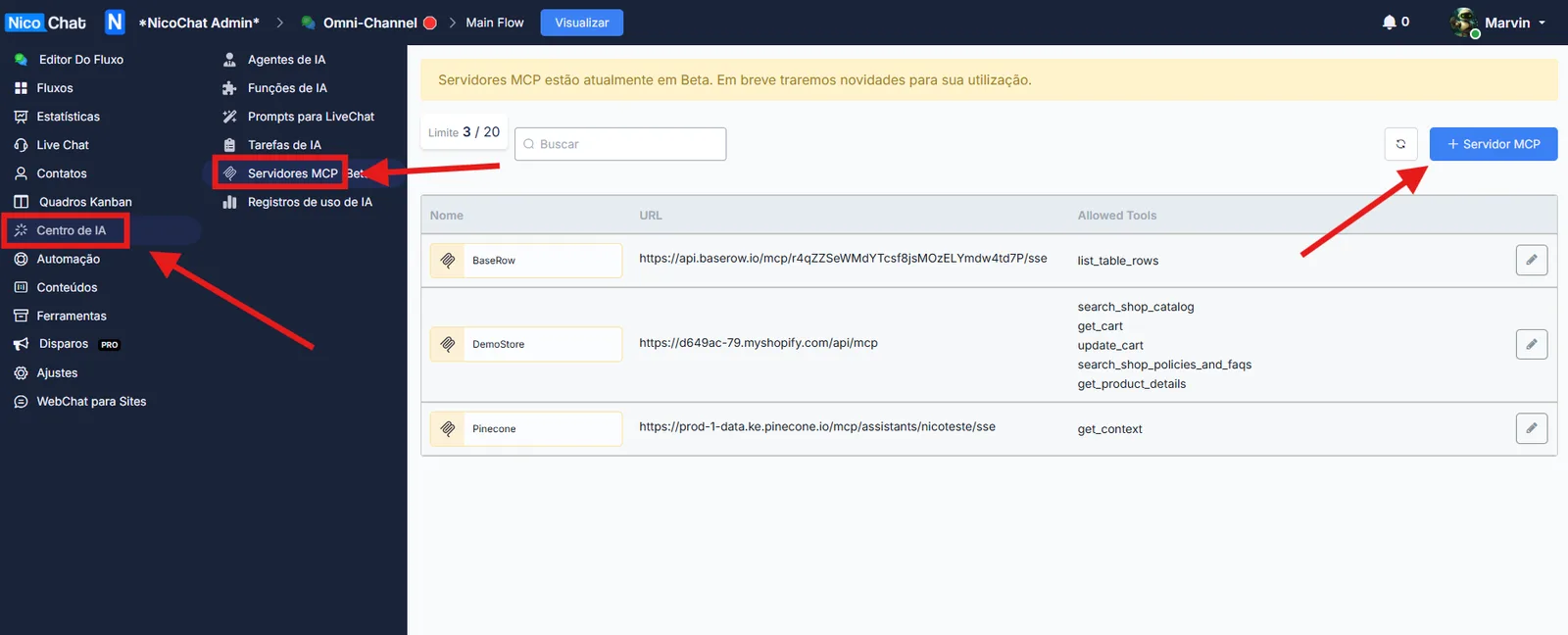
- In NicoChat's side menu, go to:
- Fill in the fields as follows:
Field
Value
Name
A simple name, such as:
StripeURL
https://mcp.stripe.comAuthentication
Bearer Token
Access Token
Paste your Stripe API Key
- Click List Tools to load the tools available in the Stripe MCP Server.
After listing, you will see tools such as:
customer_create— create a new customercustomer_retrieve— look up customer datacustomer_update— update customer datapayment_intent_create— start paymentscharge_list— list chargesrefund_create— issue refunds
… and other related Stripe methods
✅ Select only the ones your NicoChat flow really needs to use.
Attention
Enable only the necessary tools (e.g.:
charge_list, refund_create) to reduce risks and token consumption. Higher-impact tools (e.g.: payments or updates) involve sensitive data and should be enabled with caution. Using fewer tools reduces the chances of misuse and avoids AI “hallucinations”.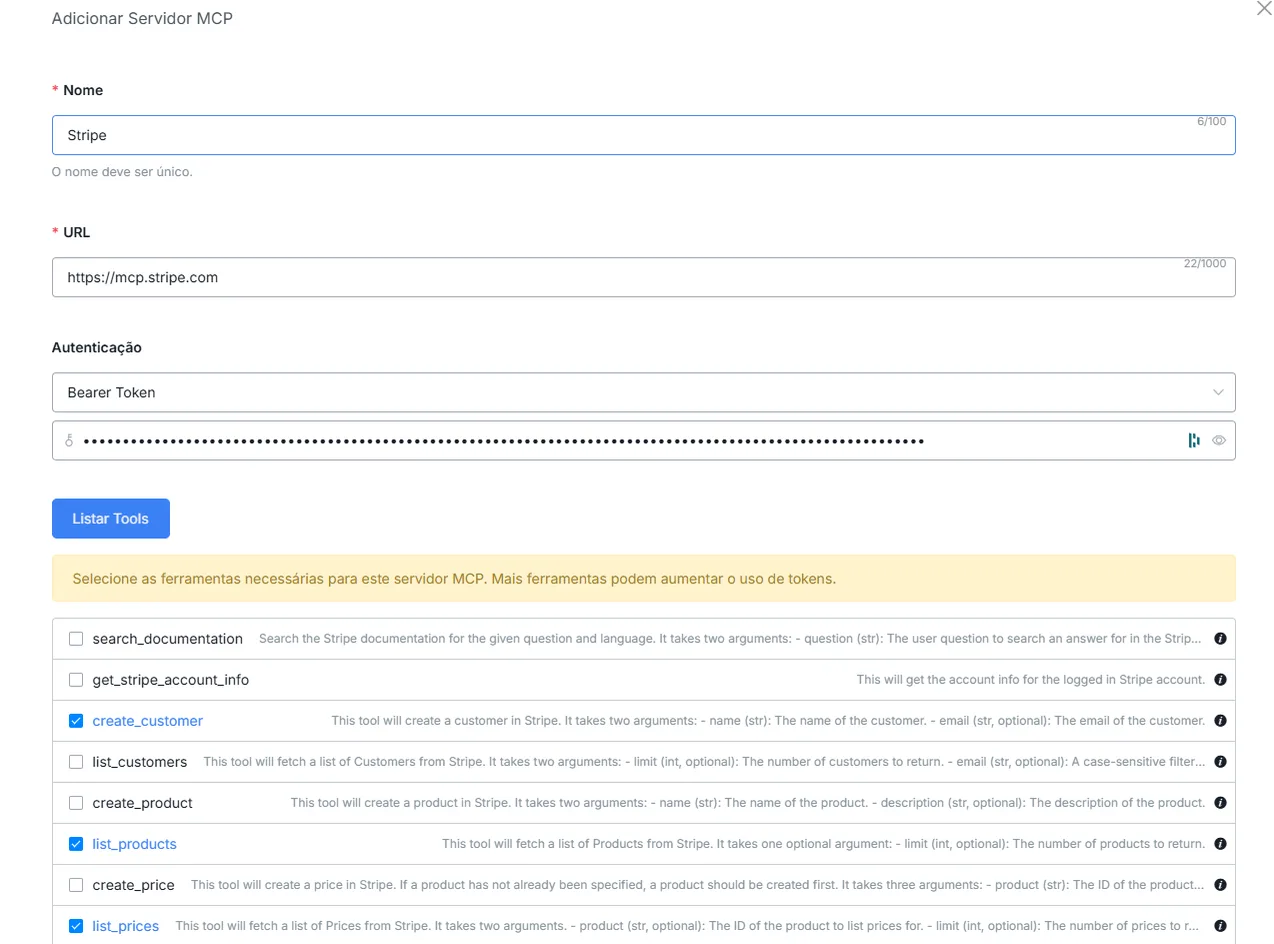
📌 Learn more about how to set this up in your flow at:
👉 MCP Servers