

Stripe
With Stripe, you can accept payments from users via:
- Card
- Alipay
- WeChat Pay
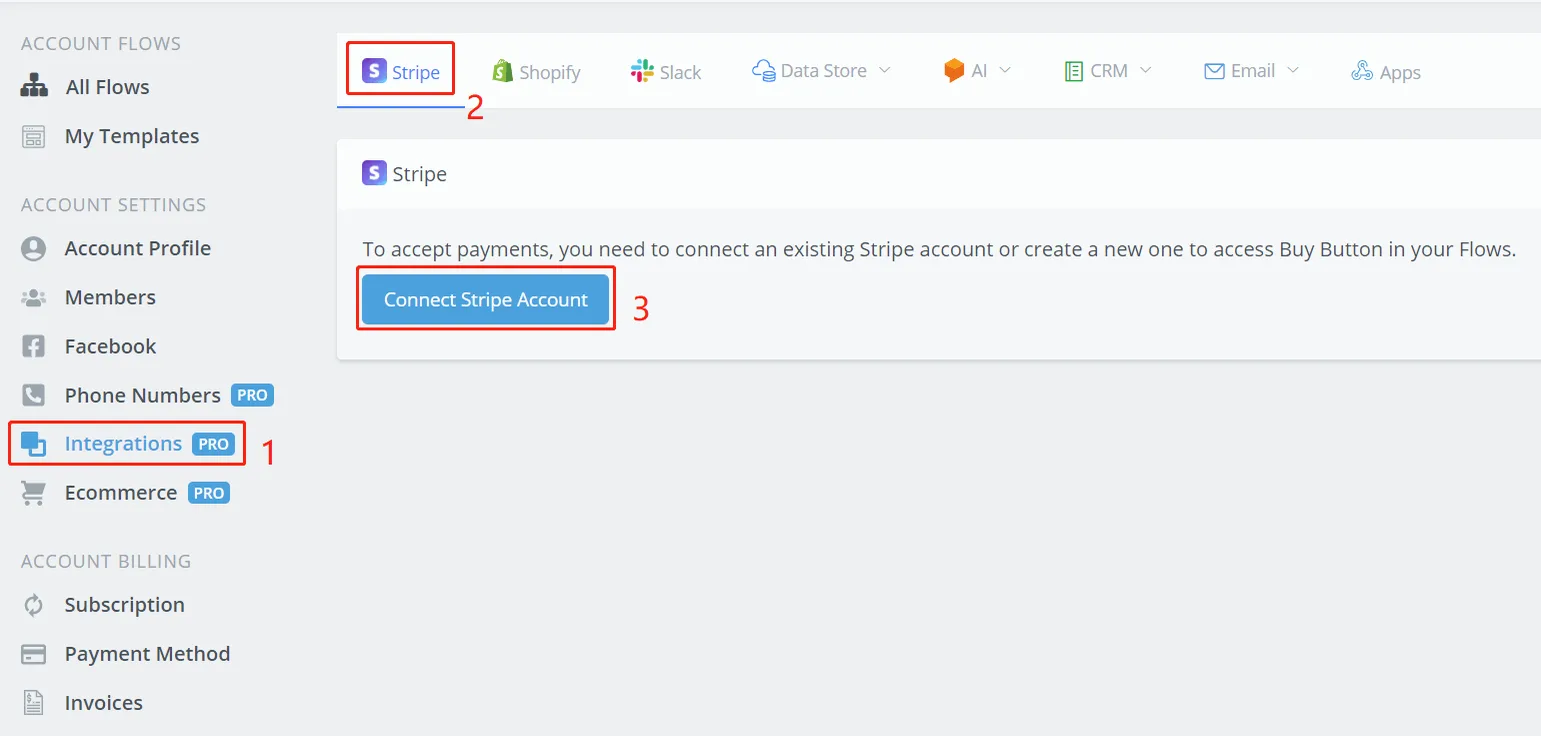
Click 1, 2 and 3, in that order, on the NicoChat dashboard.
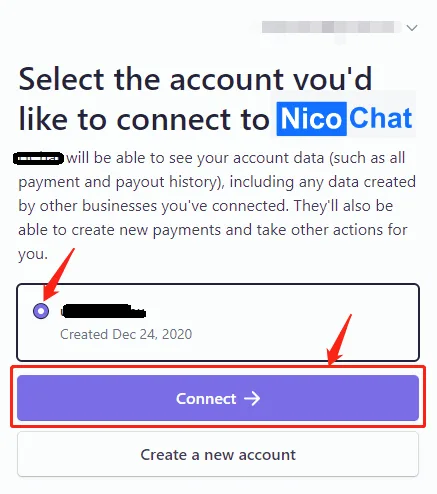
On the Stripe website, log in and select the account you want to connect (create an account if you don't have one yet). You will see the following:

Click the green button to switch from “Live Mode” to “Test Mode”.

In “Test Mode”, you can test the checkout process without making a real payment. The checkout page looks like this:
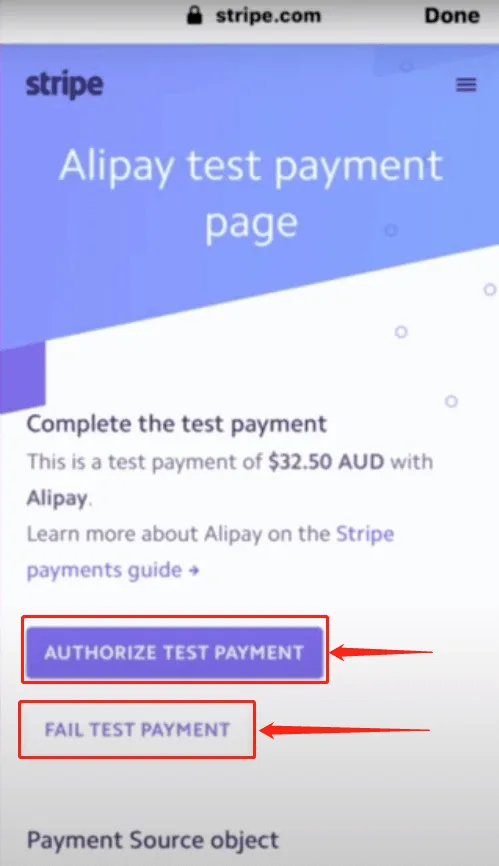
Press the "AUTHORIZE TEST PAYMENT" button to see what happens when the payment is approved. The "FAIL TEST PAYMENT" button, on the other hand, simulates a payment failure. Once everything has been tested, click "Test Mode" again to return to "Live Mode" and then you will be able to receive real payments from users!
More information: Stripe Docs
See Ecommerce to learn how to build a flow that accepts payments.