

SolarMarket
SolarMarket is a CRM for solar energy companies (sales funnels, clients and projects). This NicoApp integrates NicoChat with the SolarMarket v2 API (https://business.solarmarket.com.br).
API access is not made directly with the key copied from the panel — it first has to be exchanged for an access token. The full process has two parts:
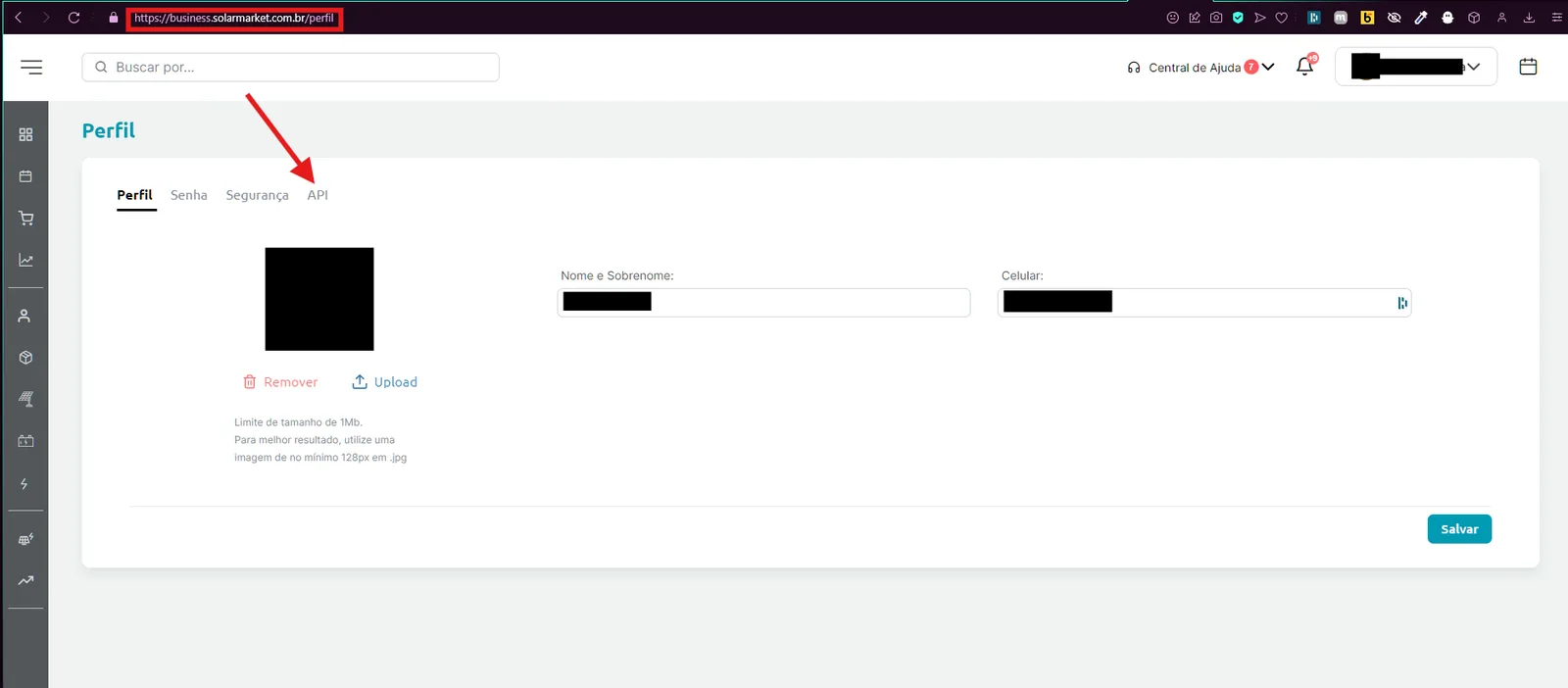
Go to https://business.solarmarket.com.br/perfil and open API.
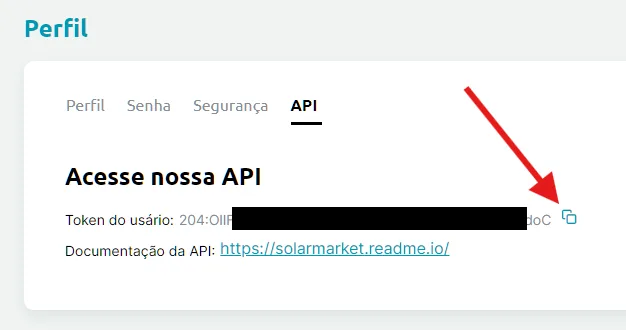
Copy the API Key. It comes in the id:secret format, for example 204:OllF5qWhVH7HGMasvkNaNxIYqDU9XakPVJ9zKdoC.
The NicoApp stores the key copied above in a variable and, before any action (Create Client, Create Project, etc.), it goes through an internal Authentication Sub Flow that:
- Makes a
POST https://business.solarmarket.com.br/api/v2/auth/signinsending the key in the body: - The API responds with an
access_token, which is then sent asAuthorization: Bearer {access_token}in all the following calls. - The NicoApp keeps this token cached for about 5 hours (it stores the time of the last authentication and only calls
/auth/signinagain when that period expires), avoiding the generation of a new token on every action.
In practice, for anyone who is only going to use the installed NicoApp, the only manual step is to copy the API Key from the panel and paste it into the NicoApp configuration field in NicoChat — the exchange for a token and the caching happen automatically on every action.
- Rate limit: according to the official SolarMarket API documentation (solarmarket.readme.io), to prevent abuse and attacks, requests are limited to 60 requests per minute and 1,800 requests per hour per credential.
- Token validity: the access token expires in 360 minutes (6h); the NicoApp renews it automatically once ~5h of cache are completed.
- Besides the rate limit above, the public SolarMarket documentation does not list other usage restrictions (daily quotas, record limit per call, etc.).
The NicoApp exposes 9 actions for direct use in conversation flows. Two additional pieces exist only as internal support and do not appear as a selectable action: Authentication (exchange of the key for a token, described above) and Get Step by Name (a utility called by "Get Steps of a funnel" to resolve the name of a step into its ID).
GET /api/v2/funnelsPOST /api/v2/clientsPATCH /api/v2/clients/{id}GET /api/v2/clients?id={id}GET /api/v2/clients?email={email}DELETE /api/v2/clients/{id}POST /api/v2/projectsPATCH /api/v2/projects/{id}DELETE /api/v2/projects/{id}- Create Project accepts two ways of use: if a
clientIdis provided, the project is linked to that already existing client; if noclientIdis provided, the NicoApp sends the client data along in the same request and SolarMarket creates client and project at once. - Before creating or editing a Project linked to a specific step, use Get Steps of a funnel to resolve the name of the desired step into a valid
stageId. - To avoid duplicate clients, use Get Client by Email before Create Client — if it already exists, prefer Edit Client.
- All the actions perform the token exchange automatically; it is not necessary (nor possible) to call the Authentication manually from the flow.
- Numeric fields such as
responsibleId,representativeId,stageIdandclientIdmust be the numeric IDs returned by the API itself (e.g. the client's assignee/representative, or the ID returned when the client is created).