Signalwire
With Signalwire you can create voice and SMS chatbots inside your NicoChat account. This native integration lets you connect your account in just a few steps.
From the main dashboard, choose Integrations on the left-hand menu and select Signalwire from the list.
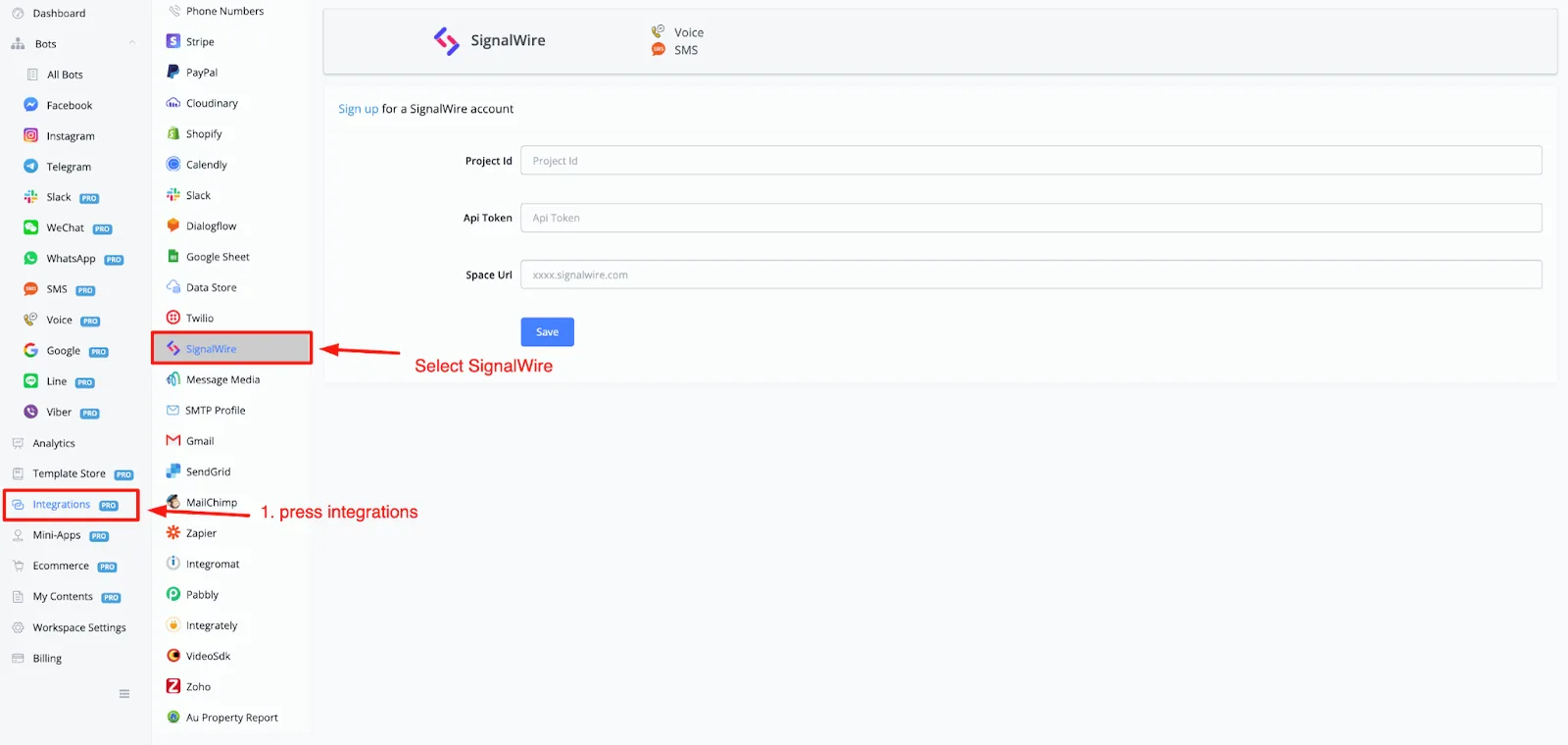
You will need three credentials to connect your SignalWire account:
- Project ID
- App Token
- Space Url
To get your credentials, log in to your SignalWire account.
Once you are in, you will be directed to the dashboard, with an overview similar to this one.
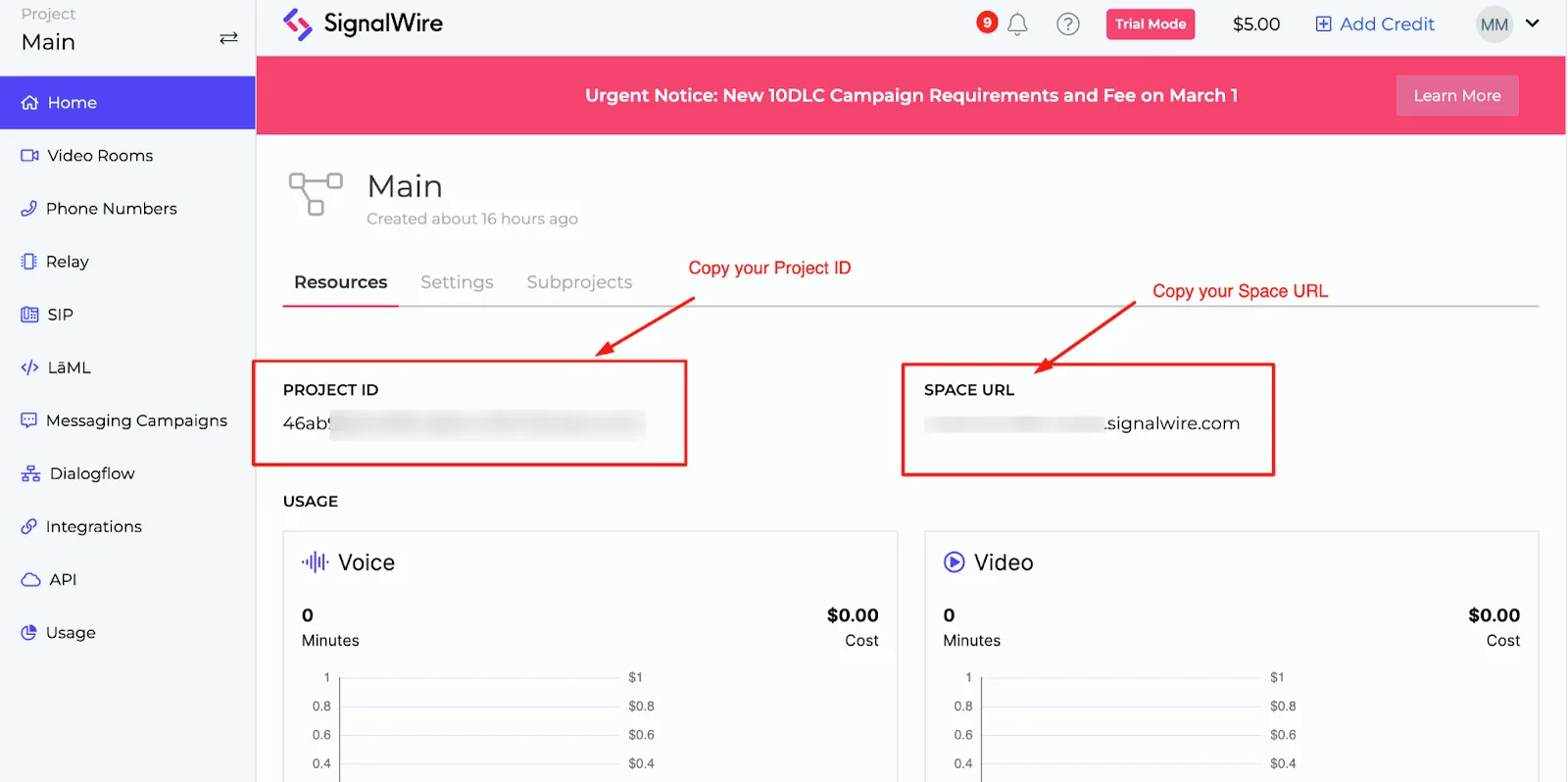
In this main dashboard you can already find the Project ID and the Space Url.
To get the token, go to the API menu option on the left-hand side and click the generate a token button.
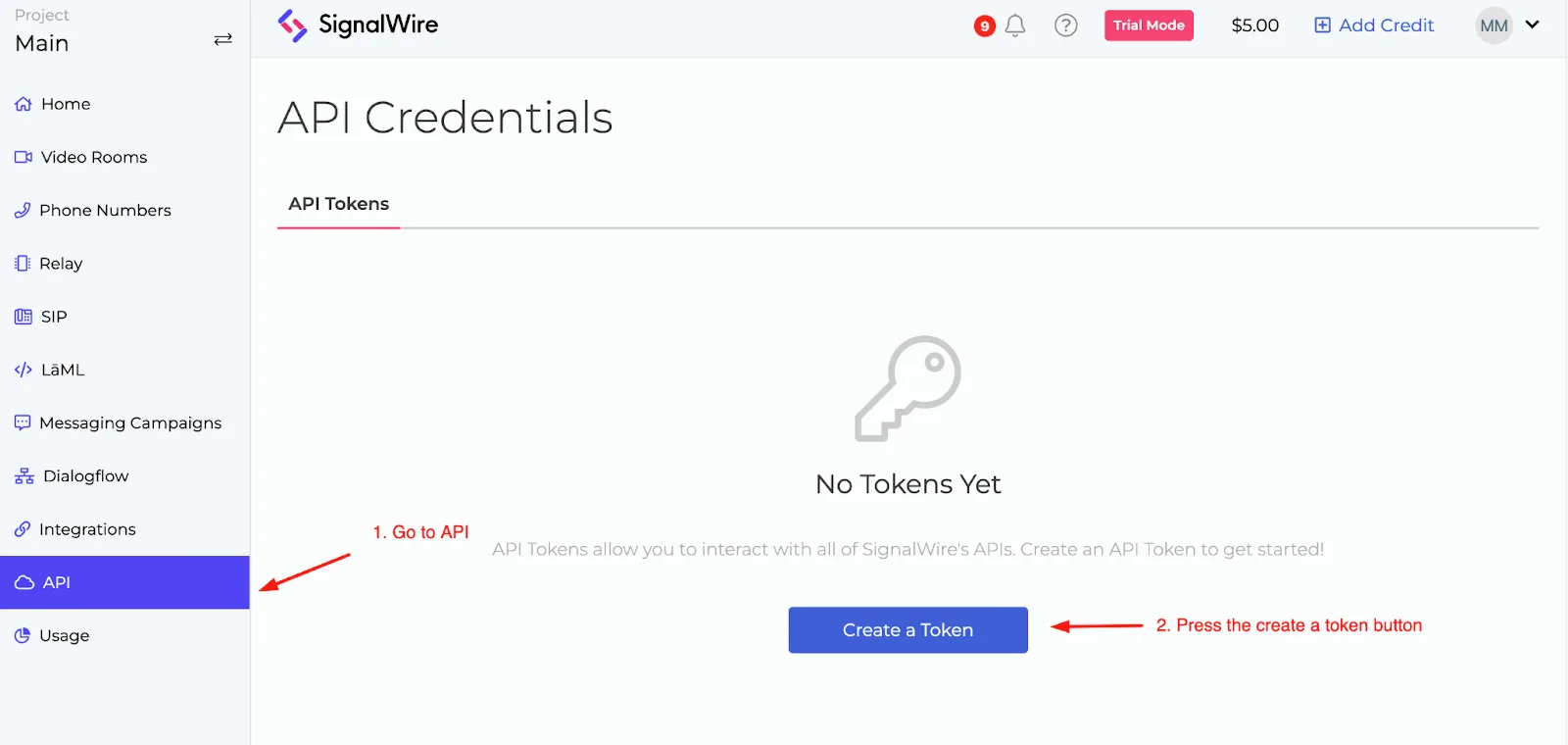
Fill in the requested credentials and you will receive a token.
When you are done, paste all the credentials into your workspace and don't forget to click the Save button.
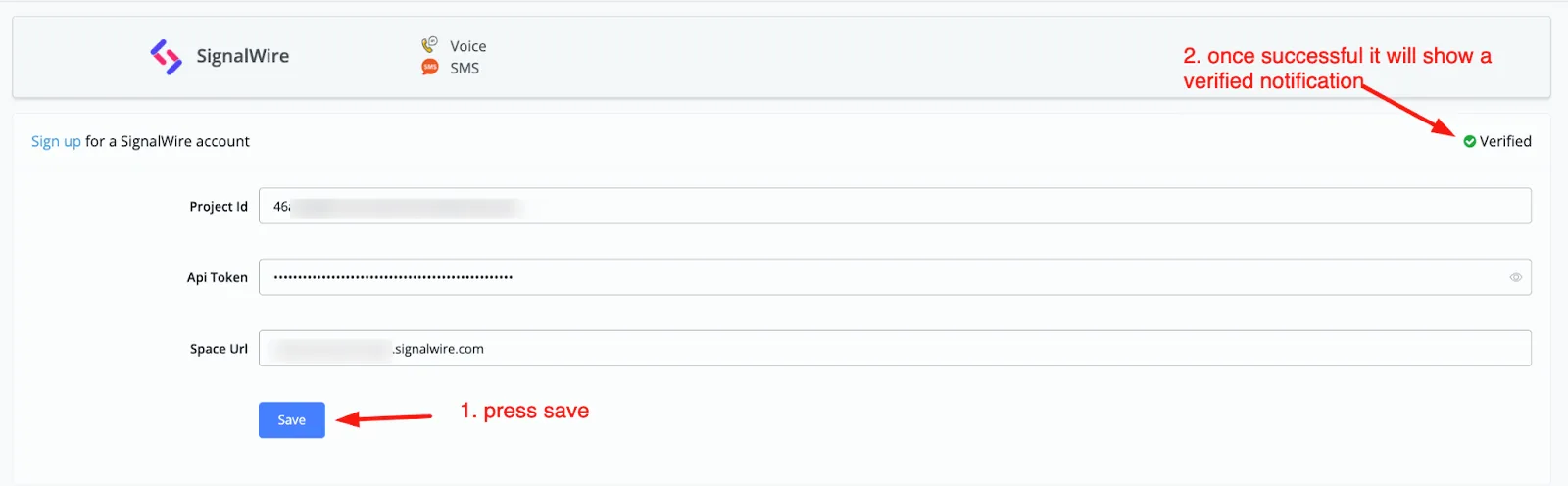
Now that your account is connected, you can start creating voice and SMS chatbots.
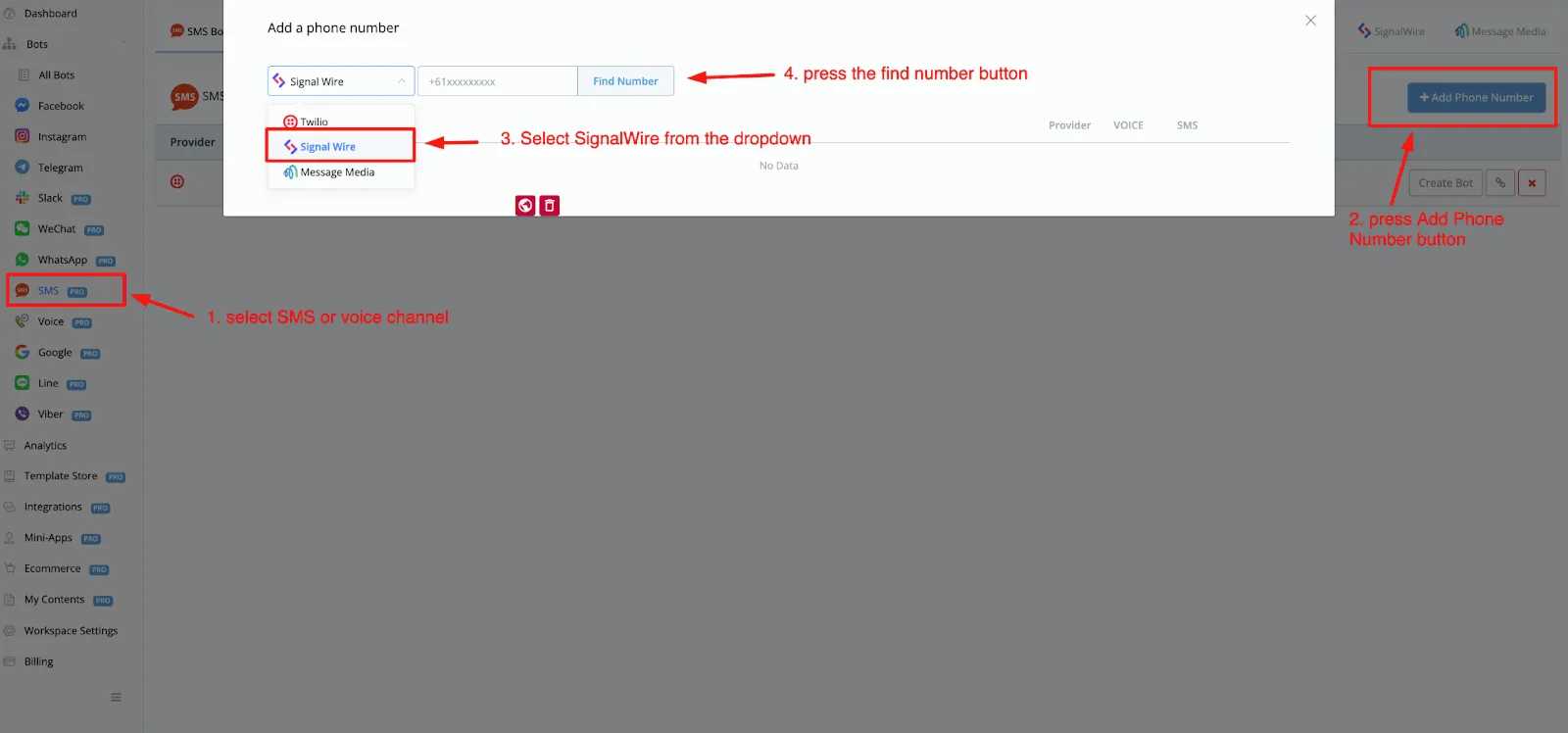
Just go to the left-hand menu, select the voice or SMS channel and click the Add Phone Number button.
From the dropdown, select SignalWire and click the find number button.