

Re:tune
This guide presents the Re:tune integration with NicoChat, essential for anyone looking for advanced management and fine-grained control over chatbots. Combining Re:tune, a sophisticated artificial intelligence platform, with the NicoChat infrastructure lets you balance intelligent automation and human interaction.
This guide presents the Re:tune integration with NicoChat, essential for anyone looking for advanced management and fine-grained control over chatbots. Combining Re:tune, a sophisticated artificial intelligence platform, with the NicoChat infrastructure lets you balance intelligent automation and human interaction. With this integration, you maximize the efficiency of your support, ensuring instant and accurate answers, while still keeping the option to escalate to human support when necessary.
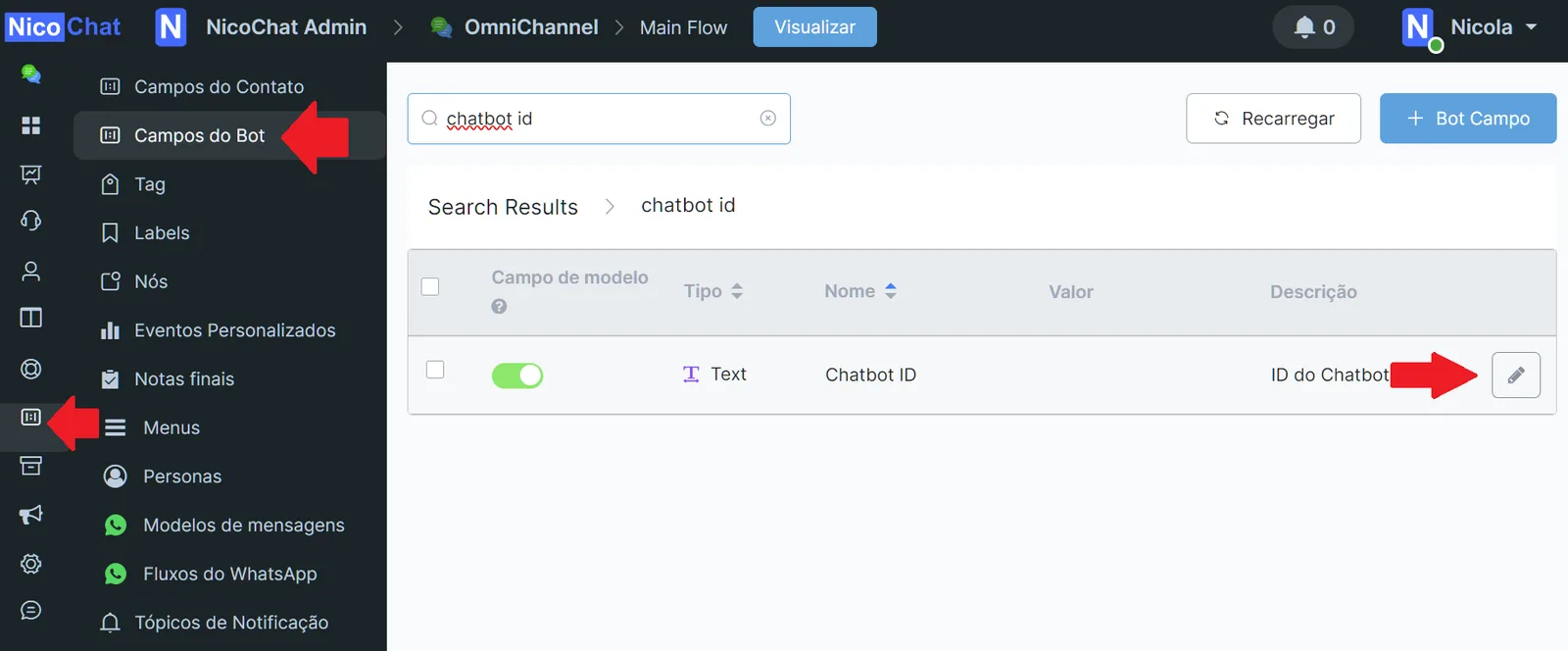
- Getting the Bot ID:
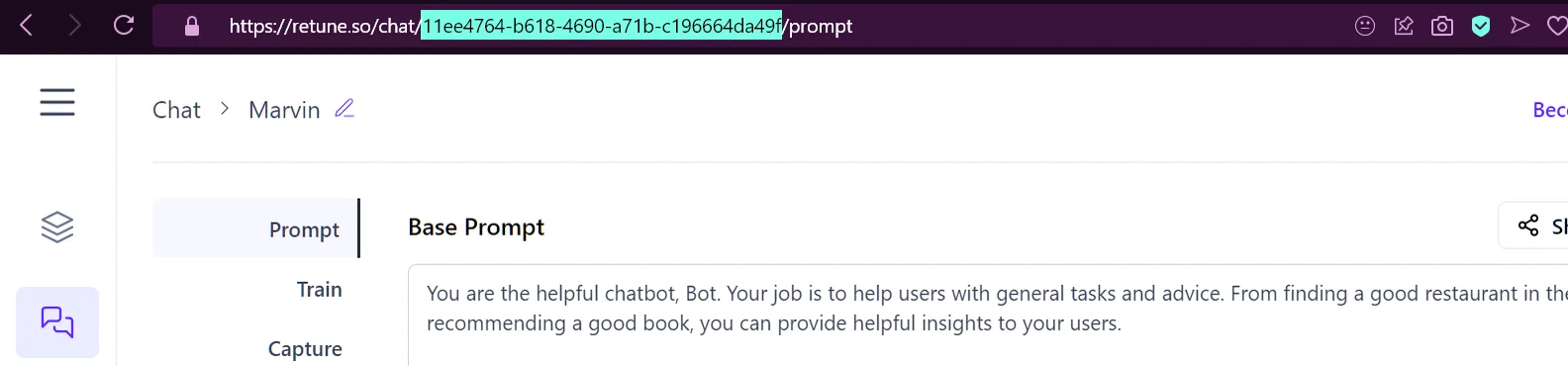
In Re:tune, open the bot you want to integrate.
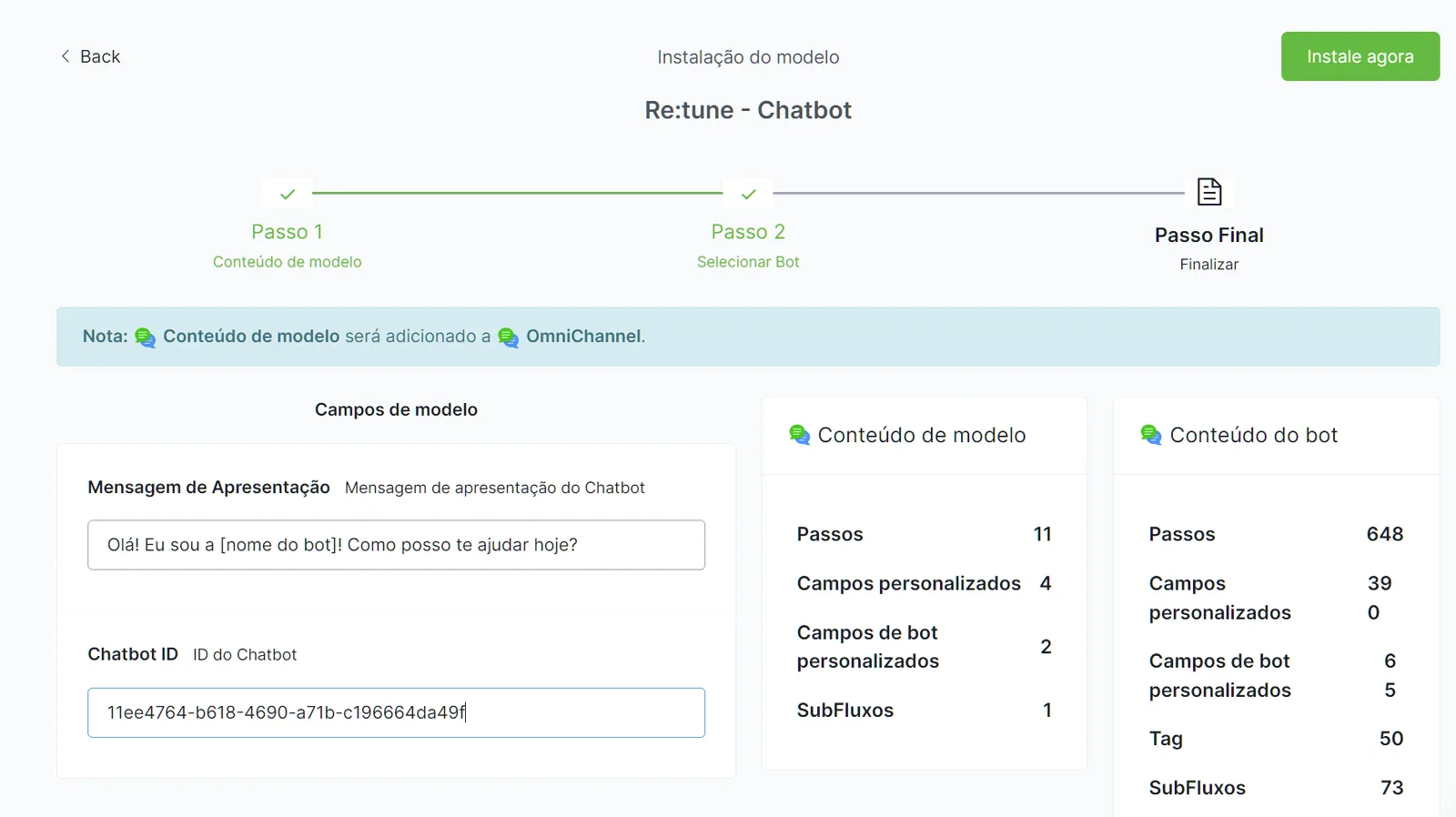
Copy the bot ID from the URL to use later in the integration.
- Template Installation:
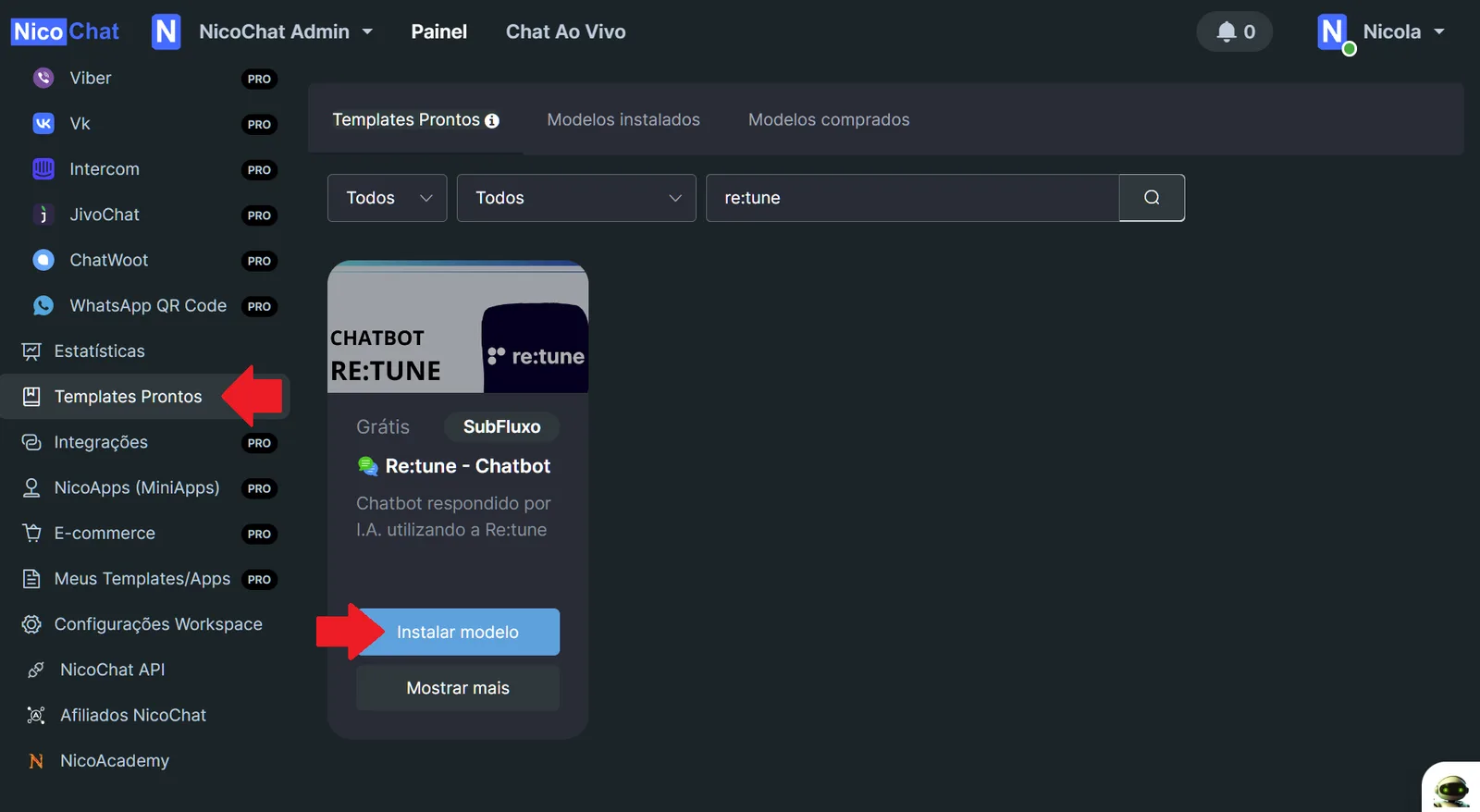
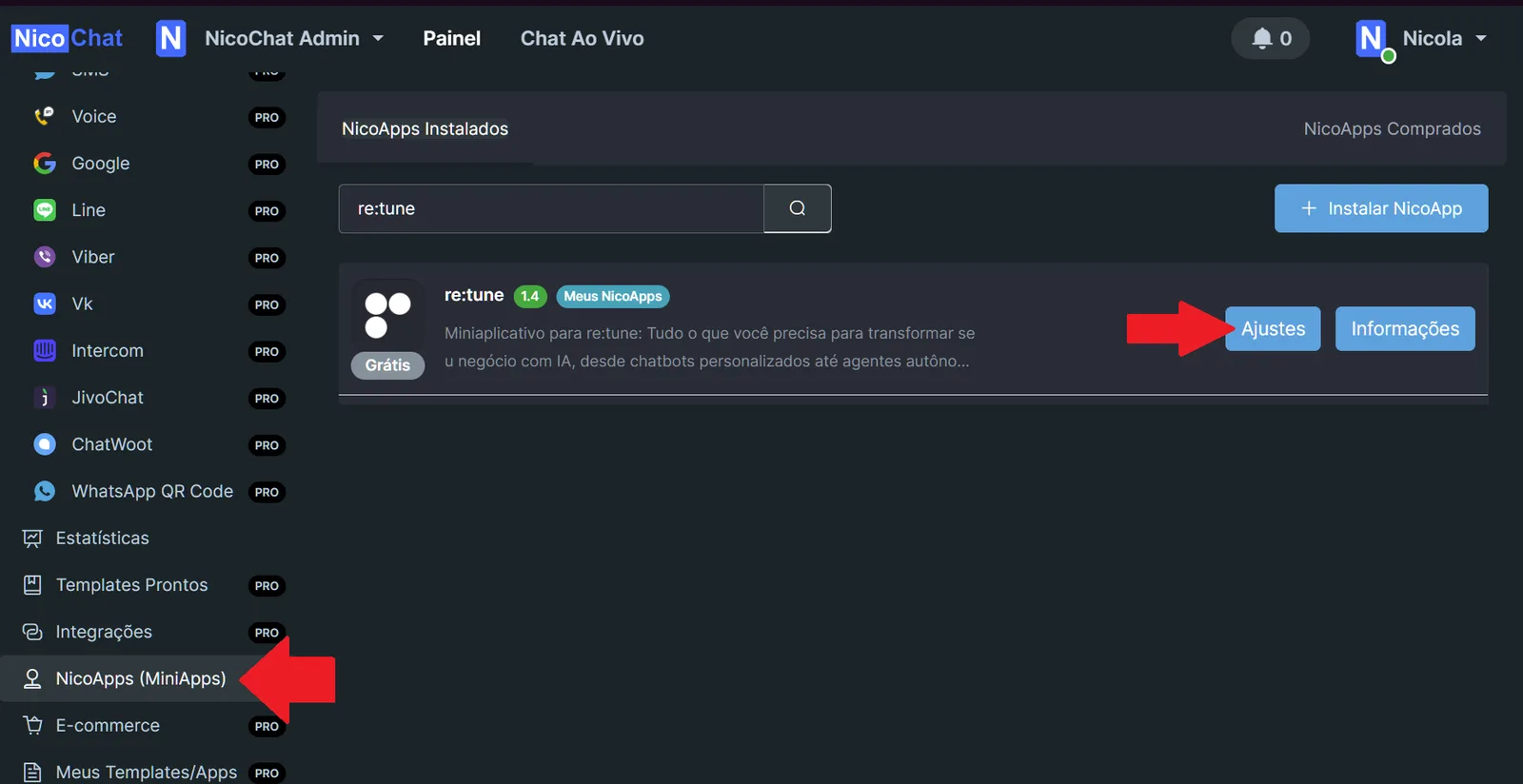
In the NicoChat Dashboard, go to the "Templates" section.
Search for and install the Re:tune template.
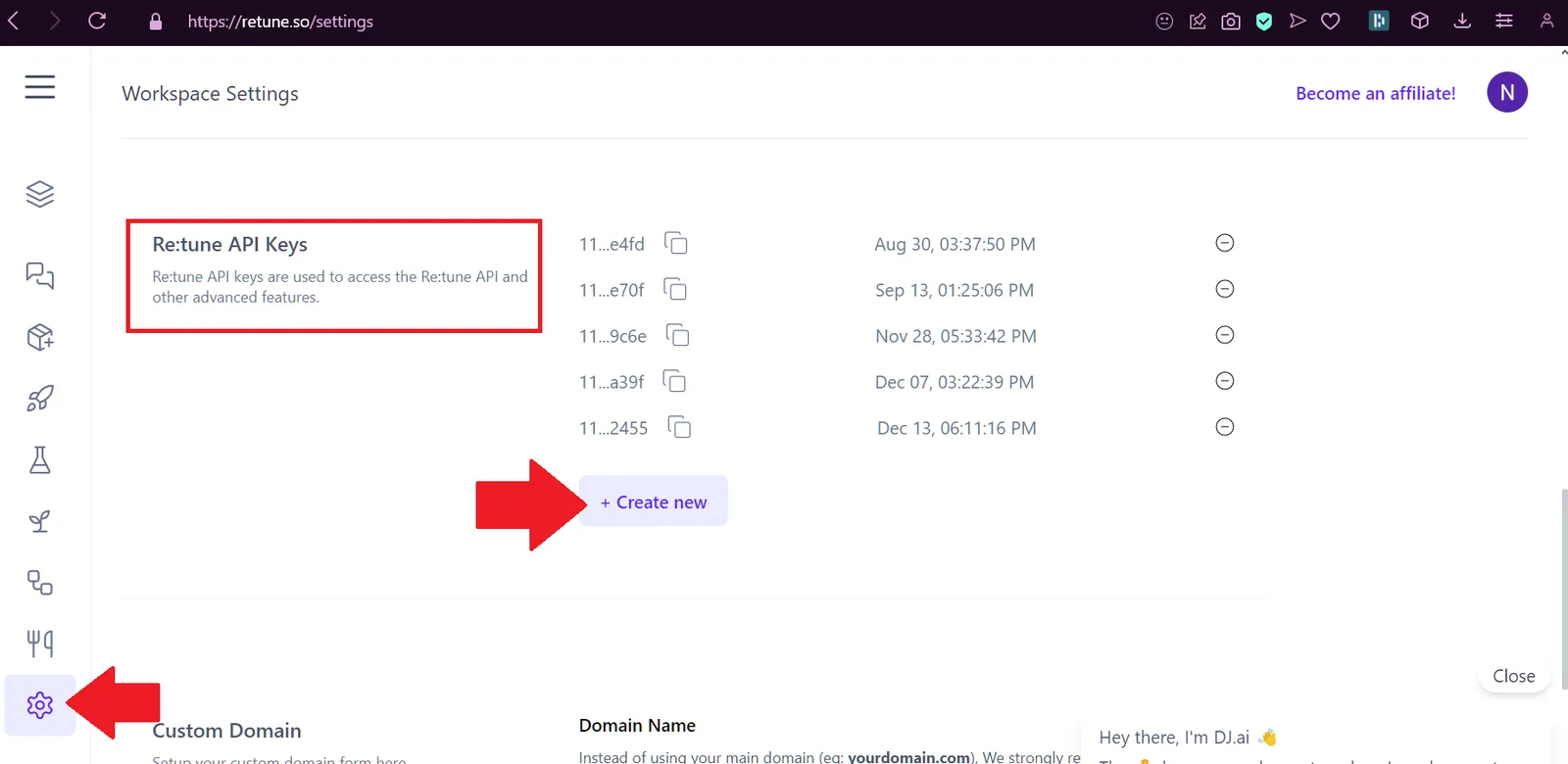
This integration between Re:tune and NicoChat creates a more controlled and effective chatbot environment, where automation and human interaction work in harmony. If you have any questions, join our Discord community.