

Postgresql - Database
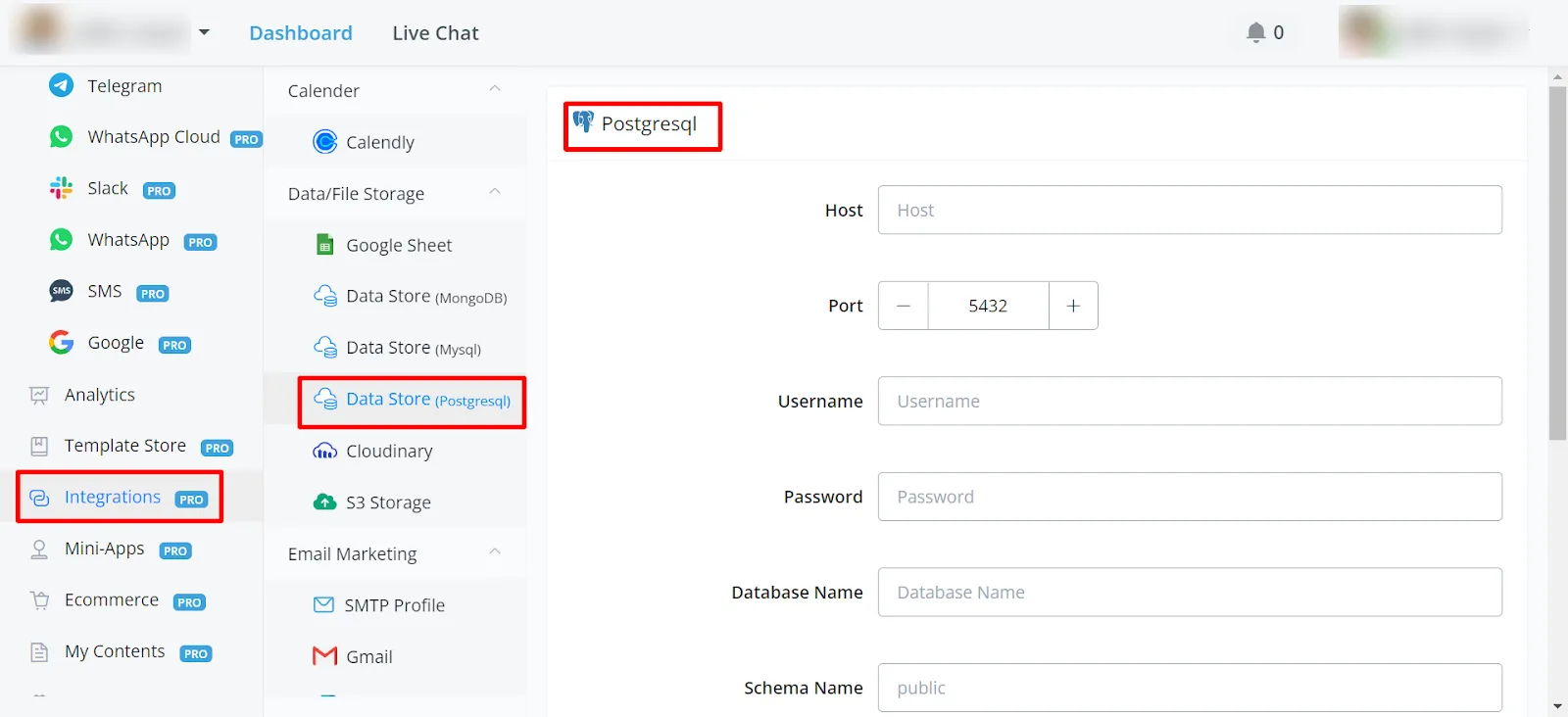
Navigate to the integrations section in the left-hand menu and find the Data Store PostgreSQL option.
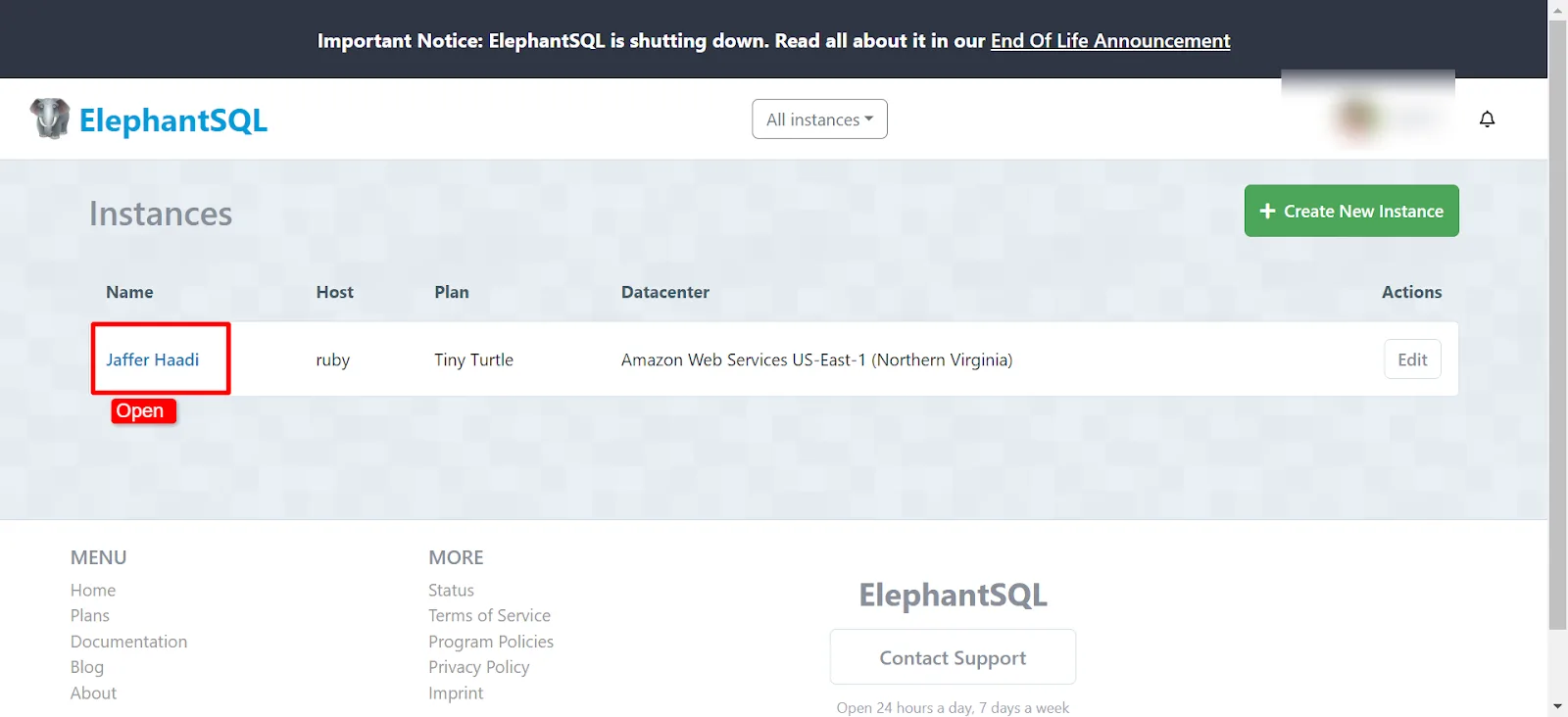
You can create a free account at: www.elephantsql.com/
After creating your account, navigate to the Instance section at https://customer.elephantsql.com/instance and select
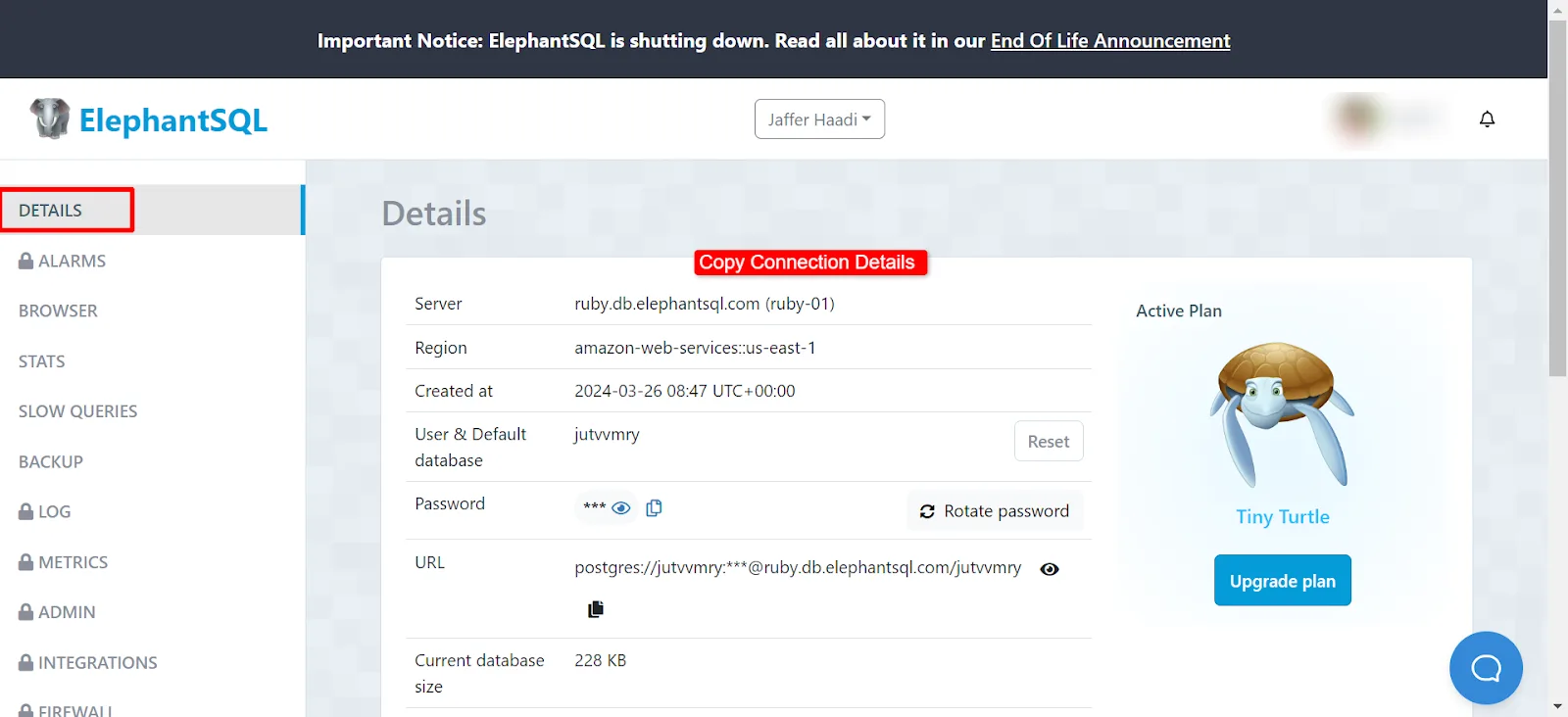
With the instance open, go to the "Details" section and copy the connection details.
- Gather the information you need from your PostgreSQL database: host, username, password, and database name.
- Paste the host server address, the username, and the database name into the corresponding fields.
- Enter the password for your PostgreSQL database.
- In this instance, you do not need to specify a port, schema name, SSL mode, or CA certificate.
- You also do not need to add the IP address to the allowlist.
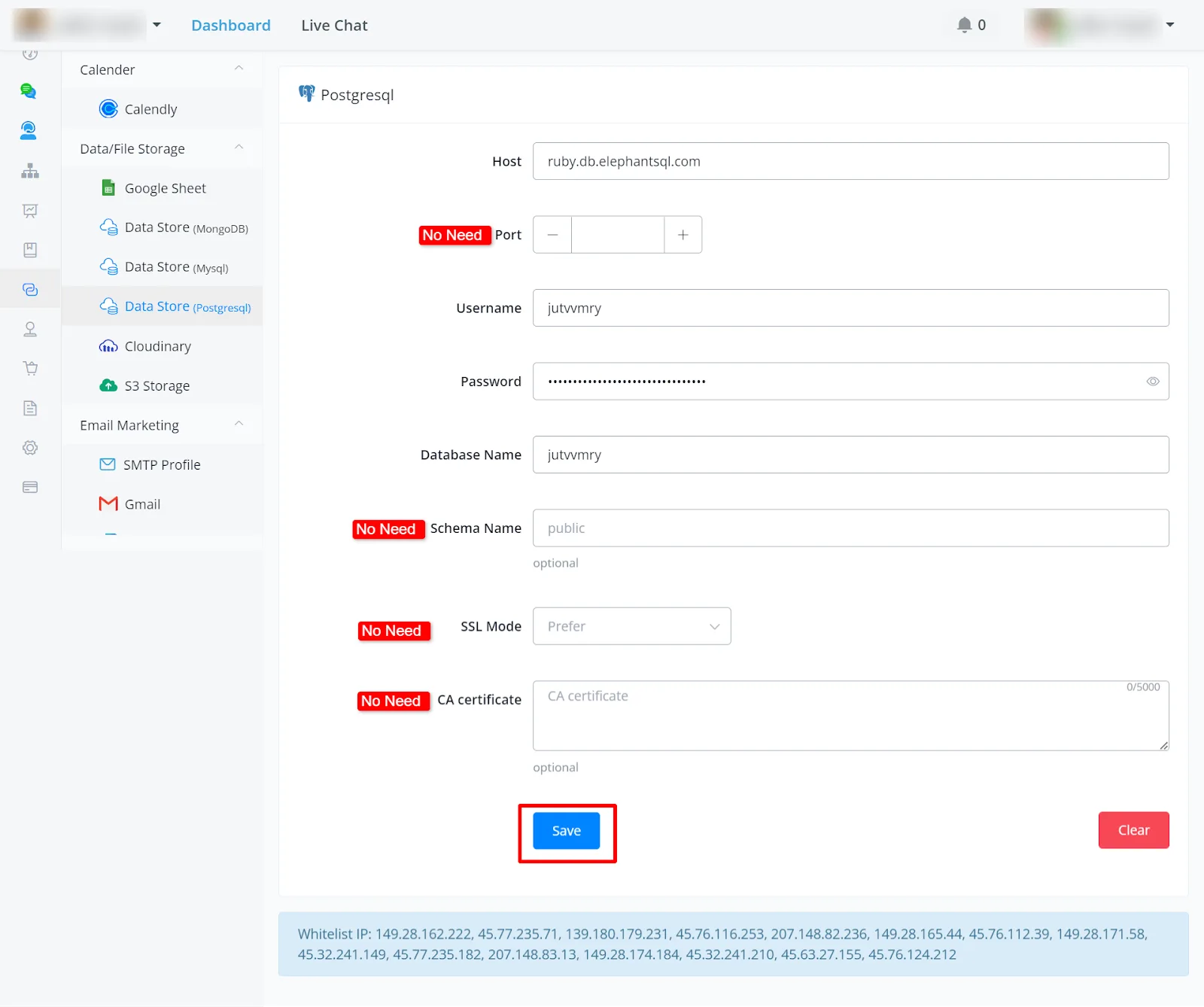
After filling in all the details, click “Save”. The status then appears as verified, and you can already sync and create your records.
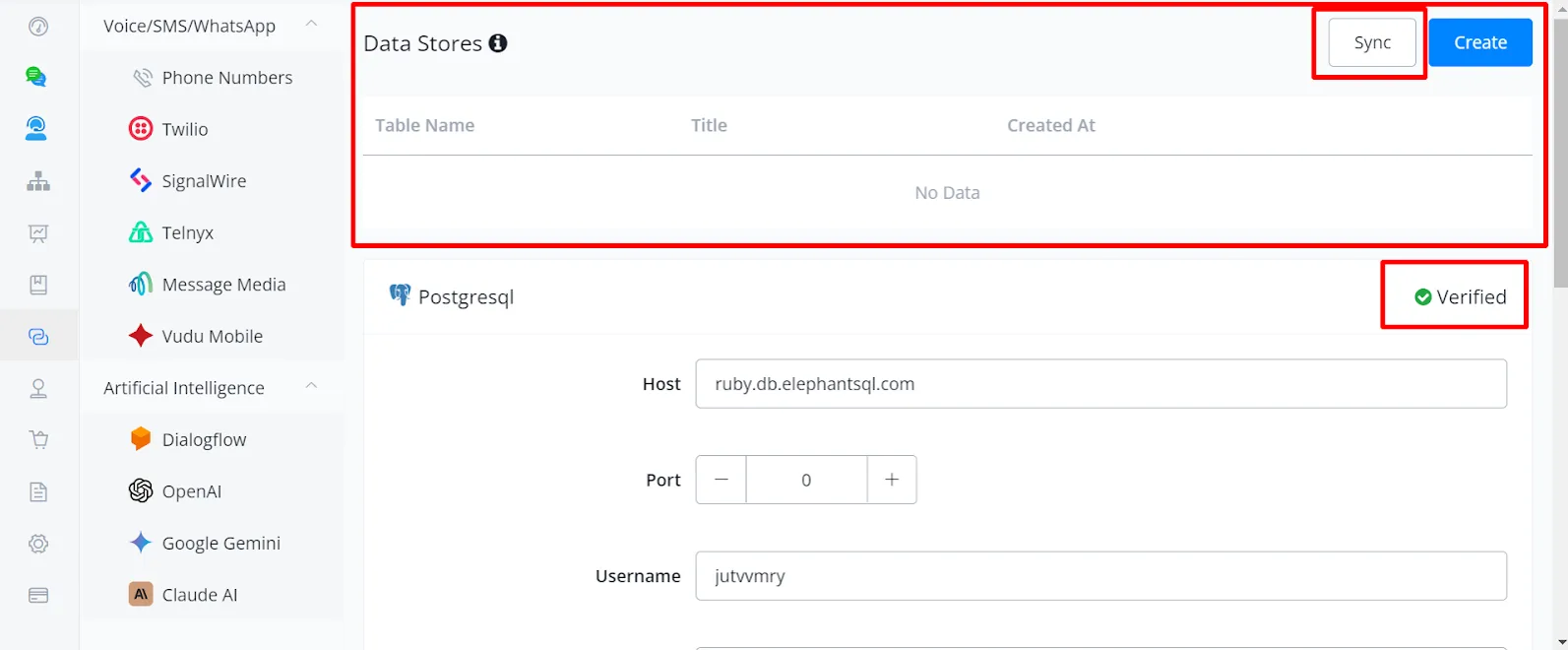
- If you do not have any data stores yet, click the sync button to fetch the available data stores.
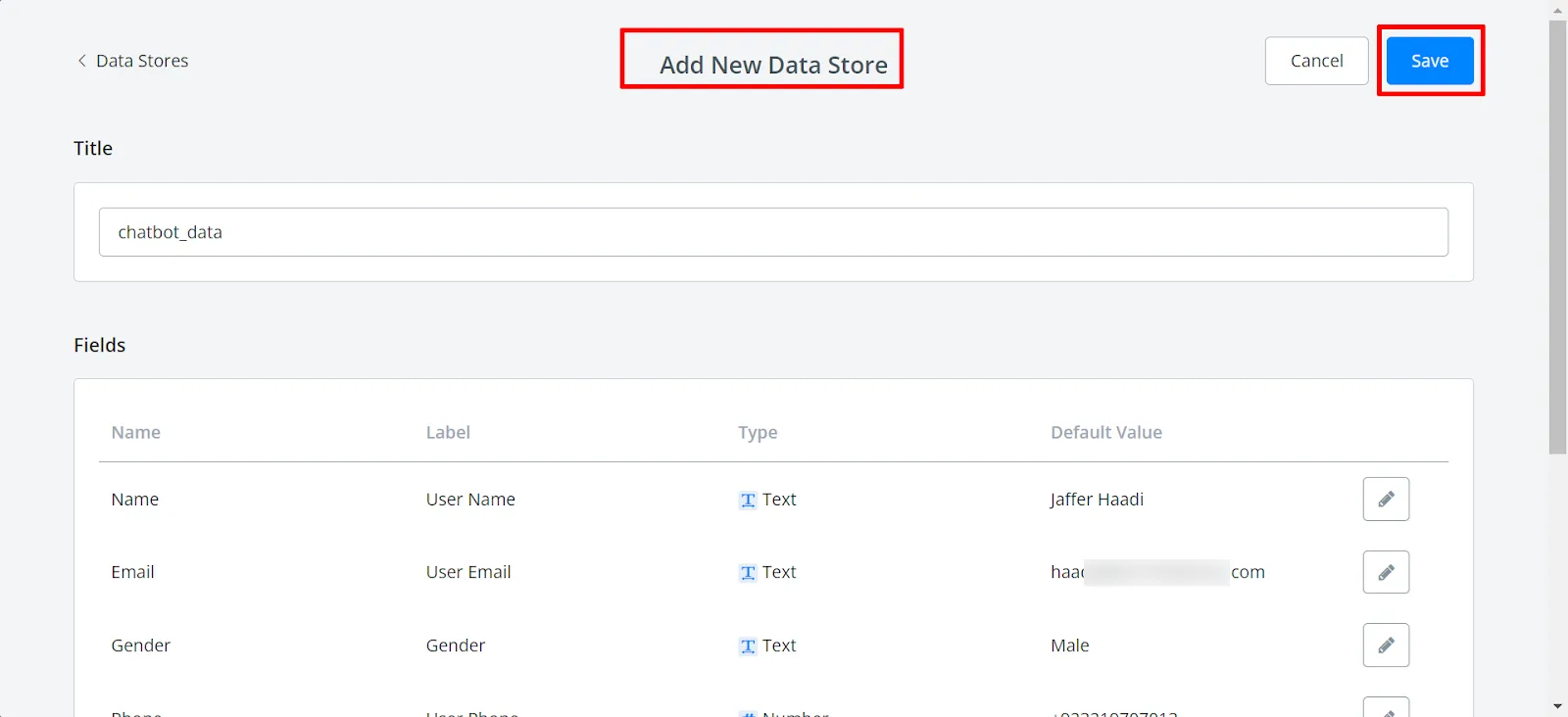
- Alternatively, create a new data store by providing a name (for example, "chatbot_data") and defining the fields (for example, Name, Email, Gender).
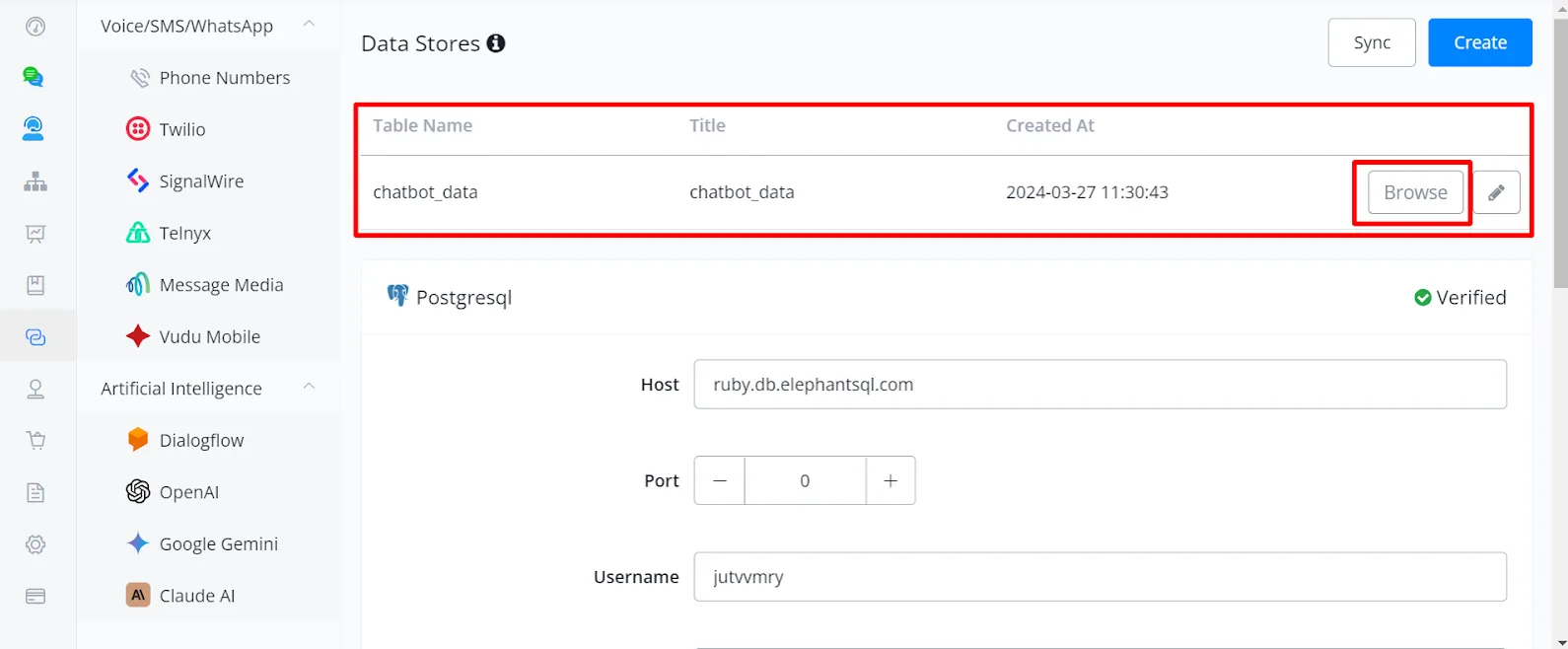
The new table has been created. You can edit or view the record by clicking "Browse".
You can view the records in the table, edit them, and also add new ones as needed.
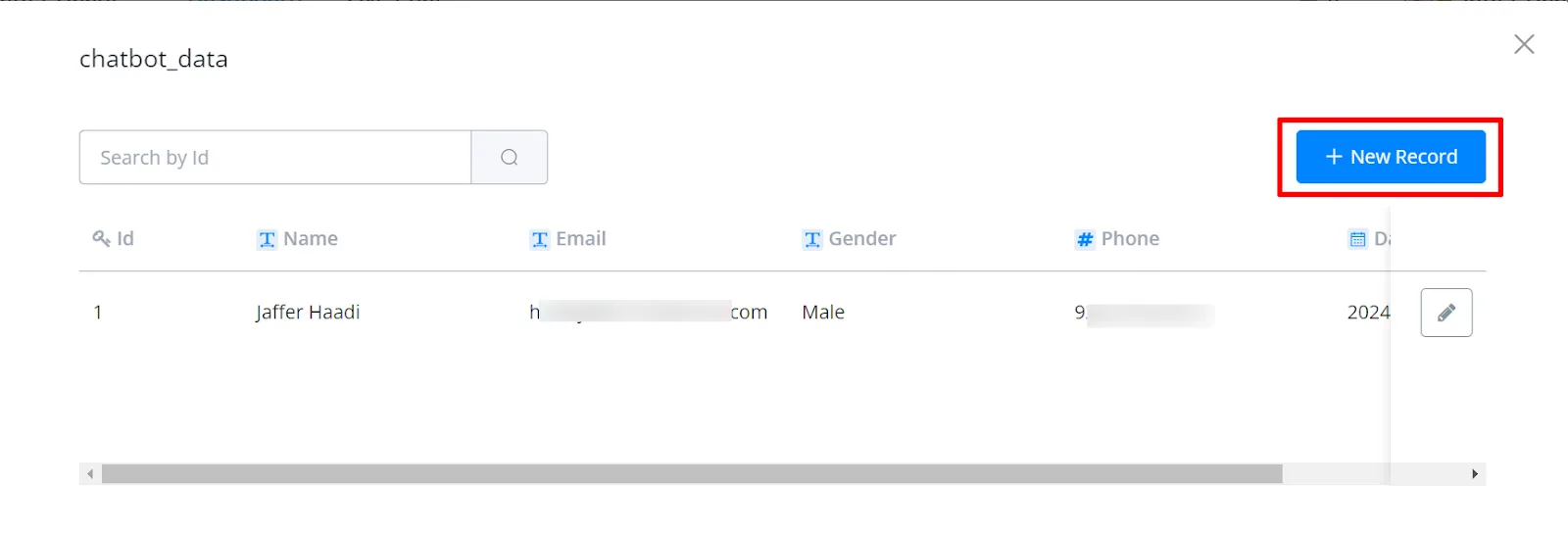
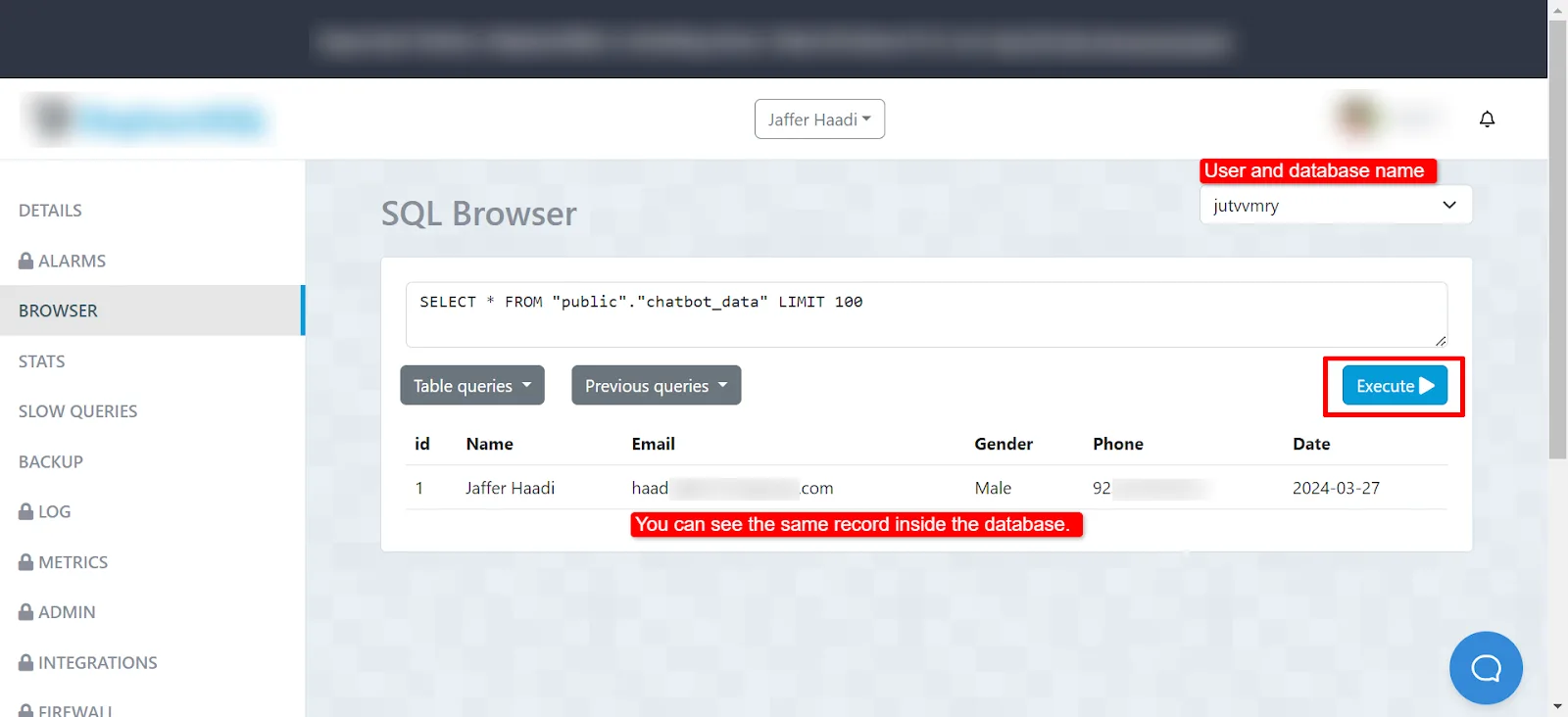
The same record was generated and stored in the database.
- Inside the Flow Builder, access the database through an action block.
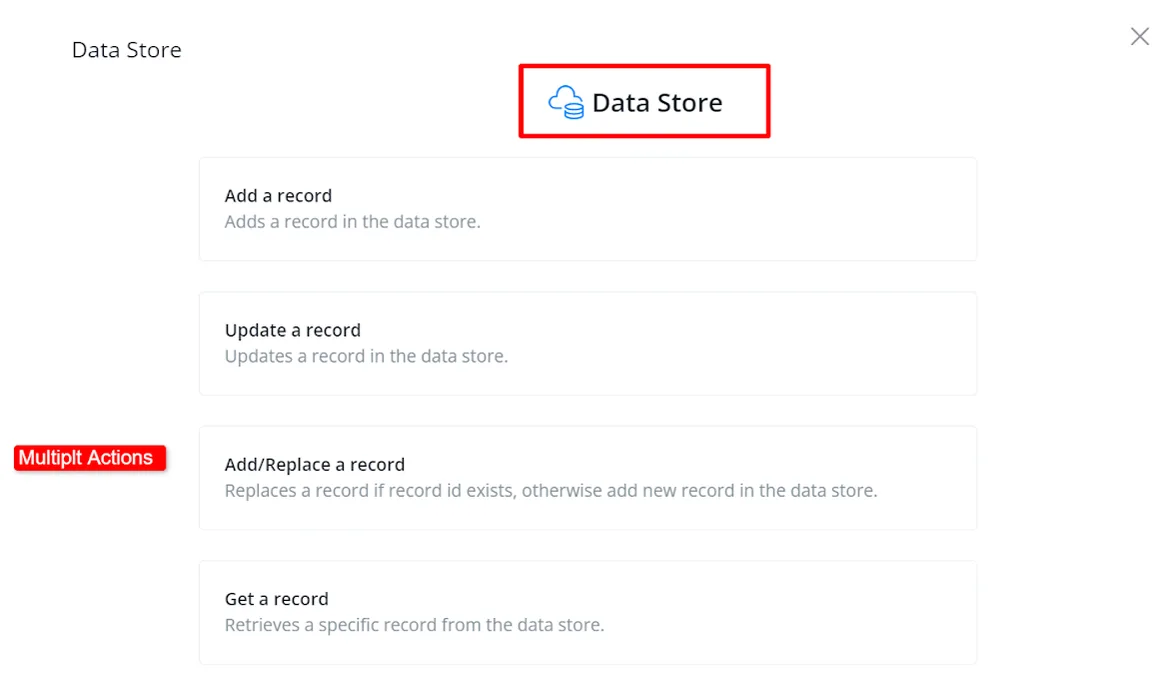
- Select 'Integrations' and then 'Data Store' to edit the action.
- Add a new record: specify the data store, fill in the relevant data, and save the record ID.
- You can use the different functions according to your needs.
After using any of the functions, you can view and edit the data as needed.