

Pabbly
Like Zapier and Integromat, Pabbly is another automation platform that lets you connect to various third-party software.
To start connecting to your Pabbly account, go to Integrations in the left-hand menu and choose Pabbly.
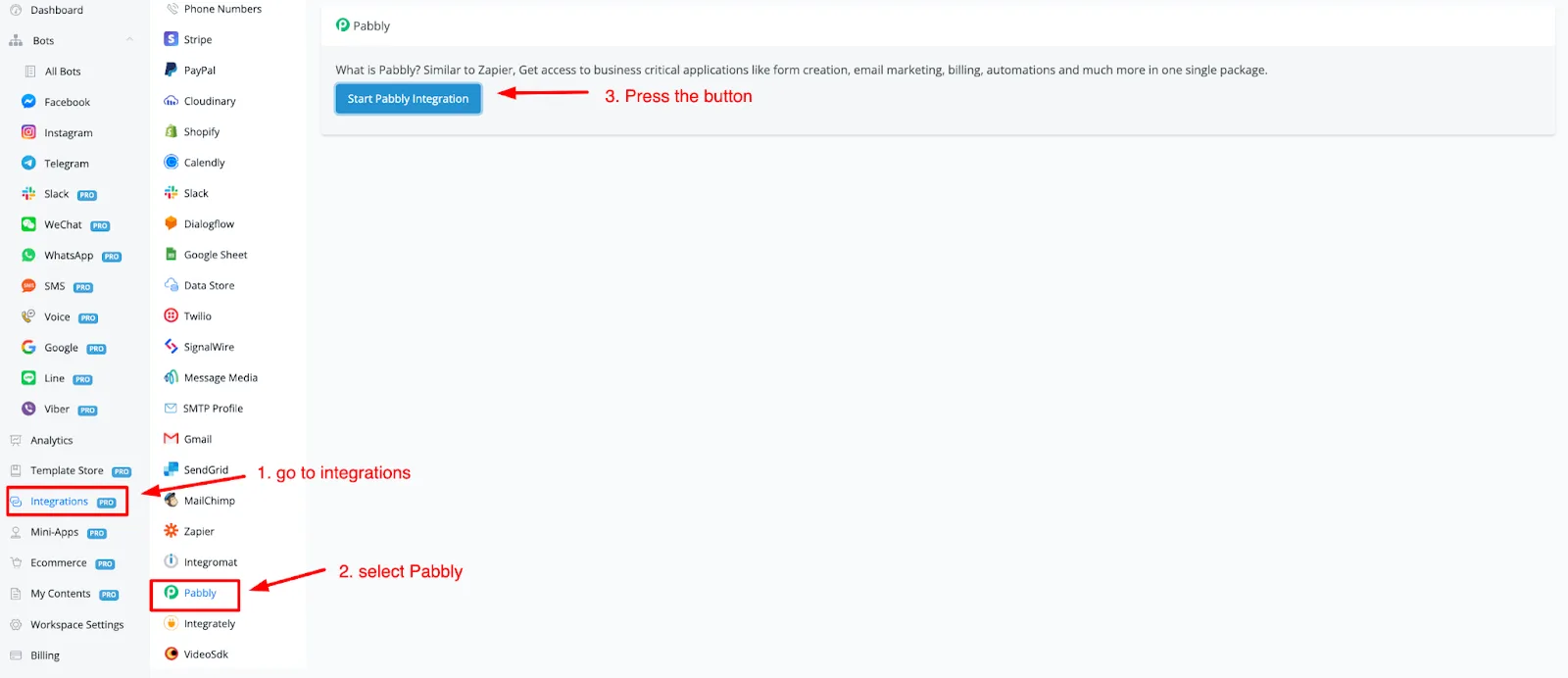
Once the button above is pressed, you will be taken to a web page. On that page, press the Connect NicoChat for free button.
After signing in to Pabbly, you will be taken to the main dashboard of Pabbly (opens a new window).
There, you can access Pabbly Connect and create your automation. When searching for apps, type NicoChat and it should already appear.
Select the action and/or the trigger and press connect to select the chatbot connection.
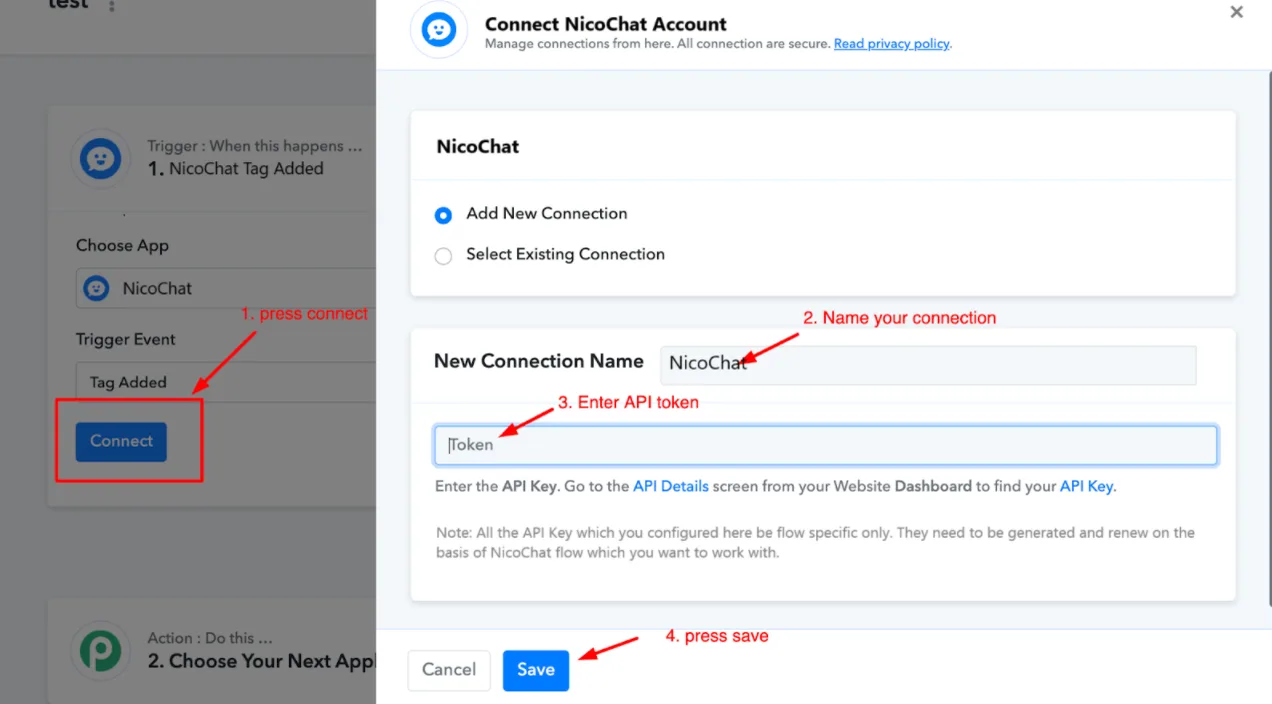
After entering the token, press save and your account should be connected.
From there, you can use Pabbly and NicoChat to set up your automation.