

MySQL - Database
Data Store is a built-in data storage solution offered by NicoChat. With it, you can manage your data in a practical and efficient way, performing add, edit, delete and query operations, either manually or in Action steps.
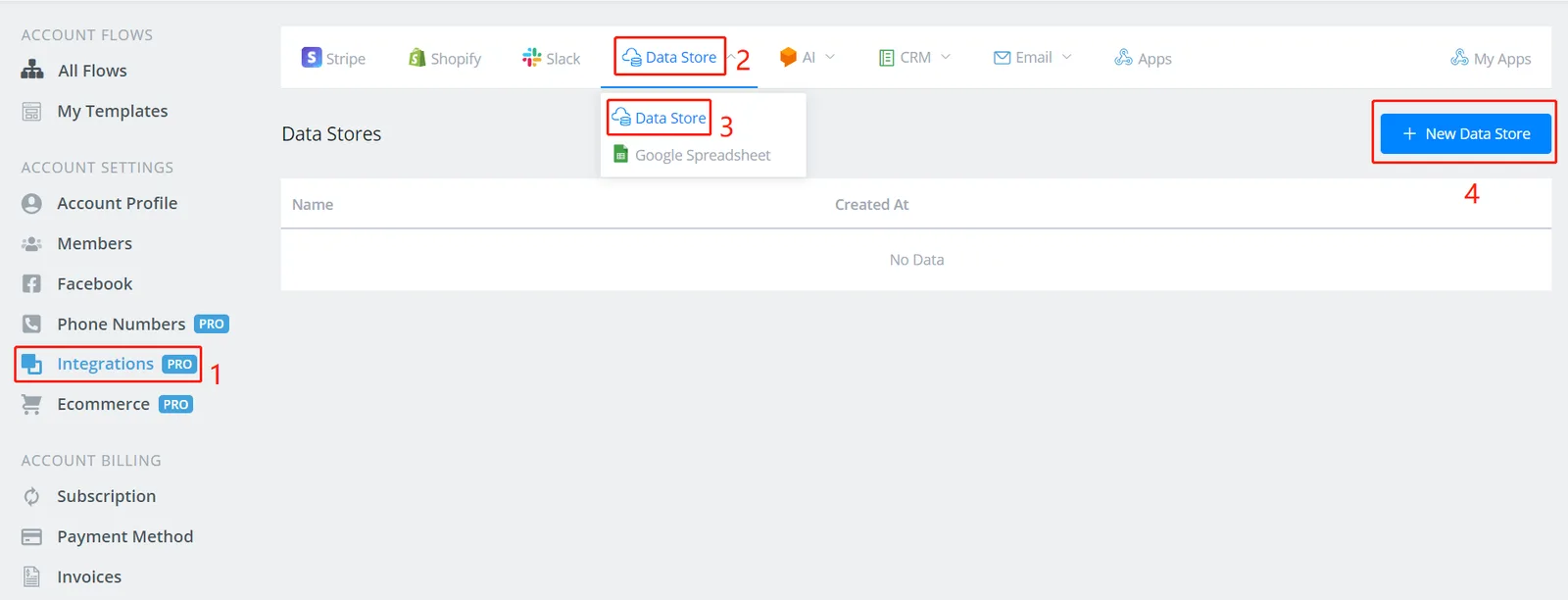
On your dashboard, follow steps 1 to 4 to add a new data store.
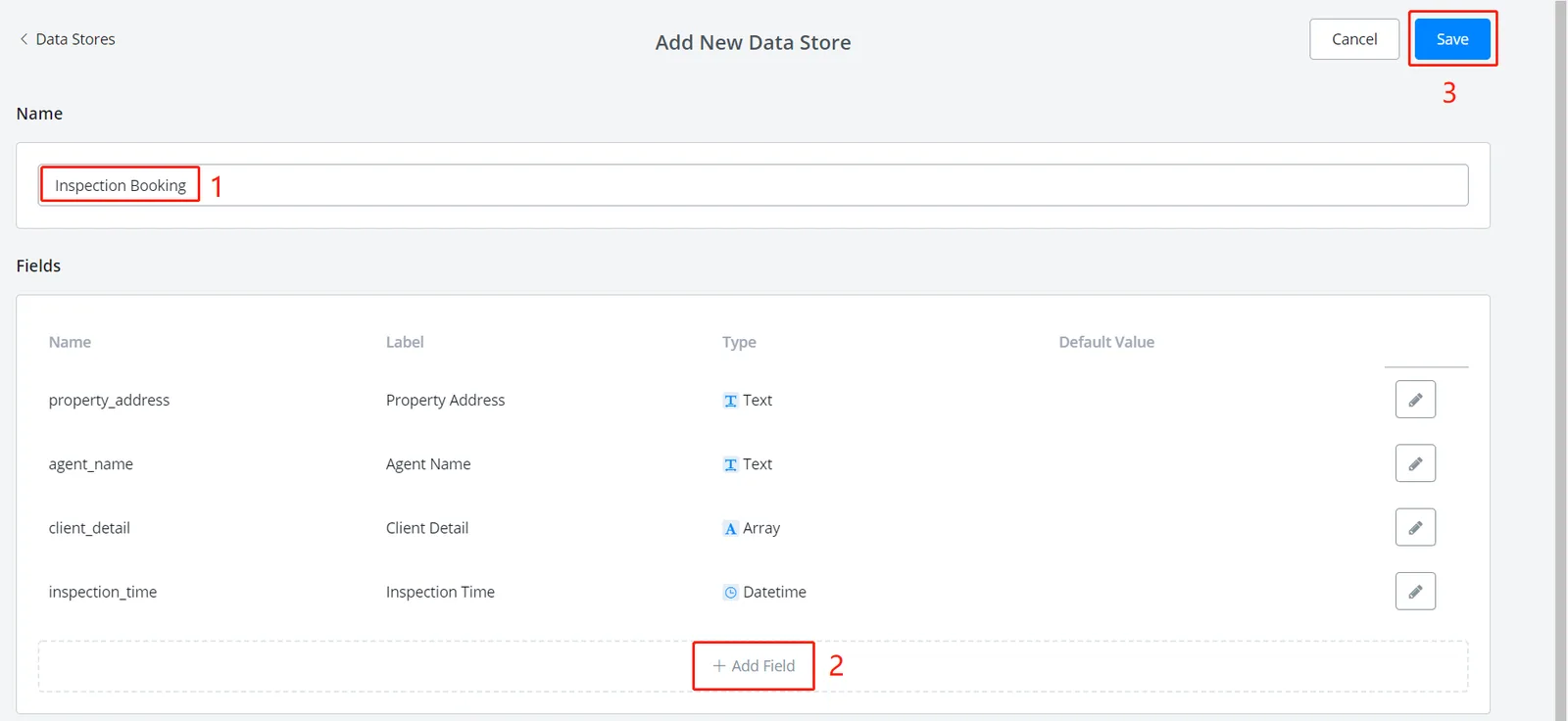
- name the Data Store
- click "+ Add field"; the following window will appear.
- when you are done, click "Save".
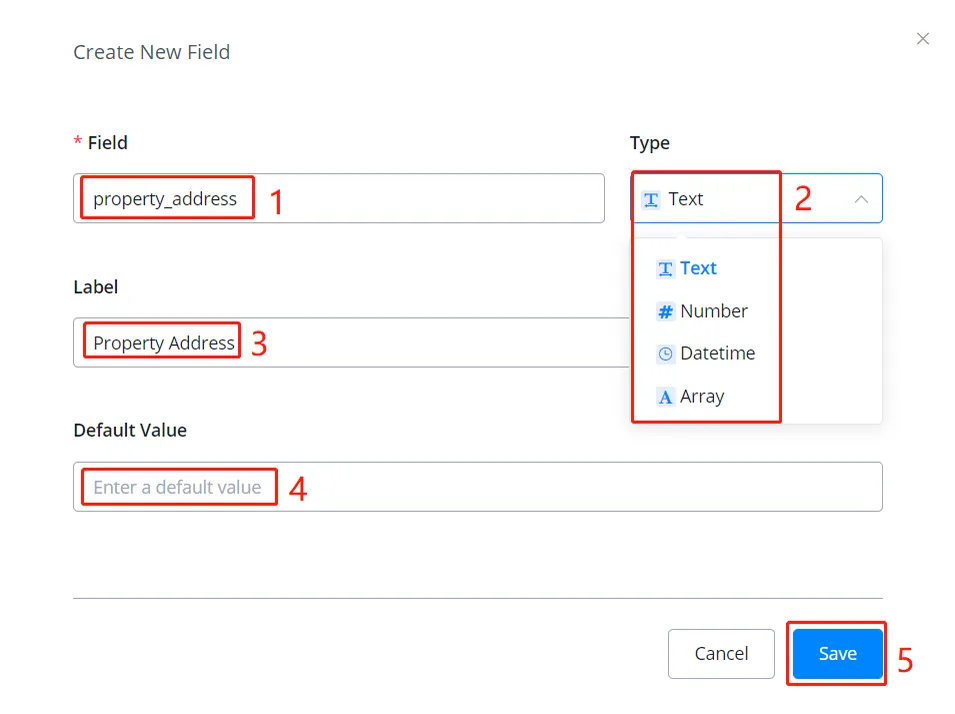
- name the field (used in the system; spaces are not allowed)
- choose a value type (an Array can hold several values, like a JSON variable)
- set a label if needed (for a nicer display)
- set a default value if needed
- when you are done, click "Save"
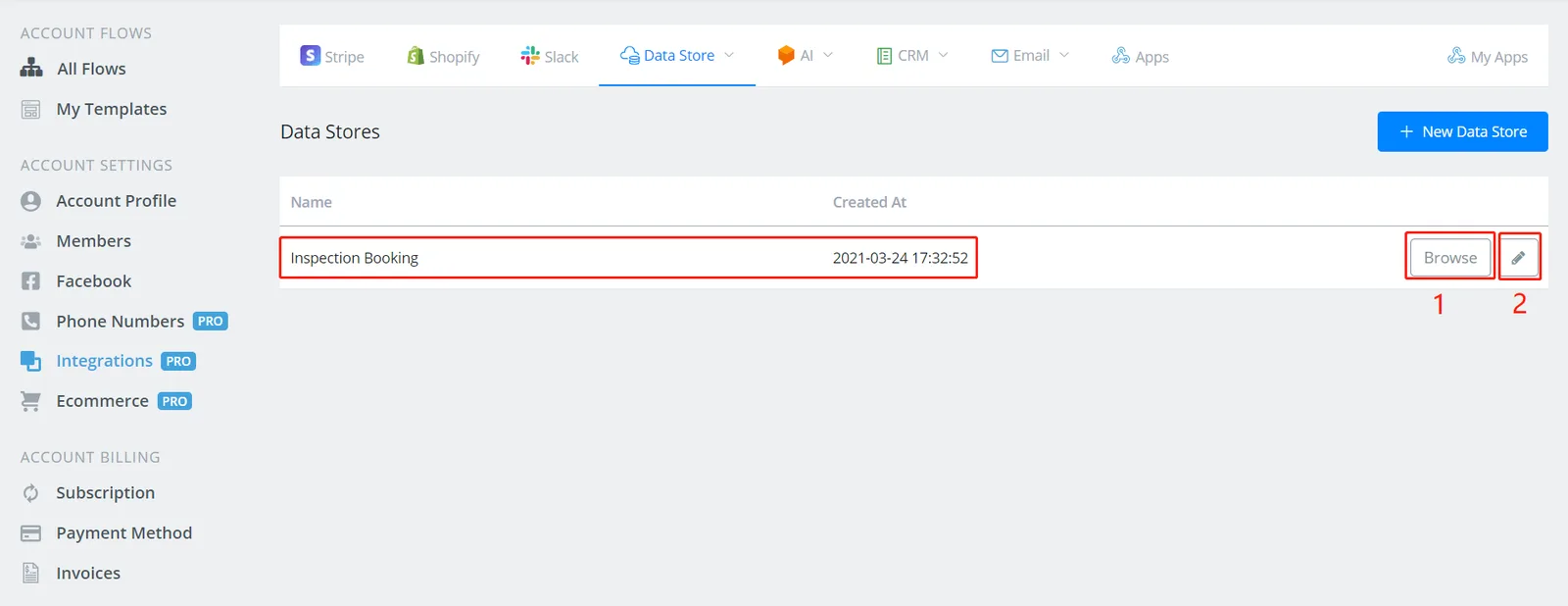
- click "Browse" to view and edit records
- click the pencil to edit the Data Store fields
You can add/edit/delete records in the data store in two ways:
- do it manually in the "Browse" window, as shown in the image below
- put it in an Action step and the flow will automate the process
Note
Note that when you add a new record, the system automatically assigns it a unique "Record Id". You can access this value using the field name "_id".
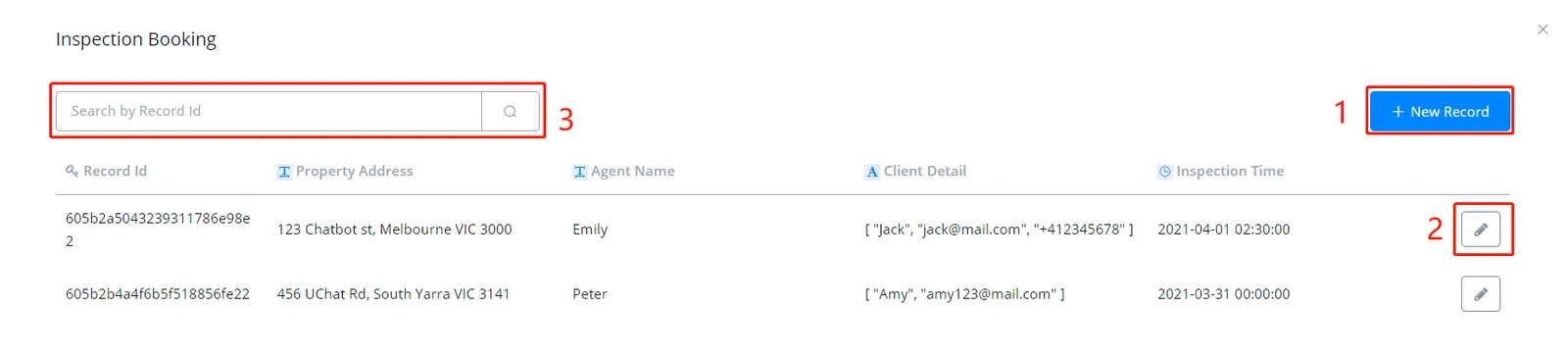
- add new records; see the image below
- edit/delete records
- search records
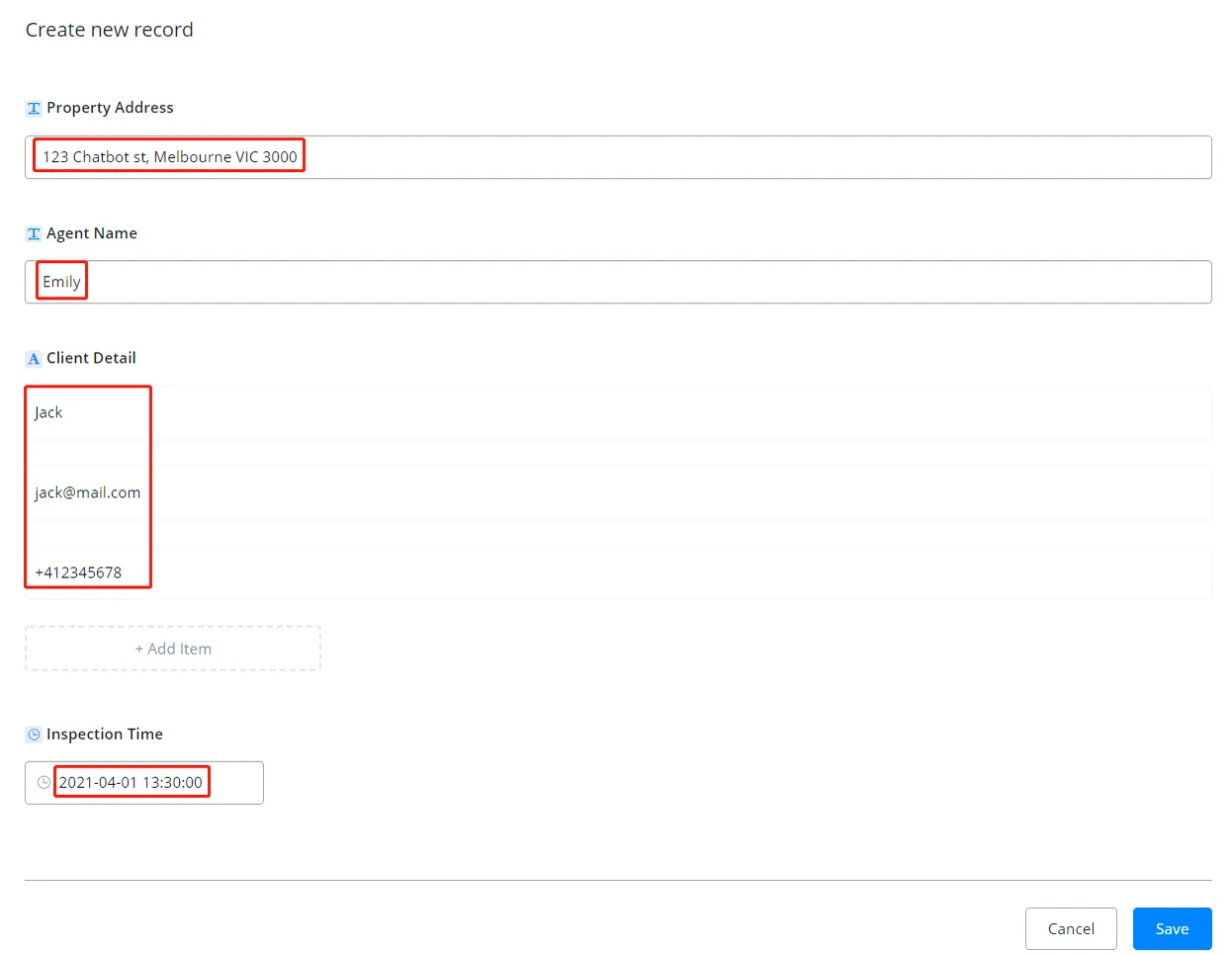
A new record requires values for the fields you defined in the data store (the value can be left blank). In the editing window there will be a "Delete" button; the rest is the same as shown above.
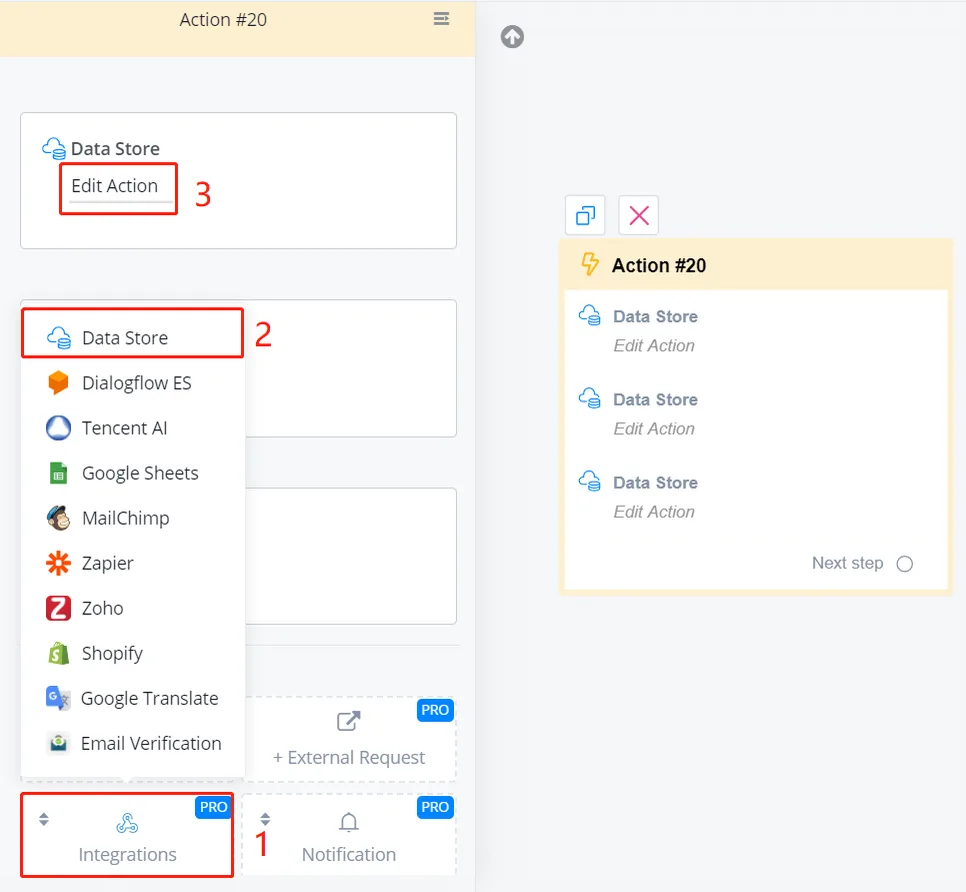
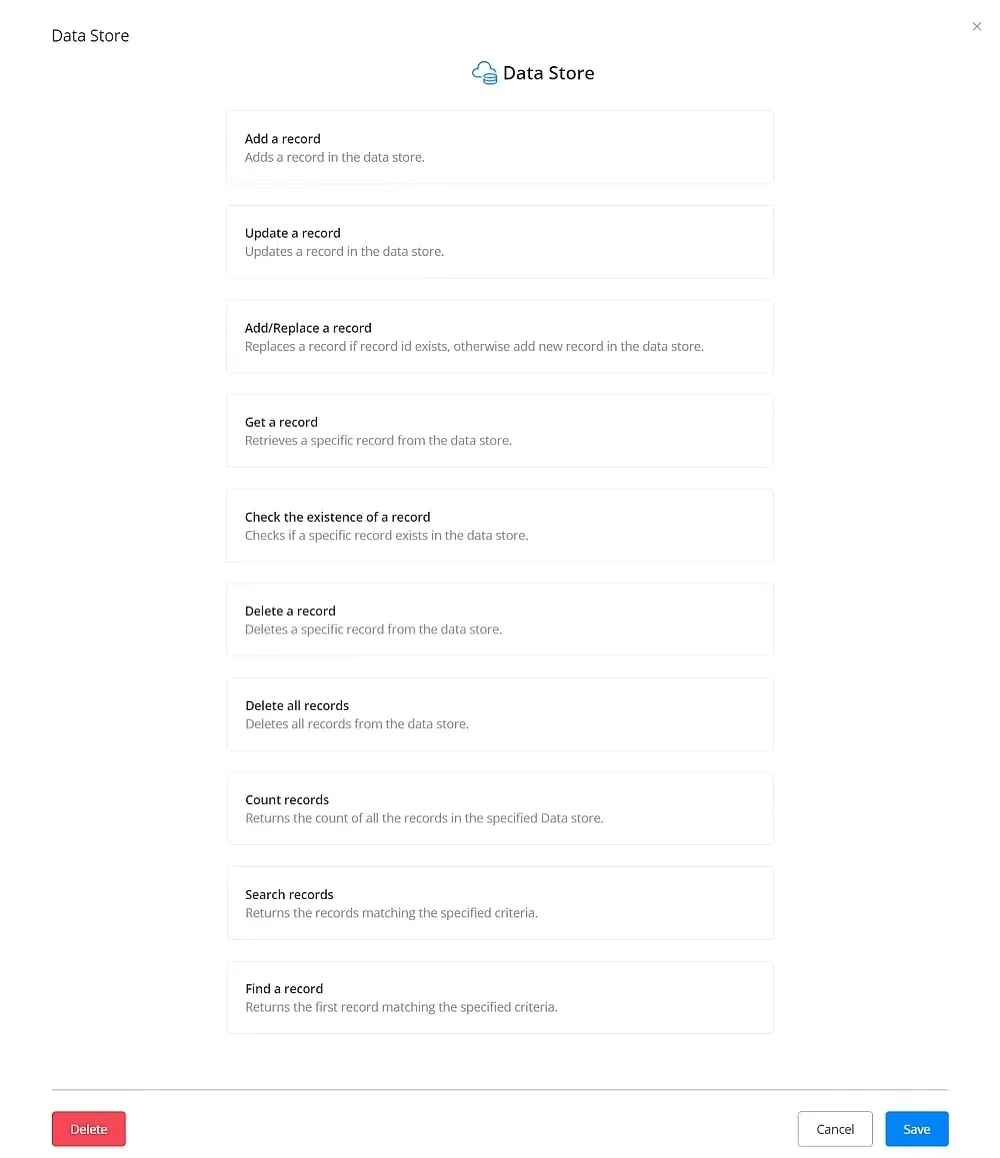
In an Action step, follow steps 1 to 3 in the image above. Then you will see a list of functions.
Note
TIP: the functions work through API calls. This means that, by providing some inputs, you get the outputs from the data store. The outputs are saved in custom fields for future use.
Warning
WARNING - You may need to know how to build flows and use variables before reading about the functions below. See the link below for guidance.
Warning
IN PROGRESS - the text tutorial for this page is still being written.