Google Gemini
Follow the instructions below to connect Google Gemini.
- Go to ai.google.dev/
- Click on “Get Gemini API key in Google Studio”
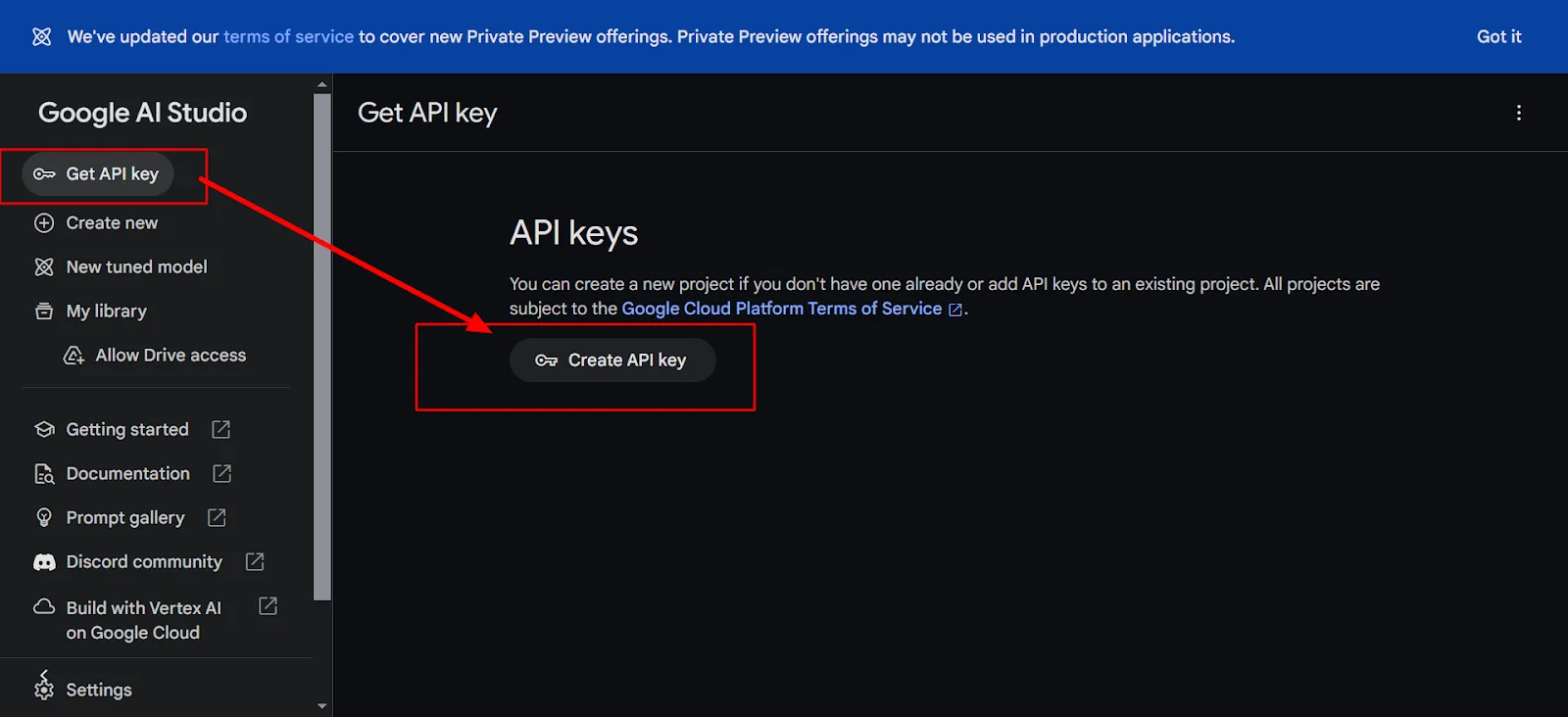
- Go to https://aistudio.google.com/app/apikey to create the API key
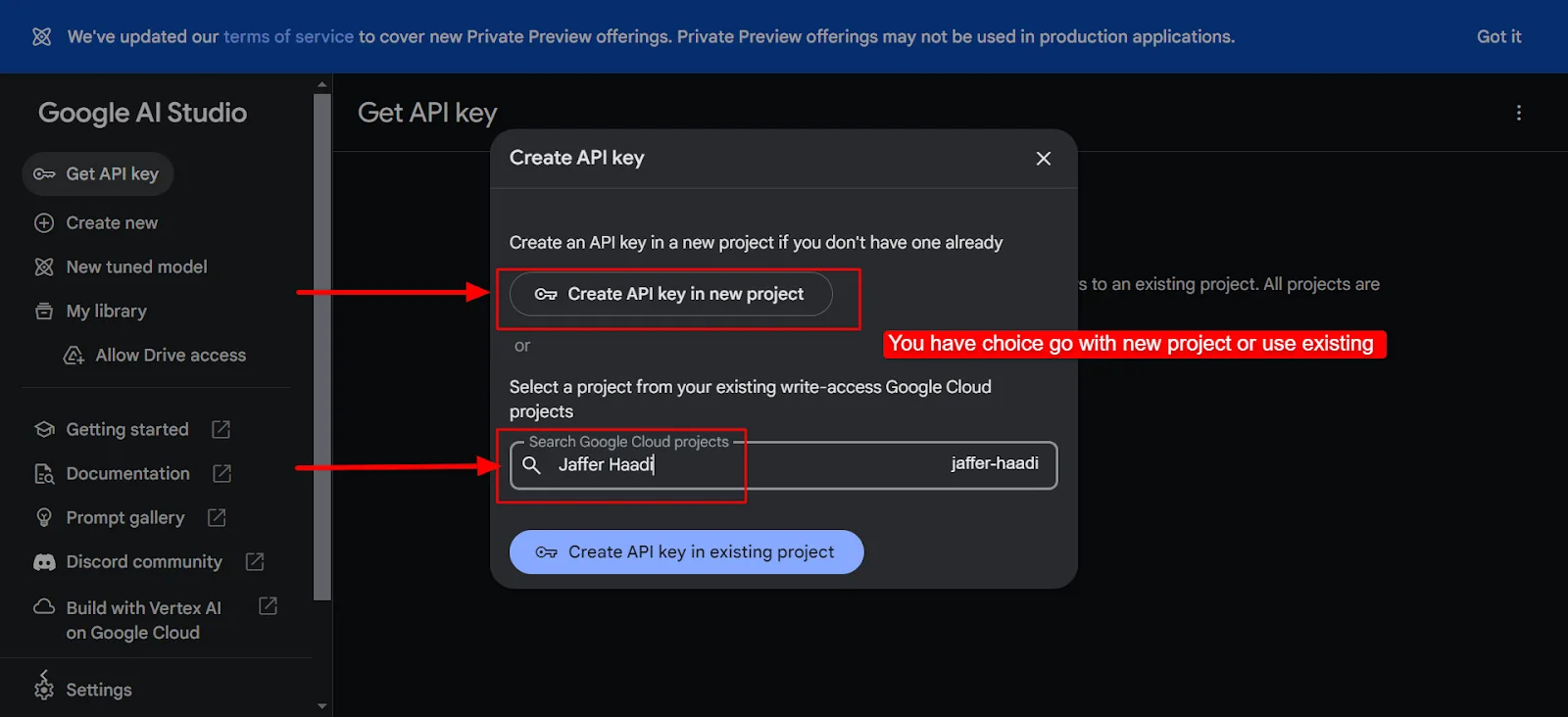
- Select the project
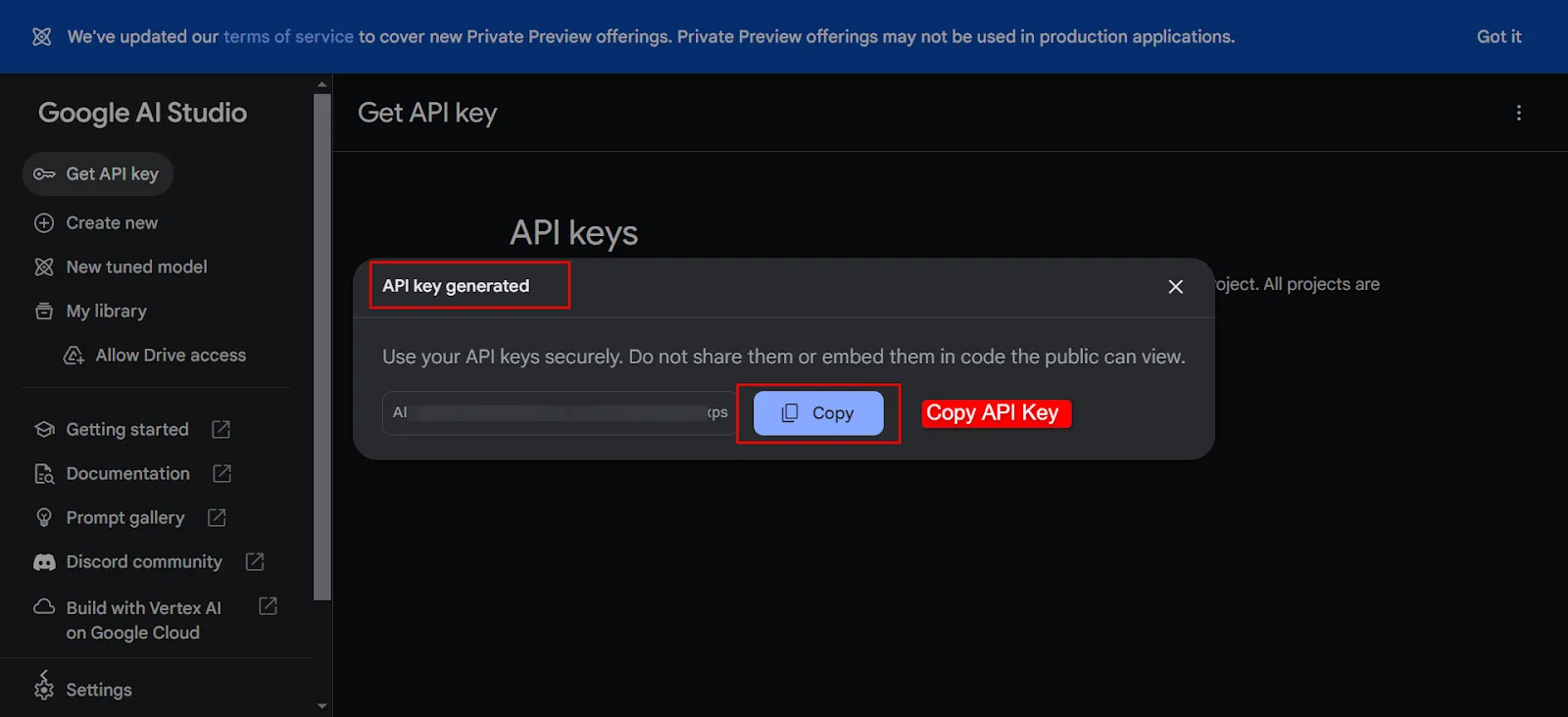
- API key generated. Copy the API key
- Paste the API key in Integration -> Google Gemini
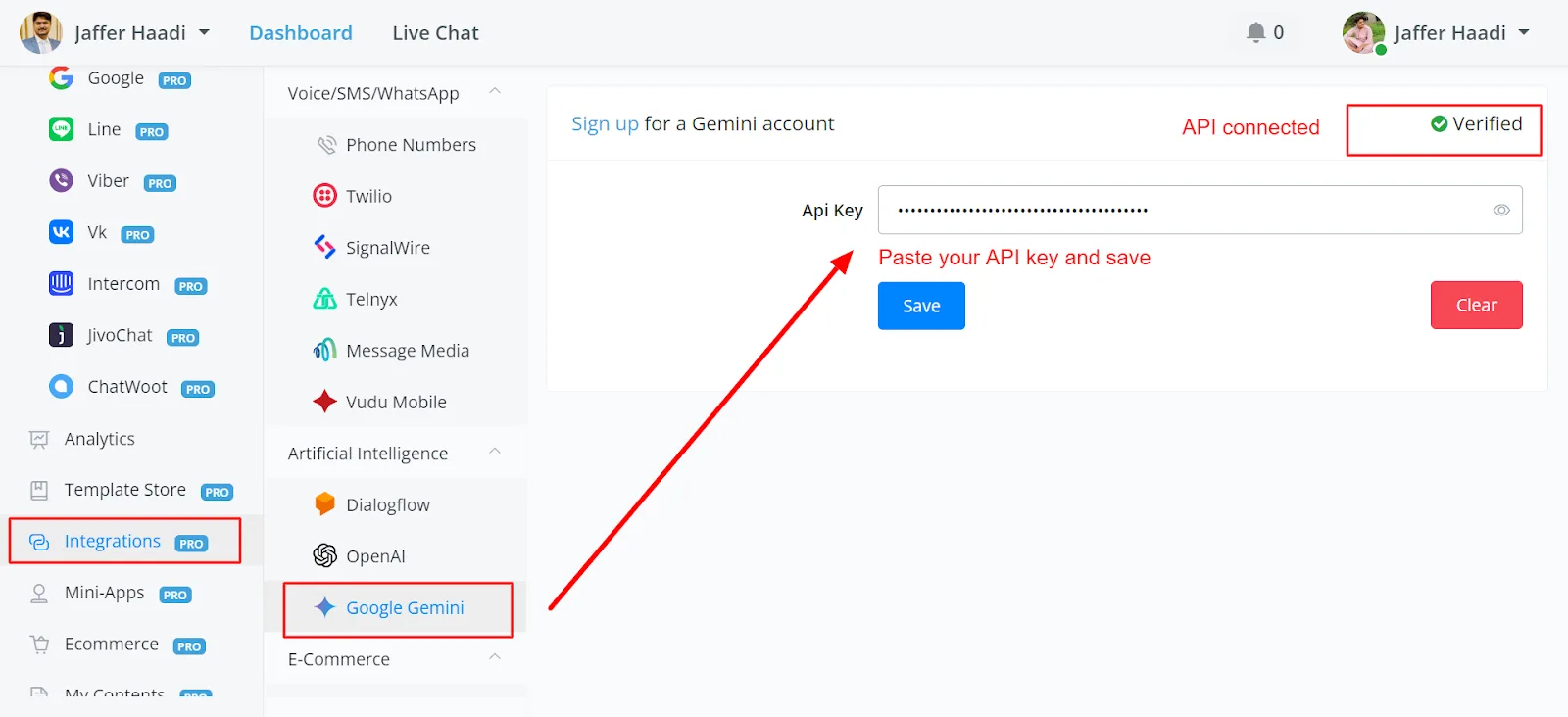
Available actions:
- Chat completions
- Clear chat history
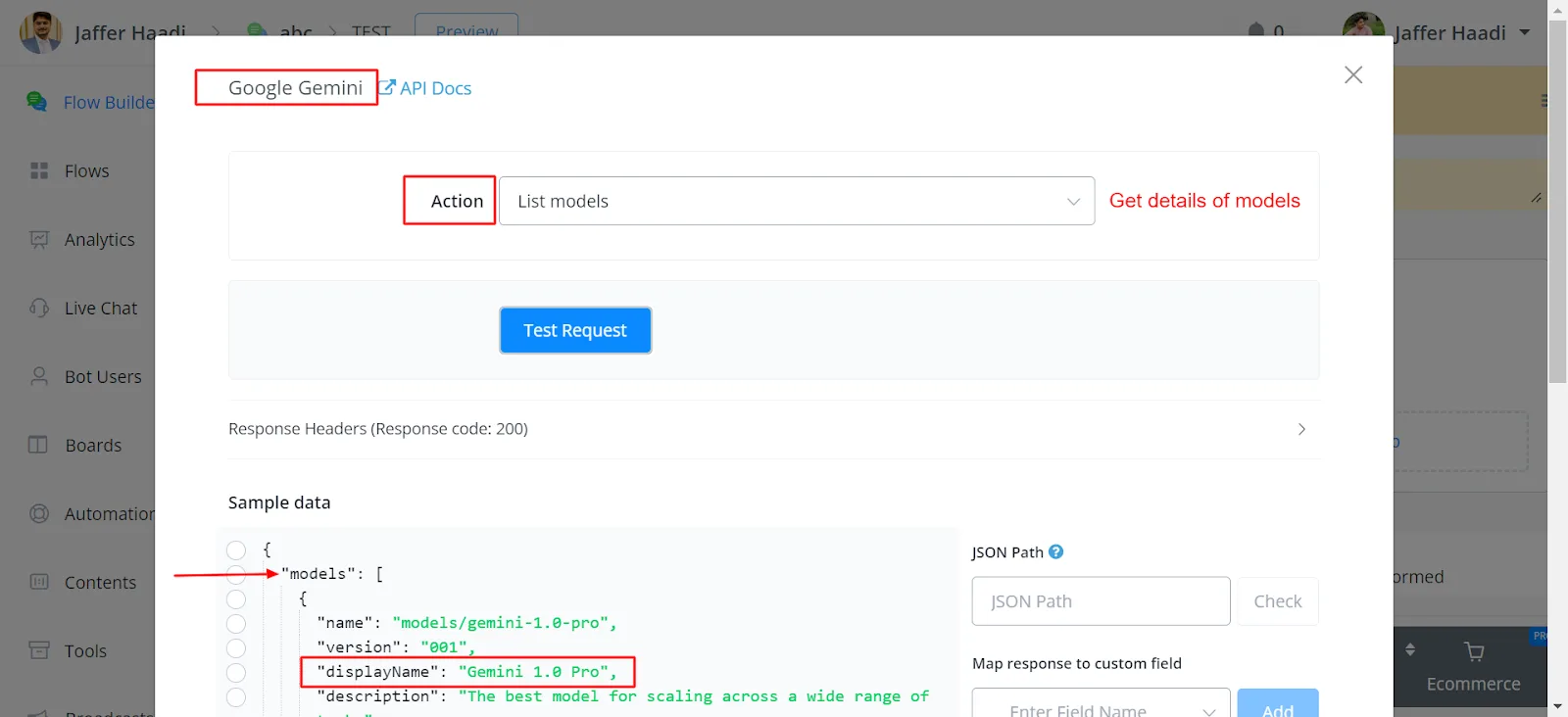
- List the available models.
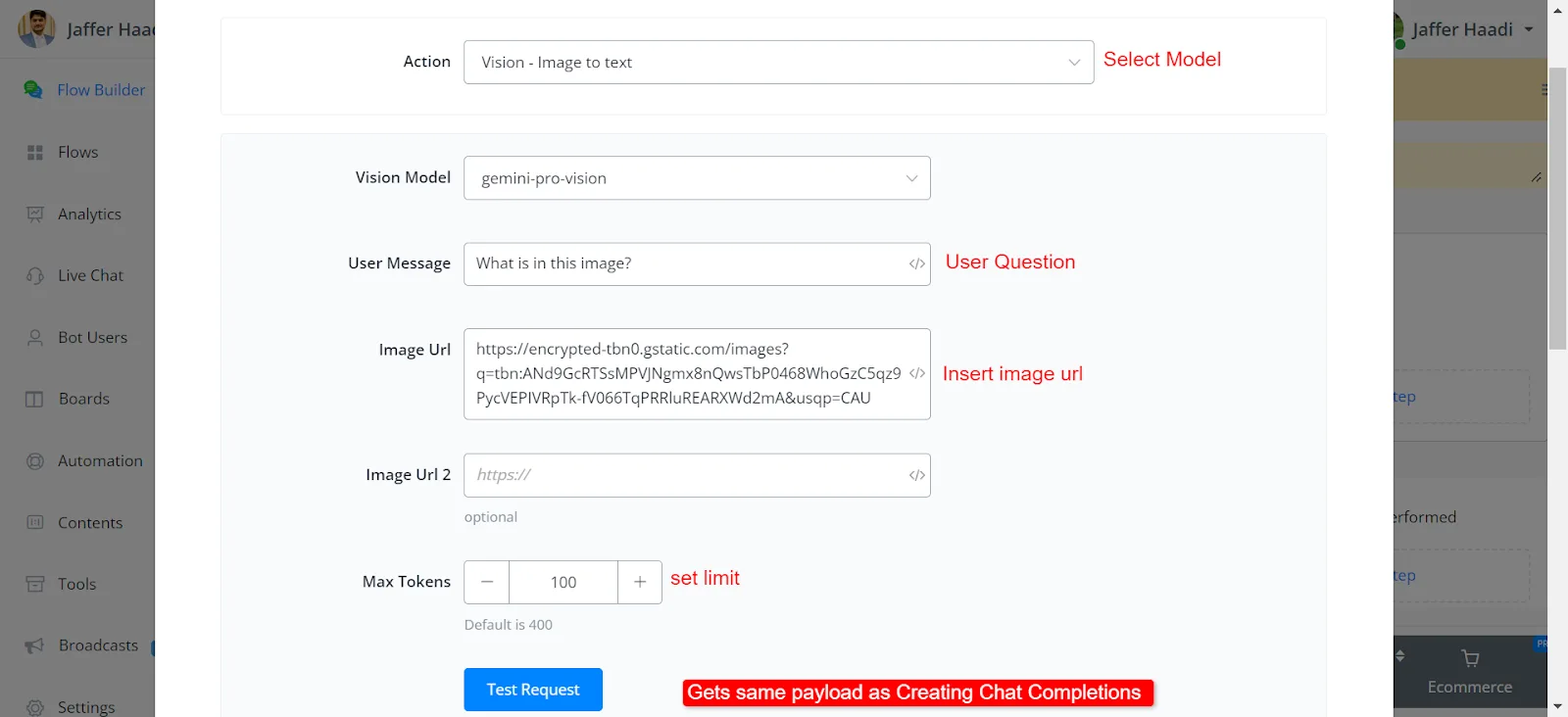
- Vision: image-to-text conversion.
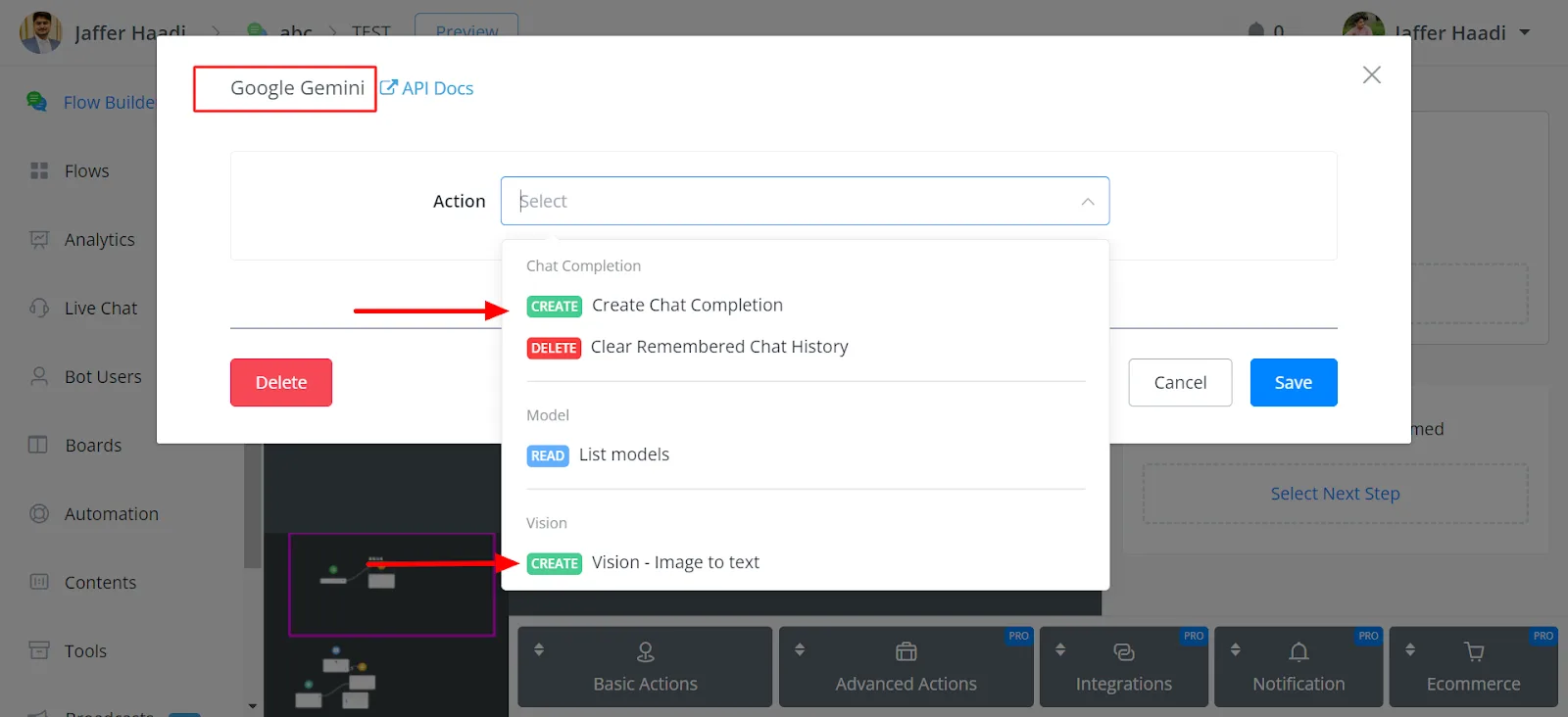
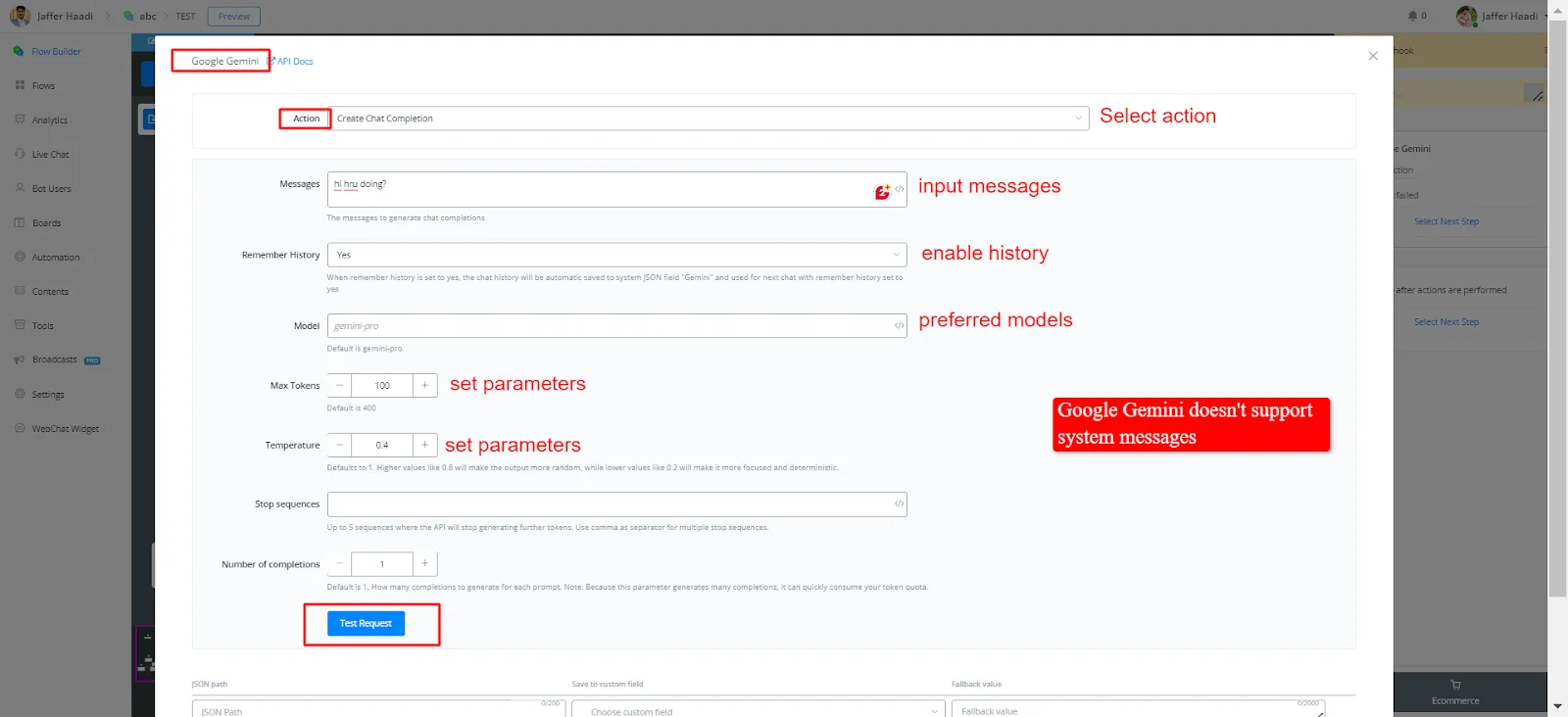
Creating chat completions:
- Users can enter messages, enable history, select the preferred models, set parameters (max tokens, temperature) and receive responses.
- Notable difference: Google Gemini does not yet support System Messages, which limits its use in business-related queries compared to OpenAI.
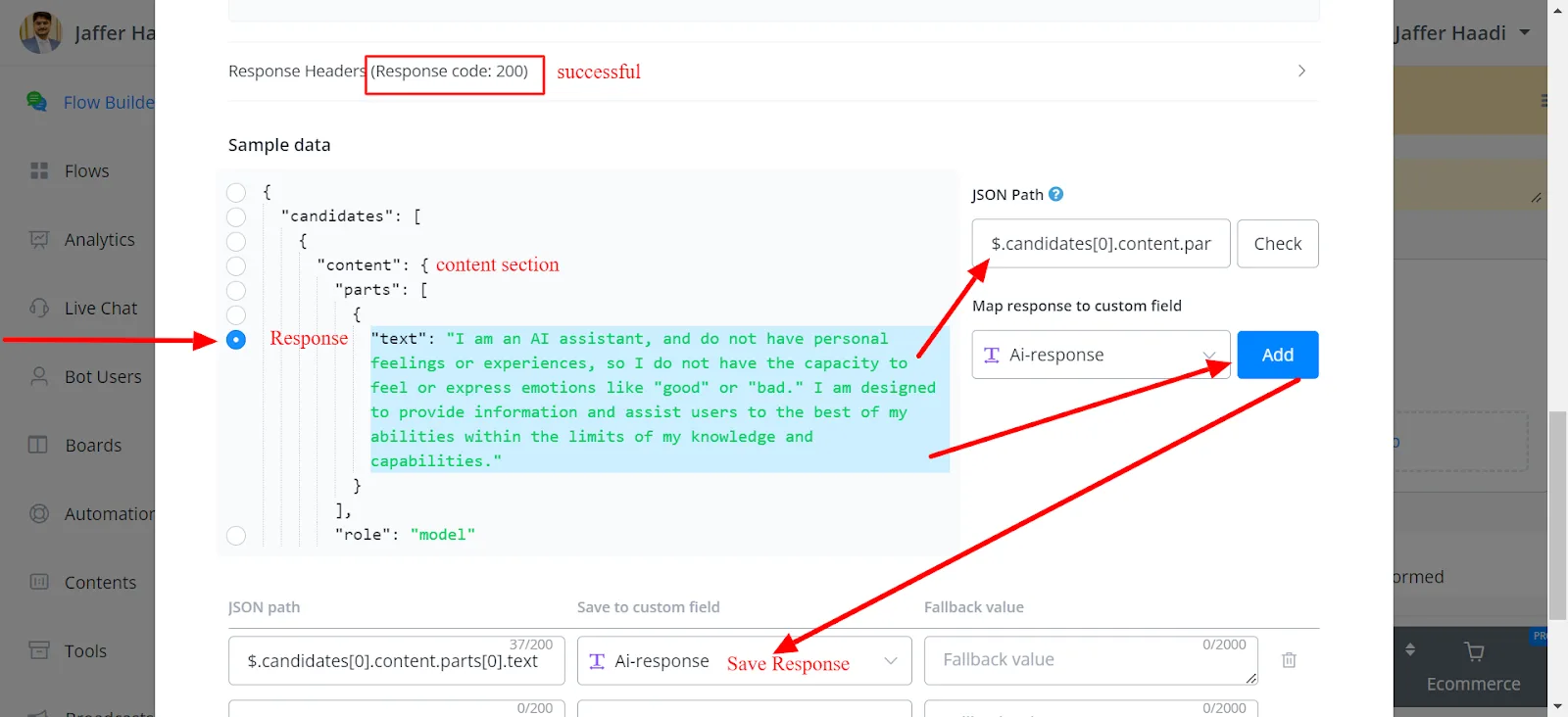
Response payload:
- Responses are fast and come with a payload structure different from the one used by OpenAI.
- Responses are located in the content section of the payload.
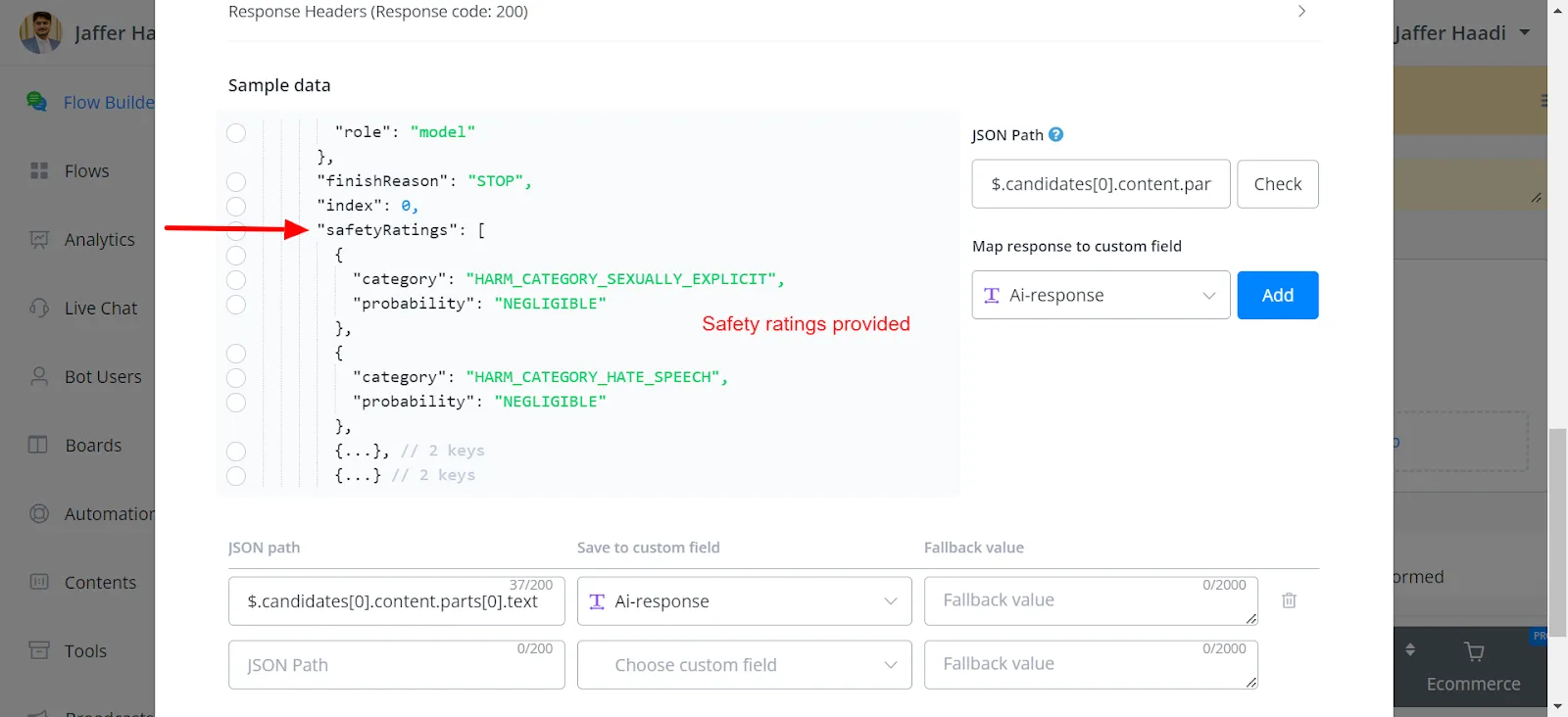
- Safety ratings are provided, with categories such as sexually explicit content, hate speech, harassment and dangerous content.
Safety ratings:
Models:
Users can retrieve the available models through a GET request.
Vision functionality:
The Vision functionality allows users to enter image URLs and receive descriptions, and it also provides safety ratings for the images.