GoHighLevel V2 - CRM V2
GoHighLevel is a complete marketing platform with robust customer relationship management features. The platform is designed to make it easy to manage all of a client's business activities, including sales funnels, lead tracking, outbound communication, follow-up sequences, and scheduling.
NicoChat integration with GoHighLevel:
You can find this integration under Integrations. GoHighLevel has two API versions — 1.0 and 2.0 — and we support both.
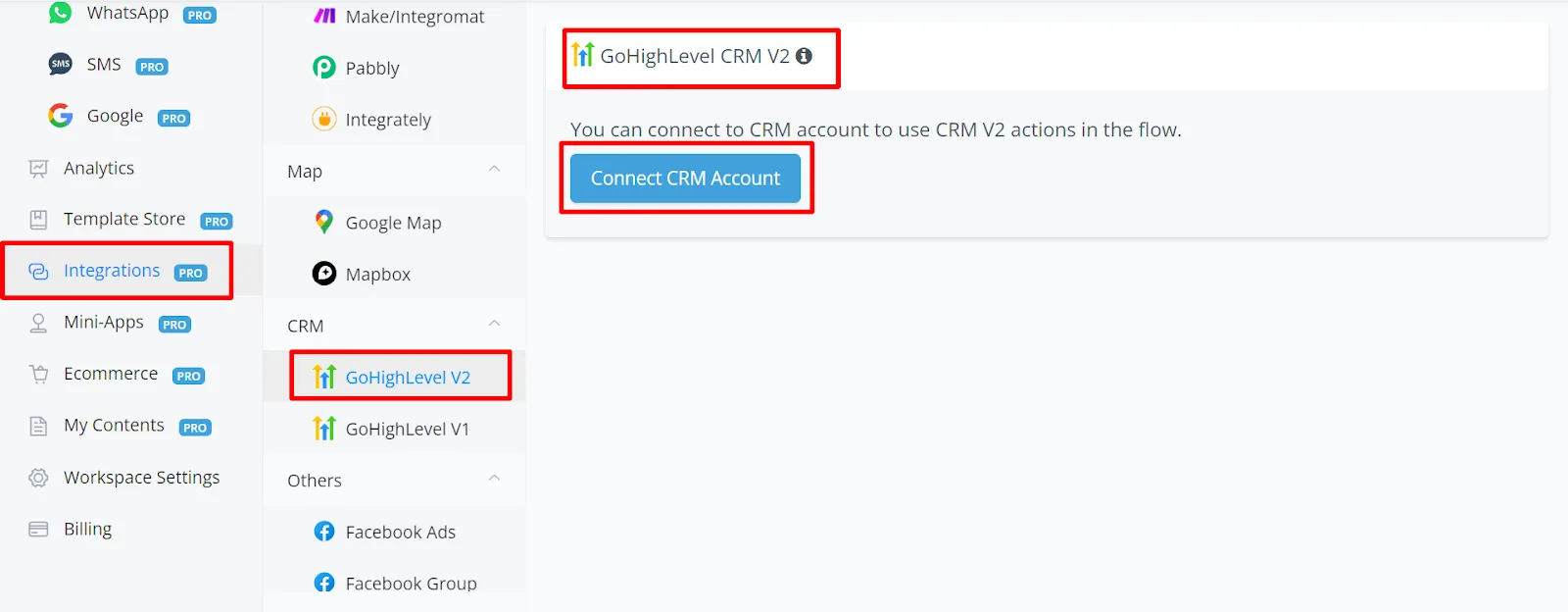
CRM V2 Integration
- V2: OAuth — you need to log in with your username and password.
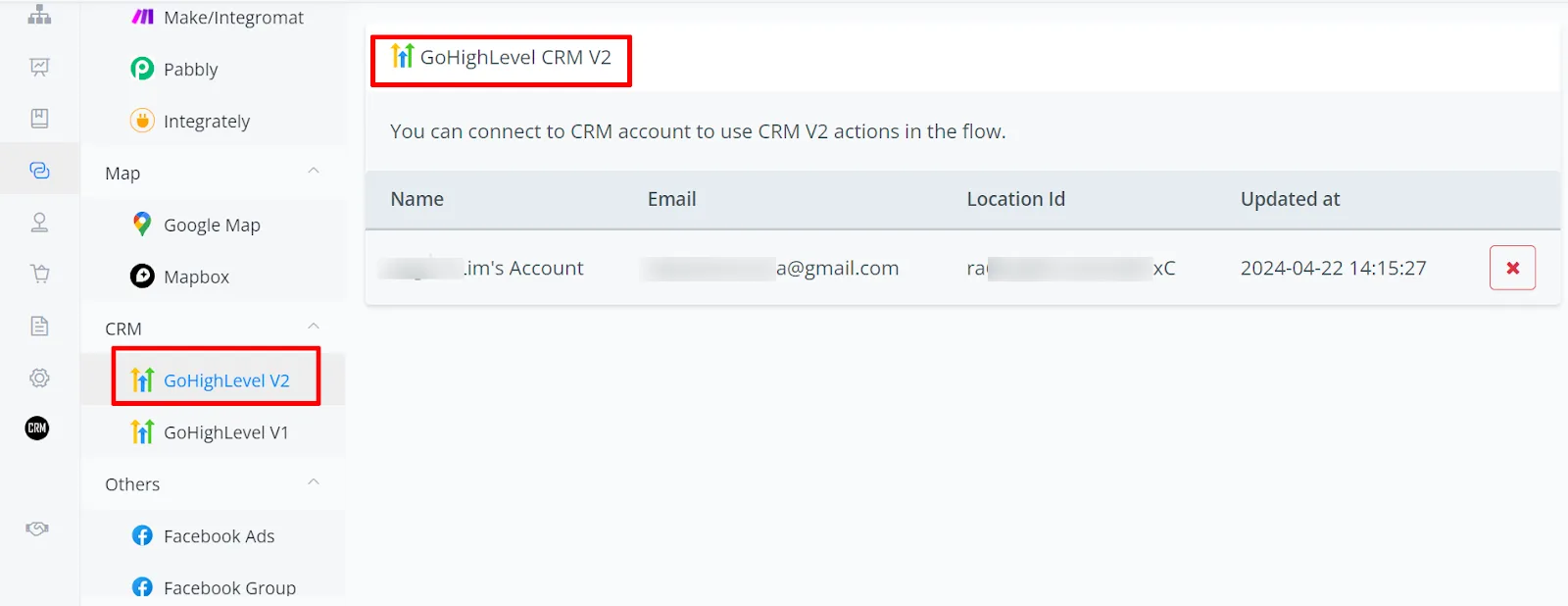
Integration with GoHighLevel V2:
- Log in to your account.
- Enter your email and password.
- Connect your account.
- Click "Confirm". You will be redirected back to NicoChat.
Actions:
- Actions work in all supported channels.
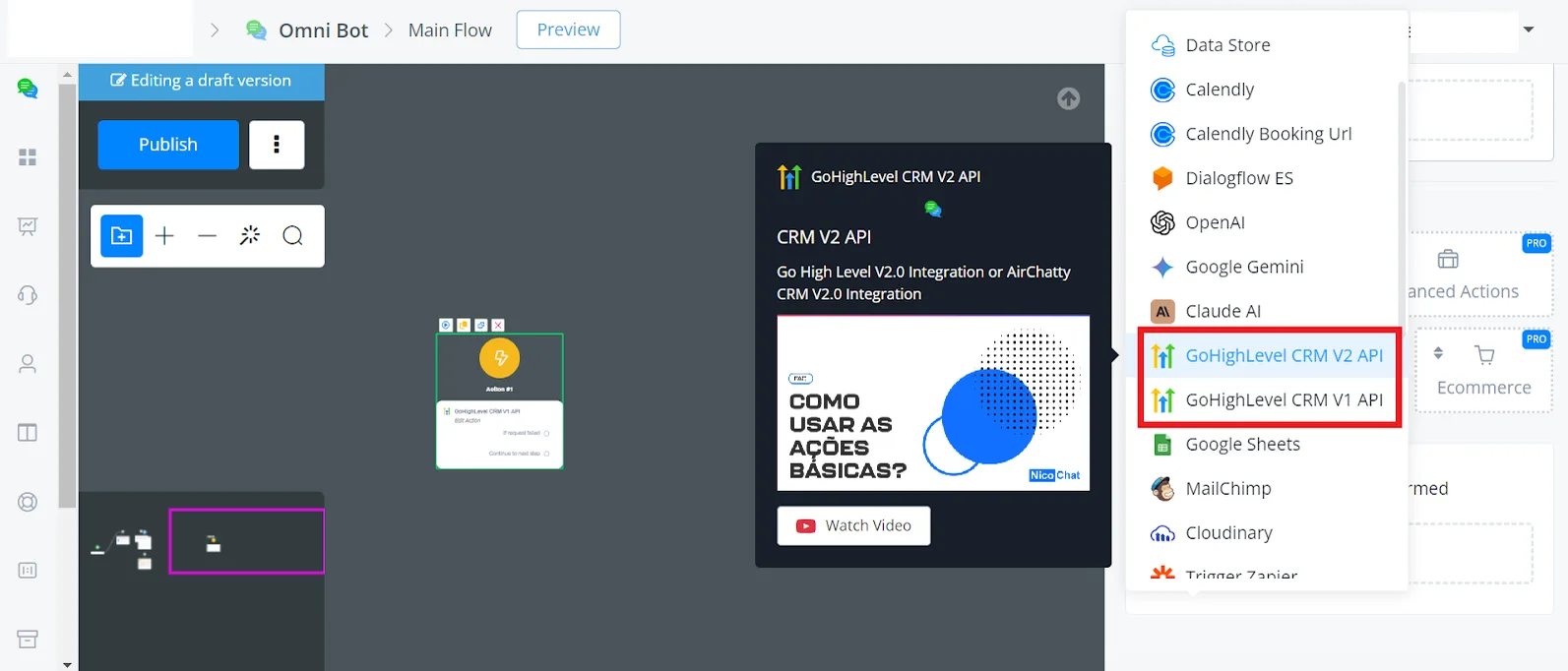
- In any channel, open the Flow Builder.
- Right-click, go to "Action" and then "Integration".
- You will see "CRM Version 1 API" and "CRM Version 2 API".
Here is the list of supported actions, by API version:
- Location-related, contact-related
- Access campaigns, add or remove contacts from campaigns
- Access users, add or remove users
- Access calendars, add or remove
- Access custom fields, add or remove
- Access opportunities, get pipelines
- Access templates
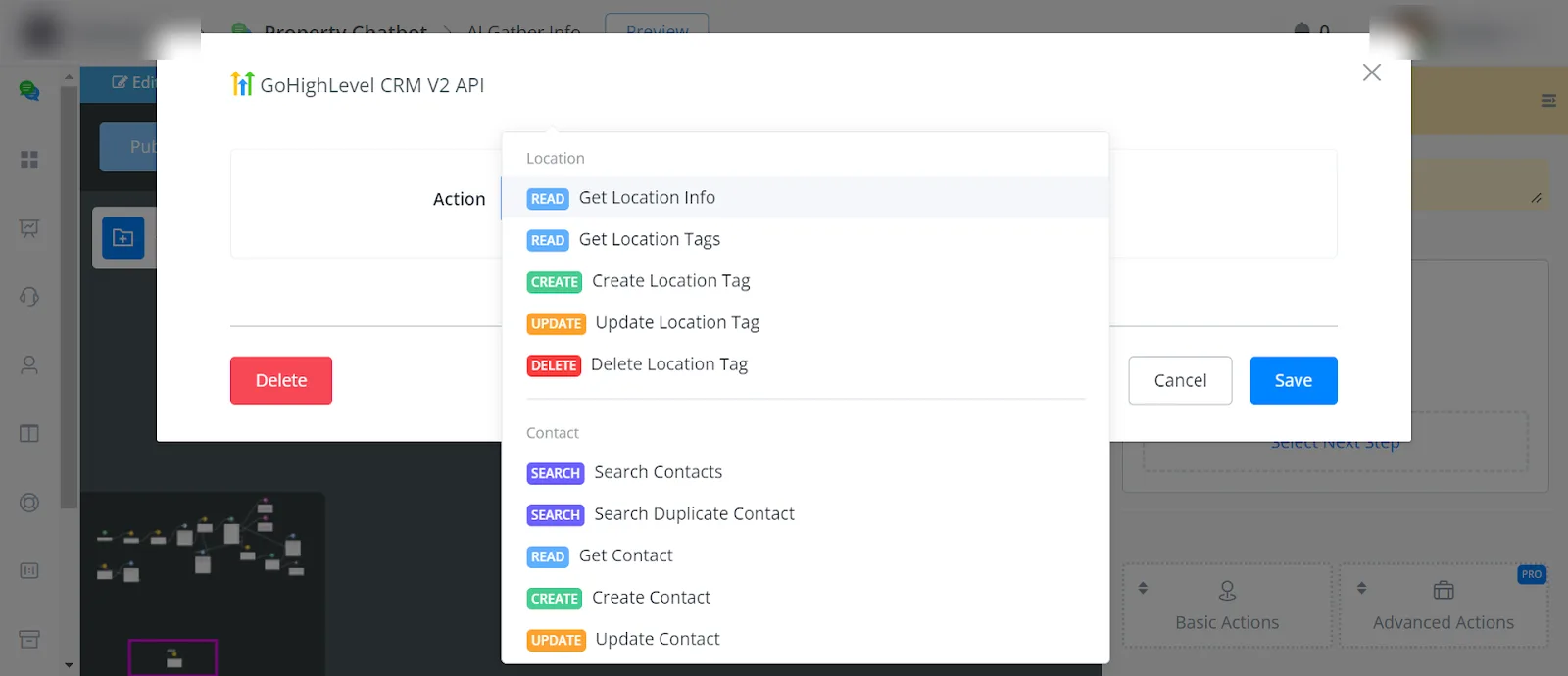
Location-related action
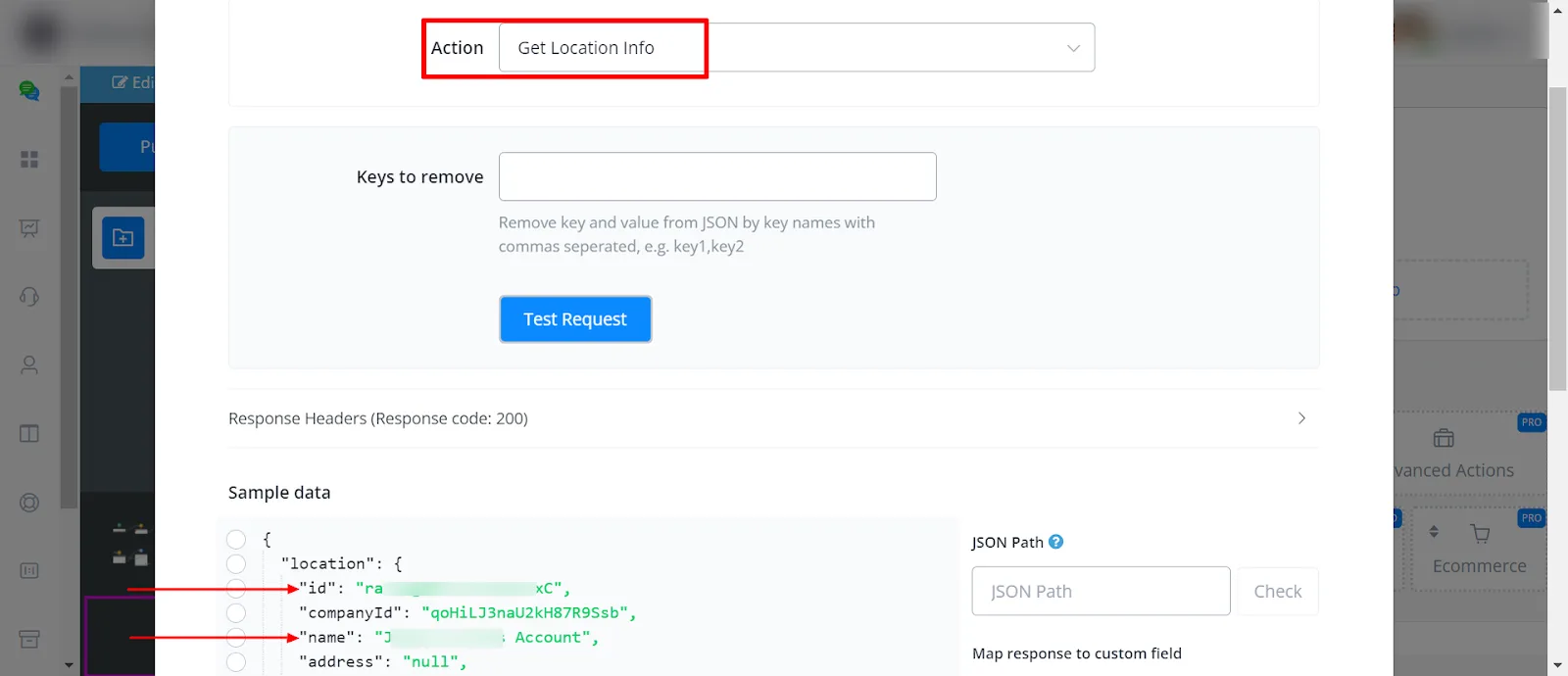
- Get Location Info
Through this action you have access to the location information: ID, company ID, name, address, timezone, email, and much more.
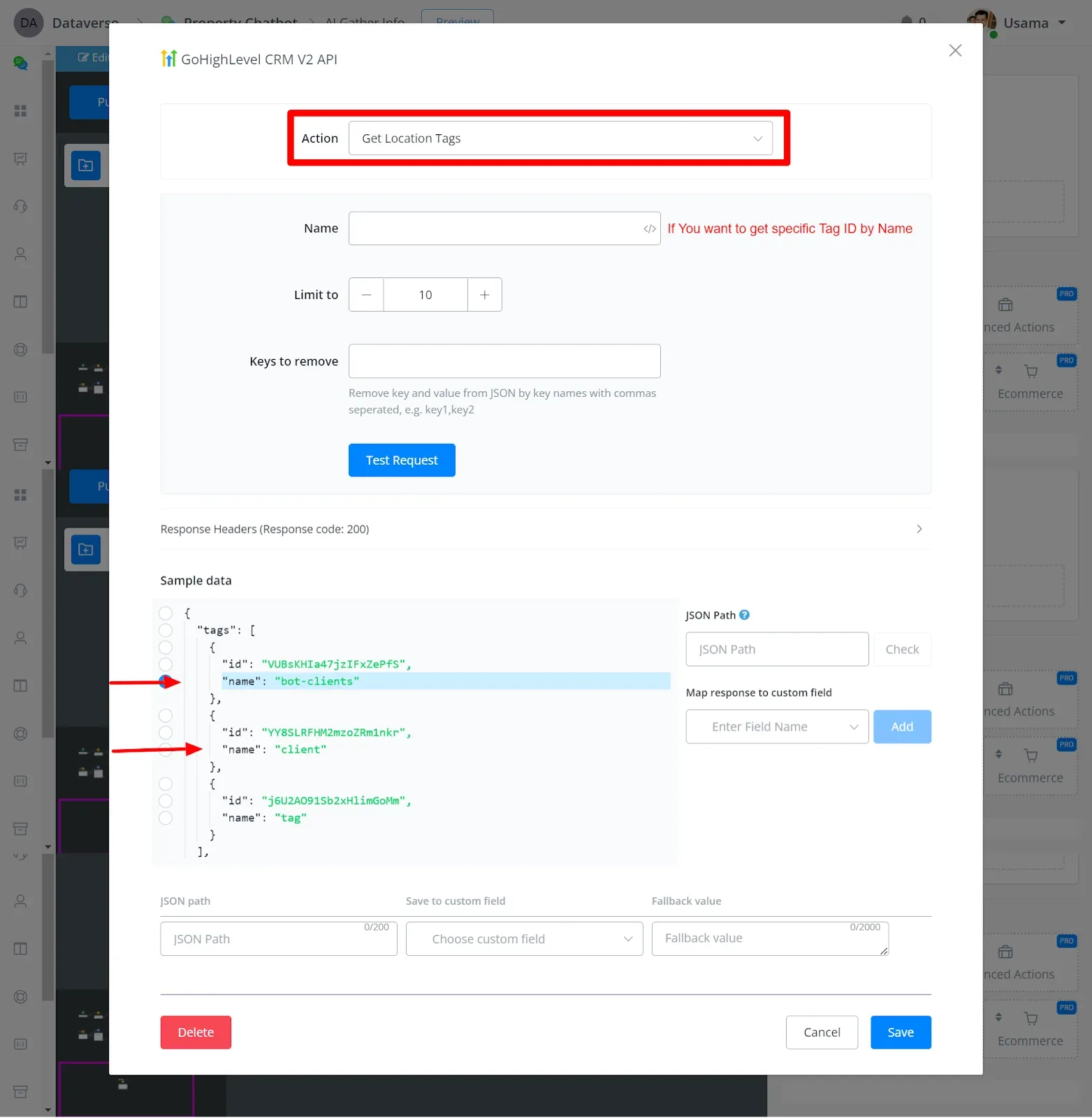
- Get Location Tags
Through this action you get the tag's name and ID.
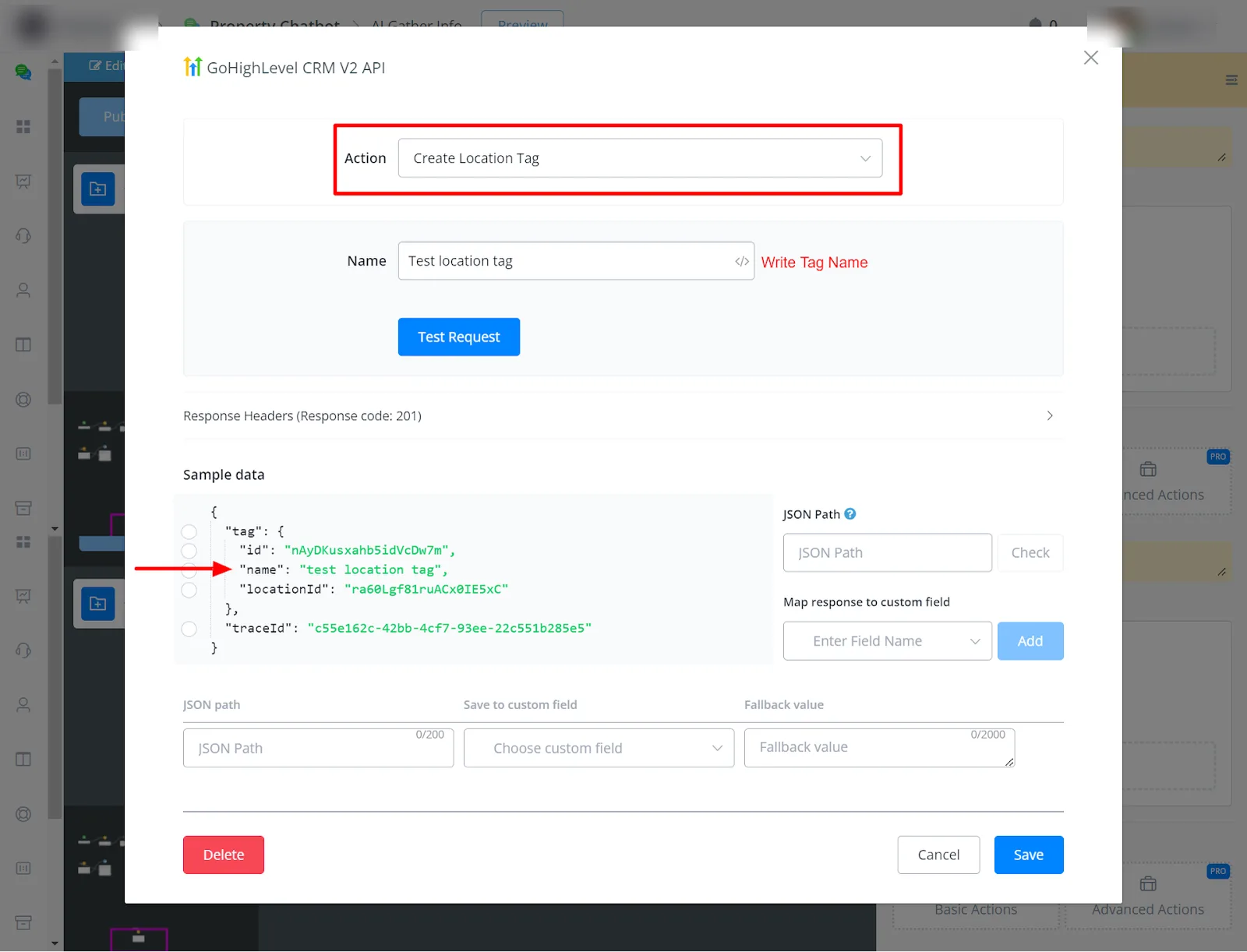
- Create Location Tag
Through this action you create the tag by entering its name.
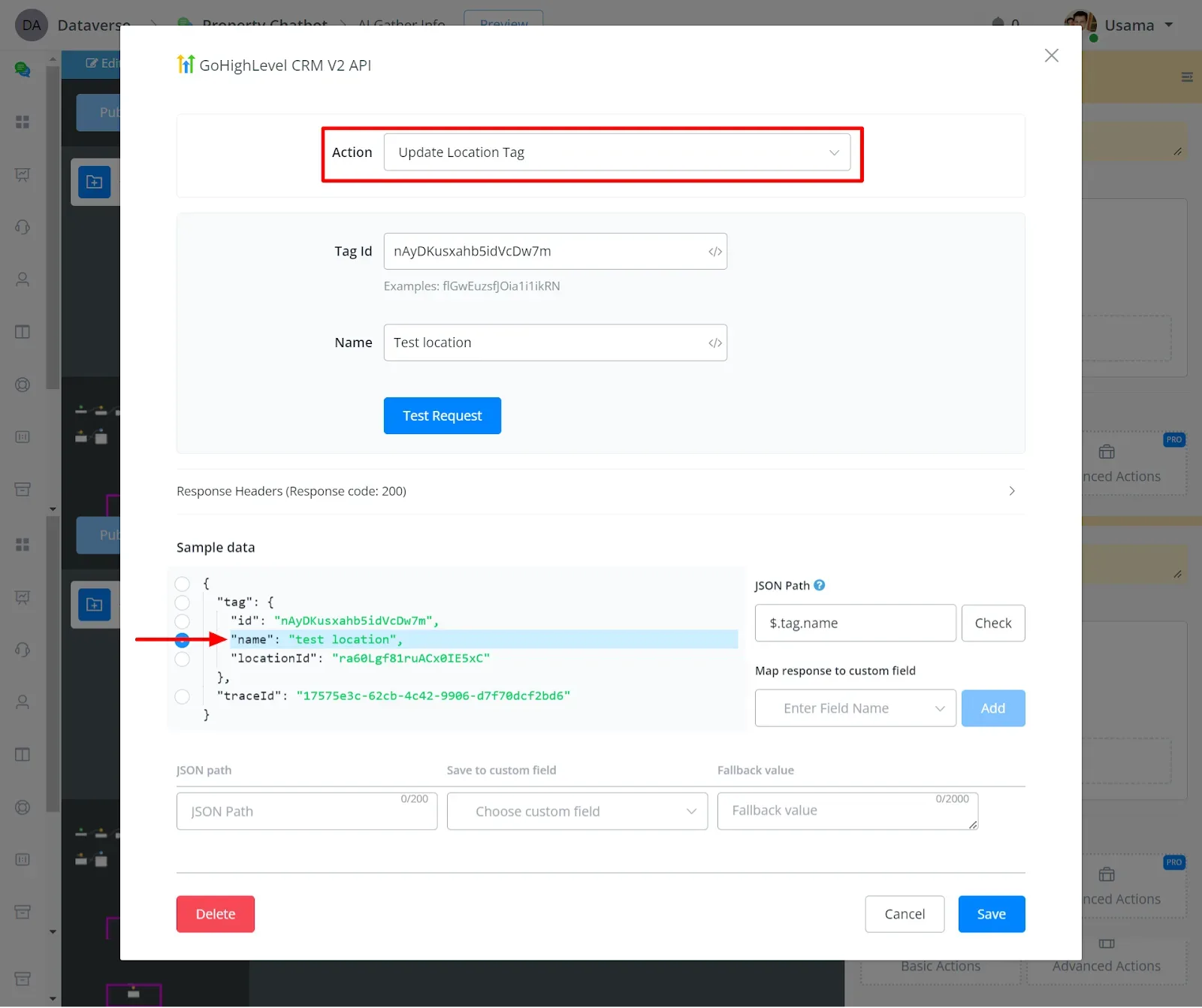
- Update Location Tag
By entering the tag ID, you update its name.
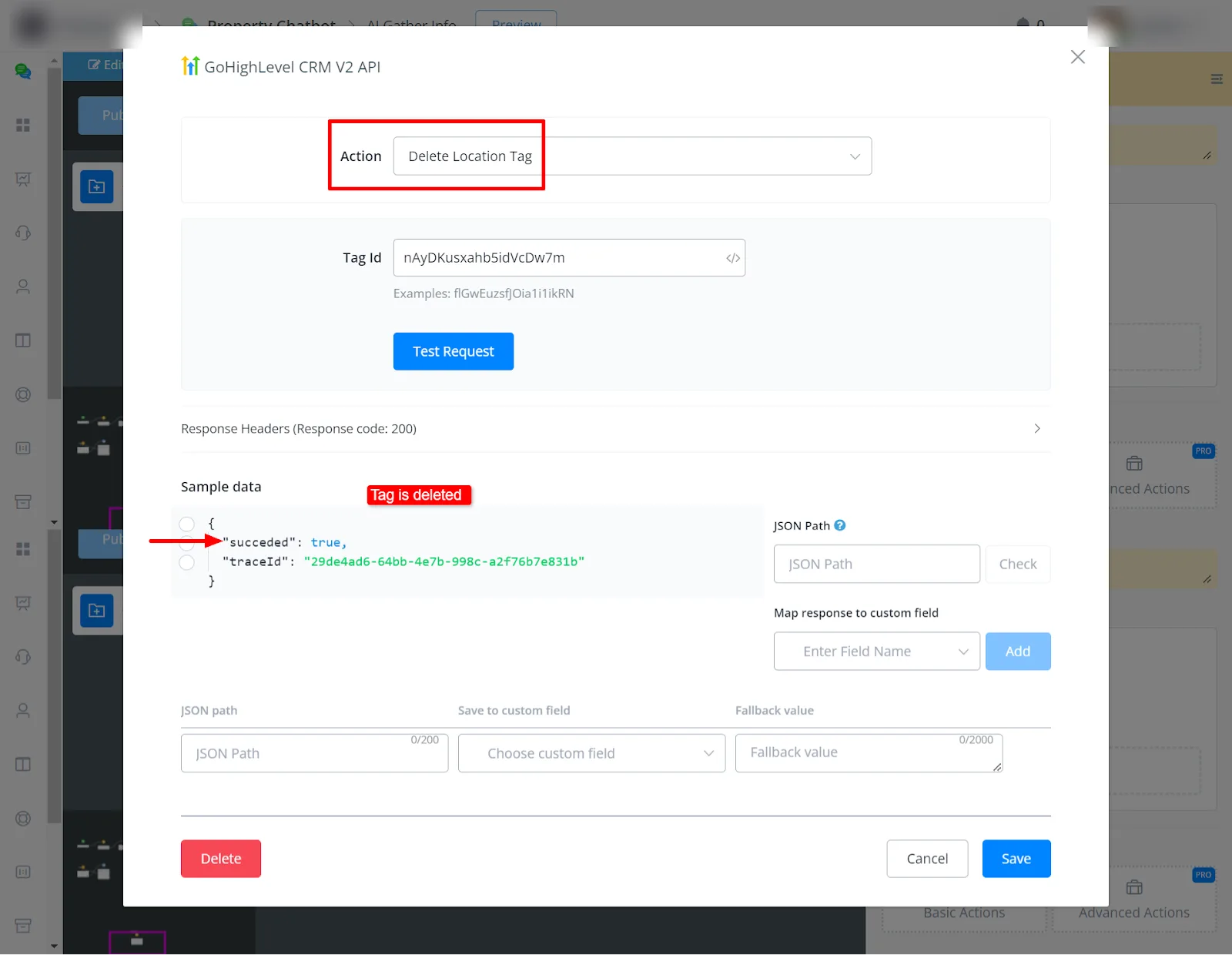
- Delete Location Tag
By entering the tag ID, you delete it.
Contact-related action
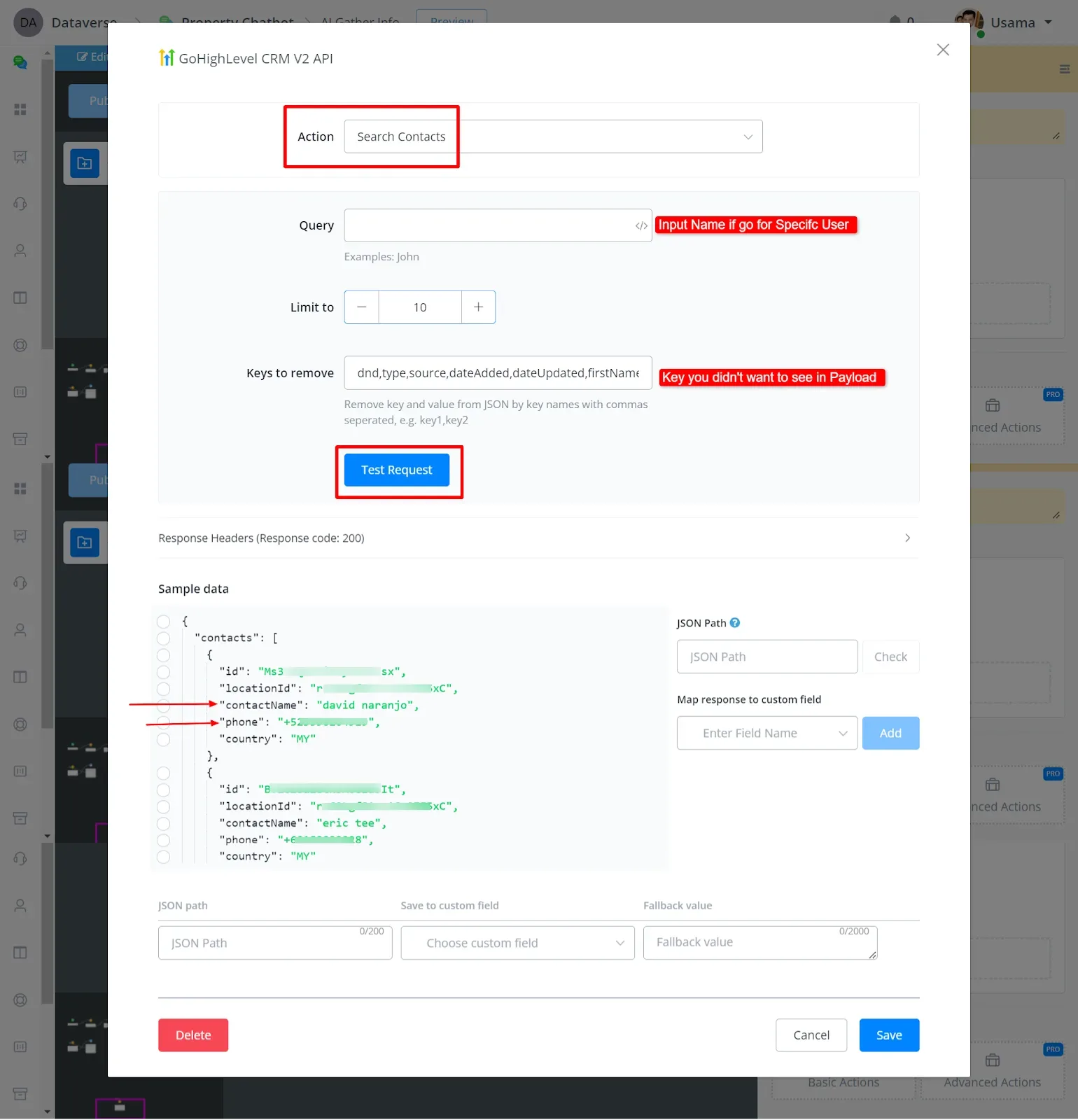
- Search Contacts
You can search for contacts, including by name.
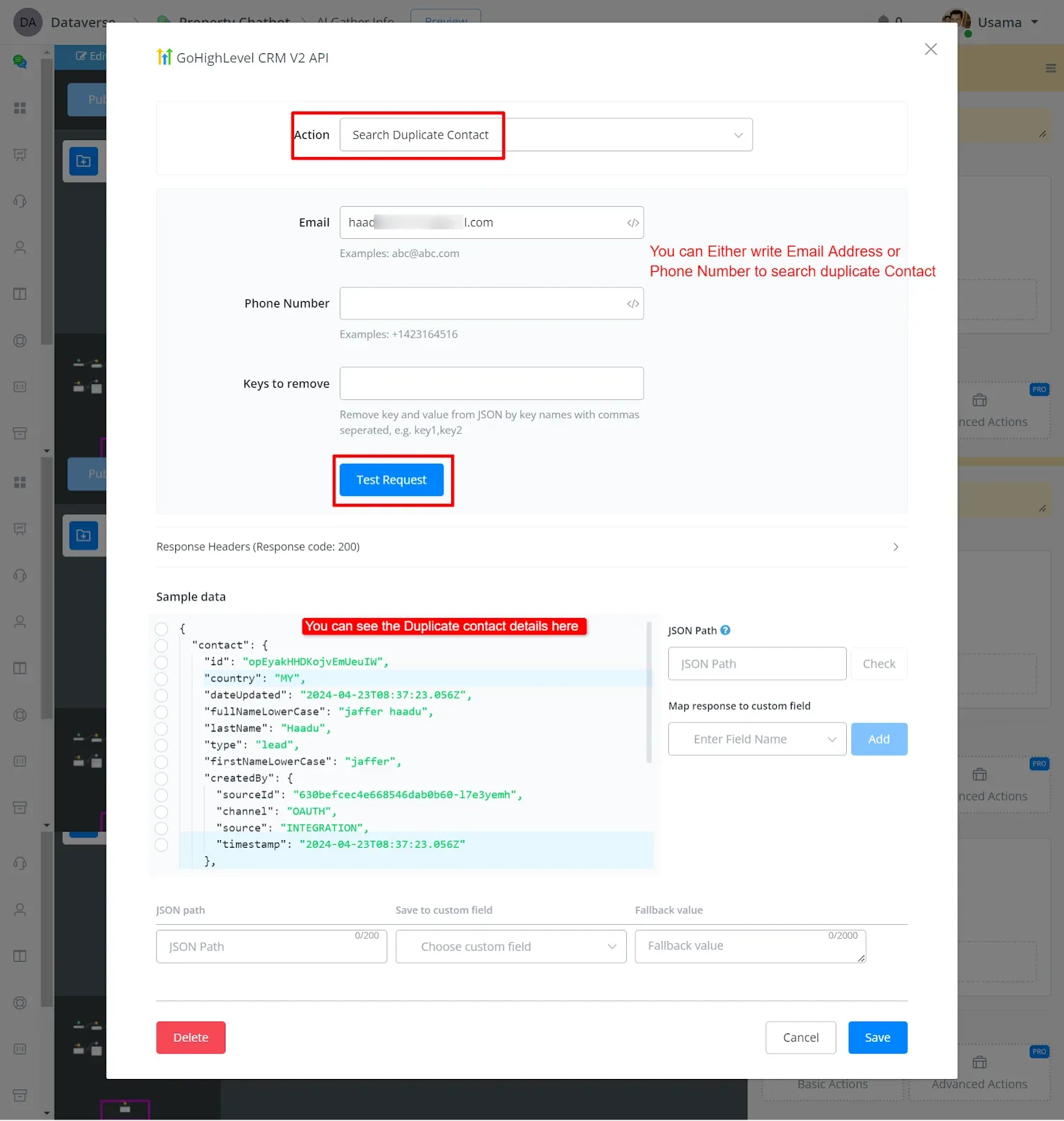
- Search Duplicate Contacts
You can search for duplicate contacts by entering the email or the phone.
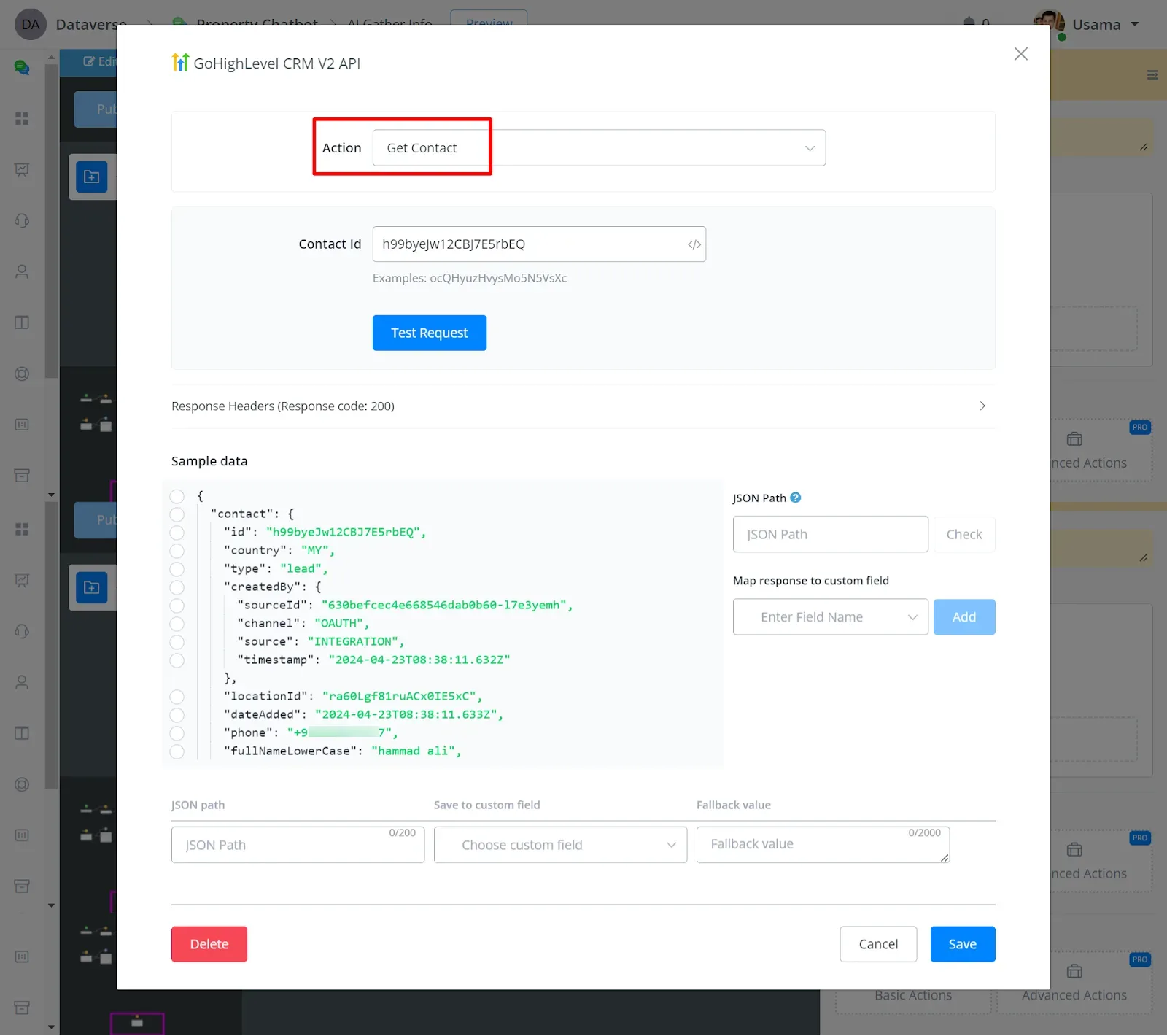
- Get Contact
You can get a contact by the contact ID.
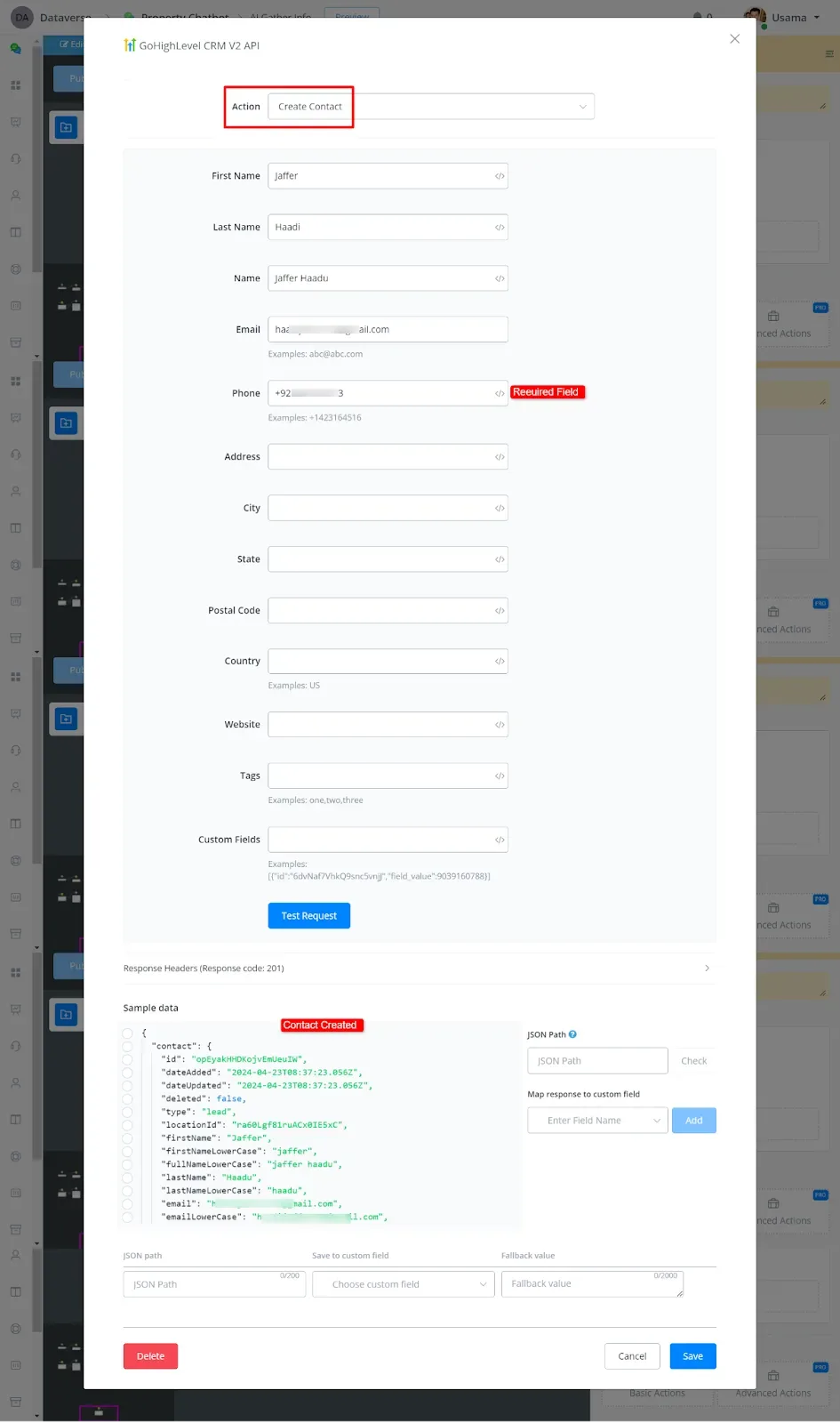
4. Create Contact
Fill in the details: Phone is required; there are also First Name, Last Name, Email, and other fields.
- Update Contact
You can update the contact from the contact ID. It works the same as creating a contact; you just need to enter the ID.
Update Contact Custom Fields
Delete Contact Custom Field
- Upsert Contact
Upsert means that, if the record already exists, it will be updated; if it does not exist, it will be created. It works the same as creating a contact.
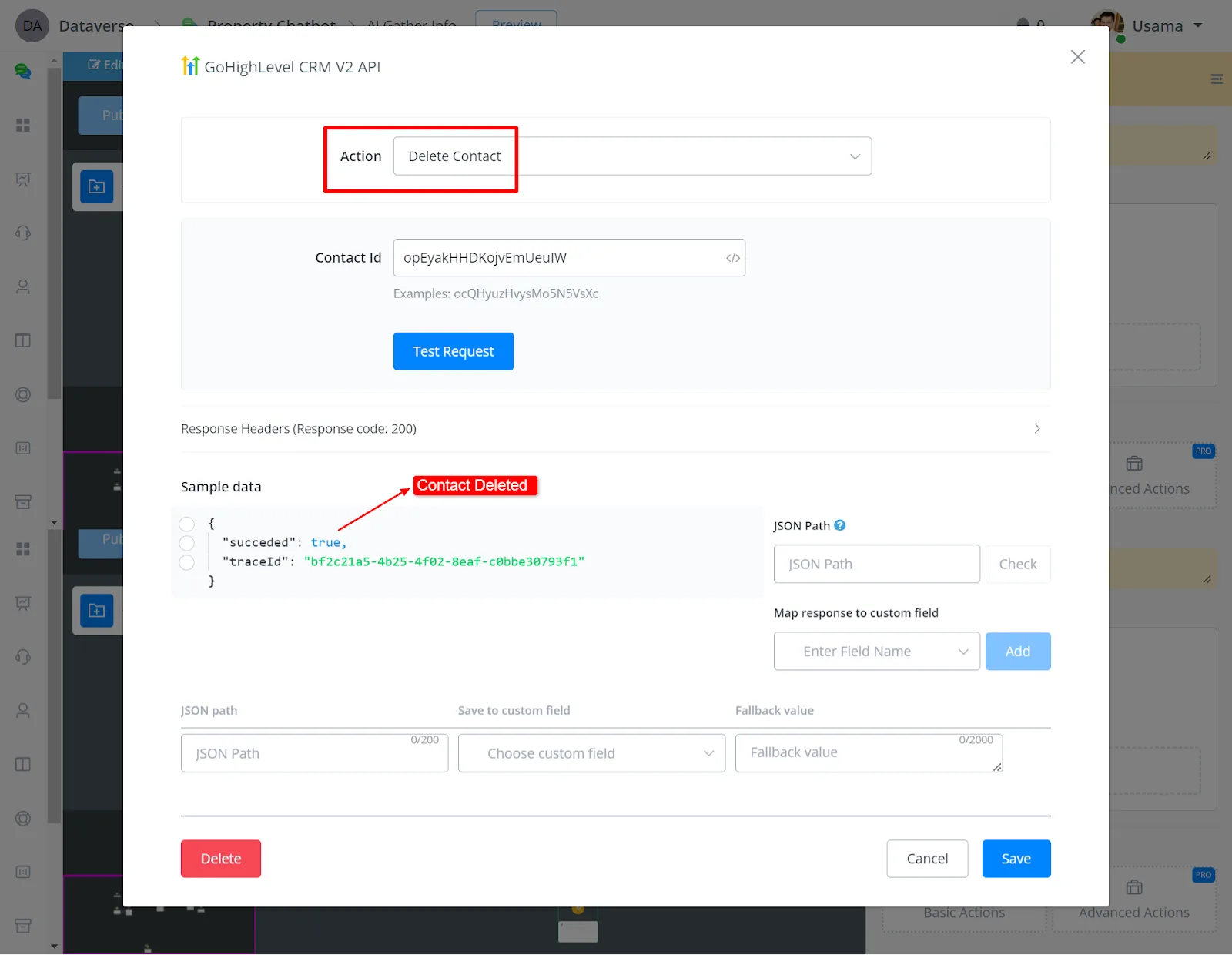
- Delete Contact
You can delete the contact by entering the contact ID.
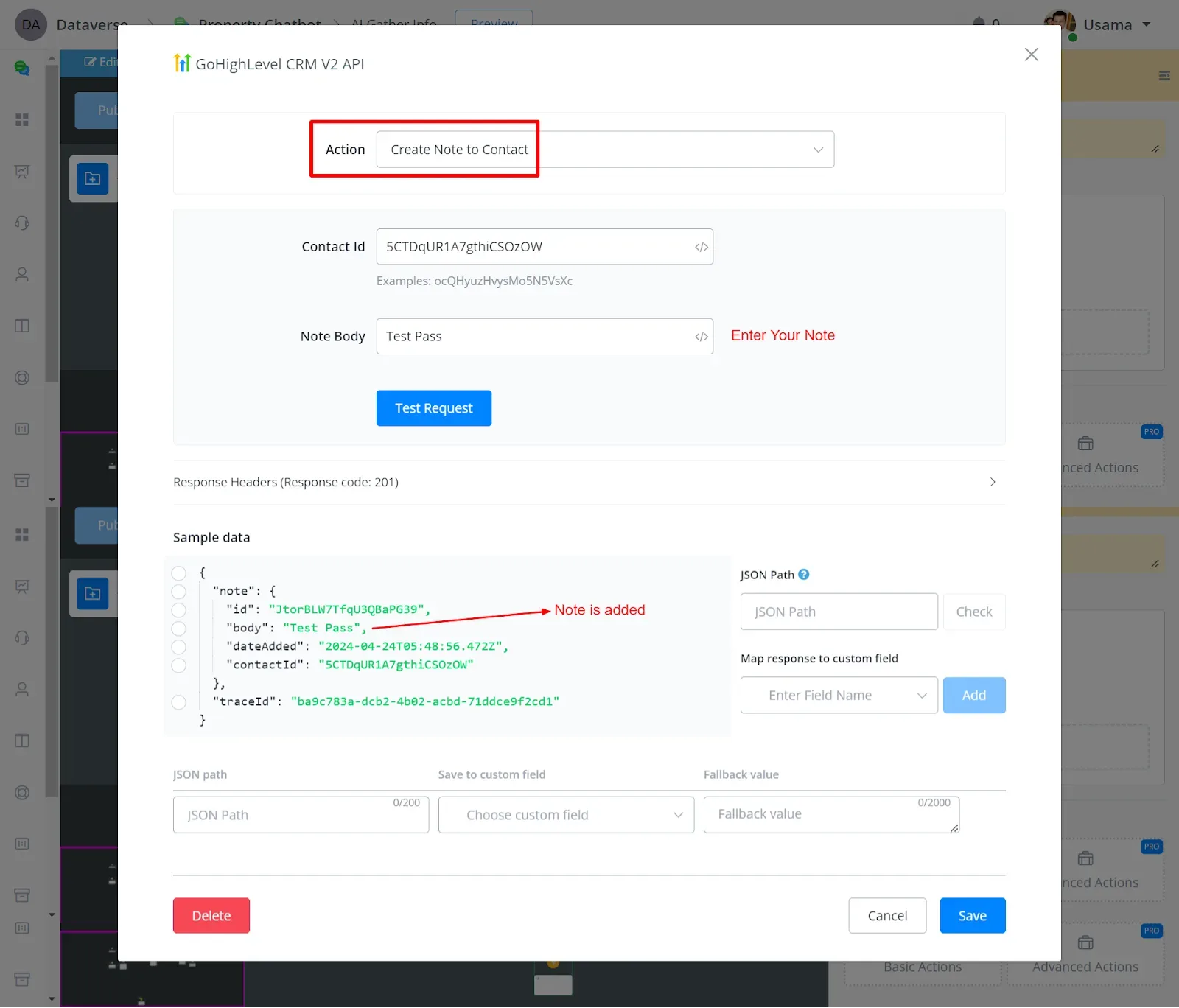
- Create a Note to Contact
You can create notes and attach them to the contact by the contact ID.
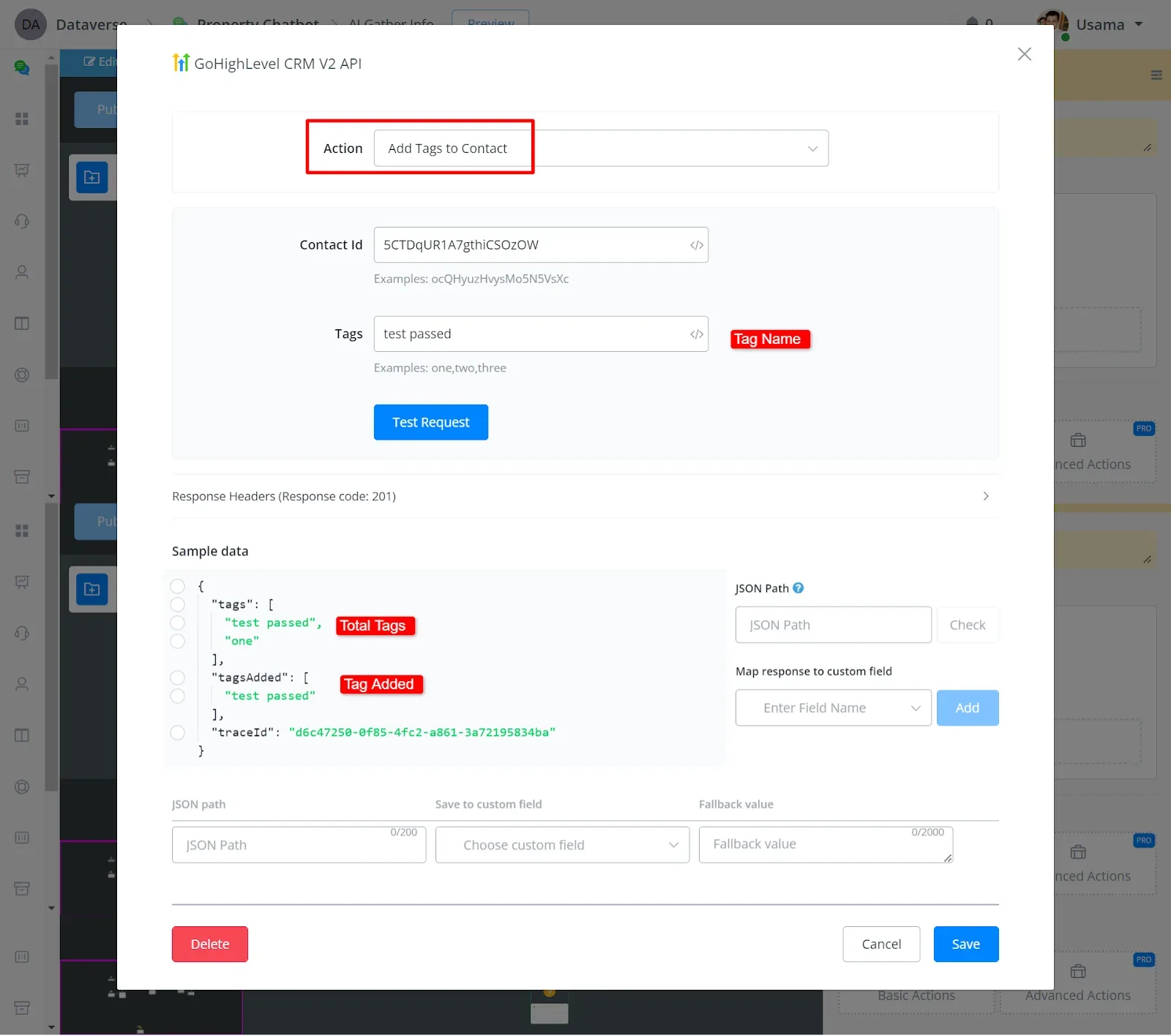
- Add Tags to Contact
You can add tags to the contact by entering the contact ID and the tag name.
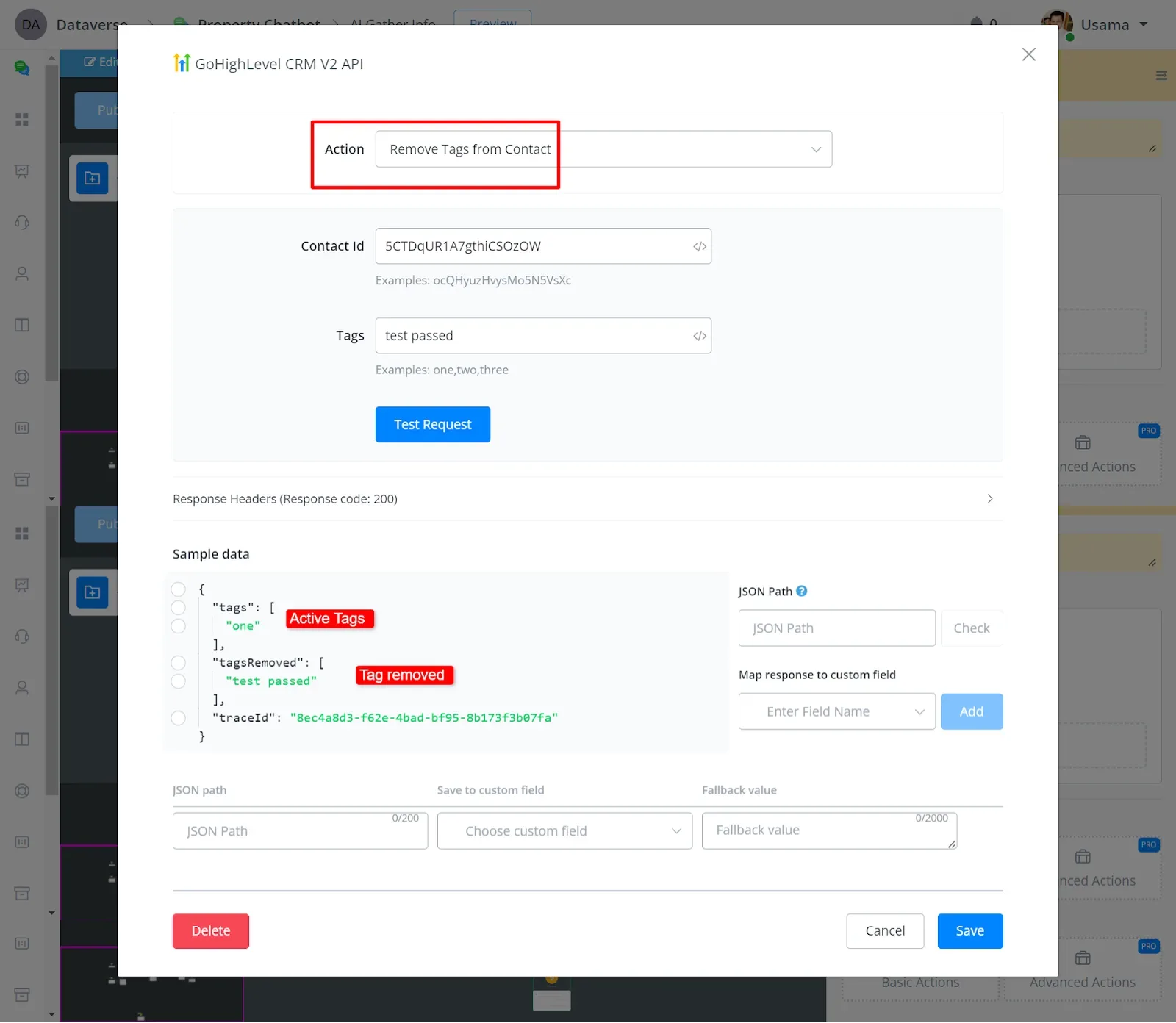
- Remove Tags from Contact
You can remove tags by entering the contact ID and the tag name.
Message-related action
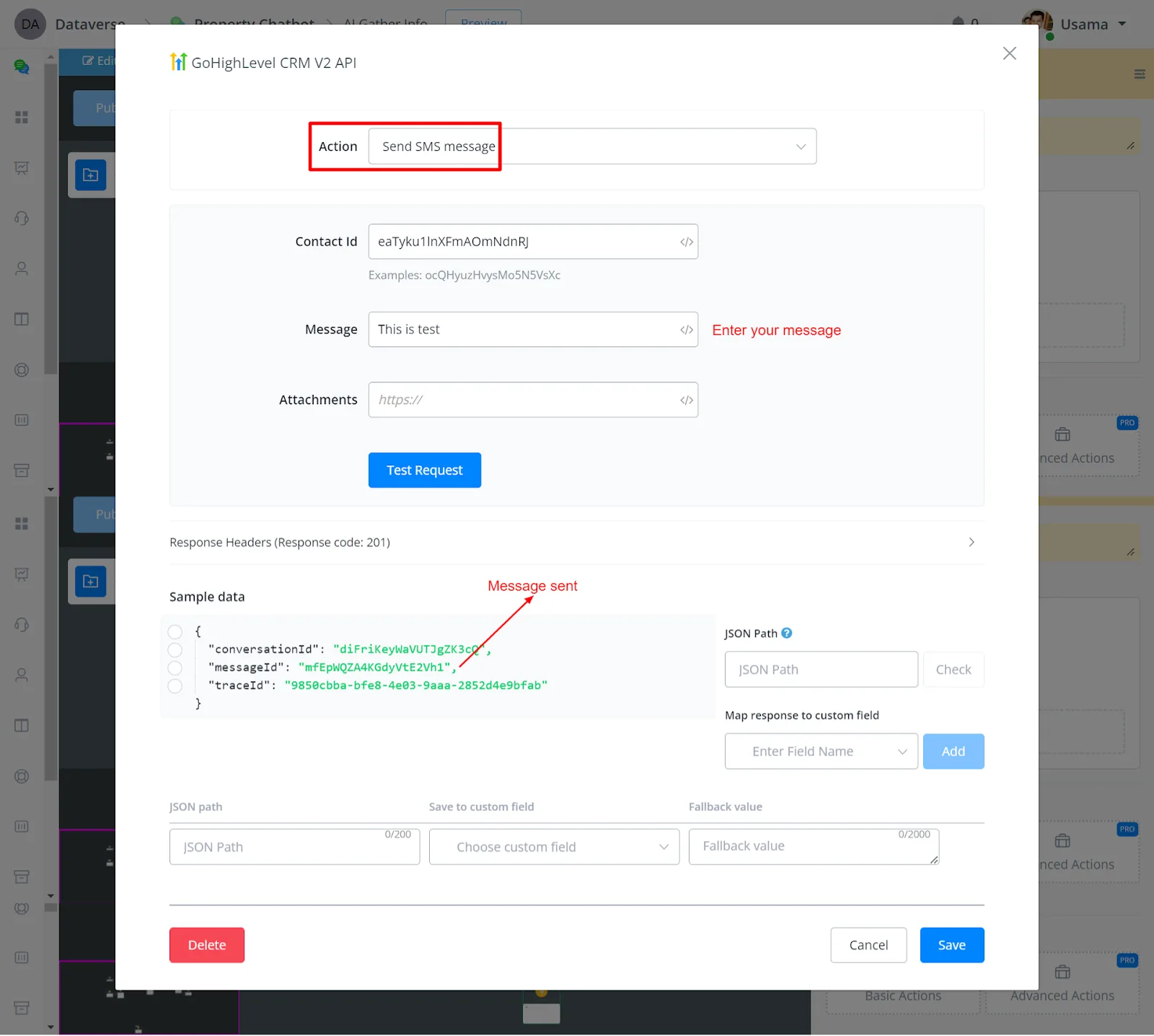
- Send SMS Message
You can send an SMS by entering the body text and the contact ID.
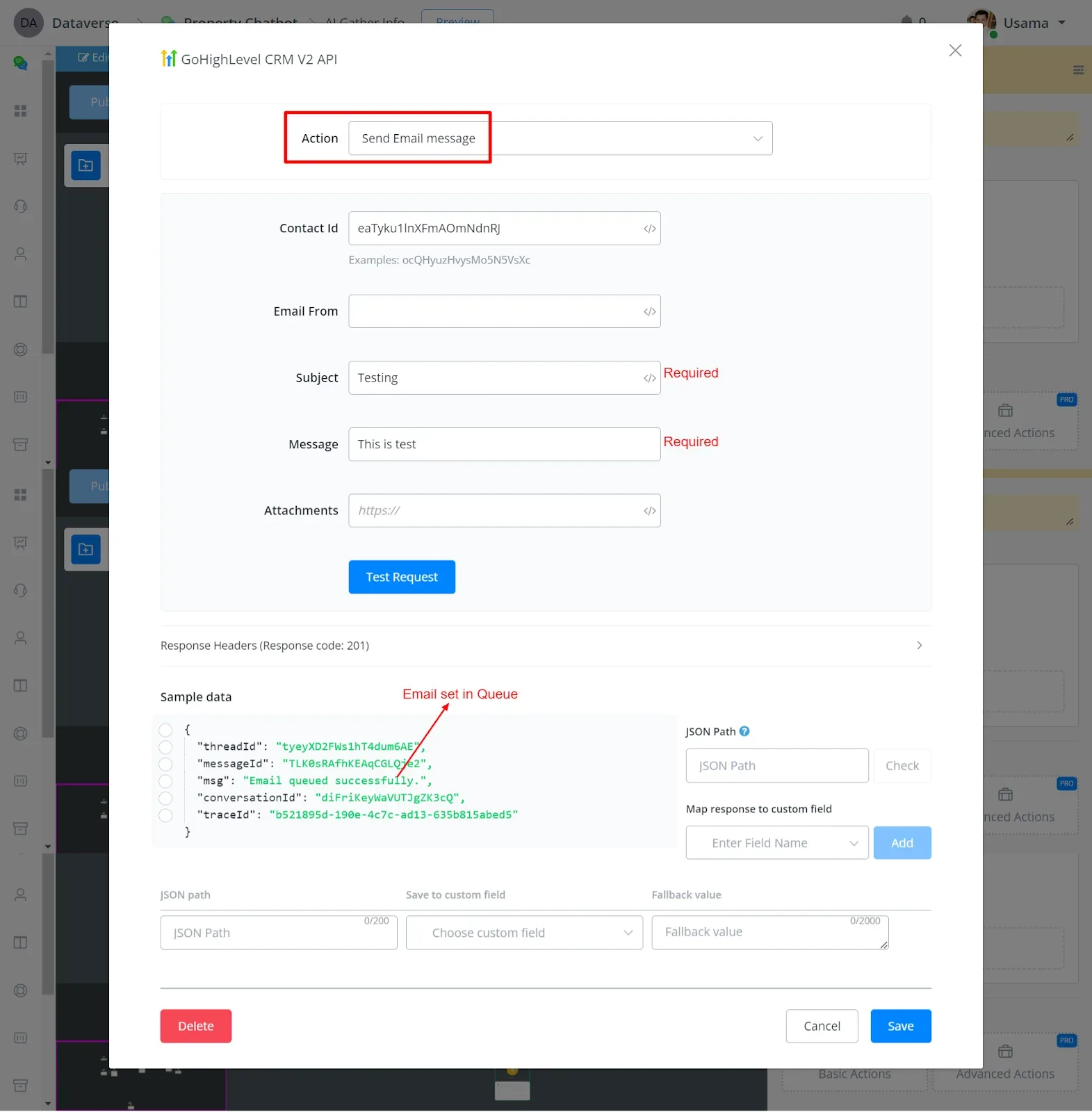
- Send Email Message
You can send an email to the contact by entering the contact ID, Subject, and Body; the message's From field is optional.
Campaign-related action
- Get Campaigns
- Add Contact to Campaign
- Remove Contact From Campaign
- Remove Contact From Every Campaign
Calendar-related action
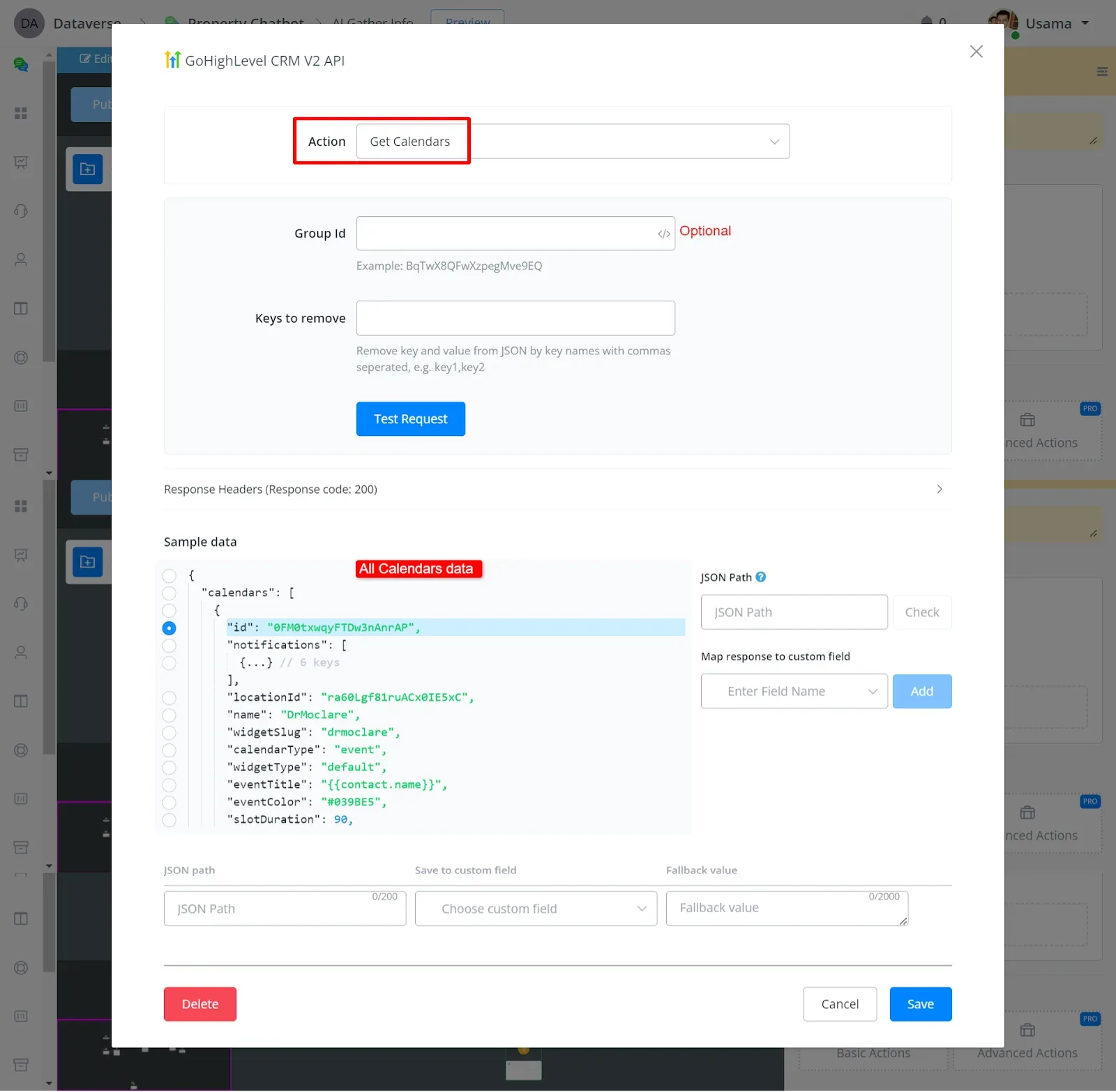
- Get Calendars
You can get the list of all calendars, with IDs, names, open hours, etc.
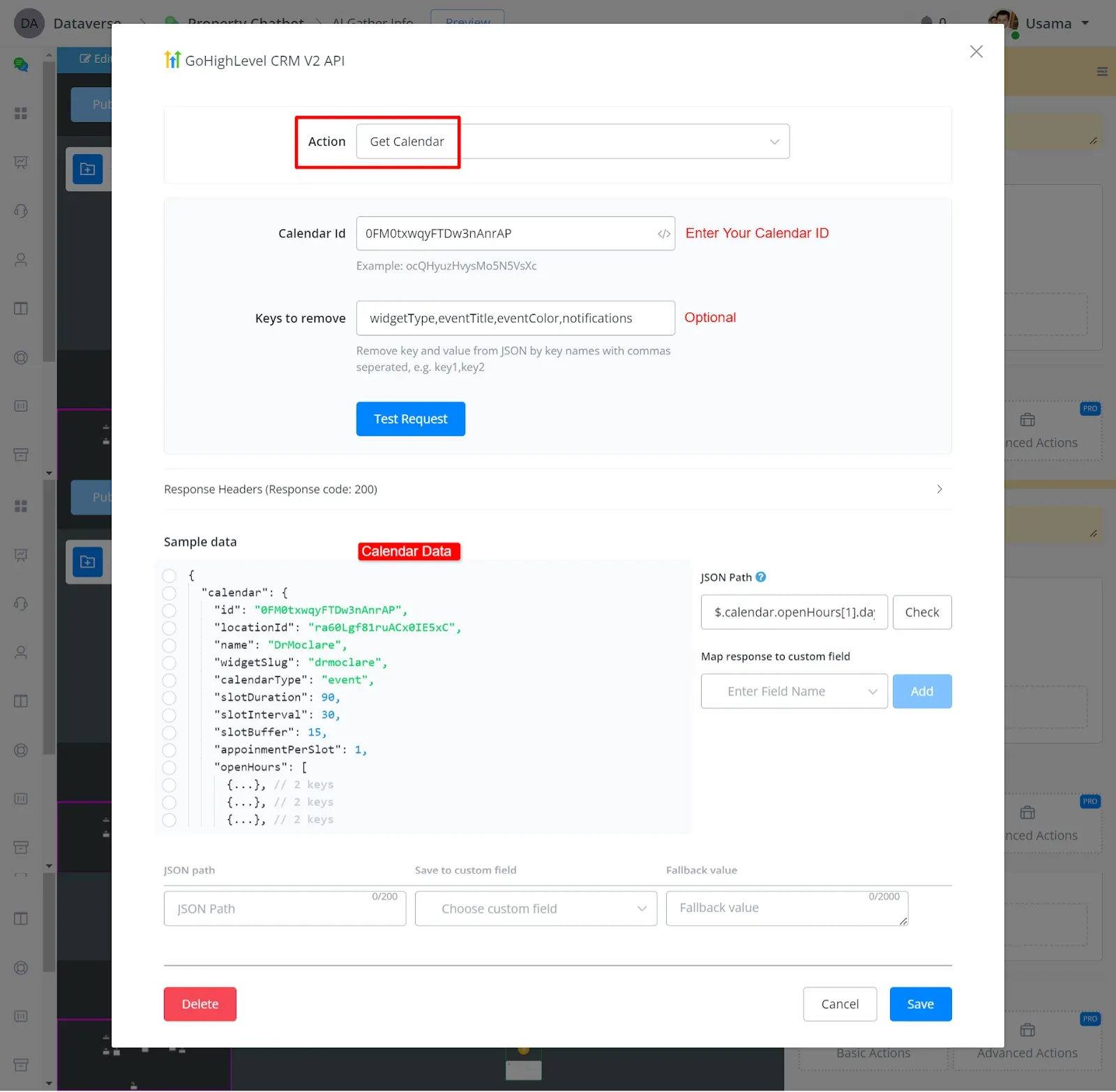
- Get Calendar Groups
You can get the calendar details by entering the calendar ID.
- Delete Calendar
You can delete the calendar by entering the calendar ID.
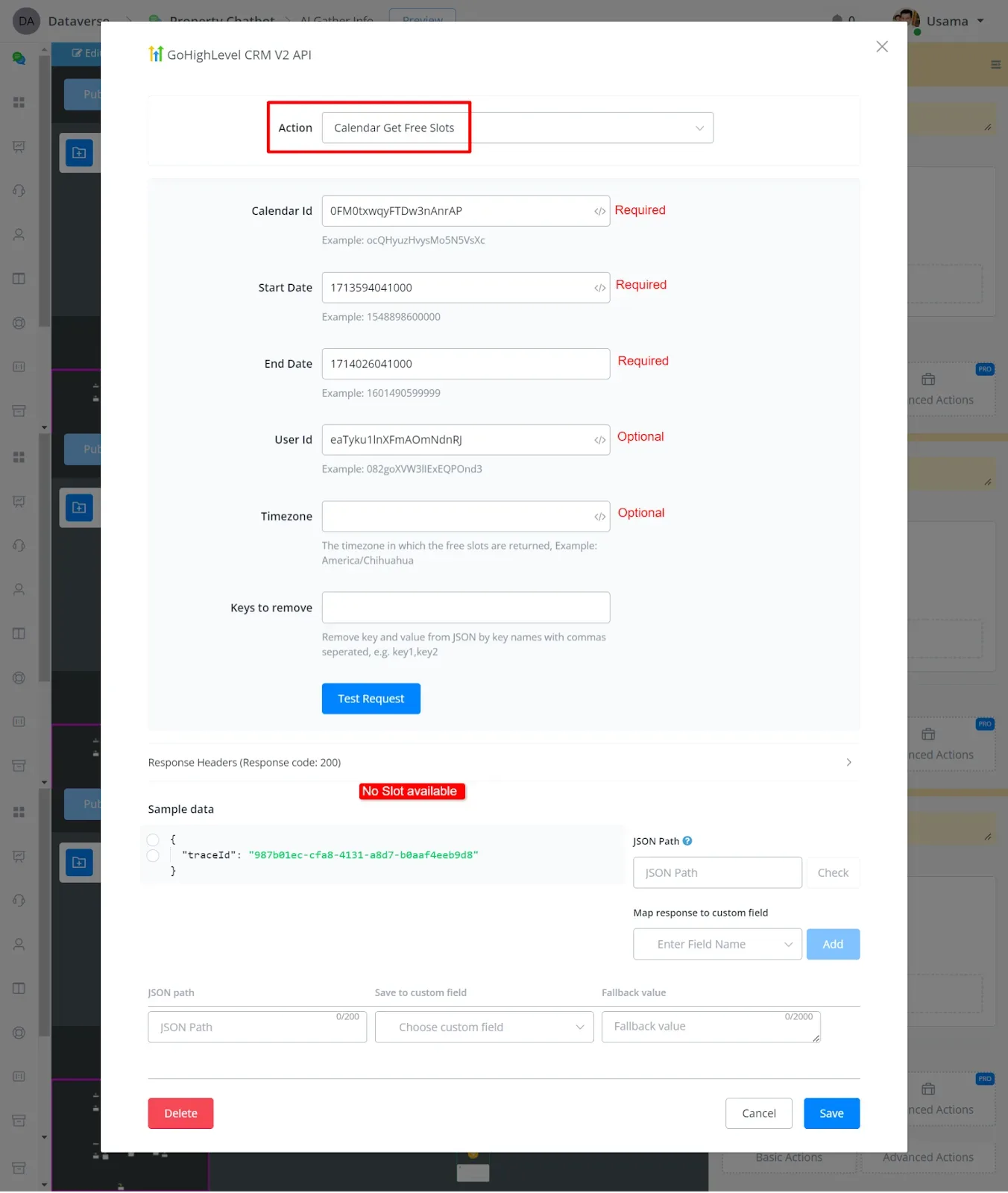
- Calendar Get Free Slots
You can retrieve the free slots by entering the calendar ID, the start date, and the end date, in Unix format.
- Get Appointments for Contact
- Calendar Get Appointment
- Calendar Create Appointment
- Update Calendar Scheduling
- Calendar Create Block Slot
- Update Blocked Slot in Calendar
- Calendar Delete Event
Workflow-related action
- Get Workflows
- Add Contact to Workflow
- Remove Contact From Workflow
Custom fields-related action
- Get Custom Fields
- Create Custom Field
- Update Custom Field
- Delete Custom Fields
Custom values-related action
- Get Custom Values
- Create Custom Value
- Update Custom Value
- Delete Custom Value
Opportunity-related action
- Search Opportunity
- Get Pipelines
- Get Opportunity
- Create Opportunity
- Update Opportunity
- Upsert Opportunity
- Update Opportunity Status
- Delete Opportunity
User-related action
- Get Users
- Get User Info
- Create User
- Update User
- Delete User
Template-related action
- Get SMS/Email Templates
Triggers
- V1 does not have triggers
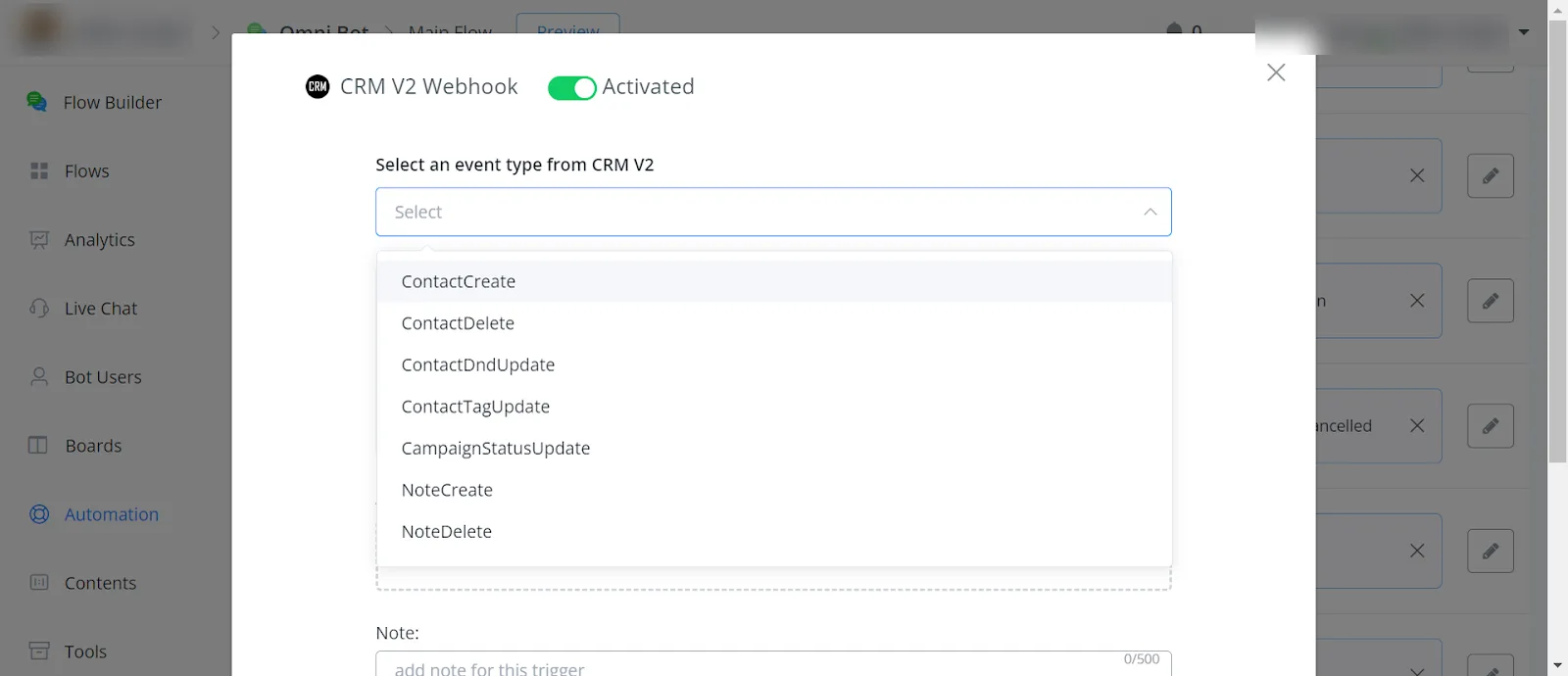
- V2 triggers work in the Omni-Channel
- V2 triggers work when the contact is created from NicoChat (bot)
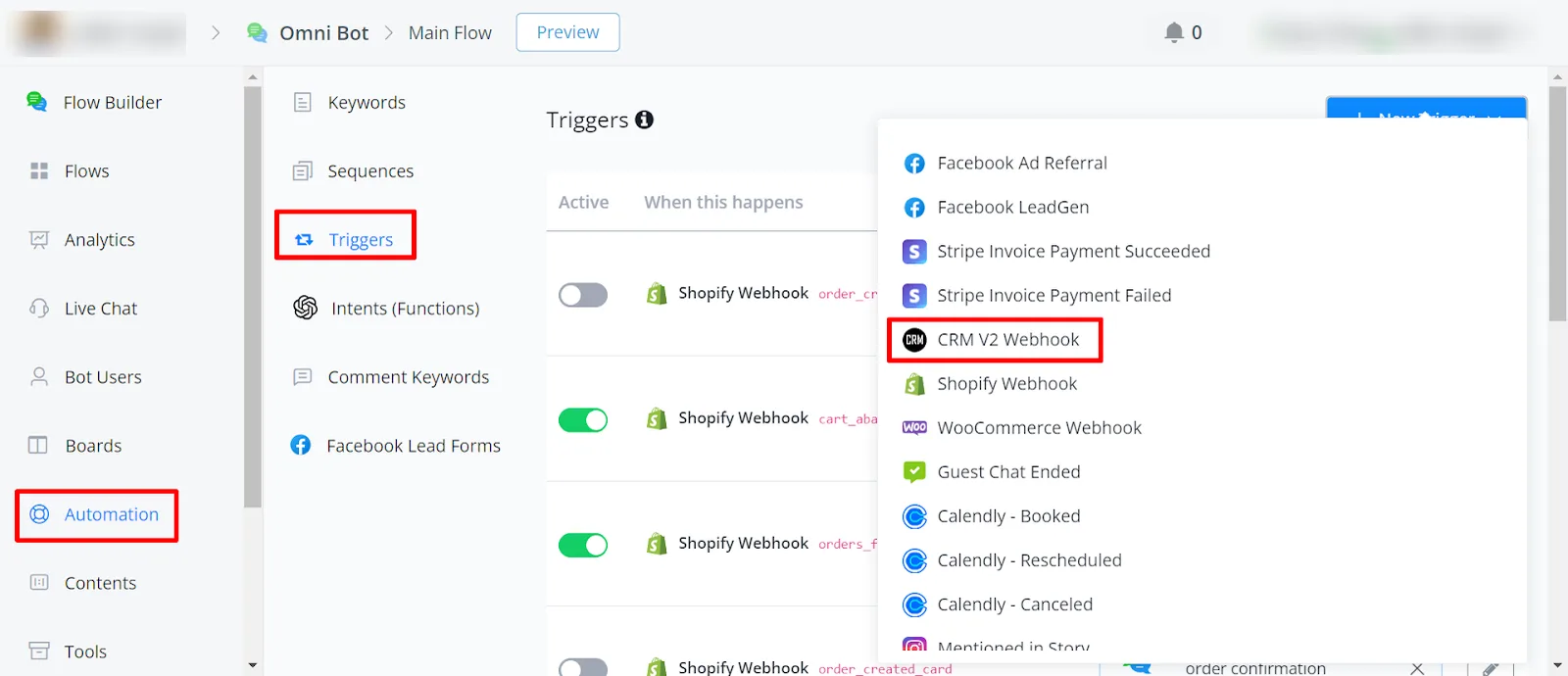
Triggers are supported in GoHighLevel Version 2.0. Version 1.0, unfortunately, does not support these triggers. Currently, triggers are available in the Omni-Channel only.
These triggers include:
- Contact created
- Contact deleted
- Contact tag updated
- Campaign status updated
- Opportunity created, deleted, or updated
- Task created, deleted, or updated
- Appointment completed
Any of these actions in GoHighLevel can trigger the flow you set up in NicoChat, which enables two-way synchronization. One important note: these contacts need to be created from within NicoChat for the triggers to work.